Review campaigns and ads
Review campaigns and ads
Open Ad Library to find a campaign, see the ads inside it and inspect the message, image or video used in an ad.
A campaign groups ads for a particular marketing activity. An ad is an individual message inside that campaign. The campaign source, such as LinkedIn or Individual Targeting, determines which performance details are available.
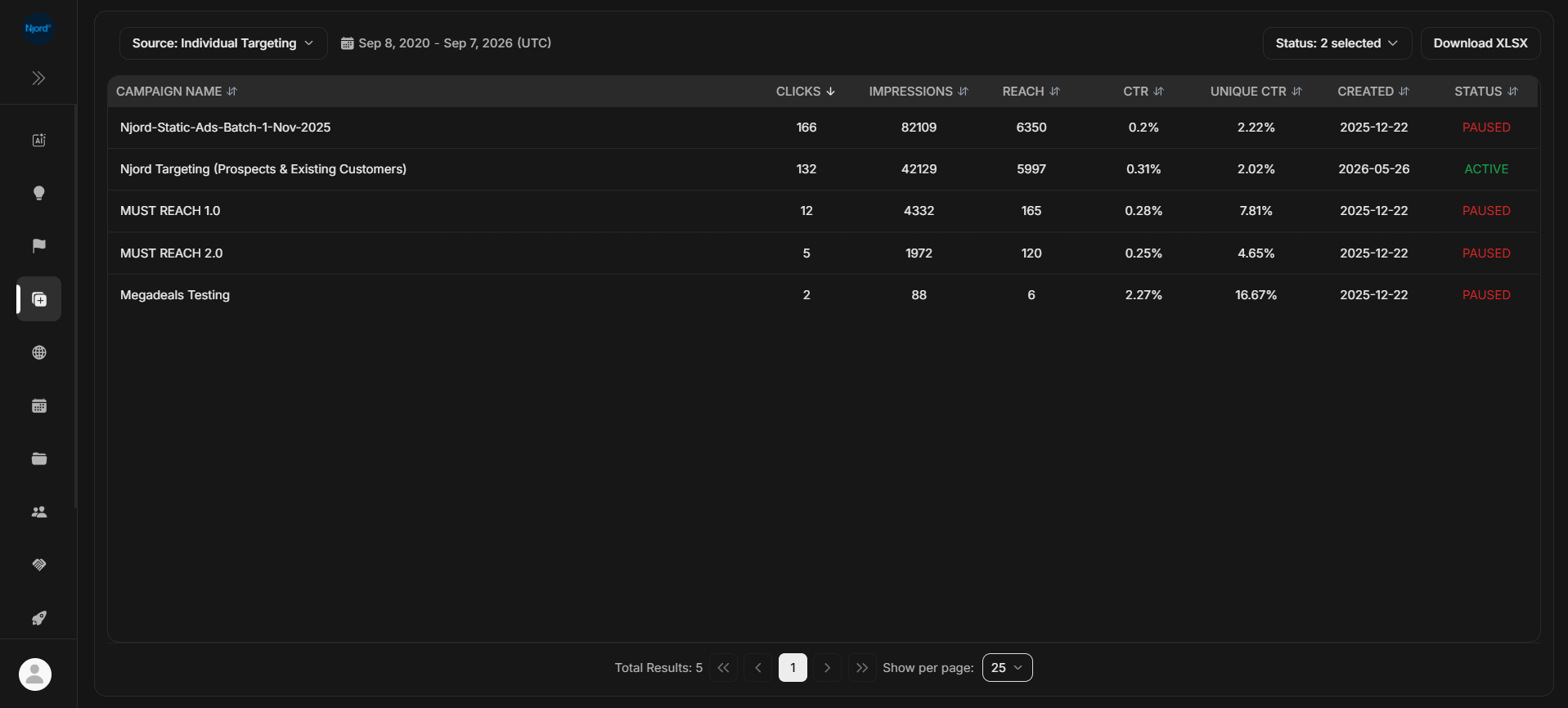
Image guide: the campaign list shows status and performance for the selected source. Open a campaign to review its individual ads.
Find and inspect an ad
- Open Ad Library.
- Choose the campaign source.
- Check the displayed date range and any status filters.
- Select a campaign to open its ads.
- Open an ad's details or creative preview.
Choose your next task
| What you need | Guide |
|---|---|
| Find campaigns for individually targeted ads | Individual Targeting campaigns |
| Review LinkedIn campaigns | LinkedIn campaigns |
| Compare ads in a campaign | Ads Listing |
| Read the ad's message, link and performance | Ad Details |
| Inspect an image or video | Creative previews |
| Understand metrics or download a spreadsheet | Metrics, dates and exports |
| Check the available creation and maintenance actions | Campaign and ad creation |
Compare performance in context
Use the same source and date range when comparing ads. Sources can provide different metrics, so columns may change when you switch between them.
Ad Library answers questions about campaigns and ads. To see which companies or people engaged, continue to the relevant report.
If a campaign or preview is missing
Clear status filters and widen the date range before searching again. If the campaign exists but a preview is unavailable, open Ad Details to check the media DOE has for that ad.
Creation and editing options depend on your role, workspace and campaign source.