Ads listing
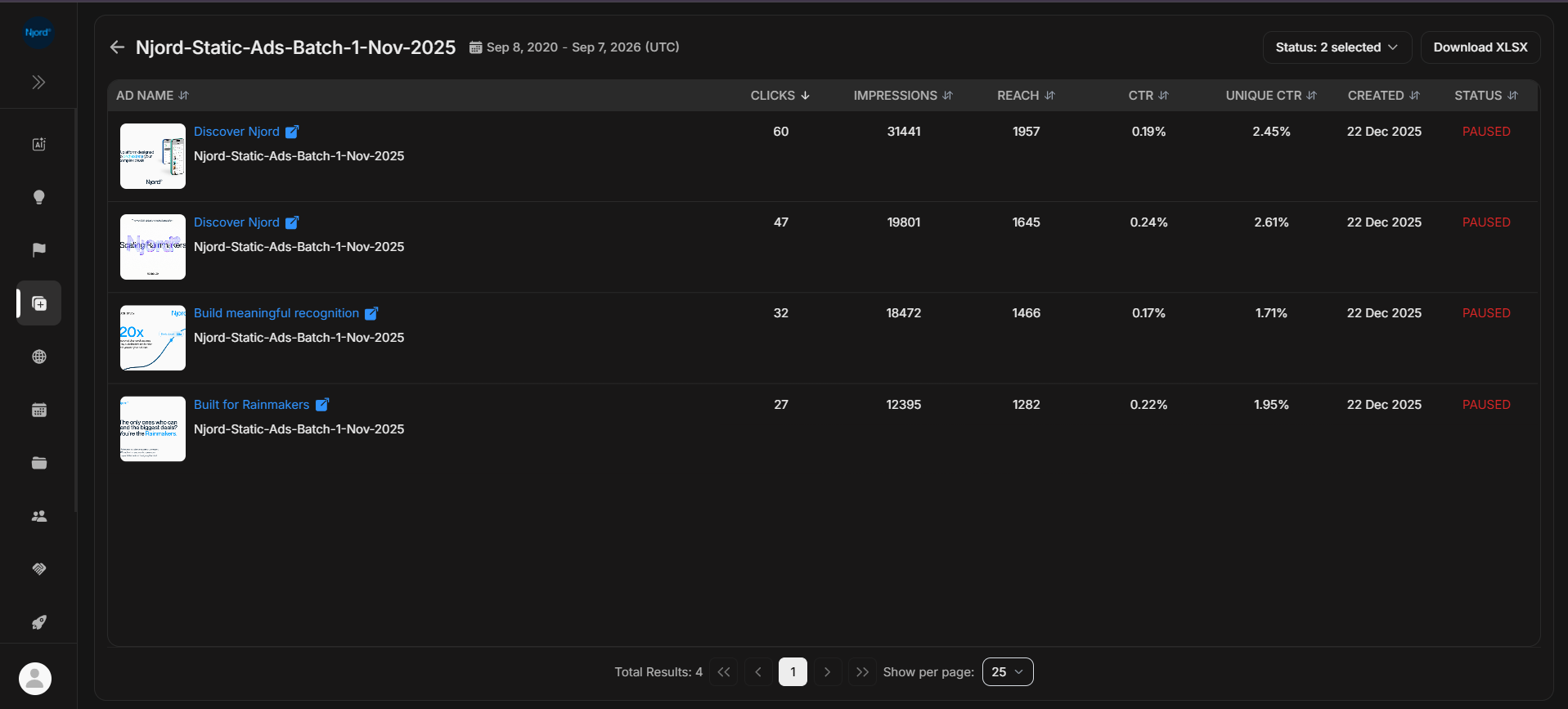
Ads listing
Ads Listing shows the ads inside one selected campaign. Use it after you find a campaign row and need to compare the actual ads that produced the campaign metrics.
Where it sits in DOE: Ad Library > Campaign row > Ads Listing.
Use This Page To
| Need | How the page helps |
|---|---|
| Compare ads inside one campaign | Shows one row per ad with metrics and status. |
| Check which creative performed best | Sort by clicks, impressions, reach, CTR, or unique CTR where available. |
| Open one ad's full details | Select an Individual Targeting ad row to open Ad Details. |
| Preview provider creative | LinkedIn rows can open a preview or external source view when available. |
| Export ad-level evidence | Download XLSX after confirming source, status, date, and sort. |
What Each Row Shows
| Row area | What to check |
|---|---|
| Thumbnail | A small preview of the ad creative when DOE has a supported asset. |
| Ad title | The visible ad title or label. |
| Campaign name | The parent campaign, shown under the ad title. |
| Metrics | Performance values for the selected source and time window. |
| Created | Date the ad was created or first available to DOE. |
| Status | Active or paused state where the source provides it. |
How To Review Ads
- Use the back arrow if you need to return to the campaign list.
- Confirm the campaign title in the header.
- Check the date range or duration beside the title.
- Clear the status filter if an expected ad is missing.
- Sort the metric column that matches your question.
- Open the ad row when you need the link, text, assets, or full performance card.
Individual Targeting And LinkedIn Behavior
Individual Targeting ad rows open Ad Details inside DOE. That is the best place to confirm the ad link, title, text, metrics, and media assets.
LinkedIn ad rows may open a LinkedIn-style preview on desktop when DOE has preview data. On smaller screens, or when a direct provider URL is the only available action, DOE may open the external post or link instead.
If The List Looks Wrong
| Symptom | What to check |
|---|---|
| No ads | The campaign may have no ads for the selected source/status. |
| Metrics show zero | The ad may be new, outside the selected period, or not yet measured. |
| Thumbnail is blank | DOE may not have a supported image or video preview. |
| Ad opens externally | Some LinkedIn/provider rows use an external preview path. |
| Download is disabled | The current view has no exportable rows. |