LinkedIn campaigns
LinkedIn campaigns
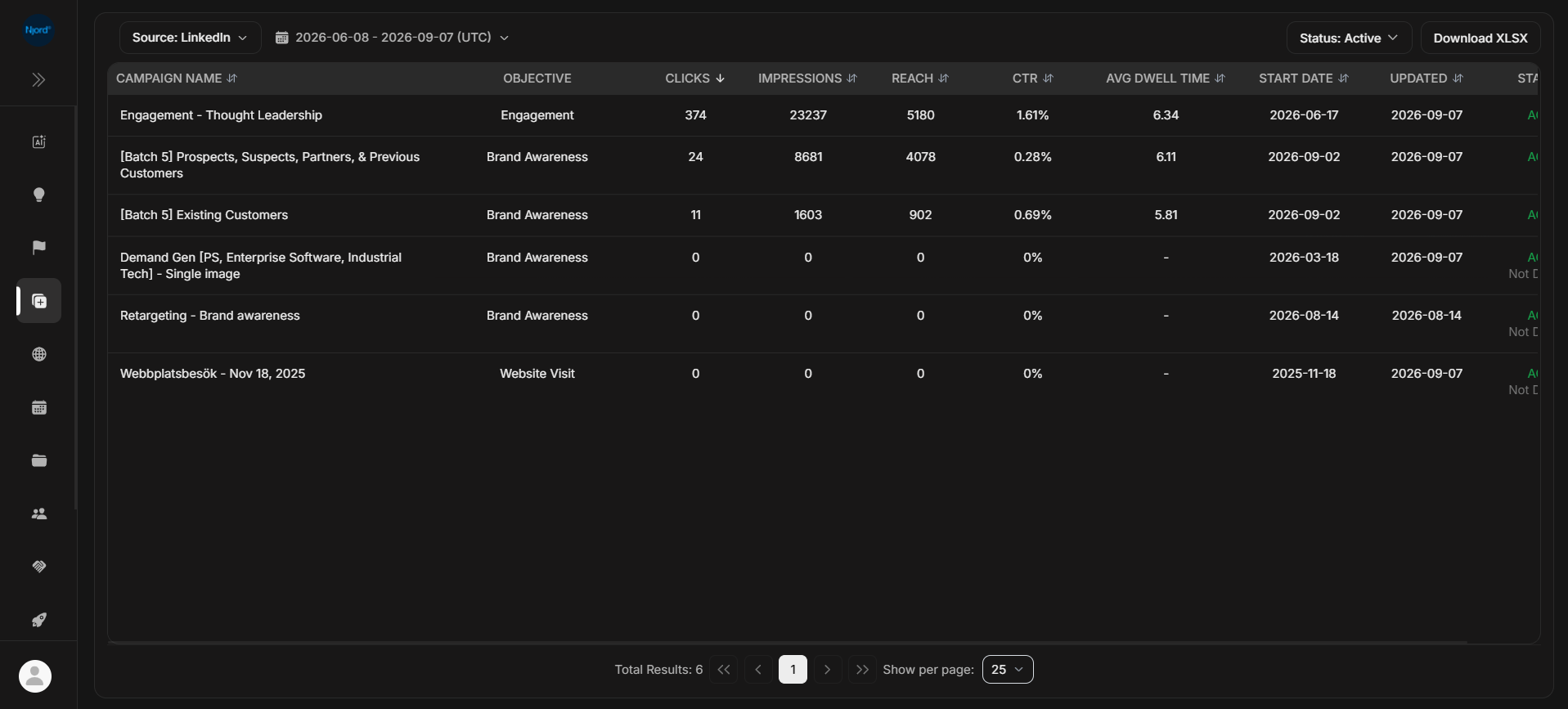
LinkedIn in Ad Library shows campaign evidence from the LinkedIn source. Use it when you want to inspect LinkedIn campaign rows before opening their ads or comparing the activity in Reports.
Where it sits in DOE: Ad Library > Source: LinkedIn.
Use This Page To
| Need | How the page helps |
|---|---|
| Review LinkedIn campaign availability | Shows campaigns that match the selected source, duration, and status. |
| Compare LinkedIn campaign performance | Shows LinkedIn metrics such as clicks, impressions, reach, CTR, and average dwell time where available. |
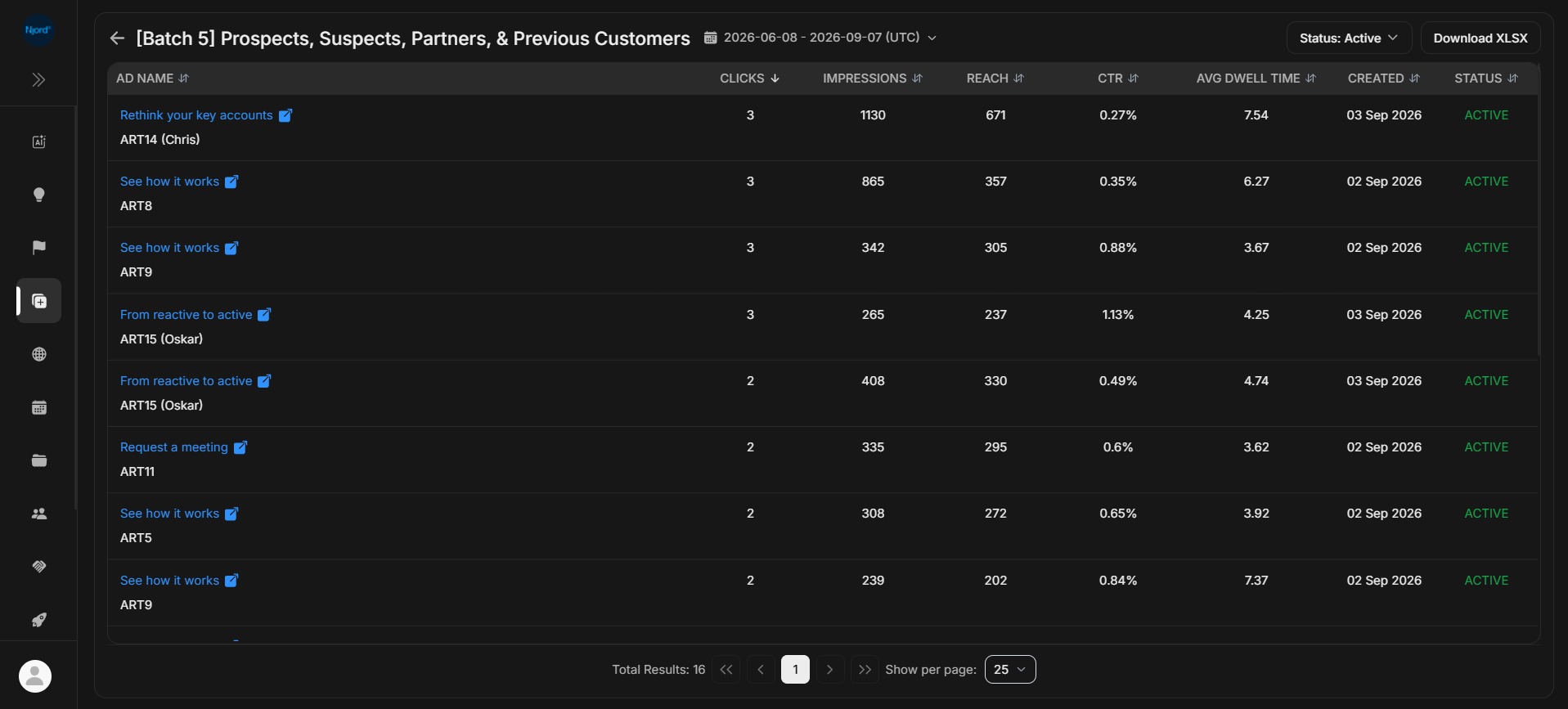
| Open ads inside a LinkedIn campaign | Select a campaign row to move into Ads Listing. |
| Check active, paused, or delivery state | Use the Status menu and the campaign Status column. |
| Export matching campaign rows | Download XLSX when rows are available. |
Columns
| Column | What the column tells you |
|---|---|
| Campaign Name | The LinkedIn campaign users can open. |
| Objective | The campaign objective, when LinkedIn provides it. |
| Clicks | Total clicks tracked for the selected duration. |
| Impressions | Total ad impressions tracked for the selected duration. |
| Reach | Reached audience count when the selected LinkedIn duration includes that metric. |
| CTR | Click-through rate based on clicks and impressions. |
| Avg Dwell Time | Average time spent with the LinkedIn content when available. |
| Start Date | Campaign start date. |
| Updated | Last update date that DOE can show for the campaign. |
| Status | Campaign state, such as Active, Paused, or Not Delivering when LinkedIn marks it so. |
LinkedIn All Time views may show fewer metric columns than shorter duration views. Reach is normally unavailable when the selected period is too long for LinkedIn's reach calculation; this does not mean the connection is broken. Clicks, impressions, CTR, and dwell time can still be available. Use a shorter duration when you specifically need Reach.
Date And Status
LinkedIn campaign lists use a duration selector. Start with Last 3 Months for a recent performance review. Use All Time when you are checking whether DOE has ever received LinkedIn campaign data for the workspace.
The Status filter narrows the list. Clear it when you are troubleshooting a missing campaign.
No Data
No Data does not always mean LinkedIn is broken. It can mean the selected workspace has no LinkedIn campaigns for the current source, duration, or status.
Check these before escalating:
- Clear the status filter.
- Try a wider duration such as All Time.
- Confirm that Source is set to LinkedIn.
- Confirm you are in the right workspace.
- Check whether the workspace has a connected LinkedIn campaign source.