Ask a question with Njord AI
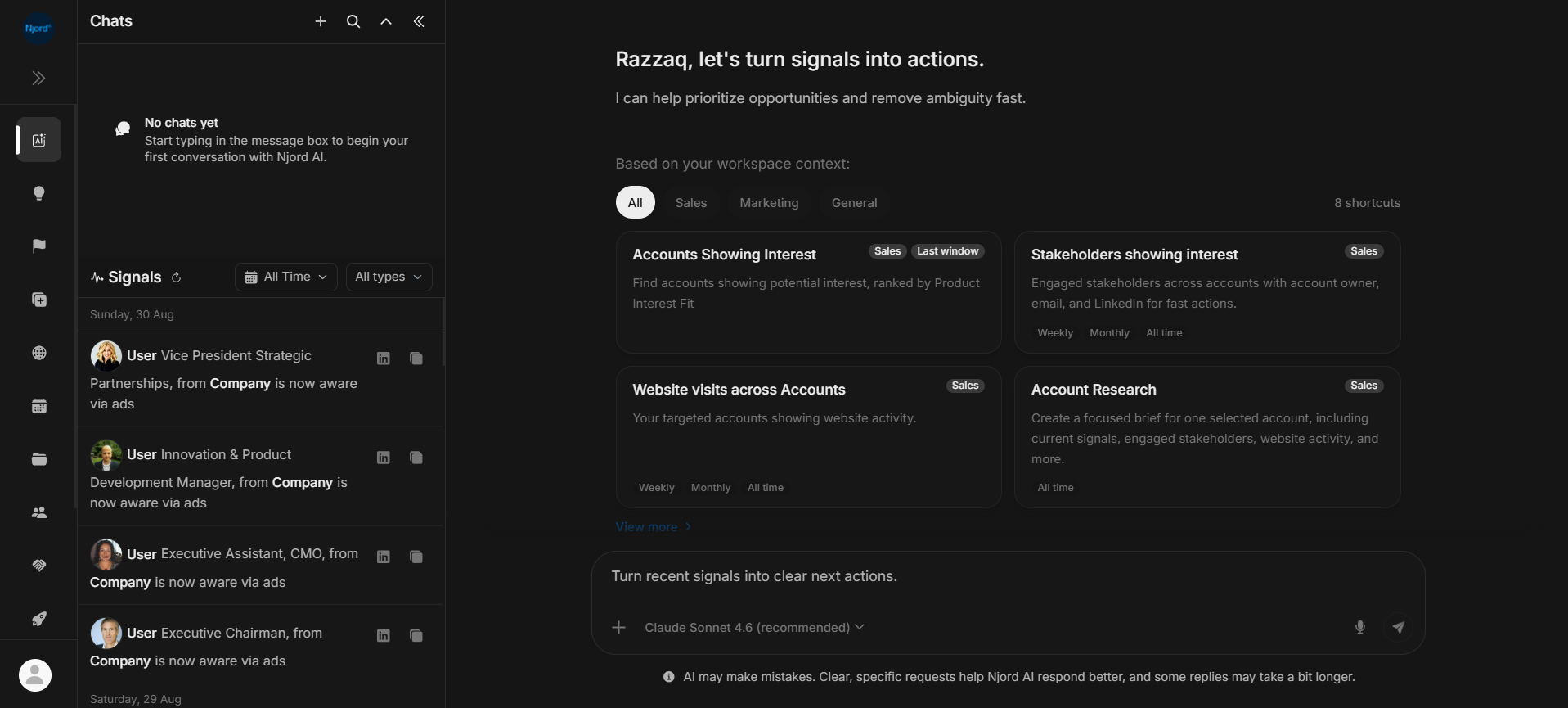
Ask a question with Njord AI
Njord AI is the assistant inside DOE. Use it to summarize an account, explain recent activity or prepare information for a meeting.
Give it a clear question and choose the company, person or deal you mean. The information available to Njord AI depends on your workspace and access.
Image guide: type a question in the main area or choose a shortcut for a guided starting point. Your chats appear in the left sidebar.
Ask your first question
- Open Njord AI and start a new chat.
- Type what you need. Include the account name, a time period and the type of answer you want.
- Select or attach the relevant record when you want the answer to focus on a particular account, stakeholder or deal.
- Send your question, read the answer and check the supporting information.
For example: "Summarize this account's website visits and stakeholder activity from the last 30 days. Give me three points to review before our meeting."
See open and start a chat for the chat controls, or choose records and a time range to add the right information.
Choose a way to start
| What you need | Guide |
|---|---|
| Help writing the question | Choose an AI shortcut |
| An explanation of recent activity | Use a signal in Njord AI |
| An answer about selected records | Select records and apply filters |
| To return to an earlier conversation | Find and manage chats |
| A clearer, more useful answer | Ask better questions |
Continue from the answer
Ask a follow-up in the same chat when you are still working on the same question. Try "Show the evidence for each point" or "Shorten this to five bullets."
Start a new chat when you change to a different customer or task. Before using an answer in a customer conversation or team report, confirm the account, dates and source records.
For available copy, export and feedback actions, see use an answer.
If an answer stops or gets stuck
Follow fix a stuck answer. For deliberate pauses and follow-ups sent while an answer is still being written, see stop, retry and queue questions.