Stop, retry and queue questions
Stop, retry and queue questions
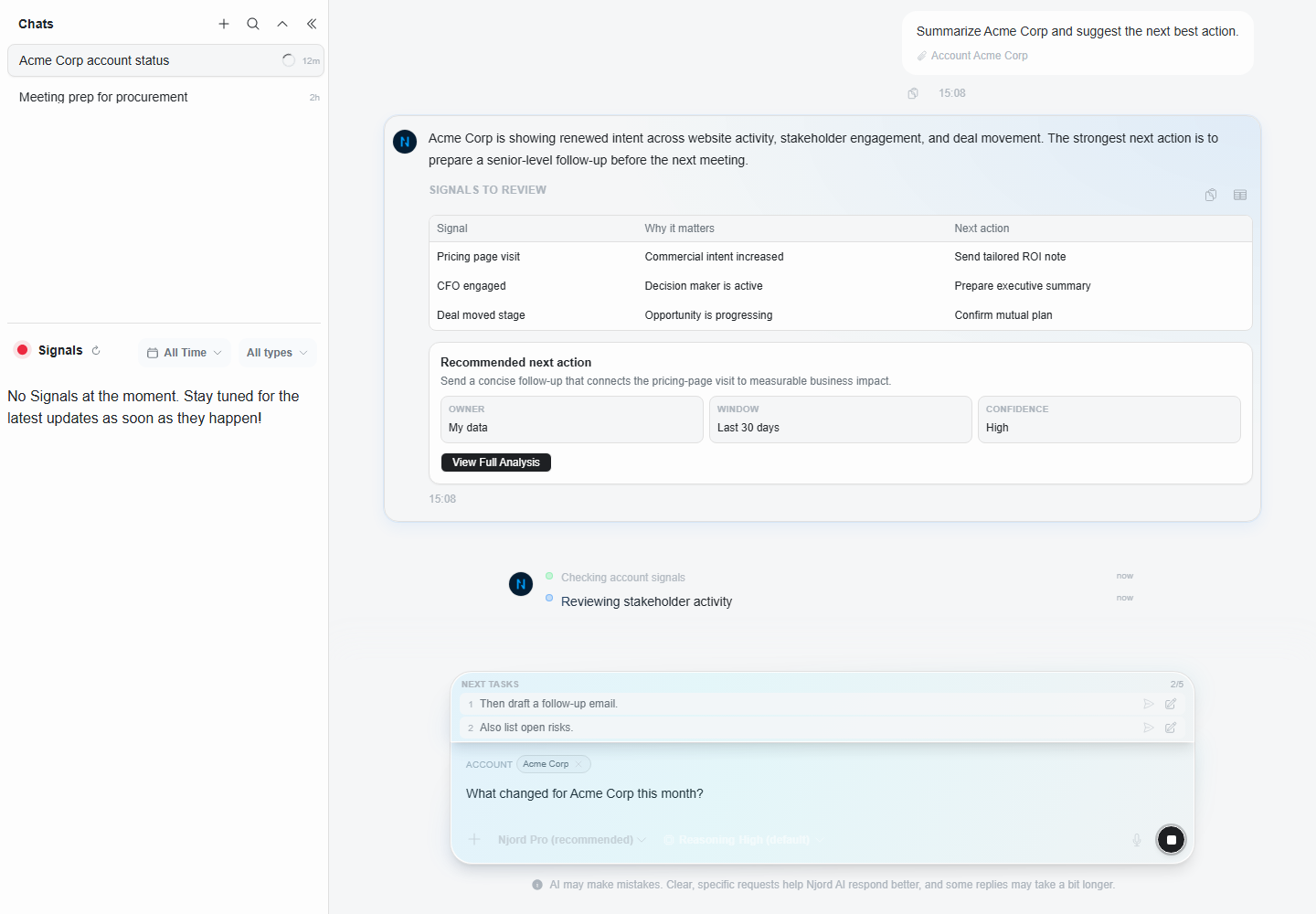
Stop, Retry and queued questions let you control Njord AI while it is answering. Use them to keep the conversation clean and avoid waiting on an answer you no longer need.
Image guide: this screenshot shows follow-ups waiting behind an active response. Queued questions should belong to the same subject as the answer currently being written.
Stop An Answer
Use Stop when:
- You sent the wrong prompt.
- You attached the wrong record.
- The answer is going in the wrong direction.
- You no longer need the response.
- You want to ask a cleaner question.
After stopping, be explicit:
"Ignore that request. Use only Acme and Last 30 Days. Give me a short account brief."
Retry An Answer
Use Retry when the original question was correct but the response did not complete or did not load properly.
Retry is not the best fix for a bad prompt. If the prompt was broad, rewrite it instead.
Queue A Follow-Up
Queue a follow-up when it depends on the current answer.
Good queued follow-up:
"After that, turn the answer into three next actions."
Poor queued follow-up:
"Also analyze a different account and summarize a different campaign."
Unrelated questions should go in a new chat.
Use Regenerate For Shape Changes
If the answer is correct but the format is wrong, use regenerate options or ask a follow-up.
| Need | Best request |
|---|---|
| Too much detail | "Regenerate shorter" or "Shorten this." |
| Not enough depth | "Regenerate deeper" or "Show reasoning and evidence." |
| No clear next step | "Regenerate actionable" or "Give next actions." |
When To Wait
Wait when Njord AI is still producing useful content. Some deeper analysis can take longer, especially with attached lists or broad comparisons.
When To Start A New Chat
Start a new chat when:
- The queued question is about a different account.
- The old chat has wrong context.
- You need a clean answer for sharing.
- You are switching from research to drafting or from sales to marketing work.
What Happens To Queued Questions
You can keep typing while an answer is being written and queue up to five follow-ups in the same chat. Edit or remove a queued question if the current answer changes what you want to ask next.
Queued questions are temporary. They are cleared if the chat is deleted, the workspace is changed, or the app is reloaded. A queued question is sent only after the current answer finishes successfully; stopping or a failed answer leaves it waiting for you to review.
Keep The Conversation Clean
If you notice yourself using Stop, Retry and queues repeatedly in one chat, the chat is probably too broad. Start fresh with one subject, one time range and one requested output.