Manage chats
Manage chats
Chats are how Njord AI keeps work organized. A chat should usually contain one customer, one question path, or one decision.
Good chat hygiene matters because follow-ups use the earlier conversation. If one chat mixes several customers or unrelated tasks, the next answer may be harder to interpret.
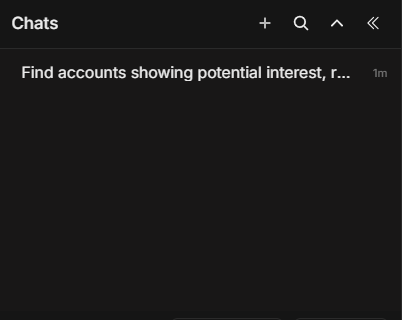
Image guide: this screenshot shows the chat list, search and chat options. Use this area to create a new conversation, find old work, or clean up chats you no longer need.
When To Start A New Chat
Start a new chat when any of these changes:
- Customer or account.
- Stakeholder.
- Deal or opportunity.
- Campaign or channel.
- Time period.
- Output type, such as meeting brief versus market summary.
Example: if you just finished an account brief for Acme and now want a Website Leads ranking, start a new chat.
When To Continue A Chat
Continue the same chat when your next question depends on the previous answer.
Good same-chat follow-ups:
- "Why did you rank Acme first?"
- "Show the evidence behind this recommendation."
- "Make this suitable for the account owner."
- "Turn the answer into a 5-bullet meeting brief."
- "Remove anything that is not supported by recent activity."
Search Chat History
Use Search chats when you remember part of the work but not the exact chat.
Search for:
- Account name.
- Stakeholder name.
- Deal or opportunity name.
- Campaign topic.
- "meeting prep", "website leads", "signals", or "brief".
If the result list is too broad, search with two terms, such as "Acme meeting" or "website leads Nordics."
Read Older Chats Safely
Older chats can contain useful reasoning, but the underlying data may have changed. Before reusing an old answer, check:
- When the question was asked.
- Which time range was used.
- Whether the account or stakeholder has newer activity.
- Whether ownership or targeting status changed.
If the answer is still useful, ask Njord AI to refresh it:
"Update this answer using the latest available activity and keep the same format."
Delete Or Clean Up Chats
Delete a chat only when you do not need the conversation later. If it contains a meeting brief, evidence trail, or account decision, keep it.
Before deleting, check whether the chat includes:
- A decision you may need to explain.
- A useful summary.
- A customer-ready draft.
- A list of accounts or stakeholders.
Team Working Habit
Use a clear first question. The first question often becomes the easiest way to recognize the chat later.
Better first question:
"Prepare a meeting brief for Acme based on stakeholder and website activity from the last 30 days."
Less useful first question:
"Need help."