Open and start a chat
Open and start a chat
Open Njord AI when you want to ask DOE a direct business question. You can use it from the Njord AI page, the app sidebar, a signal, or a shortcut.
The main rule is simple: one chat should stay focused on one objective. A clean chat makes answers easier to understand and follow-ups more reliable.
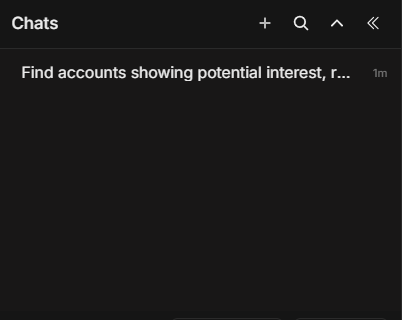
Image guide: this screen shows the chat sidebar. Use New chat for a new task, Search chats to find old work, and the chat list to return to an earlier conversation.
Open Njord AI
Where you open Njord AI from affects the starting context.
| Open from | Best for |
|---|---|
| Njord AI page | Starting a normal chat or browsing shortcuts. |
| Sidebar | Asking a quick question while working elsewhere in DOE. |
| Signal row | Understanding a recent event. |
| Account or stakeholder context | Asking about the record you are viewing. |
| Shortcut | Starting a guided workflow. |
If the question is important, still mention the record name in the prompt. That helps you and Njord AI stay aligned.
Start A New Chat
Use New chat when the subject changes.
Start a new chat for:
- A different account.
- A different stakeholder.
- A different deal or campaign.
- A new meeting brief.
- A new list of records.
- A question that should not rely on earlier messages.
Do not keep adding unrelated questions to the same chat. It makes later answers harder to trust.
Use The Message Box
Type the question in the message box and send it. Include:
- The subject: account, stakeholder, deal, signal, campaign, or list.
- The time range: Today, Last 7 Days, Last 30 Days, Last 3 Months, or All Time.
- The output: summary, table, ranking, meeting brief, next actions, or comparison.
Attach Context Before Sending
Attach context when the answer must be about a specific thing. Context can be an account, stakeholder, deal, or signal.
Use context when you ask:
- "Summarize this account."
- "Prepare for this stakeholder meeting."
- "Compare these accounts."
- "Explain this signal."
- "Compare these selected accounts."
Skip extra context when you want a general answer, such as "What are good follow-up questions for a buying committee review?"
Check Context Chips
Before sending, look at the chips near the message box. They show what Njord AI will use.
Remove a chip if:
- It belongs to an old question.
- It names the wrong account or stakeholder.
- You selected the wrong record.
- You want a broader answer.
If several chips are attached, ask a comparison or list question. If you want depth on one record, attach only that record.
Continue An Existing Chat
Continue the same chat when you are refining the same answer.
Useful follow-ups:
- "Make this shorter."
- "Add the evidence."
- "Only use the last 30 days."
- "Turn this into a table."
- "Give me the next three actions."
Start From A Signal
When you open Njord AI from a signal, the signal becomes the starting point. Ask what the signal means, what other evidence supports it and what action should happen next.
Good first signal prompt:
"Explain this signal. Tell me whether it needs action today, and what I should verify first."
If The First Answer Is Weak
Do not start over immediately. Ask a specific follow-up:
- "Use only the attached account."
- "Focus on website activity."
- "Separate facts from recommendations."
- "Explain the recommendation in simpler language."
Start a new chat only when the old chat has the wrong subject or too much unrelated context.