Use signals in Njord AI
Use signals in Njord AI
Signals show recent activity, and Njord AI helps you understand what that activity might mean. Use this workflow when a signal looks important but the next step is not obvious.
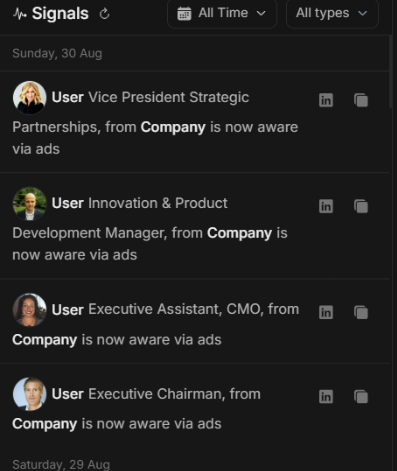
Image guide: this screenshot shows the signal feed inside Njord AI. Each row represents a recent activity event. Use the row action when you want Njord AI to explain it.
What Signals Can Mean
| Signal type | What the signal tells you | Typical question |
|---|---|---|
| Website Visit | People from a company visited your website. | "Which pages were visited and does this look important?" |
| Stakeholder Click | A stakeholder clicked tracked content. | "What did they click and should we follow up?" |
| Stakeholder Aware | Activity suggests the stakeholder has awareness. | "Is awareness building across the buying group?" |
| Stakeholder Reached | A stakeholder was reached through media activity. | "Should we wait for more engagement or act now?" |
Filter Signals First
Use filters before asking about signals, especially when the list is busy.
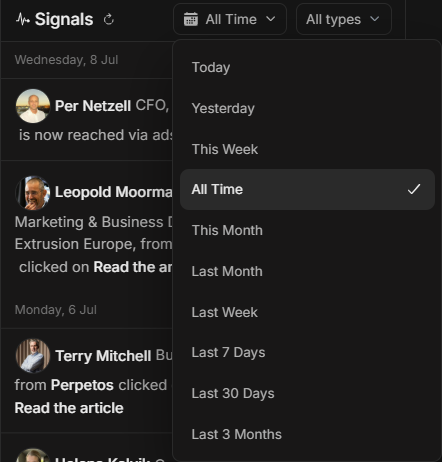
Image guide: the date filter controls how recent the signal list is. Use shorter ranges for daily action and longer ranges for trend review.
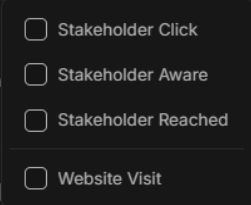
Image guide: the type filter narrows the feed to one or more activity types. Use Website Visit when investigating website intent and Stakeholder Click when looking for direct engagement.
Good First Questions From A Signal
Use one of these:
- "Explain this signal and what I should verify first."
- "Is this worth action today?"
- "What account or stakeholder context should I check?"
- "What evidence supports a follow-up?"
- "What should the account owner do next?"
- "Draft a short internal note about this signal."
Ask For Evidence
A signal is a starting point, not proof by itself. Ask Njord AI to connect it with other activity.
Good follow-up:
"Show the supporting activity and separate facts from recommendations."
Decide What To Do Next
| If Njord AI says | Next step |
|---|---|
| Strong recent intent | Open the account or stakeholder and prepare follow-up. |
| More context needed | Check account details, website detail, or Top Engagements. |
| Weak signal | Leave it for later or watch for more activity. |
| Wrong or unclear match | Verify the account before acting. |
Avoid Common Mistakes
Do not assume:
- Every website visit means purchase intent.
- Every click needs a sales follow-up.
- A reached stakeholder is ready to engage.
- A single signal is enough for a leadership claim.
Use signal context with account fit, stakeholder role, timing and other recent activity.