Get started in DOE
Get started in DOE
DOE brings your team's companies, contacts, deals, and customer activity into one workspace. Begin with an account, stakeholder, or deal, then follow the connected activity to understand what changed and what to do next.
Use this guide to sign in, learn the main records, and find the information you need.
1. Get into your workspace
Use the work email your team invited and the sign-in method they gave you. The account access guide helps you choose between a DOE password, Google and company sign-in.
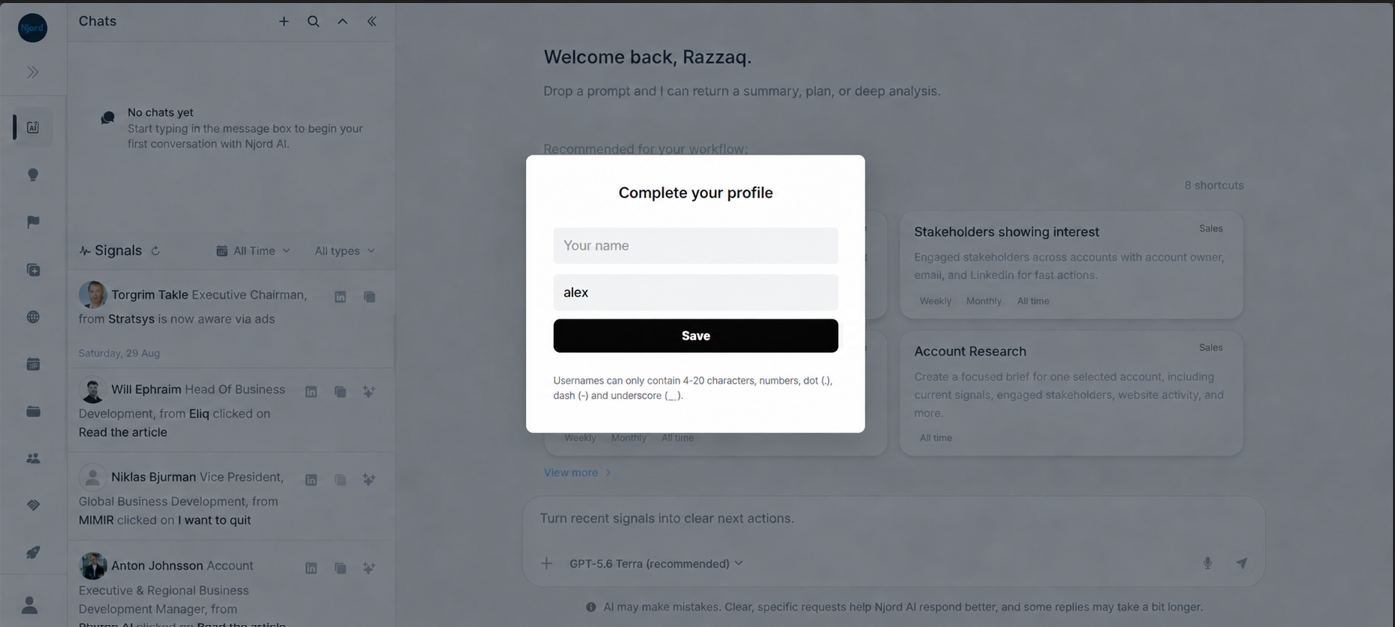
If DOE asks you to complete your profile, add the required details and save. If you belong to several workspaces, choose the team you want to work with.
Image guide: complete the required profile fields before entering your workspace. A profile photo helps teammates recognize you.
2. Learn three useful words
| In DOE | What it means |
|---|---|
| Account | A company your team works with or wants to reach. |
| Stakeholder | A person connected to a company or deal. |
| Deal | A sales opportunity connected to an account. |
These records link together. You can open a company, see its people and deals, then review the meetings and activity connected to them.
3. Pick one thing to do
| I want to… | Start here |
|---|---|
| Look up a company | Find an account |
| See recent customer activity | Explore Signals & Insights |
| Find a person | Find a stakeholder |
| Check a sales opportunity | Review deals |
| Prepare for a meeting | Review Timeline |
| Ask for a summary | Start with Njord AI |
For a first visit, open Accounts, search for a company you know and select its name. Review the company details, recent signals and related people. You now have a starting point for the rest of the workspace.
4. Check which data you are viewing
My data focuses on your assigned work. Workspace shows the wider team view available to you. A date filter can narrow a page further.
If a company or activity is missing, check these controls before searching again. See switch between your data and the team's data for the shared control.
Where to go next
- Find your way around DOE for a map of the main areas.
- Set up your profile if setup is still incomplete.
- Fix workspace access if you can sign in but cannot open your team's workspace.