Find and manage stakeholders
Find and manage stakeholders
A stakeholder is a person connected to an account or deal. Open Stakeholders to find someone, review their role and activity, or update their record.
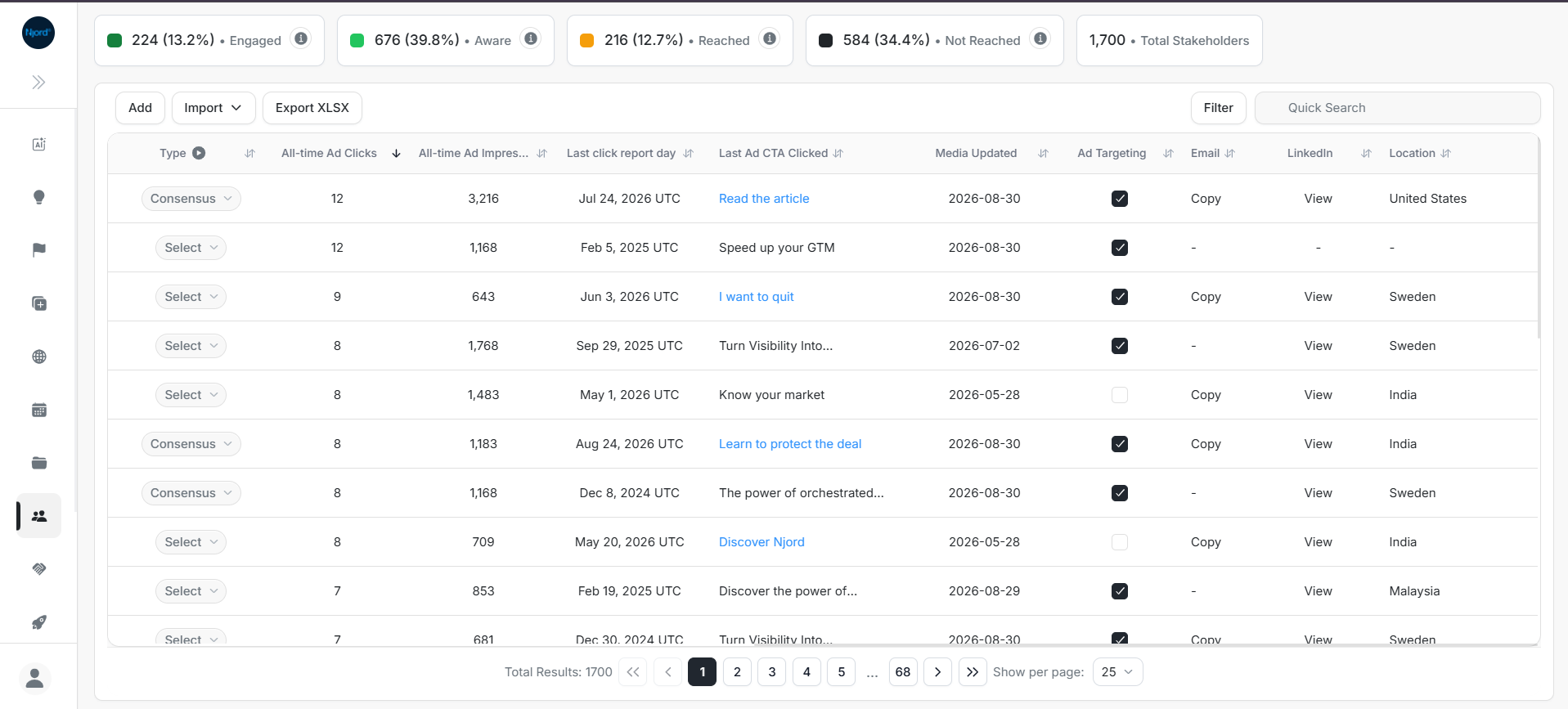
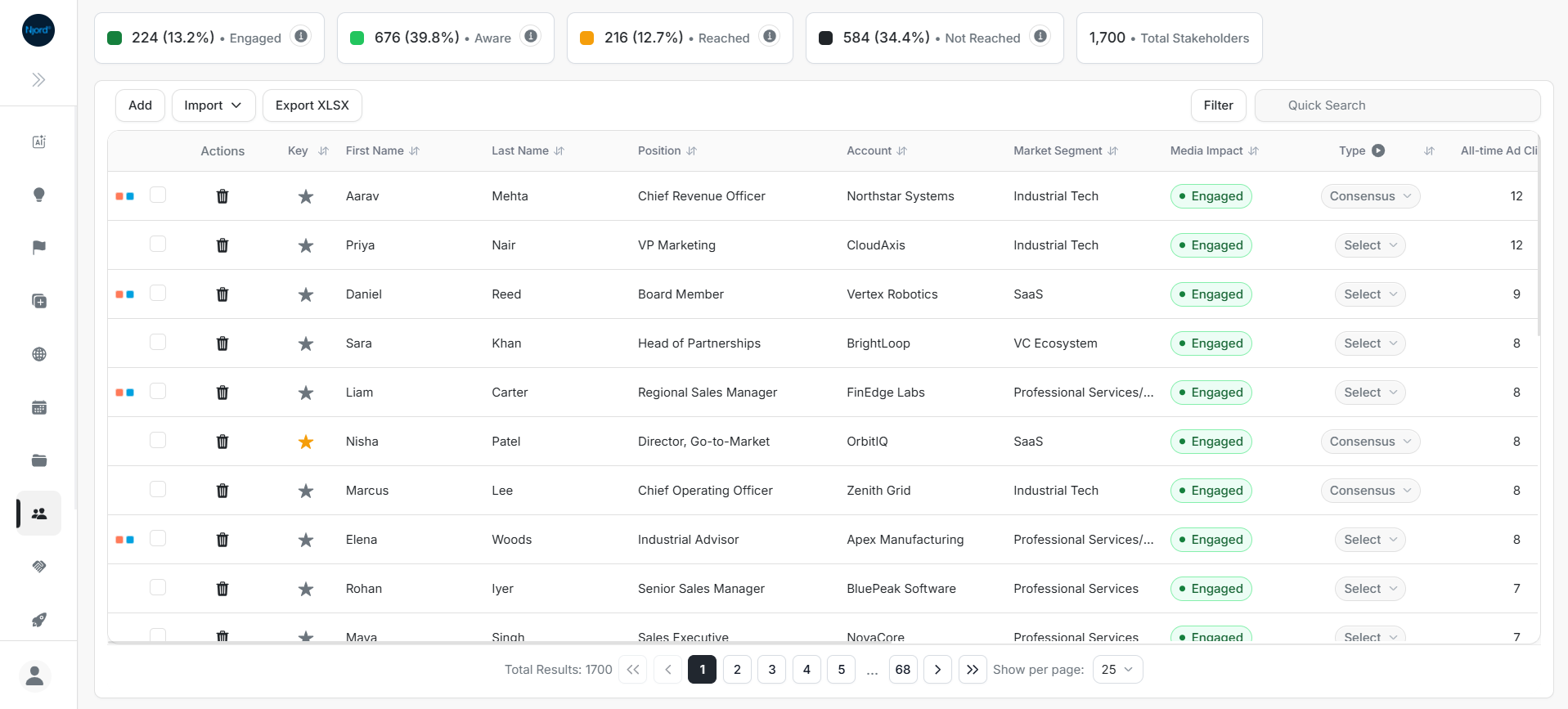
Image guide: the cards summarize media activity across people in the list. Use the table to search, filter or open a person's details.
Find a person
- Open Stakeholders from the sidebar.
- Use Quick Search to enter the person's name.
- Check the linked account to make sure you have the right person.
- Select their name to open Stakeholder Details.
For a broad list, use filters such as account, owner, job position or location. See filters, search and export.
Choose your next task
| What you need | Guide |
|---|---|
| Understand the list and summary counts | Stakeholder list and summary cards |
| Add people from a file or connected CRM | Import stakeholders |
| Change a person's fields or update several people | Inline and bulk updates |
| Review a person's profile, activity and deals | Explore Stakeholder Details |
| Check which people received or engaged with ads | Media impact and engagements |
A connected CRM, such as Salesforce or HubSpot, is your team's customer record system.
Read the labels in context
Position is the person's job title. Type describes their role in a buying decision. Ad Targeting shows whether they are included in targeting.
Media Impact groups advertising activity into states such as Not Reached, Reached, Aware and Engaged. These labels describe tracked activity; read them alongside the person's role, meetings and account context.
The media impact guide explains the available activity and metrics.
If someone is missing
Clear the list's search and filters, then check My data or Workspace. If the person should have been imported, confirm the source record and import status with the teammate who manages the connection.