Find and manage accounts
Find and manage accounts
An account is a company your team tracks in DOE. Open Accounts to find a company, check who owns it or review the people and opportunities connected to it.
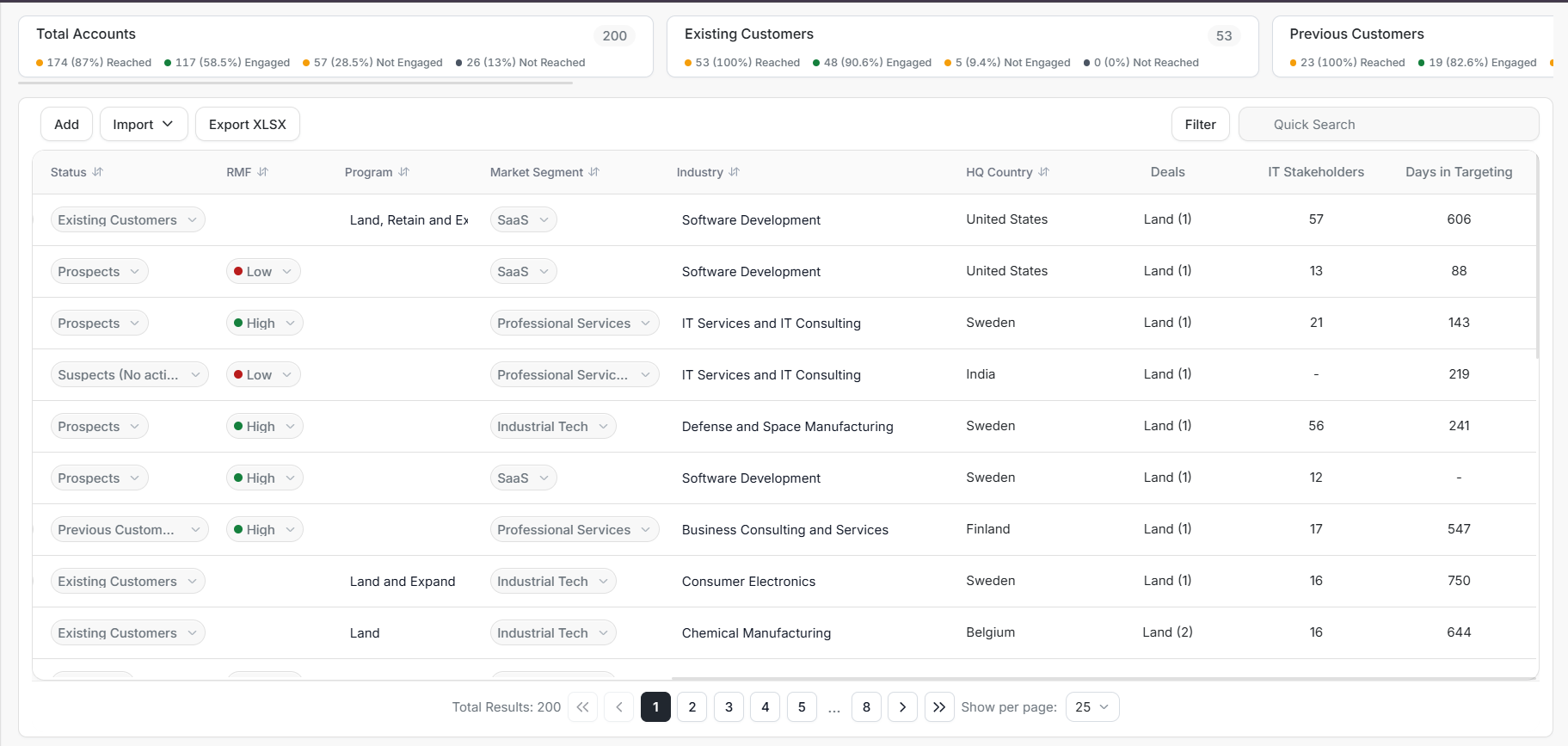
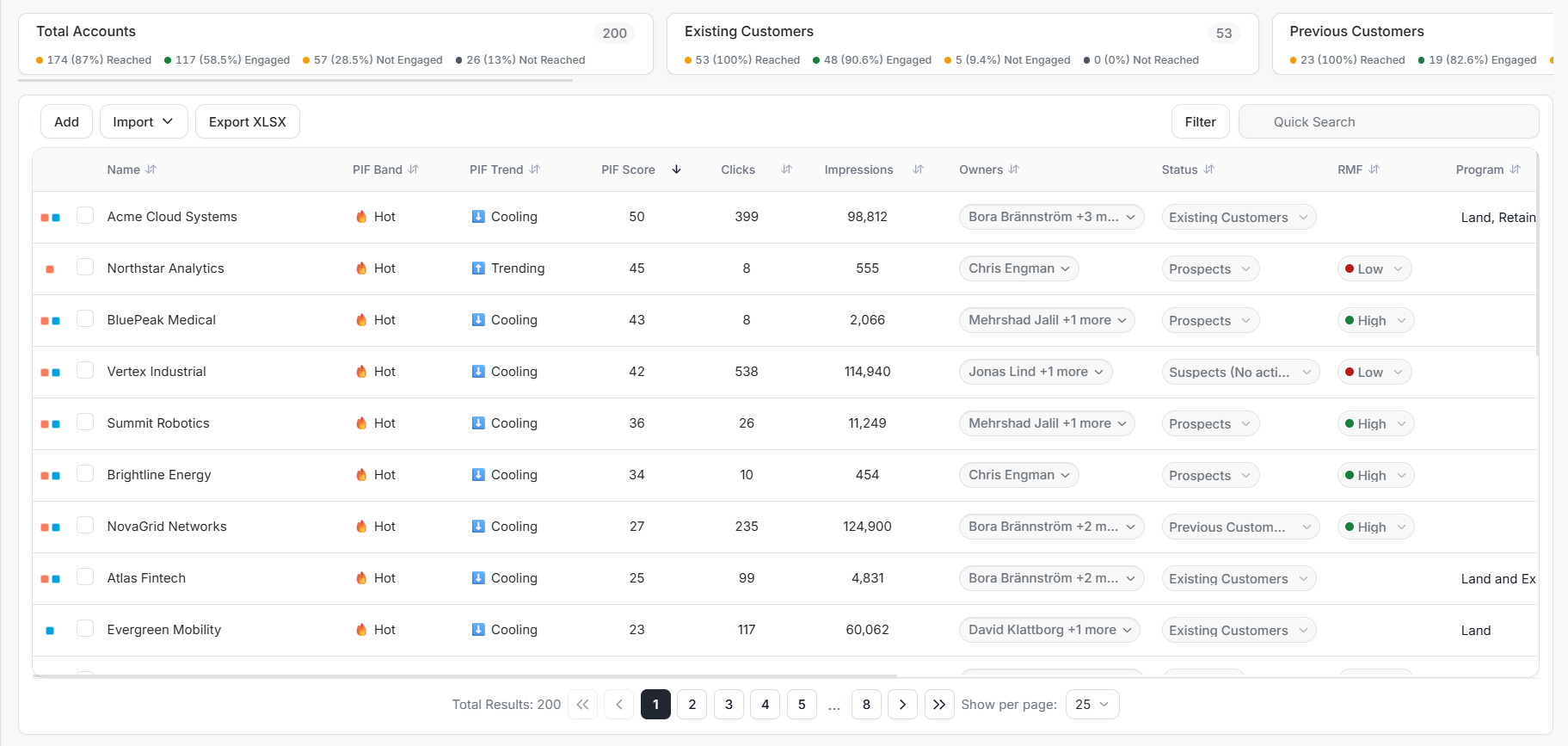
Image guide: summary cards sit above the company list. The toolbar includes Add, Import, Export XLSX, Filter, and Quick Search. Selecting an account name opens Account Details.
Find a company
- Open Accounts from the sidebar.
- Enter the company name in Quick Search.
- Check the matching company and select its name.
- Review its details, recent activity, stakeholders and deals.
If the company does not appear, clear existing filters and check whether you are viewing My data or Workspace.
Choose your next task
| What you need | Guide |
|---|---|
| Understand the counts above the list | Account list and summary cards |
| Add a company manually | Account list and summary cards |
| Narrow the list or download a spreadsheet | Filters, search and export |
| Bring companies from a connected CRM | Import accounts |
| Change an owner, status or other field | Update one or several accounts |
| Review one company in depth | Explore Account Details |
A CRM is the customer record system your team uses, such as HubSpot or Salesforce. Import options depend on the connections available in your workspace.
Understand the main fields
Owners are the teammates responsible for the account. Status describes its current relationship with your business, such as a prospect or an existing customer.
RMF means Reference Market Fit: how the account fits your team's target market. PIF means Product Interest Fit: the score, band and trend that help you review product interest. Check recent activity alongside these labels before deciding what to do.
For field-by-field guidance, see the account list or editable account details.
Make an update
For one company, use its available edit controls. For several companies that need the same change, select the intended rows and use Bulk Update.
The account update guide explains the available fields and how to check the result.