Find and review deals
Find and review deals
A deal is a sales opportunity connected to a company. Use Land and Expand to find opportunities, review progress and update the fields your team uses for its forecast.
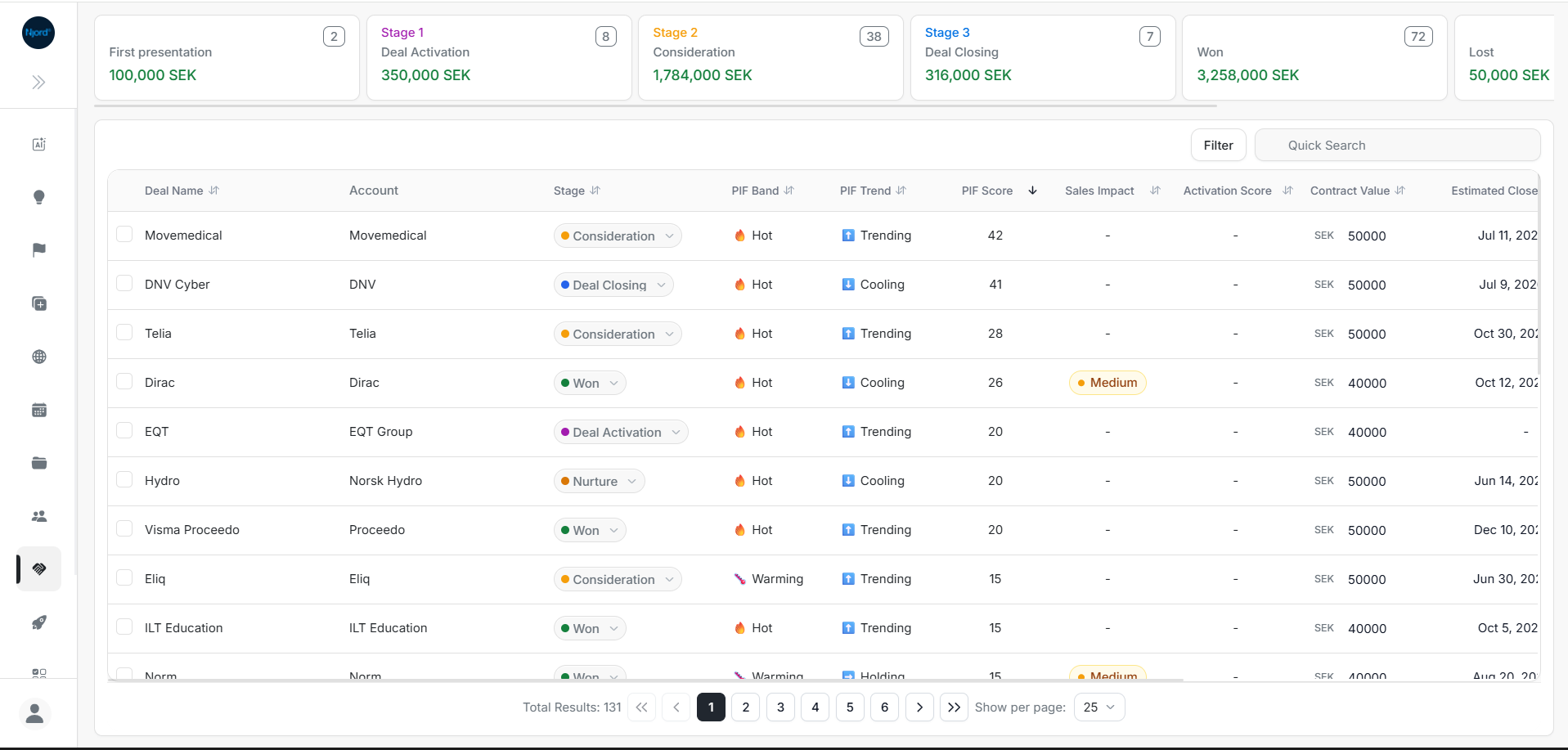
Image guide: stage cards summarize the list above the deal table. Select a deal name to open its full details.
Choose Land or Expand
Land is used for new-business opportunities. Expand is used for growth opportunities with existing customers. Choose the area that matches the opportunity your team is working on.
Both lists provide search, filters and deal details. See Expand deals for the expansion view.
Find a deal
- Open Land or Expand.
- Enter the deal or account name in Quick Search.
- Check the linked company, stage and owner.
- Select the deal to review its details.
If it does not appear, check the other program and clear the current filters.
Choose your next task
| What you need | Guide |
|---|---|
| Understand totals and pipeline stages | Deal list and stage cards |
| Narrow a long list | Filters, search and pagination |
| Change an owner, stage, value or forecast field | Inline and bulk updates |
| Review people, signals, notes and next steps | Explore Deal Details |
| Decide which opportunities need attention first | Use Quick Win |
Keep the forecast useful
The stage describes progress in your sales process. Probability Of Closing records the forecast probability, and Estimated Close Date records when the opportunity is expected to close.
Review these fields with the deal owner when the opportunity changes. Quick Win uses probability and close timing to organize its board.
PIF means Product Interest Fit. Its score, band and trend provide additional interest information; they do not replace the team's forecast or customer conversations.