Start with Brand
Start with Brand
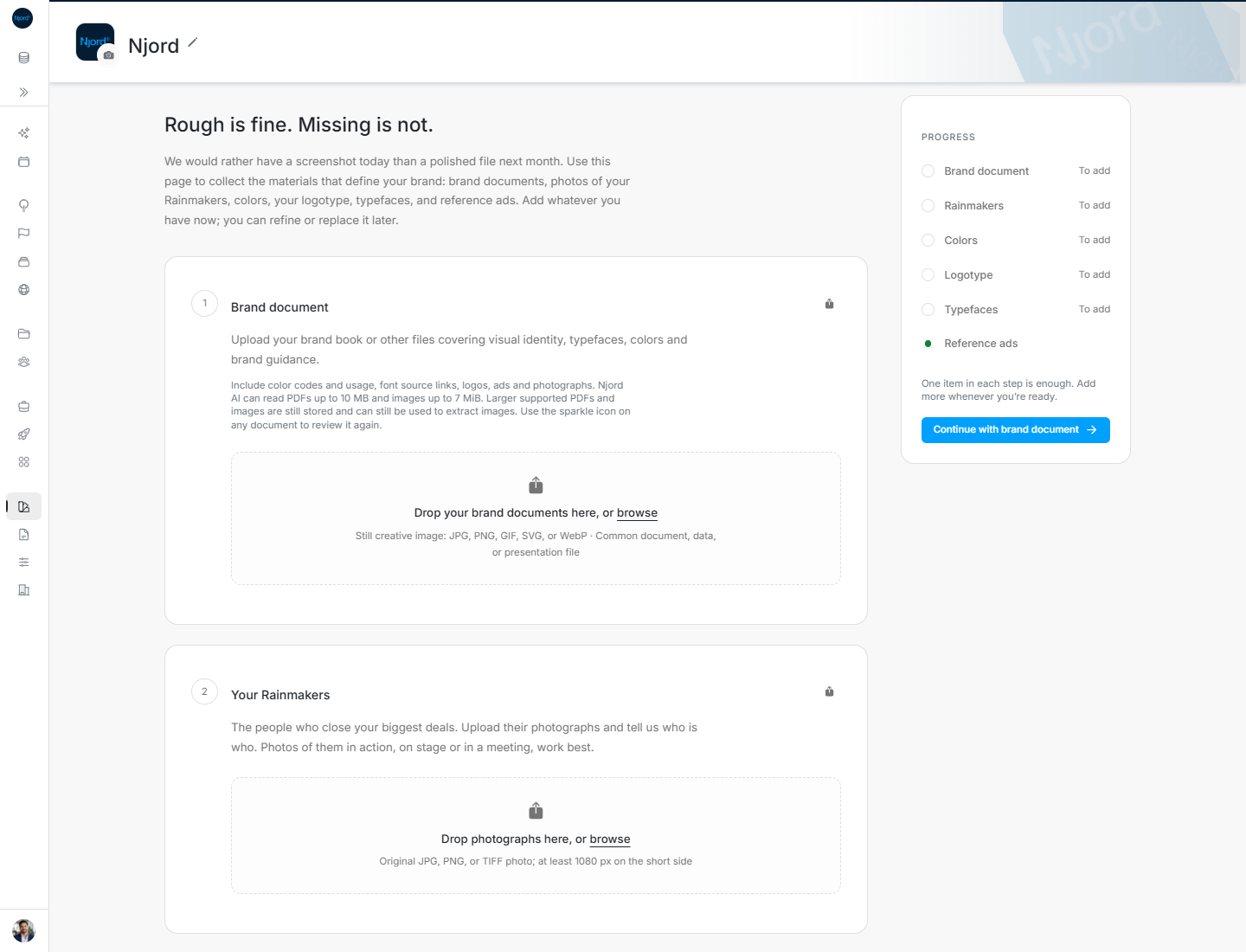
Rough is fine. Missing is not.
We would rather have a screenshot today than a polished file next month. Brand is where you collect the materials that define your company: brand documents, photographs of your Rainmakers, colors, your logotype, typefaces and reference ads. Add what you have now. You can refine or replace it later.
Image guide: Brand document is the first step. Progress is on the right and shows which steps still need something.
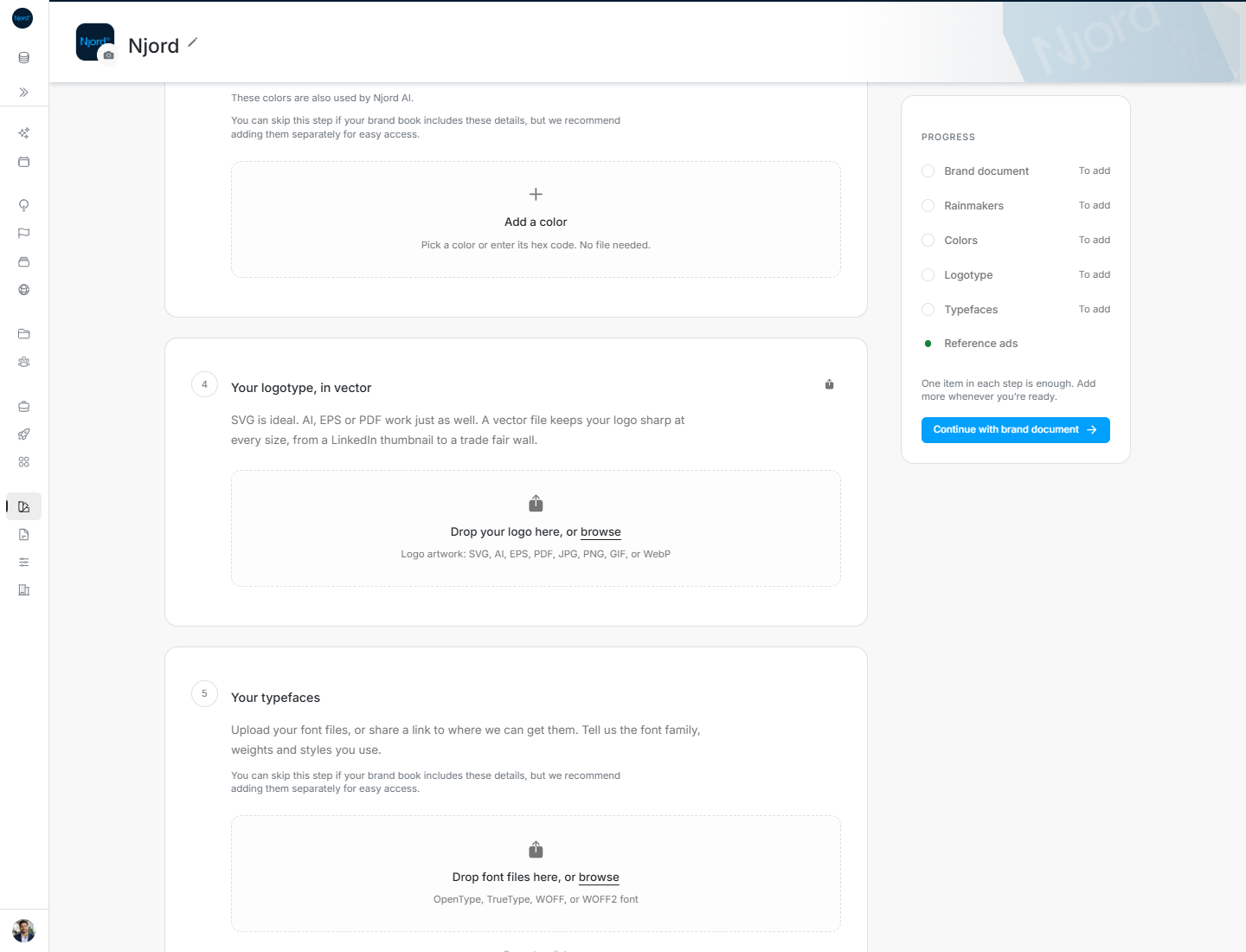
Image guide: The lower part of Brand contains colors, the logotype, typefaces and reference ads.
Where it sits in DOE: Our company > Brand.
Everyone in the workspace can see Brand. An Admin or Client admin can add or change it.
Why Brand matters
Brand gives the team and Njord one shared place to look before creating something. It answers practical questions: Which logo is current? Which colors and fonts should we use? Who can appear in our work? Which ads feel like us?
| Step | What belongs there | Guide |
|---|---|---|
| Brand document | Your brand book or another file that explains the identity | Brand document |
| Rainmakers | Clear photographs of the people who close your biggest deals | Your Rainmakers |
| Colors | The primary, accent and background colors you use | Your colors |
| Logotype | Your logo, preferably in a format that stays sharp at every size | Your logotype |
| Typefaces | Your font files or a link to where the team can get them | Your typefaces |
| Reference ads | Examples whose layout, imagery or message feels right | Reference ads |
Make a useful first pass
- Upload the best brand document you have today.
- Add the current logo and the colors and fonts people actually use.
- Add at least one clear Rainmaker photograph.
- Save a few reference ads and mark the strongest examples as favourites.
- Use Progress to return to anything that is still empty.
One saved item is enough to complete a step. Completion means the basics are present, not that the brand can never change.
When the brand changes
Replace old material instead of leaving people to guess which item is current. Add a newer file version when the file has changed, remove examples that no longer fit, and review Brand after a rebrand or a major campaign change.
Files added through Brand also appear in Context Assets. Keep brand material organised from the Brand page so the six steps remain useful.
If you cannot make a change
- If Brand is unavailable, ask an admin whether it is enabled for the workspace.
- If you can read the page but cannot add anything, ask an Admin or Client admin to make the change.
- If the header shows the wrong company, switch workspace before uploading.
- If one step cannot load, retry that step; the rest of Brand can still be used.