Progress and sharing
Progress and sharing
Progress helps you see what Brand still needs. Sharing helps you send a teammate directly to the step they can complete.
Image guide: Progress lists all six Brand steps. To add means the step is still empty, and Continue with opens the next empty step.
Where it sits in DOE: Our company > Brand, in the card beside the Brand steps.
Understand Progress
A step is complete as soon as it contains one saved item. That keeps setup moving; it does not mean the step is finished forever.
- To add means nothing has been saved in that step yet.
- A completed marker means at least one item is present.
- Continue with takes you to the next empty step.
- Removing the final item makes the step empty again.
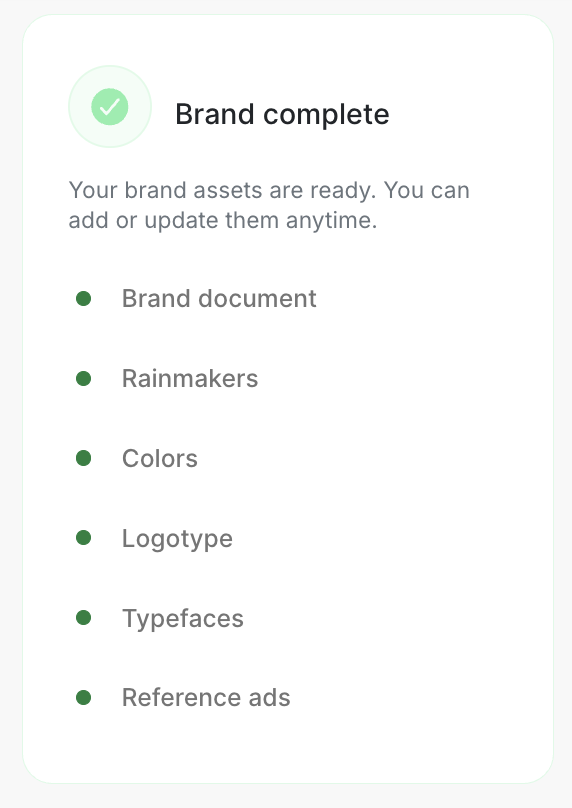
When all six steps contain something, the card changes to Brand complete. You can still add, replace or remove material at any time.
Share responsibility
Brand document, Rainmakers, Logotype and Reference ads have a link beside the step title.
- Open the step another person should complete.
- Choose the link beside its title.
- Send the copied address to a teammate who can sign in to the workspace.
- Tell them what is missing or out of date.
The link opens the right Brand step. It does not make a file public and it does not give someone permission to edit. An Admin or Client admin must still save the change.
Colors and Typefaces do not have a step link. Ask the person to open Brand and scroll to the named step.
Know when Brand is ready
Brand is ready for everyday work when the current guide and logo are present, the main colors and fonts are clear, Rainmaker photos identify the people, and a few reference ads show the direction you prefer.
Next, use Context to explain who the company is, who it sells to and what Njord AI should know.