Your colors
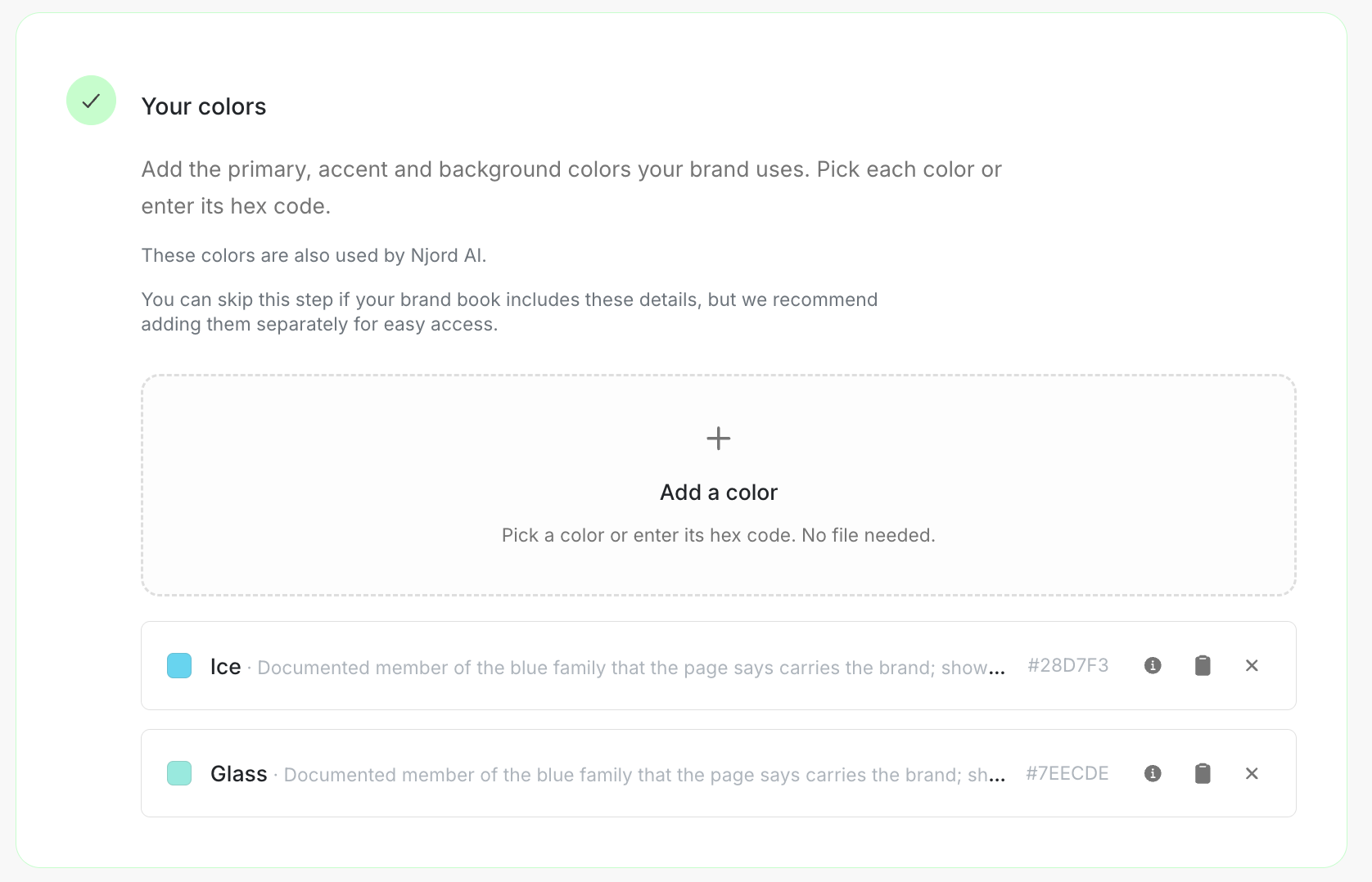
Your colors
Add the colors people should reach for first. A short, named set is easier to follow than a long list copied from old campaigns.
Image guide: Your colors contains the saved brand palette and the control for adding another color.
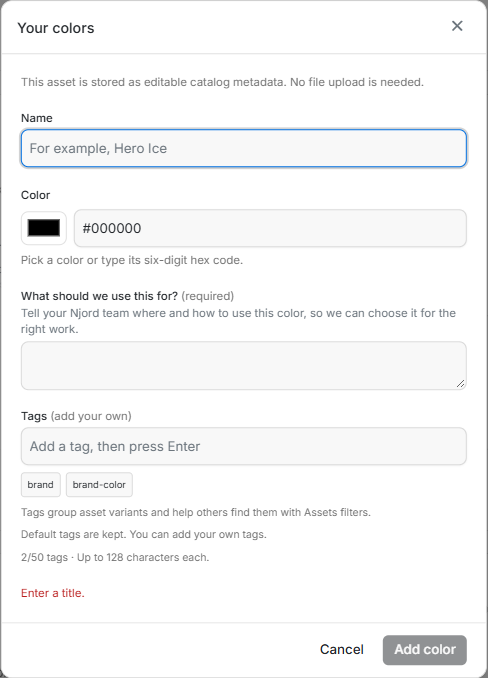
Image guide: Give the color a name, choose it or enter its hex code, then explain where it is used.
Where it sits in DOE: Our company > Brand > Your colors.
What belongs here
Start with the primary, accent and background colors the team uses most often. Give each one a name people will recognise and a short description of its purpose, such as primary buttons, page backgrounds or highlights.
Njord AI also uses the colors saved here when it creates PDFs and slides.
Add a color
- Choose Add a color.
- Pick the color or enter its hex code.
- Give it a clear name, such as Midnight or Warm white.
- Say where the color should be used.
- Save and compare the swatch with the brand guide.
Repeat for the small set that defines the brand. You can skip this step for now when the colors are already clear in the brand document, but saving them separately makes them much easier to reuse.
Keep the palette useful
- Do not save the same hex code twice under different names.
- Leave out temporary campaign colors unless people should keep using them.
- Update the description when a color's role changes.
- If a reviewed brand document already suggested the right color, confirm that suggestion instead of adding it again.
Colors do not have a share button. Ask the person to open Brand and scroll to Your colors.