Start with Context
Start with Context
Context gives Njord and your team the shared understanding behind the work: who the company is, who it sells to, what is known to be true and which source material can be used.
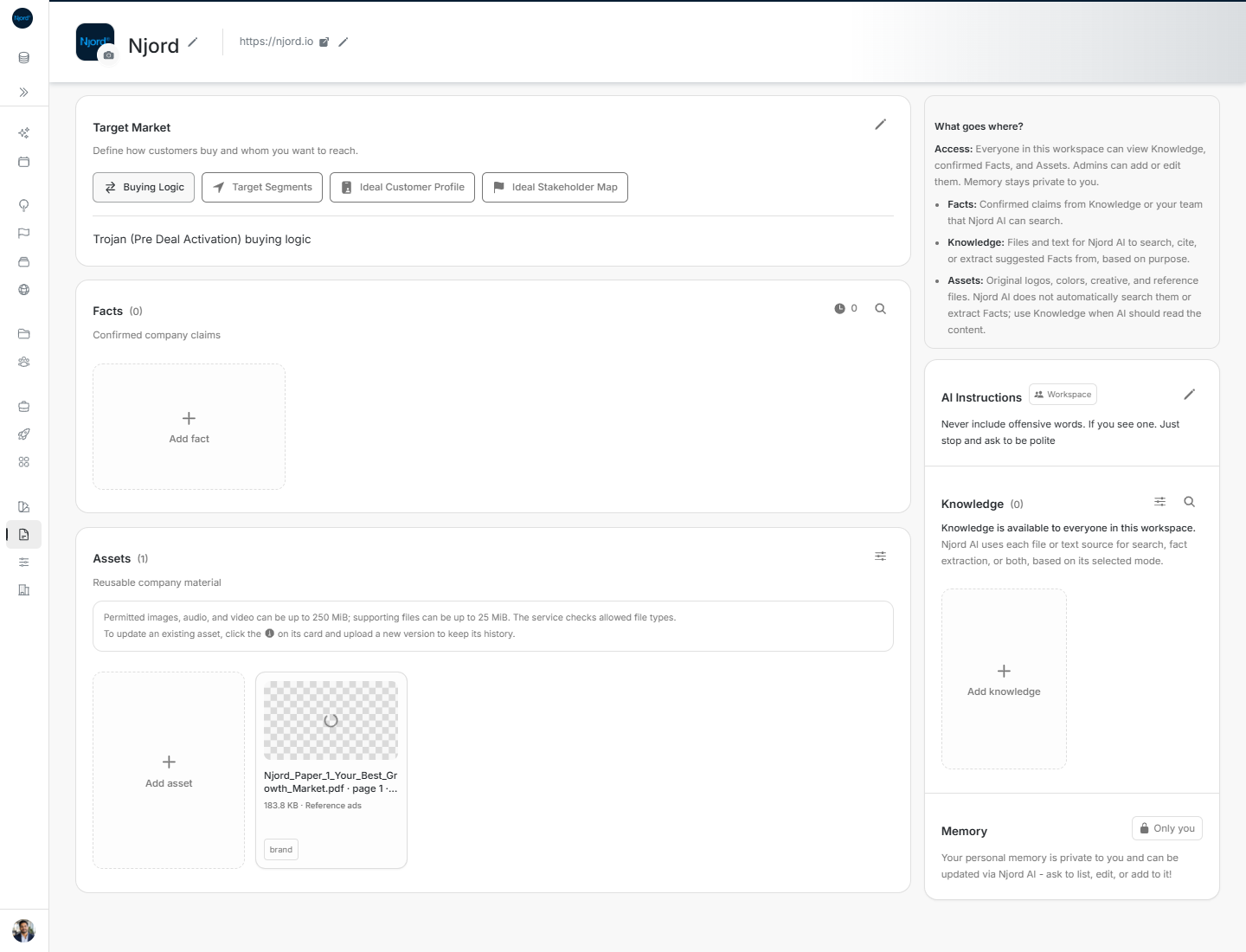
Image guide: The company profile and Target Market sit above Facts and Assets. The side column contains the guide, AI Instructions, Knowledge and private Memory.
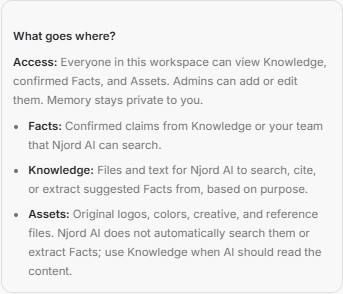
Image guide: What goes where? explains the difference between Facts, Knowledge, Assets and private Memory.
Where it sits in DOE: Our company > Context.
Everyone in the workspace can read shared Context. An Admin or Client admin can change it. Memory remains private to each person.
What Context is for
Use Context when an answer should be the same for the whole workspace. Brand explains how the company should look. Context explains what the company means, who it serves and what Njord AI can rely on.
| Area | Use it for | Guide |
|---|---|---|
| Company profile | The company name, logo and public website | Company name, logo and website |
| Target Market | Buying Logic, Target Segments, Ideal Customer Profile and Ideal Stakeholder Map | Target Market |
| Facts | Confirmed claims the team and Njord AI can trust | Facts |
| Knowledge | Files, text and websites Njord AI should search, cite or review for suggested facts | Knowledge |
| Assets | Original files the team should keep and reuse | Assets |
| AI Instructions | Standing guidance for Njord AI across the workspace | AI instructions and memory |
| Memory | Your own private context, updated through Njord AI | AI instructions and memory |
A useful order
- Check the company name, logo and website.
- Describe the companies and people you want to reach in Target Market.
- Add documents or pages to Knowledge when Njord AI should read them.
- Review suggested Facts and confirm only claims that are true and current.
- Keep reusable originals in Assets.
- Add a short AI Instruction when Njord AI should always follow a workspace rule.
You do not have to finish the page at once. Start with the information people ask for most often.
Decide where something belongs
- Put a confirmed claim in Facts.
- Put a source Njord AI should read in Knowledge.
- Put an original file you want to keep in Assets or the matching Brand step.
- Put a workspace-wide rule in AI Instructions.
- Keep a reminder that only you need in Memory.
If one area is unavailable
The areas on Context can be used separately. Retry only the area that failed and continue with the others. If Context itself is unavailable from the sidebar, ask an admin whether it is enabled for the workspace.