Explore an account's details
Explore an account's details
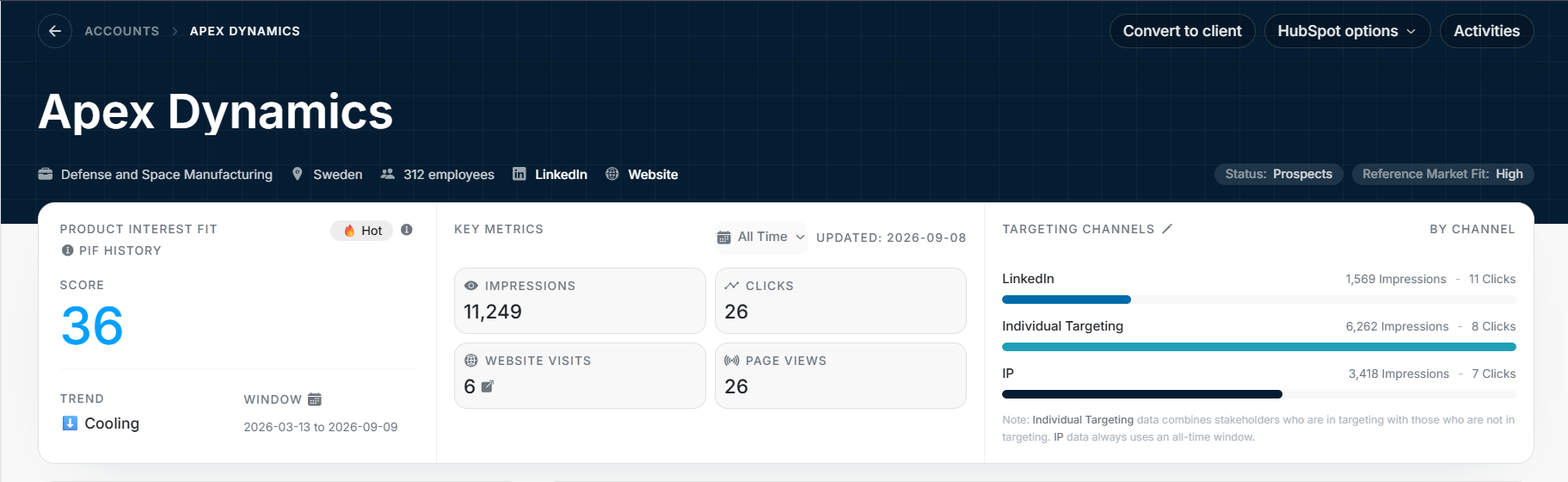
Account Details brings together one company's profile, activity, people and deals. Open Accounts, then select a company name.
Image guide: the header identifies the company. The overview below shows Product Interest Fit, key metrics and the channels contributing to its activity.
Review an account before a conversation
- Confirm the company name and account owner.
- Review the overview and its selected date range.
- Read recent signals for changes in website or advertising activity.
- Check stakeholders, deals and events to understand the team's existing work.
Use the following guides when you need more detail in a particular section.
Find the information you need
| Question | Section and guide |
|---|---|
| What do the score and metrics mean? | Account overview |
| What happened recently, and who has been reached? | Signals and Targeting Map |
| Where can I change the company profile or owner? | Editable account fields |
| What opportunities and meetings are connected? | Deals, Events and Activities |
| Which people are connected and included in targeting? | Stakeholders and Ad Targeting |
Understand activity and changes
Signals describes customer activity, such as website visits and ad engagement. Activities is the history of changes to the account record, such as a field or status update.
Use Signals when preparing a follow-up. Use Activities when you need to understand who changed the record or how it reached its current state.
Continue into related records
Open a stakeholder to review a person, a deal to review an opportunity, or an event to read the meeting or note. These linked views help you move from the company summary to the underlying information.
For company website visits and page history, see Website Tracking. For comparisons across companies, see Reports.