Export stakeholders
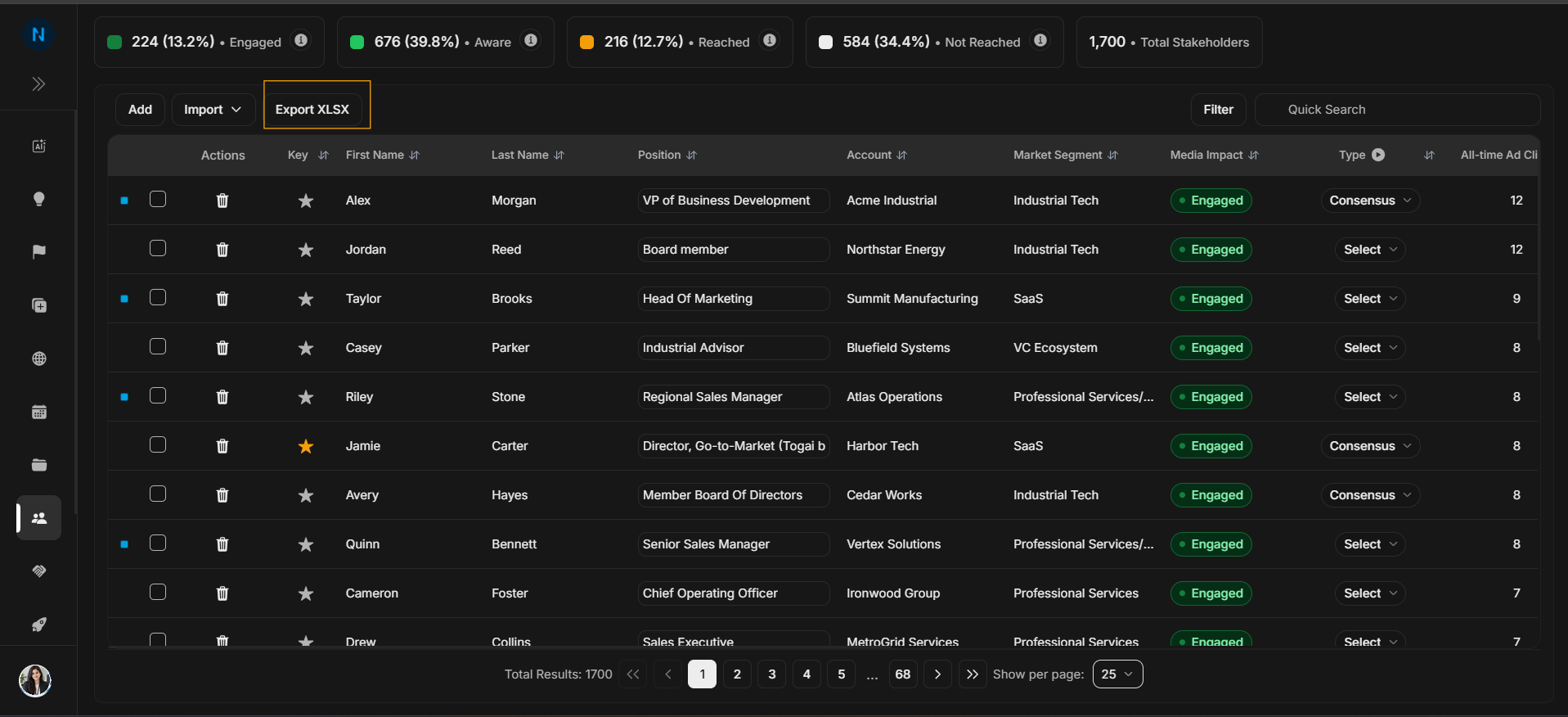
Export stakeholders
Use Export XLSX when the visible stakeholder data is needed outside DOE.
Start export
Image guide: Export downloads stakeholder table data. Apply filters or search first if the export should represent a specific group.
Review the spreadsheet
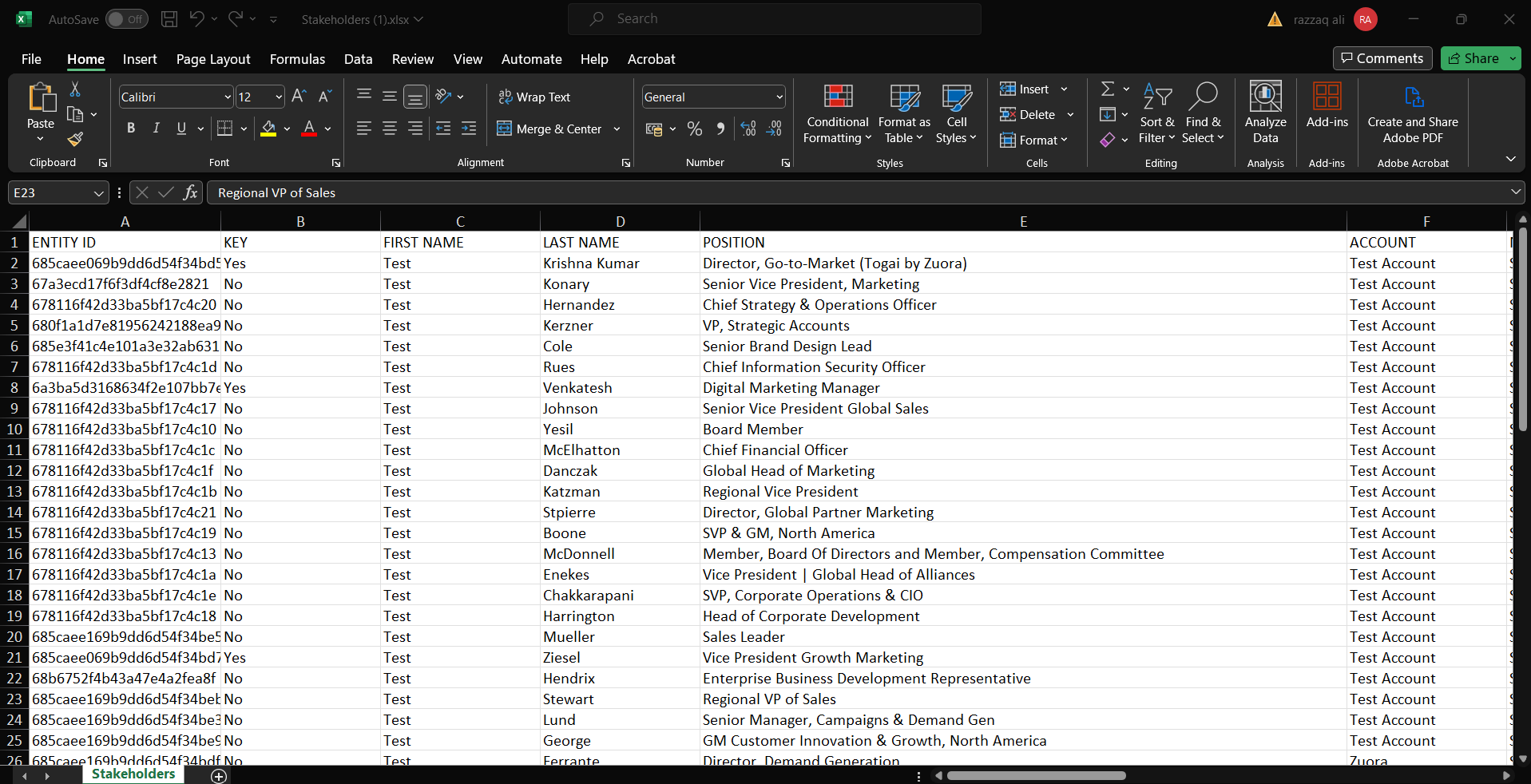
Image guide: The exported spreadsheet is a snapshot of stakeholder data. It is useful for review, QA, reporting, and team discussion, but it will not update automatically when DOE data changes later.
Step-by-step
- Filter or search if needed.
- Select Export XLSX.
- Open the downloaded spreadsheet.
- Confirm the exported rows match the stakeholder group you expected.
- Return to DOE before making live record decisions.