Filter stakeholders
Filter stakeholders
Use Filter when the user needs structured narrowing instead of a text search.
Open Filter
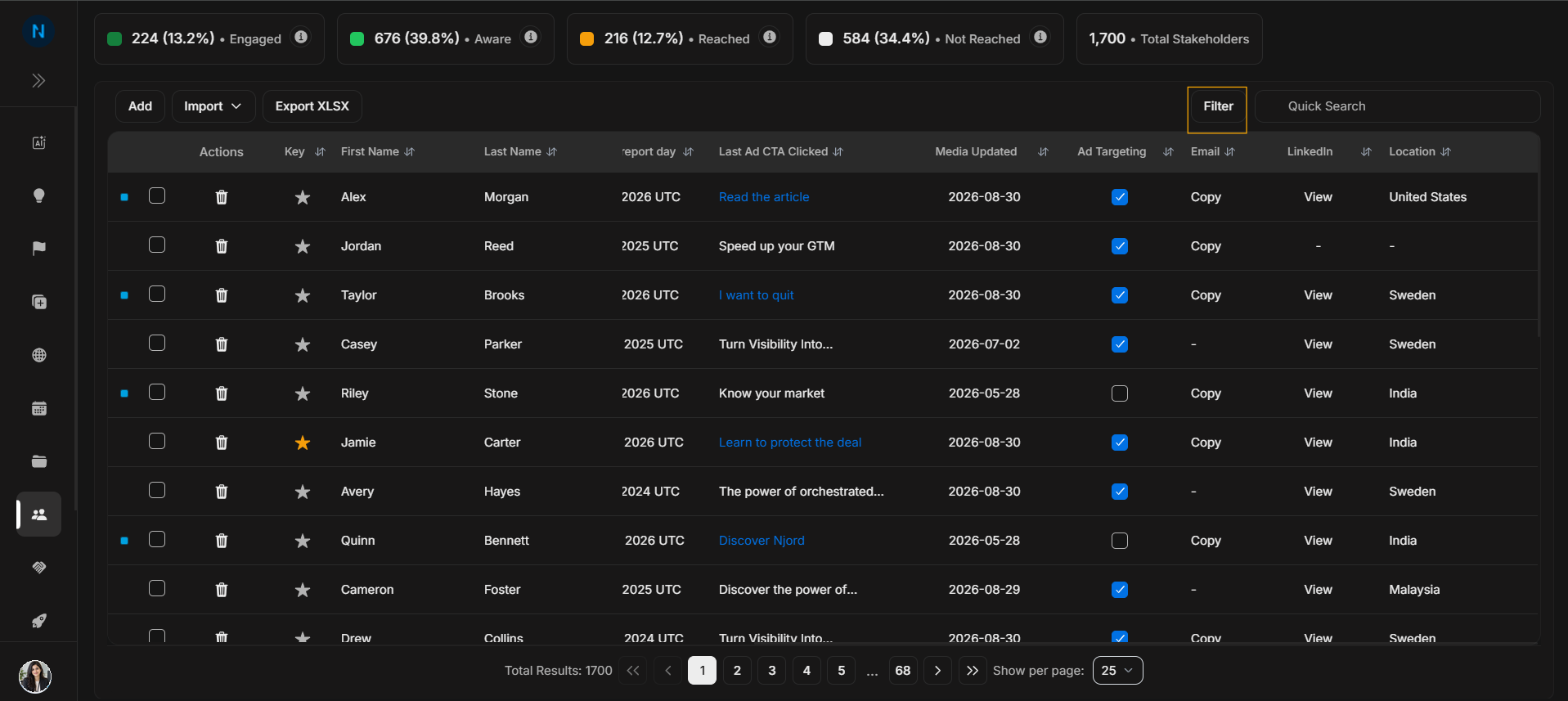
Image guide: The Filter control opens structured stakeholder filters. Use it when the user wants to narrow by account, owner, position, targeting state, location, source, media impact, traffic light, or type.
Apply filter fields
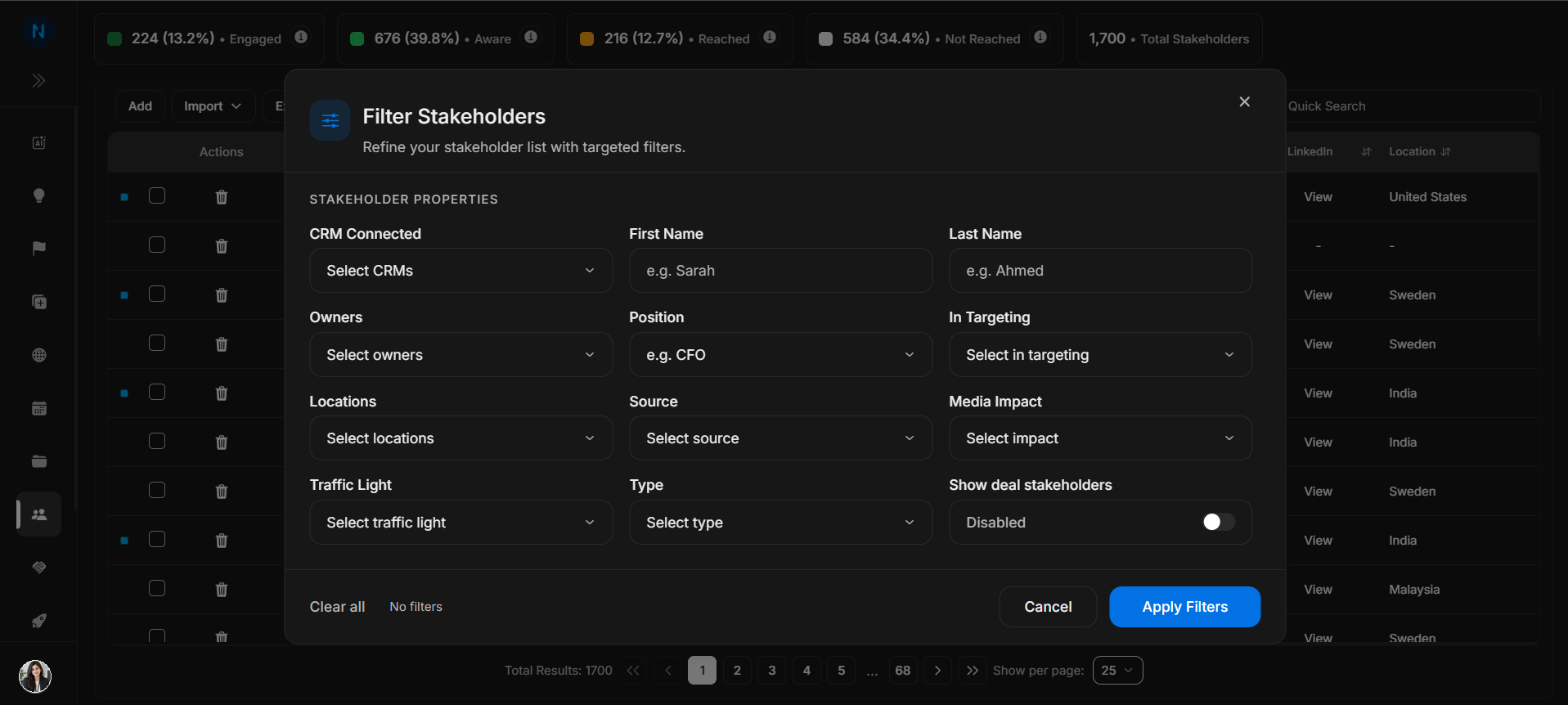
Image guide: The modal contains multiple filter fields. Start broad, then narrow. If the result set becomes empty, remove the most specific filter first.
Filter versus search
| Control | Use it for |
|---|---|
| Filter modal | Building a structured segment of stakeholders. |
| Quick Search | Finding a known person, account, position, or text fragment. |
| Table dropdown | Changing or inspecting one visible row. |
Step-by-step
- Select Filter.
- Choose one or more stakeholder properties.
- Apply filters.
- Review the table results.
- Clear filters before starting a different task.