Enrich accounts or stakeholders
Enrich accounts or stakeholders
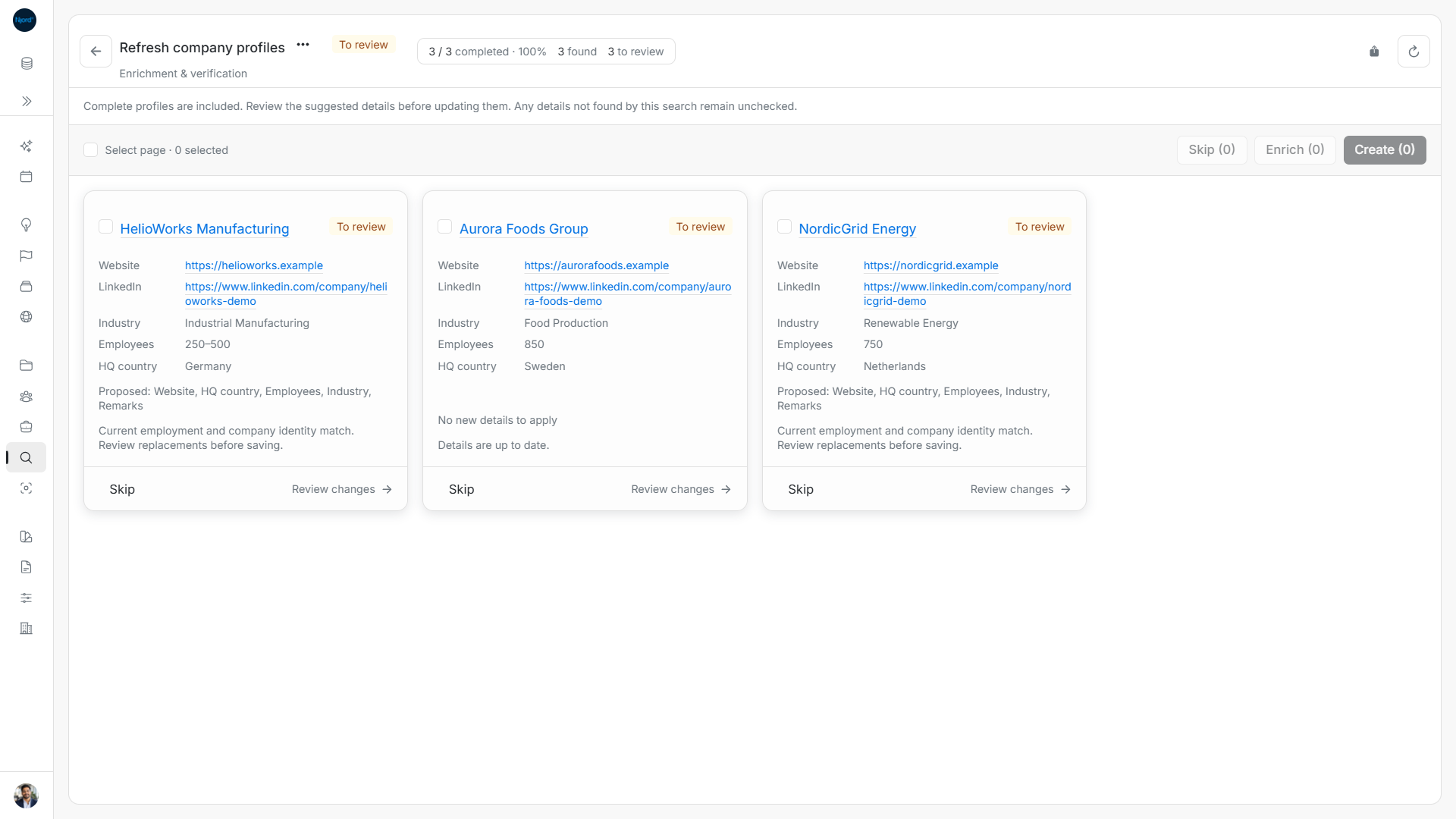
Use Enrich accounts for existing companies and Enrich stakeholders for existing people. Both research in the background and propose changes for review. Neither requires GTM Foundation.
Fill missing details or check existing ones
Enrichment normally focuses on missing supported details. A complete record is disabled until you turn on Verify complete accounts or Verify complete stakeholders. Verification can propose fresher information even when fields are already filled. It is not a certification of every field: information the service does not return remains unchecked.
For accounts, completeness covers Website, LinkedIn, Industry, Employees and HQ country. For stakeholders, it covers Email, LinkedIn, Role and country-based Location, plus Phone when phone research is enabled. A missing phone alone does not enable an otherwise complete person while phone research is off, unless you enable complete-profile verification.
Changing verification or stakeholder phone research clears individual selection. Set the options first, then select records again. Optional phone checks add possible charges and do not guarantee a number.
Choose one profile or a group
| Goal | Available scopes |
|---|---|
| Enrich accounts | Selected accounts; all active accounts in the workspace. |
| Enrich stakeholders | Selected stakeholders; all stakeholders in the workspace; stakeholders under selected accounts. |
Under-account enrichment checks existing people, not new contacts. Select up to 100 records explicitly. Broad scopes are resolved at start with a 5,000-record limit; later additions do not join and oversized scopes are rejected. Enrichment does not use discovery-result limits.
Decide what should be saved
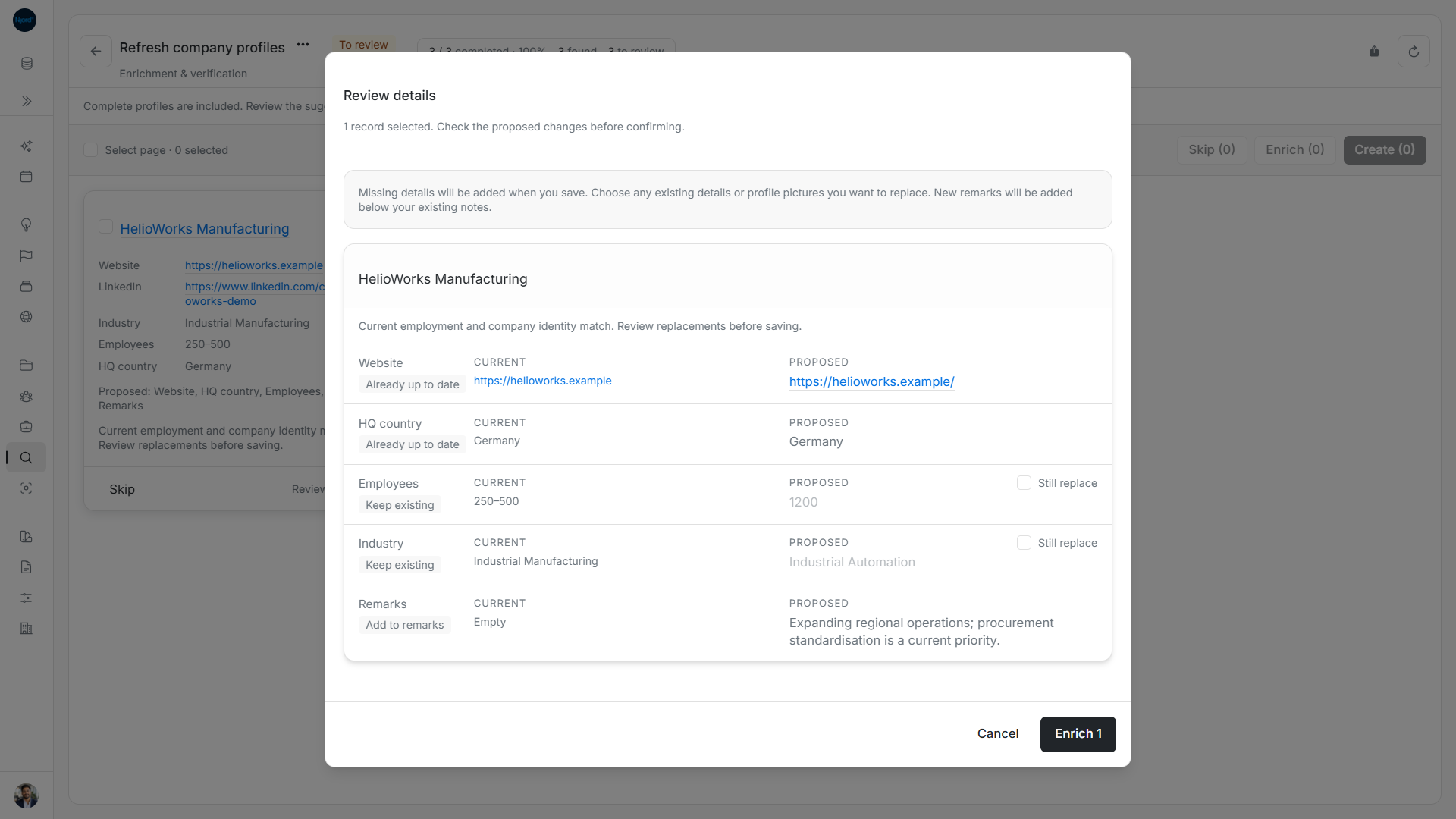
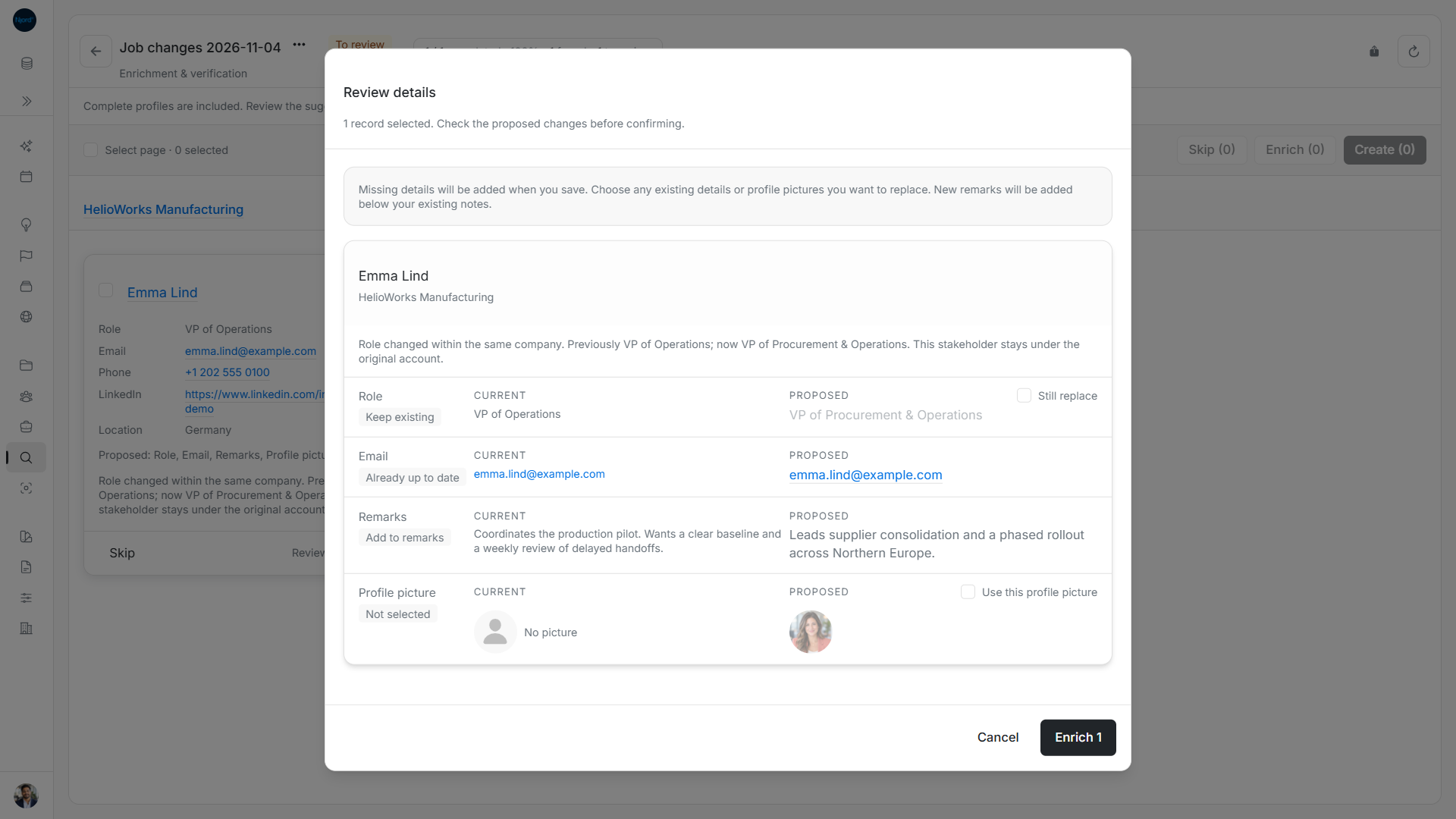
After the search ends, compare Current and Proposed. Missing details can be filled, but differing existing values require independent Still replace consent for each field and each record. Equivalent trimmed text, links differing only by a trailing slash, and the same country represented by name or code do not require replacement consent. Location comparison is country-based, rather than a city or region override.
Pictures have their own choice, unchecked for enrichment. A picture-only change can be applied when selected. New research remarks append in separated sections, preserving manual notes. Refreshing a comparison clears replacement and picture choices; review them again. An unchanged result offers Details are up to date and Close.
Check one profile instead
Use Enrich in an account or stakeholder detail header for a direct lookup. It stays in its own window, uses temporary findings, and does not add to the Research catalog. This is a separate workflow from the batch enrichment goals above.
Next step
Enrich accounts, enrich stakeholders, review changes, enrich one account, or enrich one stakeholder.