Enrich stakeholders
Enrich stakeholders
Use Enrich stakeholders to check existing people, fill missing contact details or verify complete profiles. Research uses saved identity, such as email, LinkedIn or name plus company. No Offering, Buying Logic / ISM or other GTM selection is required. This goal checks existing people; Find stakeholders discovers new people.
Choose what details to check
| Completeness field | What it represents |
|---|---|
| Contact email address. | |
| Person's LinkedIn profile. | |
| Role | Current position. |
| Location | Country information. |
| Phone | Optional, included in eligibility when phone research is enabled. |
By default, profiles missing supported details can be selected. Verify complete stakeholders also enables people whose supported fields are filled. It checks returned information; it does not certify fields the service did not return.
A missing phone alone makes an otherwise complete profile eligible only when Include phone research is on, unless complete-profile verification is enabled. Changing either phone research or verification clears individual selections. Set both options before choosing people. Phone checks can add charges even when no number is found.
Enrich selected people
- Open Relationships → Audience Research → New research → Enrich stakeholders.
- Choose Selected stakeholders, then set verification and optional phone research.
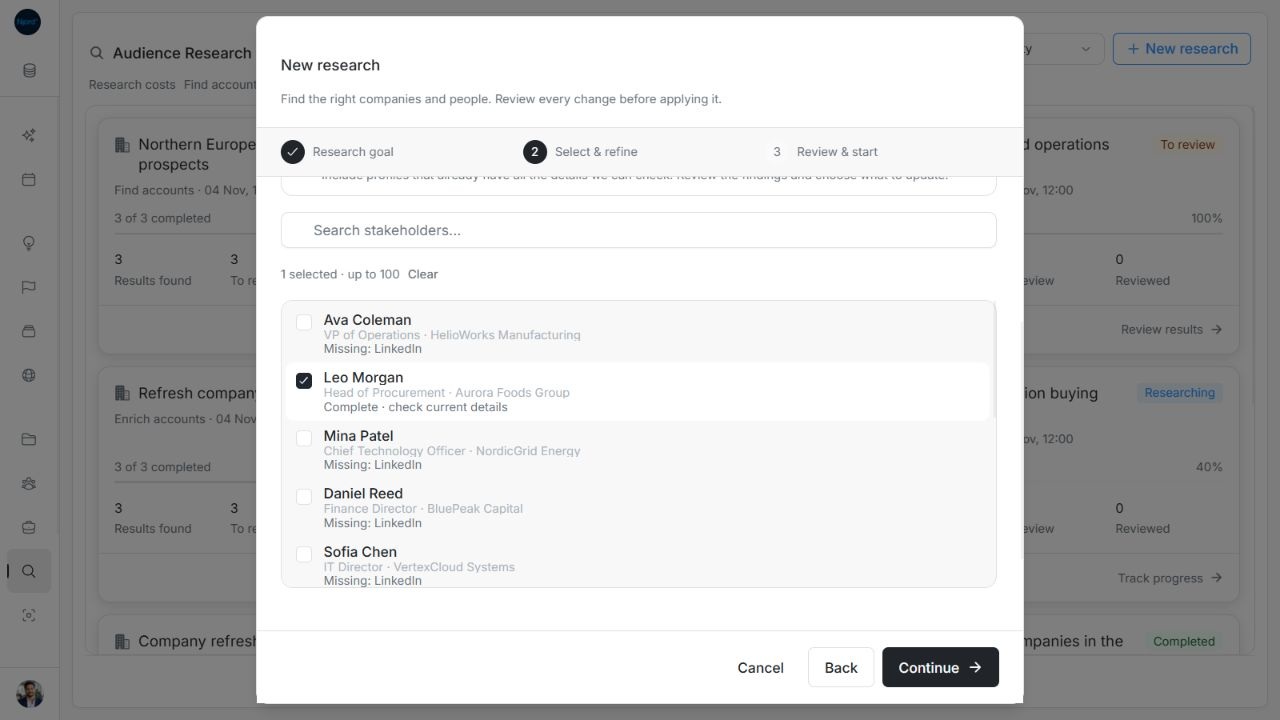
- Search using at least two trimmed characters. Check the person's account and missing-detail notes, then select up to 100 people. Choices remain across searches and scrolling; records load in batches of 30. Retry a failed additional page or use Clear to abandon the choices.
- Choose Continue. Name the search with up to 120 characters, or leave it blank to use the goal title. Check the scope in Review & start.
- Choose Start research and return to review when it ends. Enrichment has no discovery-result limit fields.
Image guide: With verification enabled, the complete Leo Morgan profile can be selected.
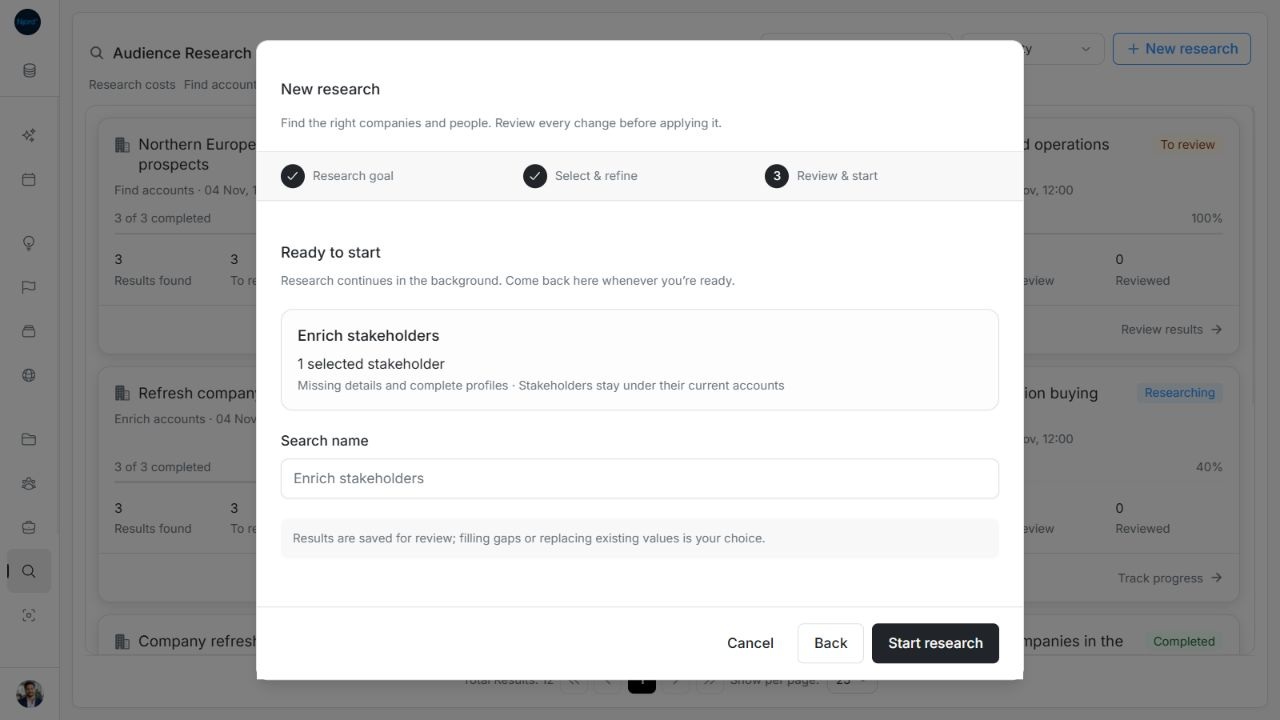
Image guide: The selected-person summary identifies complete-profile verification without discovery limits.
Use all people or people under selected accounts
All stakeholders in this workspace checks the eligible existing people in the workspace. Stakeholders under selected accounts checks existing people linked to your selected companies. It does not discover new people at those companies.
Choose verification and phone options before selecting accounts. The broad scope is resolved at start, with a 5,000-record limit. Later records do not automatically join. Oversized scopes are rejected rather than silently shortened. Check the phone choice in Select & refine because the final summary does not repeat every eligibility choice.
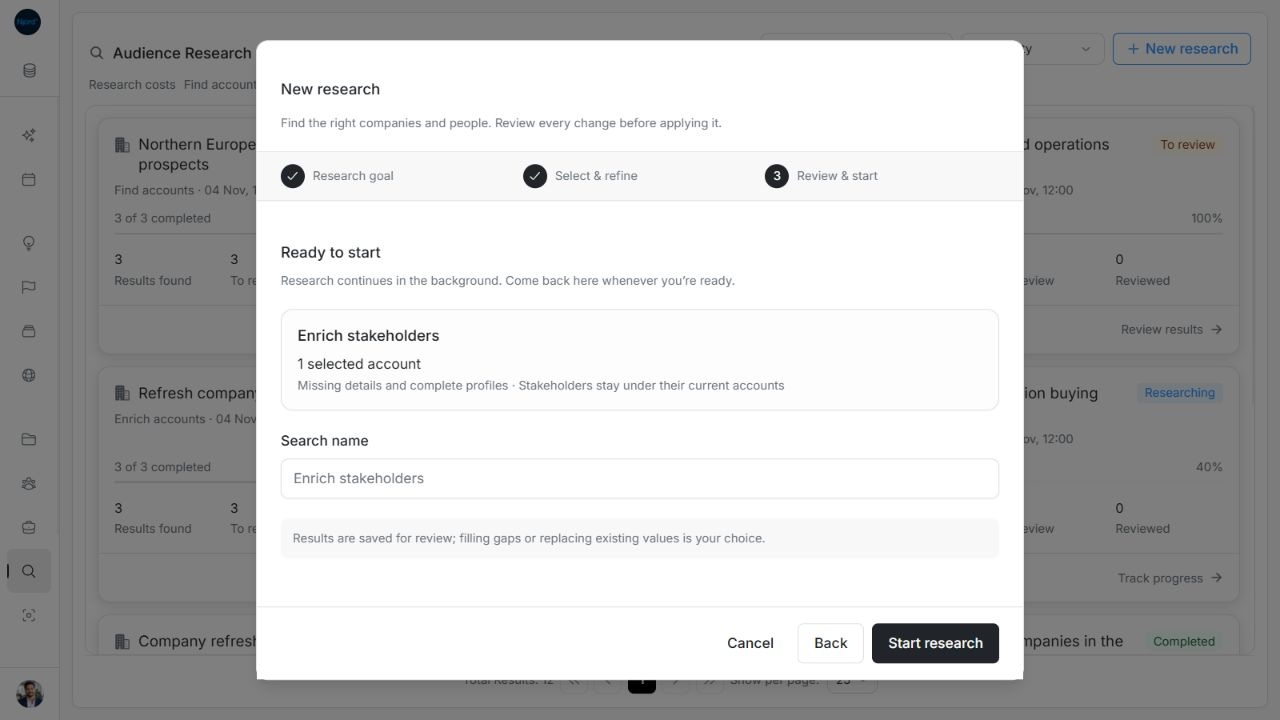
Image guide: Under-account enrichment summarizes the selected company count and verification choice.
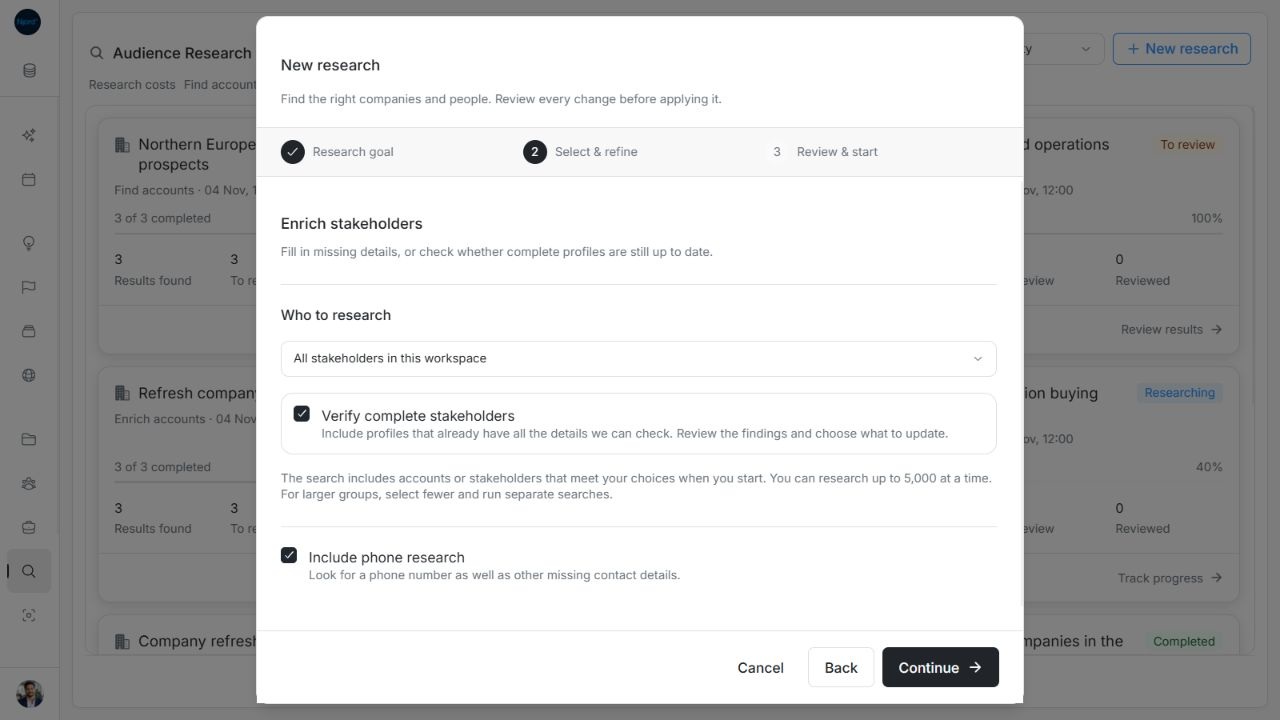
Image guide: All-stakeholder enrichment can include complete-profile verification and phone research.
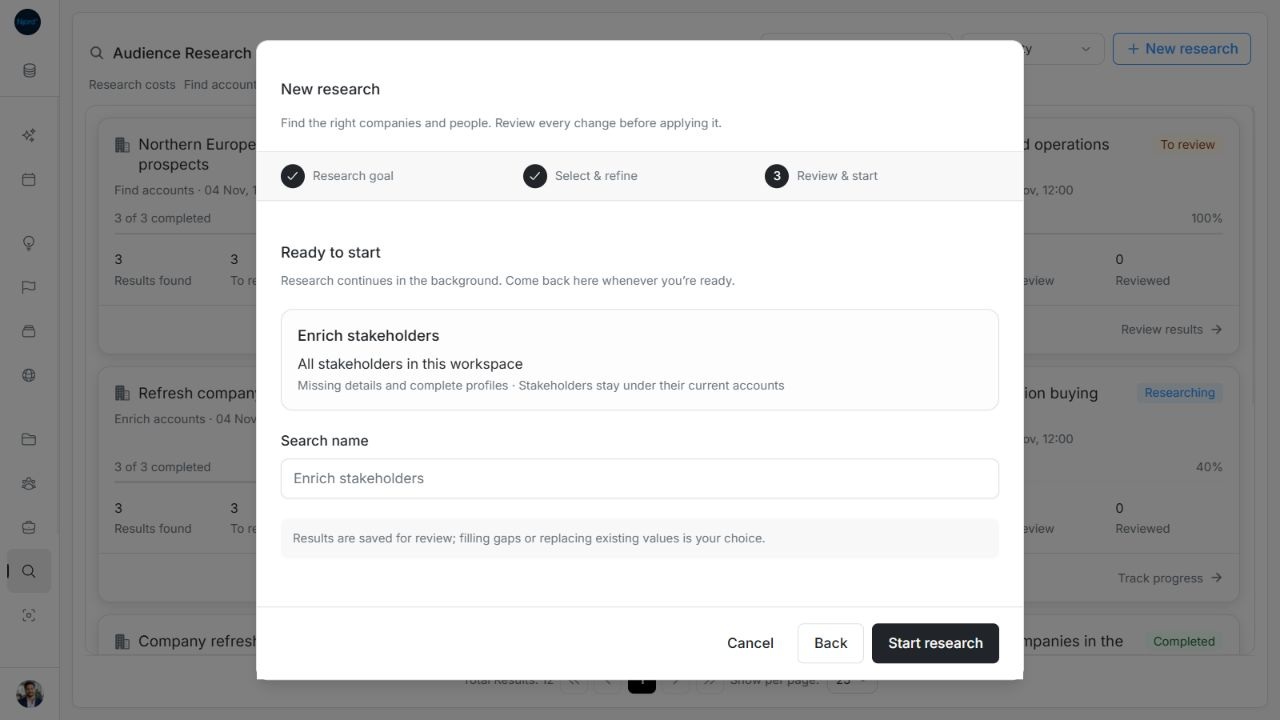
Image guide: All-stakeholder review has a search name and scope summary without discovery-result limits.
Review contact details and job changes
Results stay grouped under their original accounts, including when research reports a company move. Compare Current with Proposed, accept any missing details and choose Still replace for each existing value you want to replace. Picture consent starts unchecked and is independent of field replacements; a selected picture alone can be saved. Research context appends to existing manual remarks.
A supported match can enable job-change monitoring even without saving fields. Monitoring depends on source support and workspace configuration; it is not guaranteed for every person. Neither enrichment nor a job-change finding automatically moves the stakeholder to another account or adds audience membership.
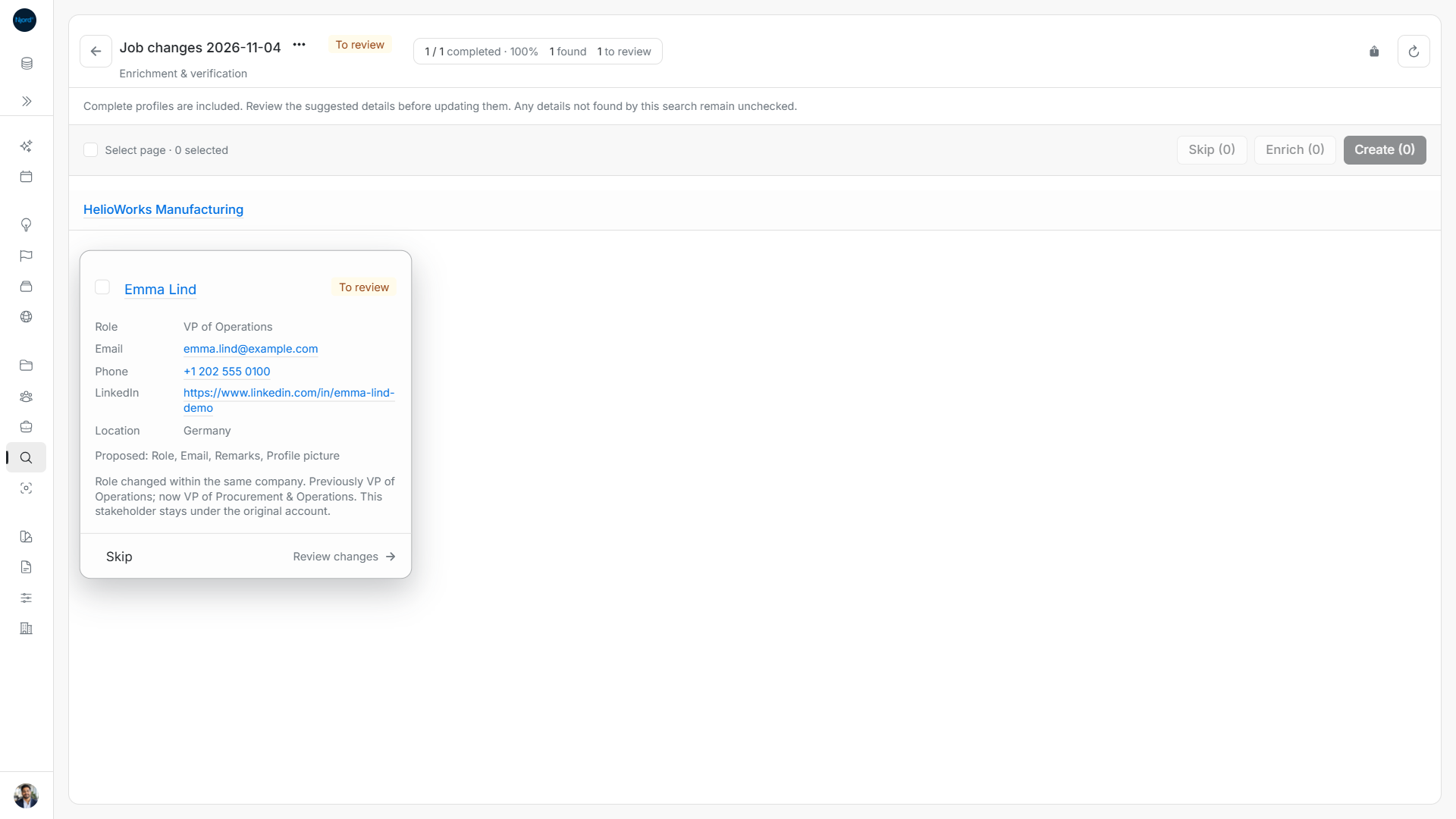
Image guide: Review a role change at the same company before changing the saved contact.
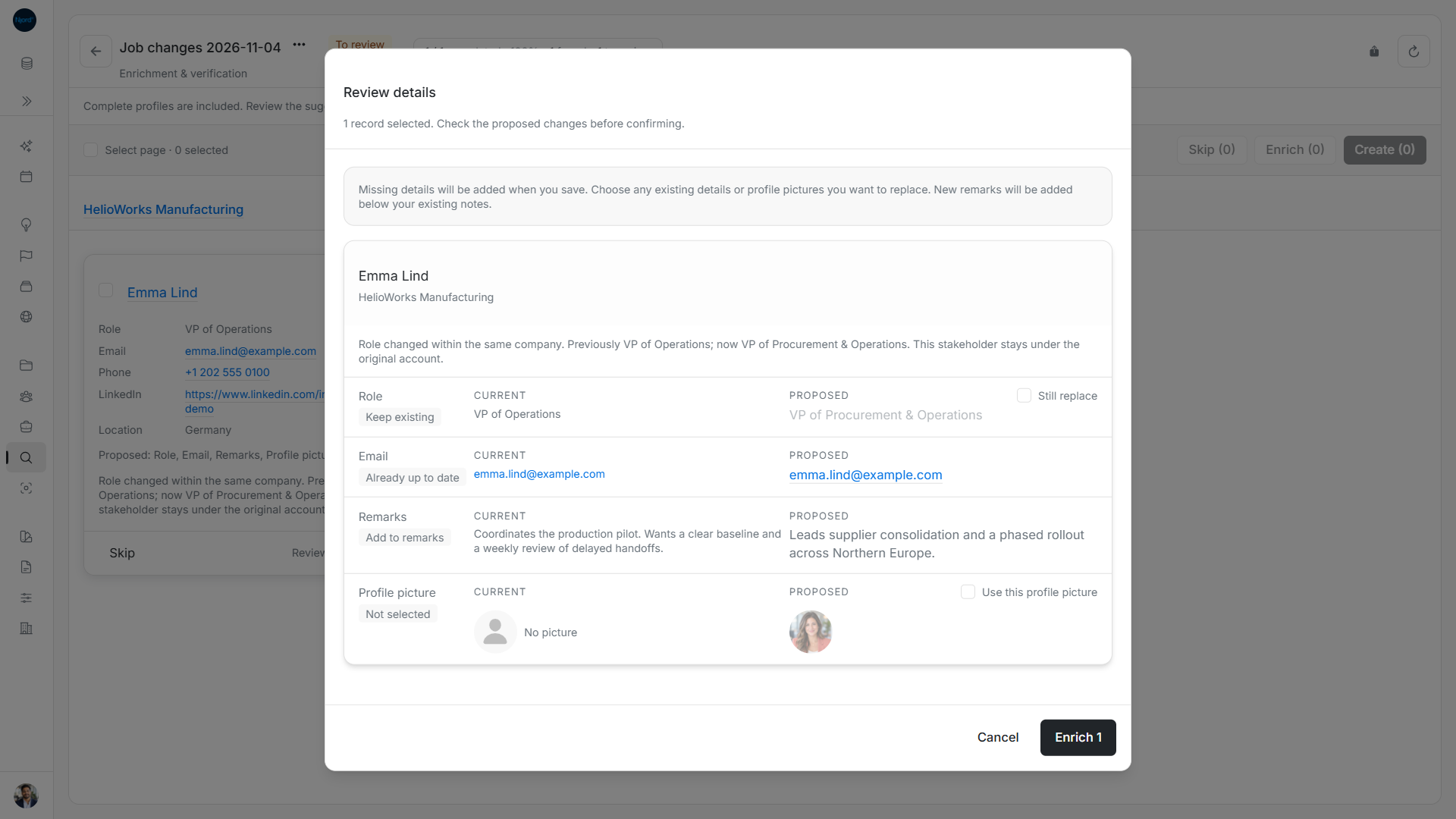
Image guide: Compare employment and contact details; a role change does not move the person to another account.
Next step
Review proposed changes, review job changes, or enrich one stakeholder from its header.