Enrich accounts
Enrich accounts
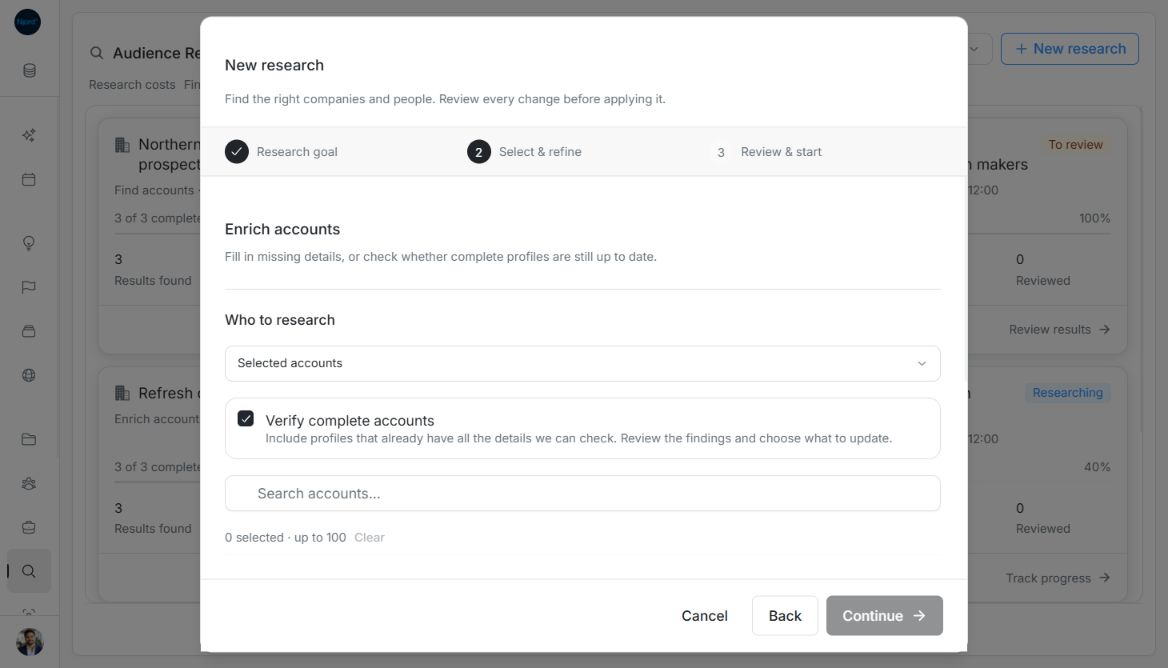
Use Enrich accounts in Audience Research to check existing companies. It fills missing supported information or, when you opt in, verifies complete profiles. It uses saved company identity and does not require GTM Foundation, an Offering or a Buying Logic / ISM.
Choose which accounts to check
| Completeness field | What research checks |
|---|---|
| Website | Company website. |
| Company LinkedIn page. | |
| Industry | Industry classification. |
| Employees | Employee count. |
| HQ country | Headquarters country. |
Accounts with missing supported details are eligible by default. Complete accounts are disabled until you enable Verify complete accounts. Verification can propose newer values; it does not certify information the research service did not return. Changing verification clears individual selections so you can choose again against the new eligibility rules.
Enrich selected accounts
- Open Relationships → Audience Research → New research → Enrich accounts.
- Choose Selected accounts and set Verify complete accounts before choosing records.
- Search with at least two trimmed characters. Read missing-detail notes, then select up to 100 accounts. Choices remain while searching or scrolling; additional pages load 30 records at a time. Retry a failed page or use Clear to start the selection again.
- Choose Continue, name the search and check Review & start. A blank name uses the goal title; names allow up to 120 characters.
- Choose Start research. Return when it finishes, fails or stops to review the proposals.
Image guide: Verify complete accounts includes profiles that already have all supported details. Re-select profiles after changing this choice.
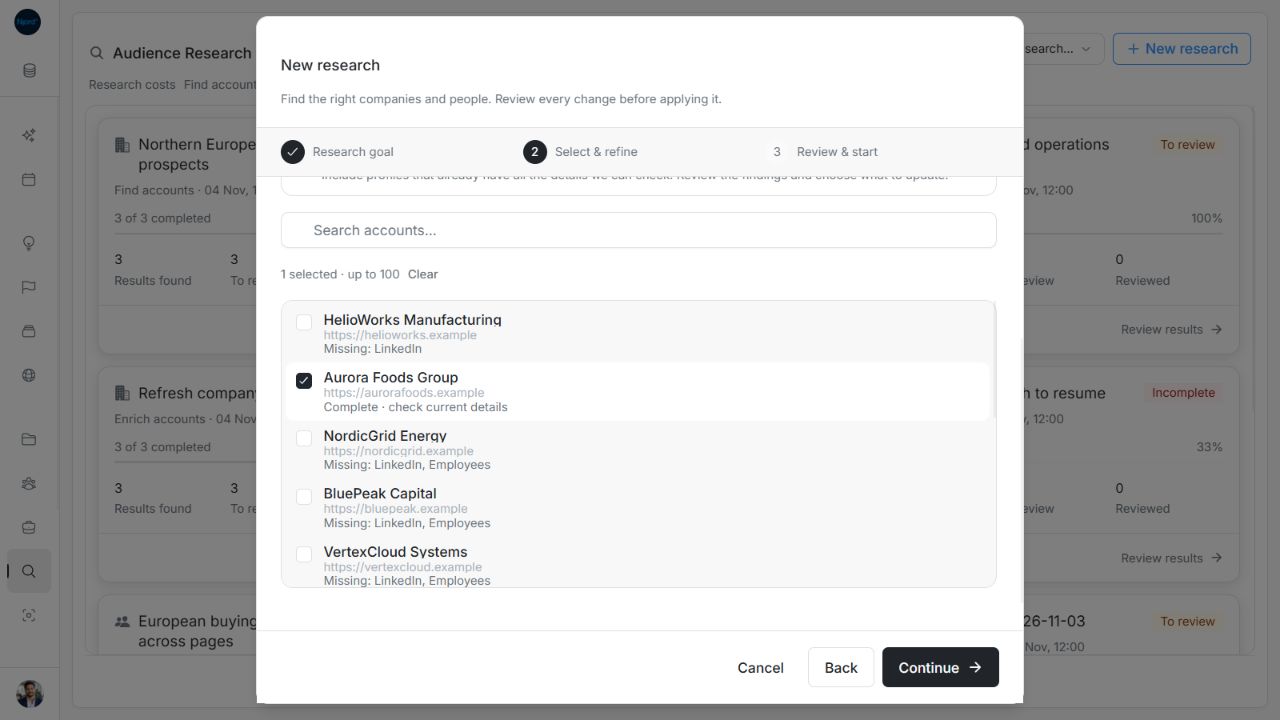
Image guide: Verification enables selecting the complete account. Fictional sample data, shown in light mode.
Enrich all active accounts
Choose All active accounts in this workspace, then set complete-profile verification. The server resolves the scope when the search starts. Later additions do not join it. A scope above 5,000 records is rejected; narrow the work instead of expecting a partial selection.
Enrichment has no discovery-result maximum or results-per-account control. The final summary identifies the existing-record scope and verification choice.
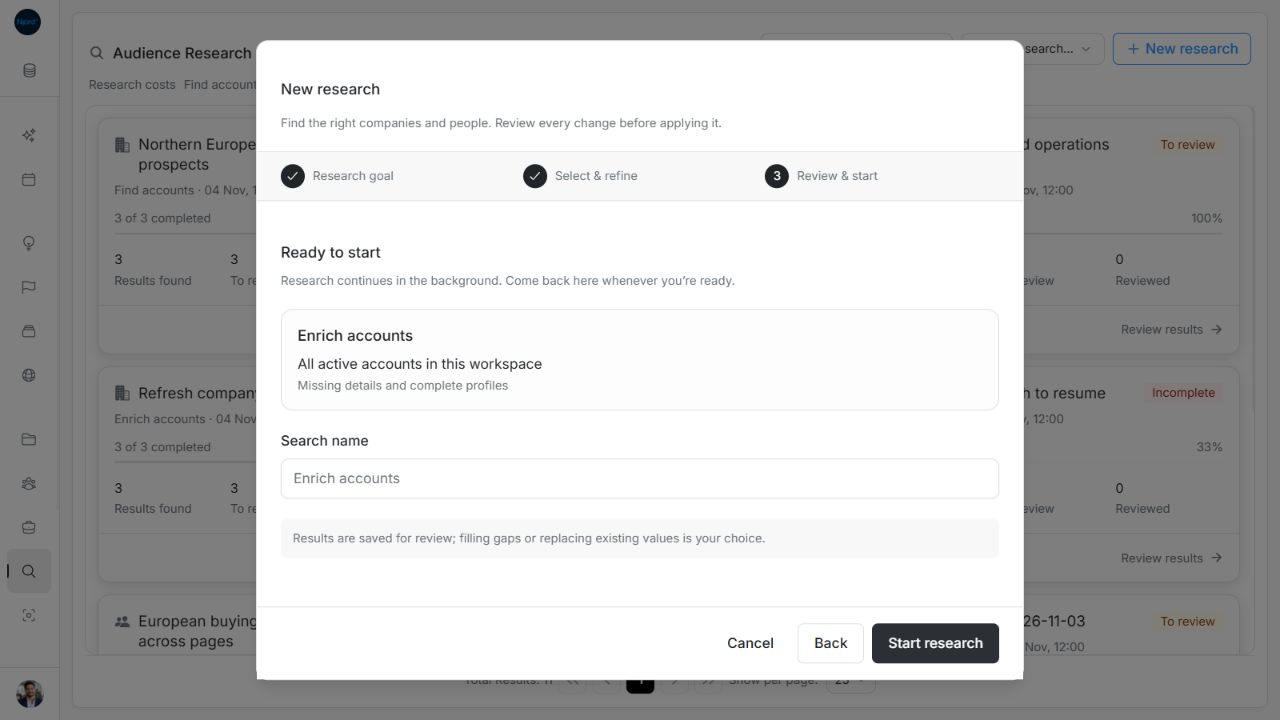
Image guide: All-active enrichment has a search name and scope summary without discovery limits. Fictional sample data, shown in light mode.
Review before saving
Open the ended search and compare Current and Proposed values. Missing details can be filled; replacing an existing value requires its own Still replace choice. Picture choices are separate and start unchecked for account results. Research remarks append to existing notes rather than replacing manual content. An unchanged result may have nothing to save.
Review or skip individual proposals, or select eligible proposals on the current result page. A successful lookup does not automatically apply changes, add people or activate targeting. For one company, use Enrich in the account header instead of starting a batch.
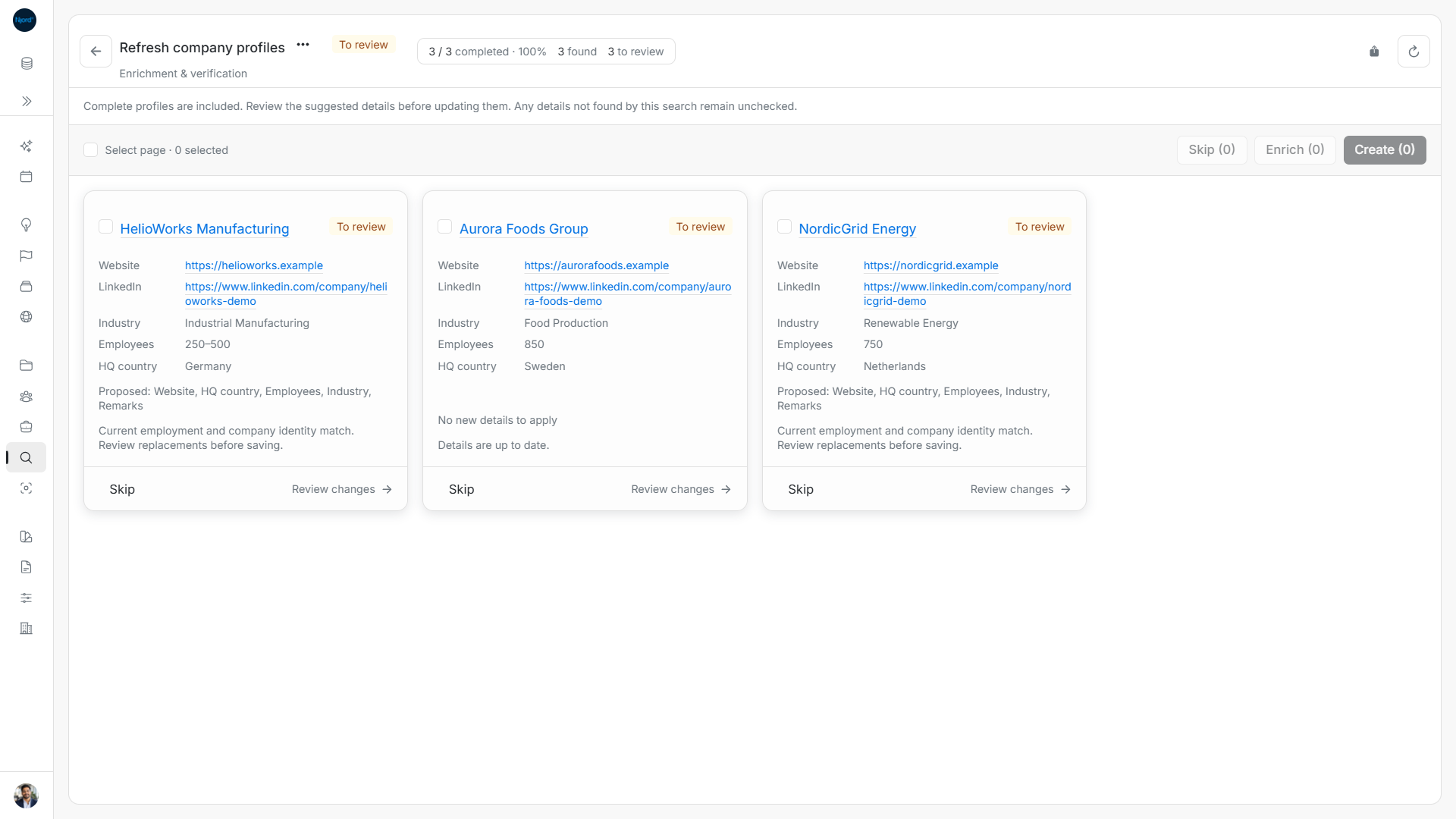
Image guide: Enrichment includes changed profiles and a complete profile with no new details.
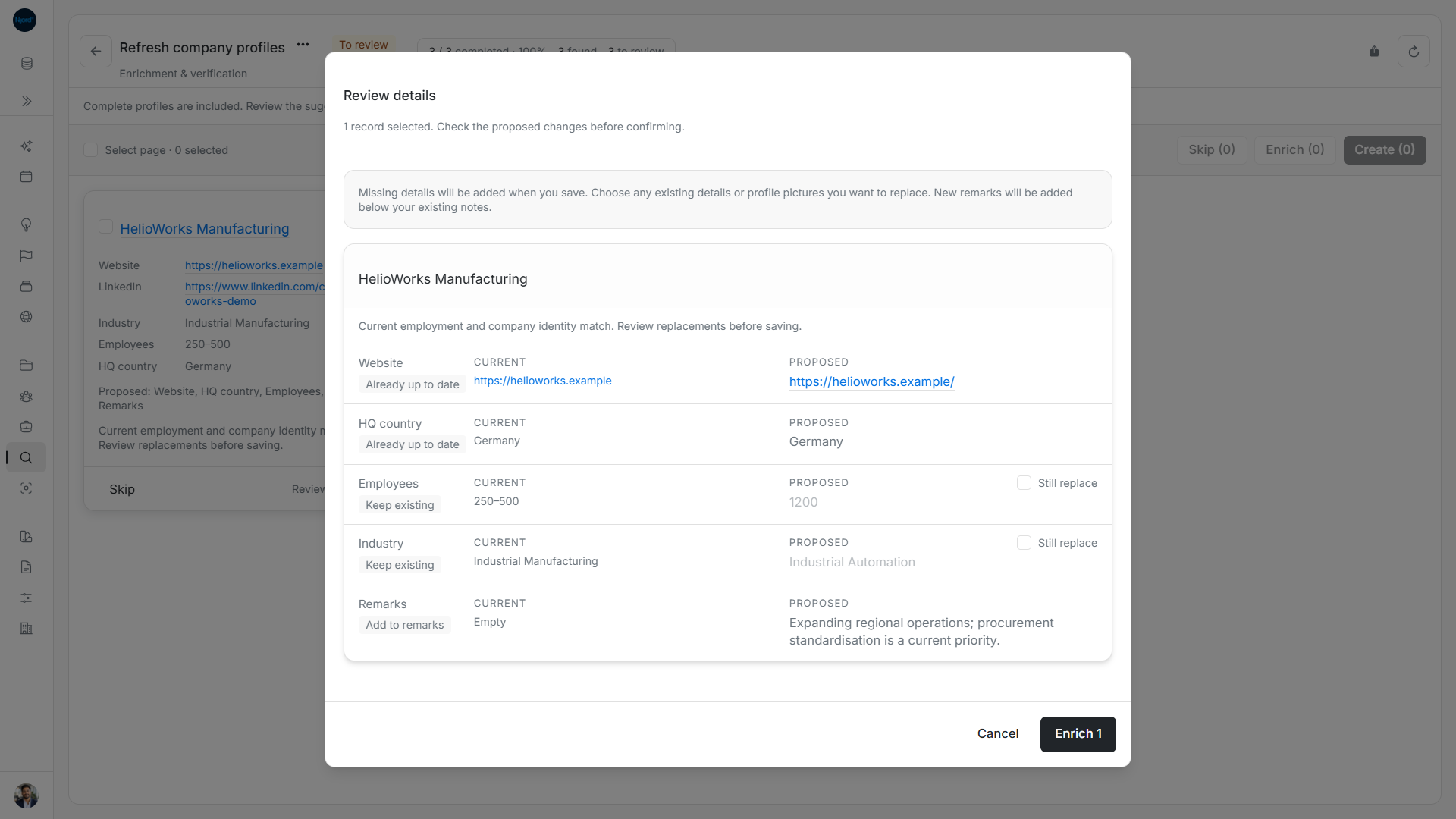
Image guide: Keep saved values unless you explicitly select a proposed replacement.
Next step
Review proposed profile changes, understand verification and phone choices, or track and recover research.