Confirm a company’s identity and ownership
Confirm a company’s identity and ownership
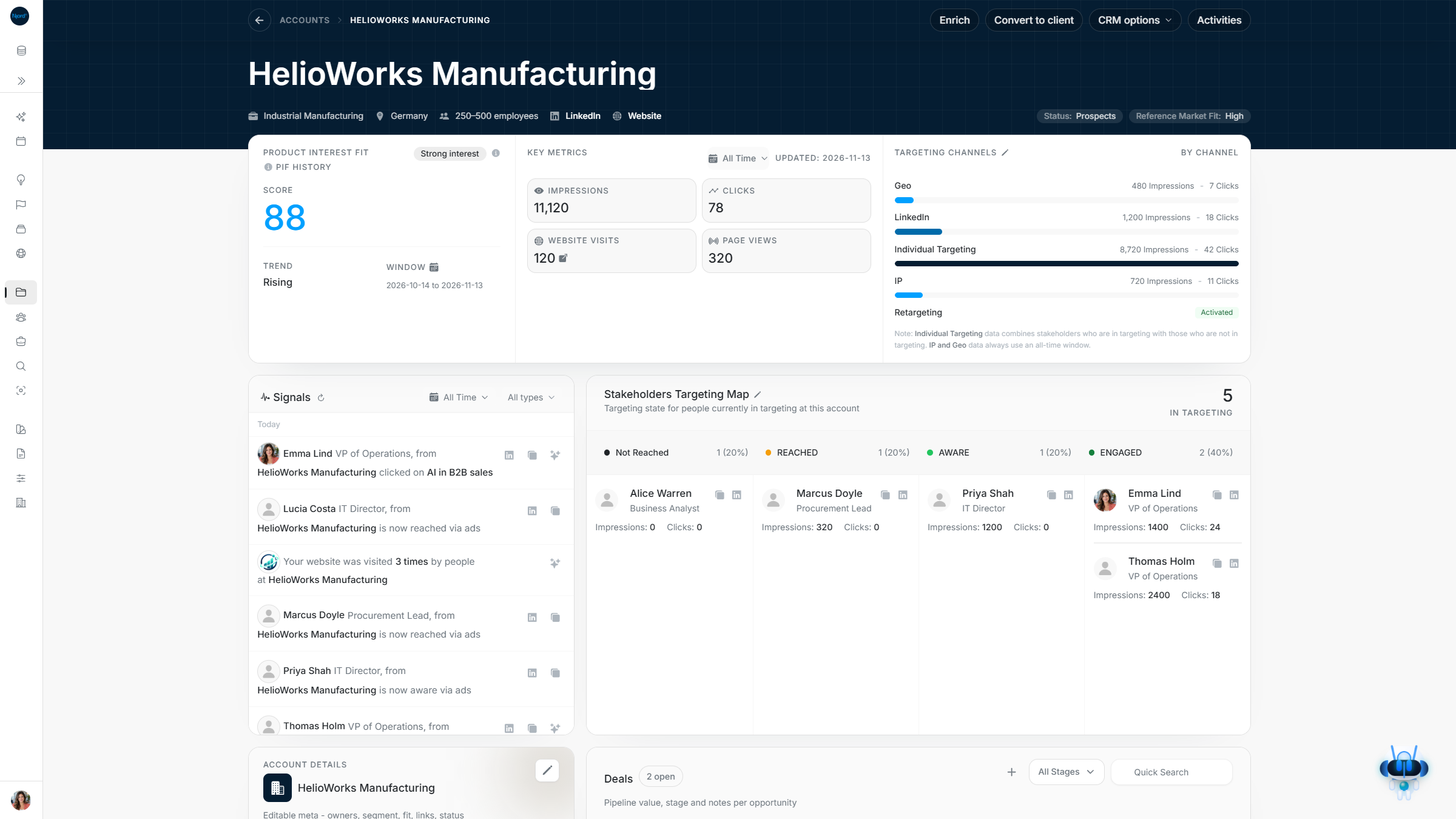
The account header identifies the company and gives the first status context.
How to read the header
The header is the identity check for the whole page. If the header is wrong, every signal, deal, stakeholder, and AI response below belongs to the wrong company. Treat the header as the first confirmation step before taking action.
Status, owners, and reference-market fit are quick context signals. They tell you whether this account is active, who is responsible, and how strongly the company fits the intended market.
Image guide: Check the company name, website and headquarters, then use Account details to review the saved metadata.
What to check
| Header item | Meaning |
|---|---|
| Account name | The company record currently open. |
| Status | The account lifecycle or commercial state. |
| Owners | People responsible for the account. |
| Reference-market fit | Fit context for prioritization. |
Step-by-step
- Confirm the account name.
- Read the status and owner context.
- Check fit before deciding priority.
- Then move to header actions or Signals.
Account Health for Existing Customers
For an Existing Customer, use Account Health to record Expand, Stabilize or Rescue. Open the edit control, select the intended value and Submit; Cancel retains the saved assessment. This describes how the existing relationship should be handled. It is separate from a PIF activity score or a prospect’s Reference Market Fit.
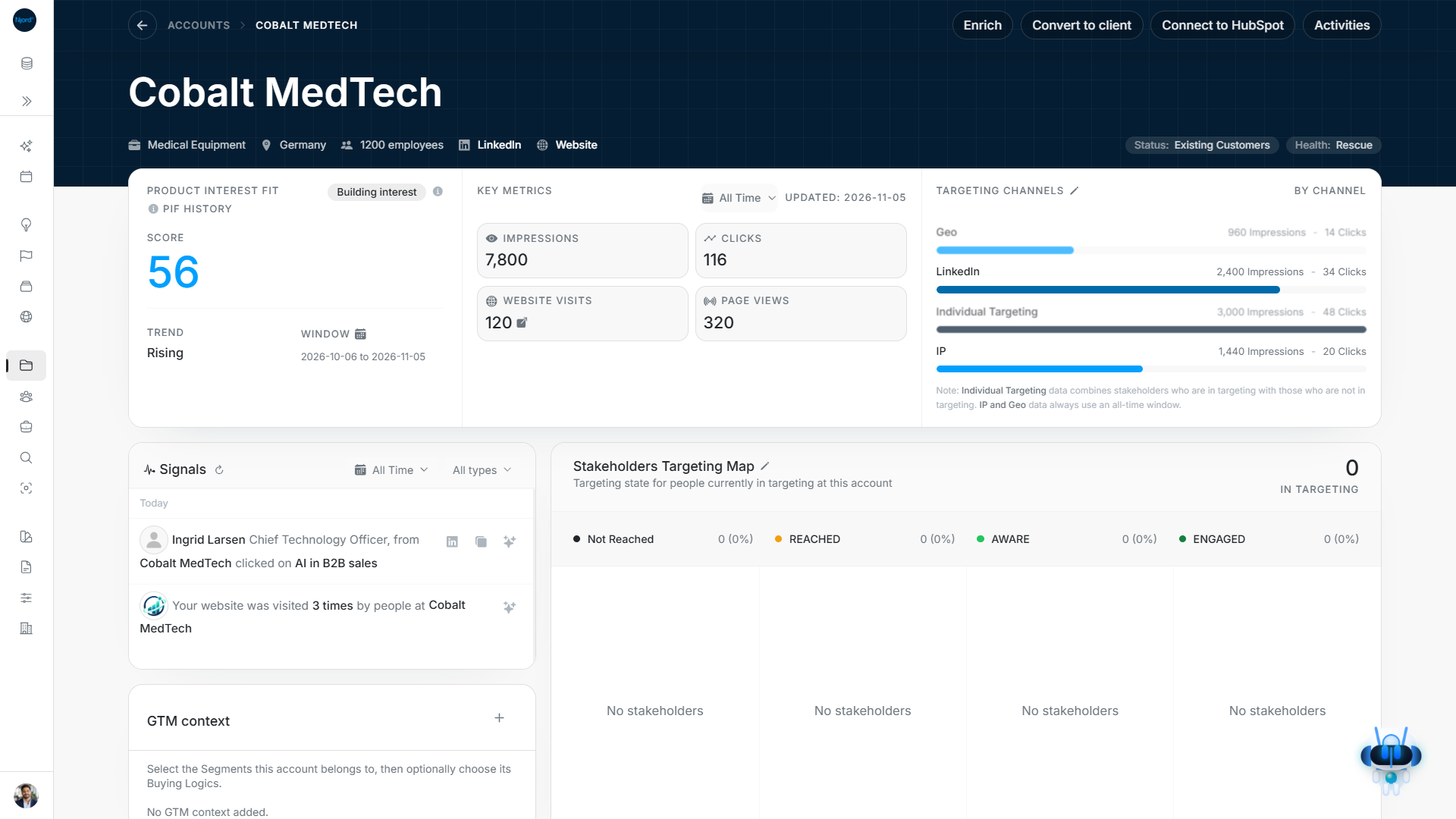
Image guide: An Existing Customer shows Account Health in the header. Health is separate from PIF and current targeting. Historical delivery can still appear when a channel is inactive.