Add account
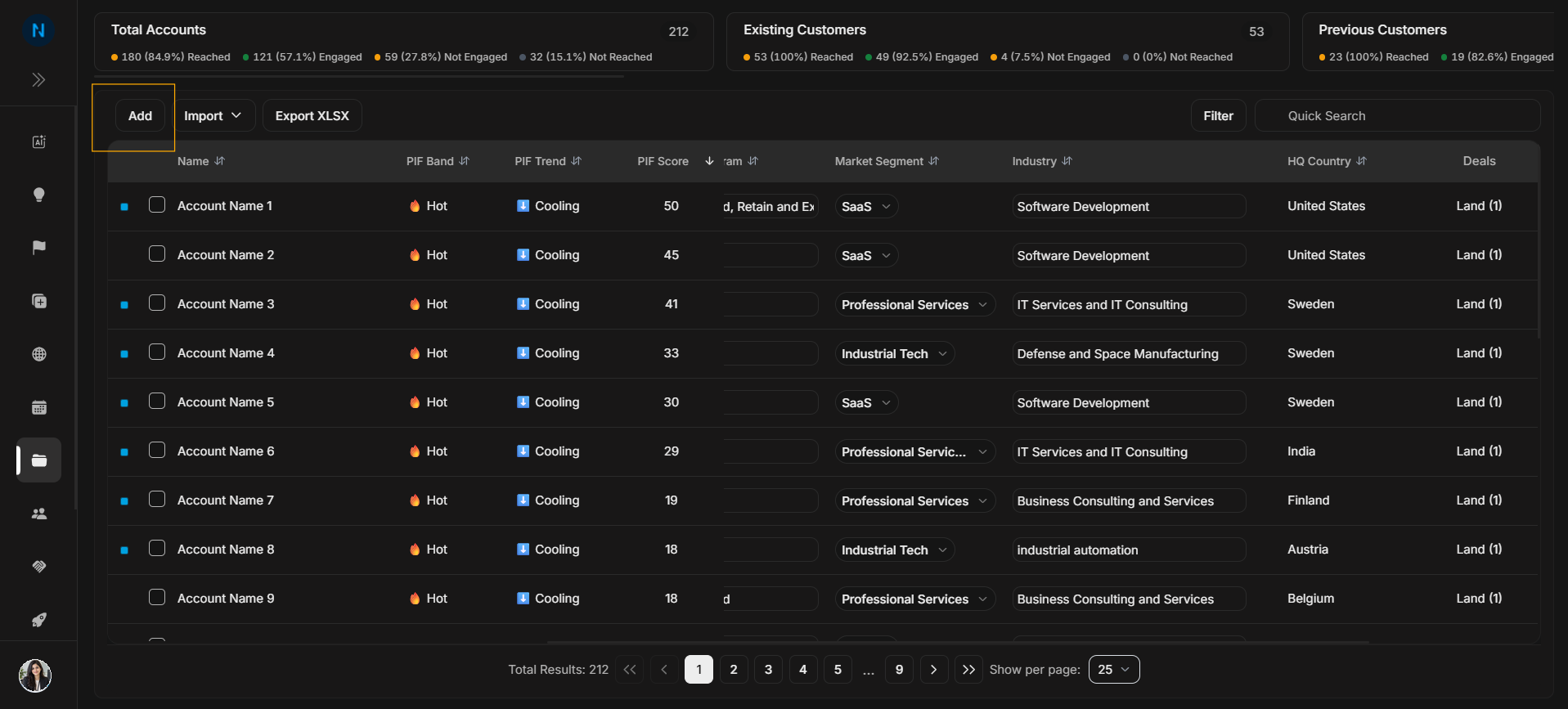
Add account
Use Add when you need to create one account manually from the Accounts page.
Image guide: The highlighted Add button is in the top-left action row above the account table. It starts manual account creation.
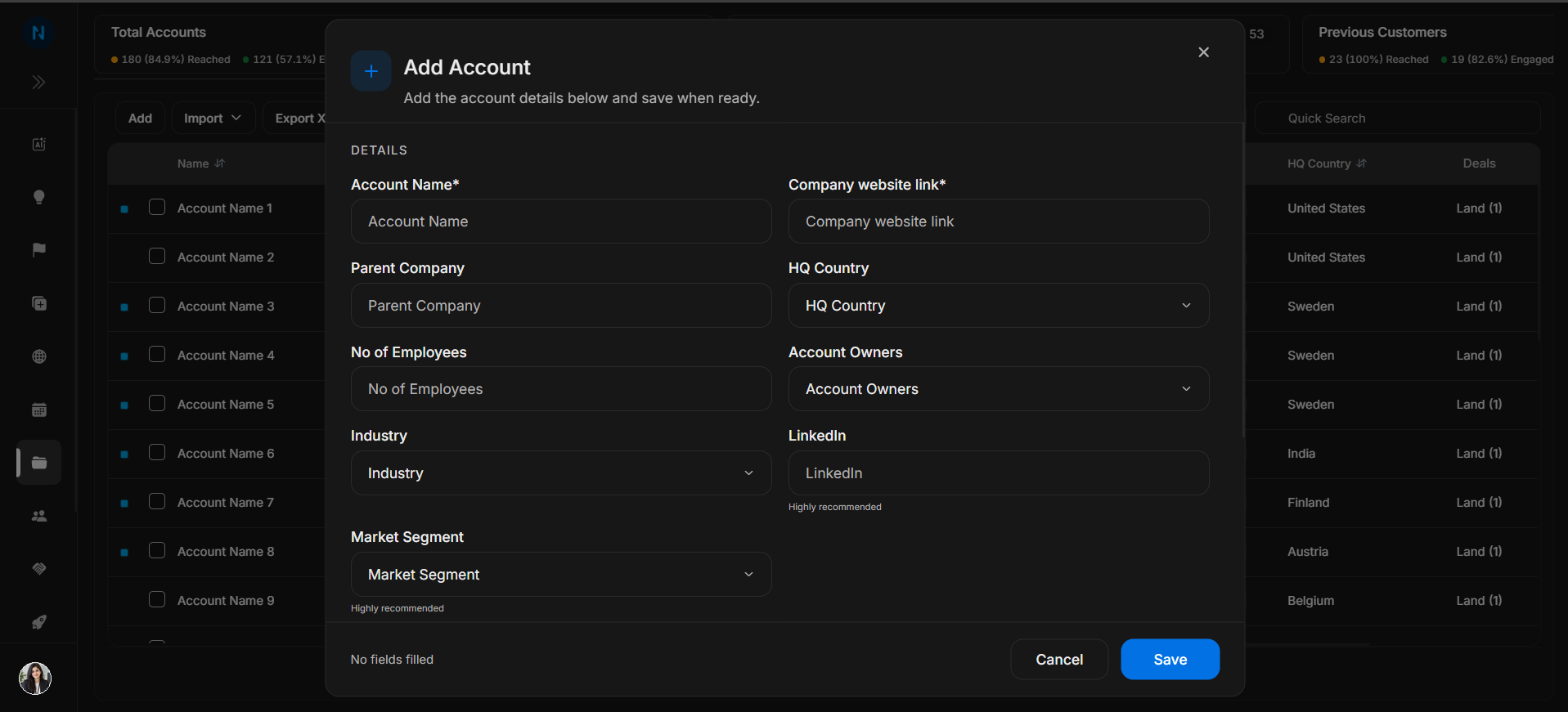
Image guide: The first Add Account step captures the account name, website, parent company, HQ country, employee count, owners, industry, LinkedIn, and market segment.
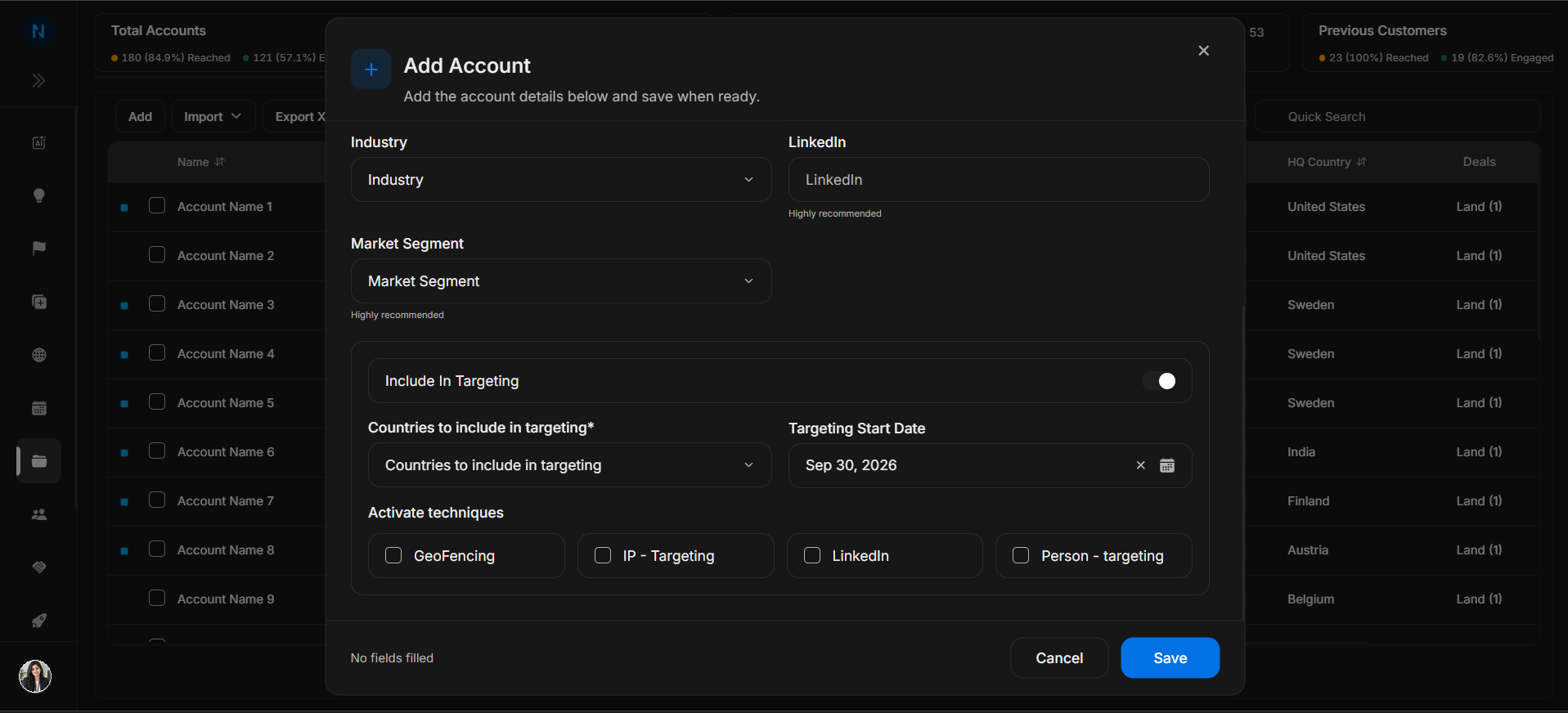
Image guide: The targeting step records whether the account should be included in targeting, which countries apply, and the targeting start date.
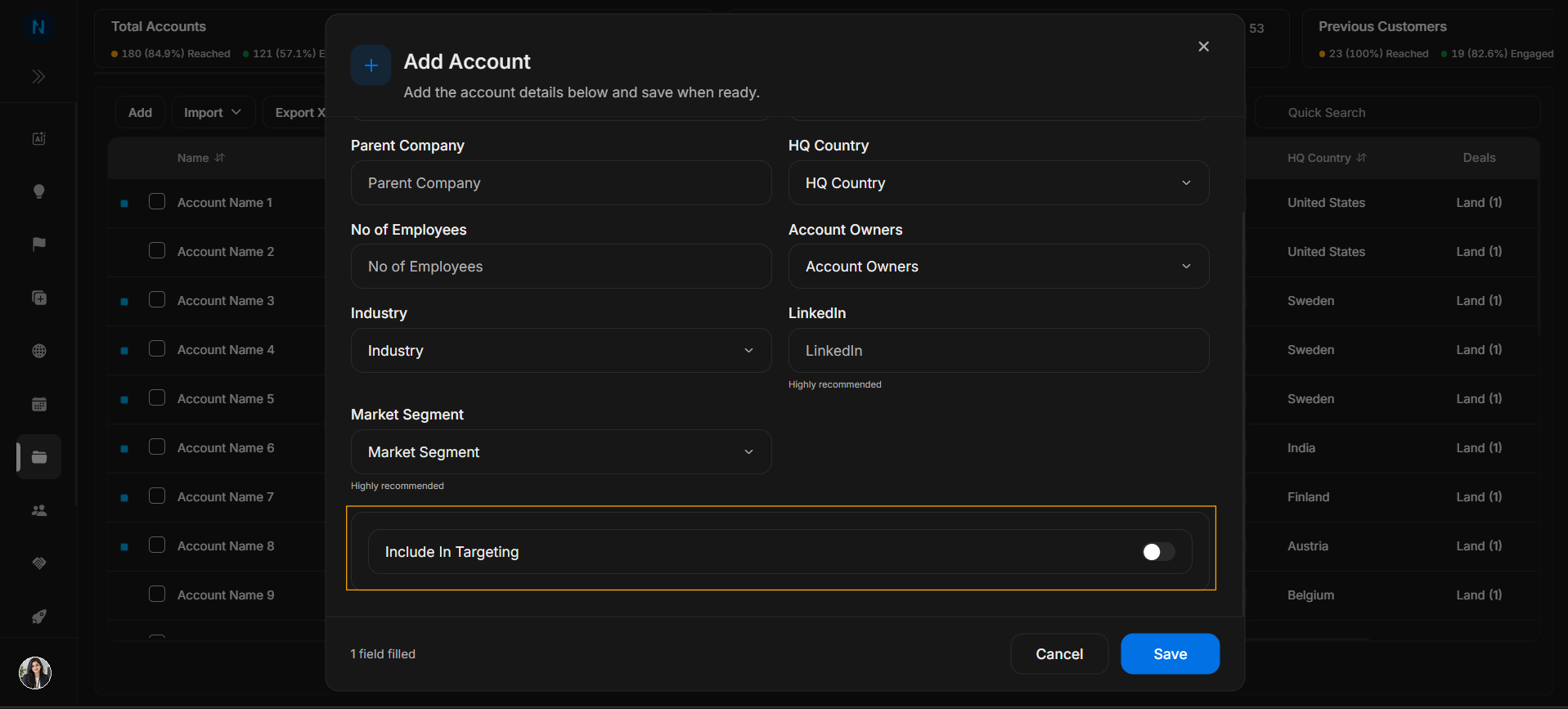
Image guide: Activation techniques explain which targeting methods apply to the account, such as GeoFencing, IP targeting, LinkedIn, or person targeting.
Before saving
Add Account is best for a single company that does not already exist in DOE. Search first to avoid duplicates. If the account already exists, open the existing record instead of creating another one.
Complete the identity fields first because they decide whether teammates can recognize the company later. Targeting fields should be filled only when the account is actually ready for targeting. If targeting is uncertain, save the account details first and update targeting after confirming the plan.
Step-by-step
- Select Add.
- Fill the required account identity fields.
- Add ownership, industry, market segment, and country details where known.
- Decide whether the account should be included in targeting.
- Review activation techniques before saving.
Important
Use Add for one account. Use Import when you need to create many accounts.