Add stakeholder
Add stakeholder
Use Add when one stakeholder needs to be created manually.
Open Add
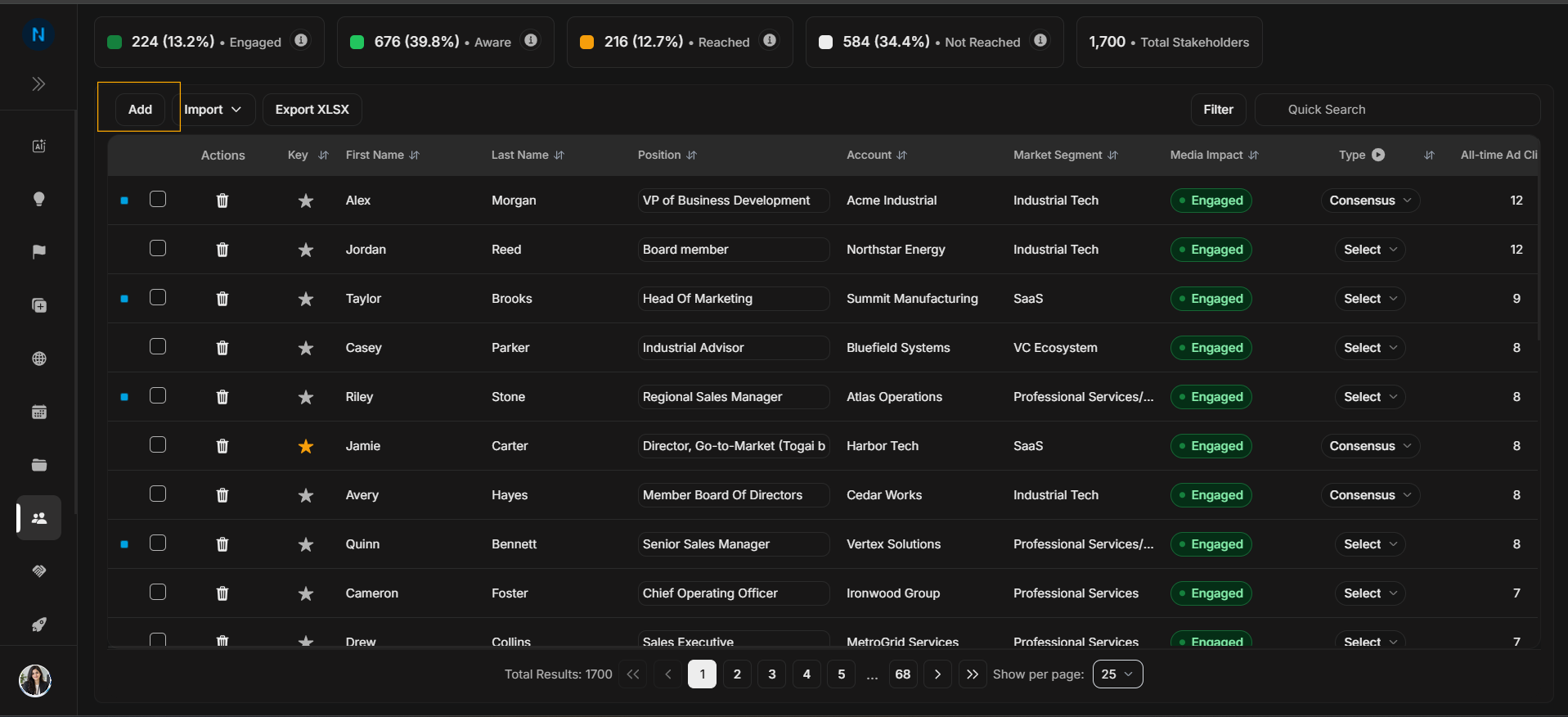
Image guide: The Add button starts manual stakeholder creation. Search first before using it, so duplicate people are not created.
Add identity fields
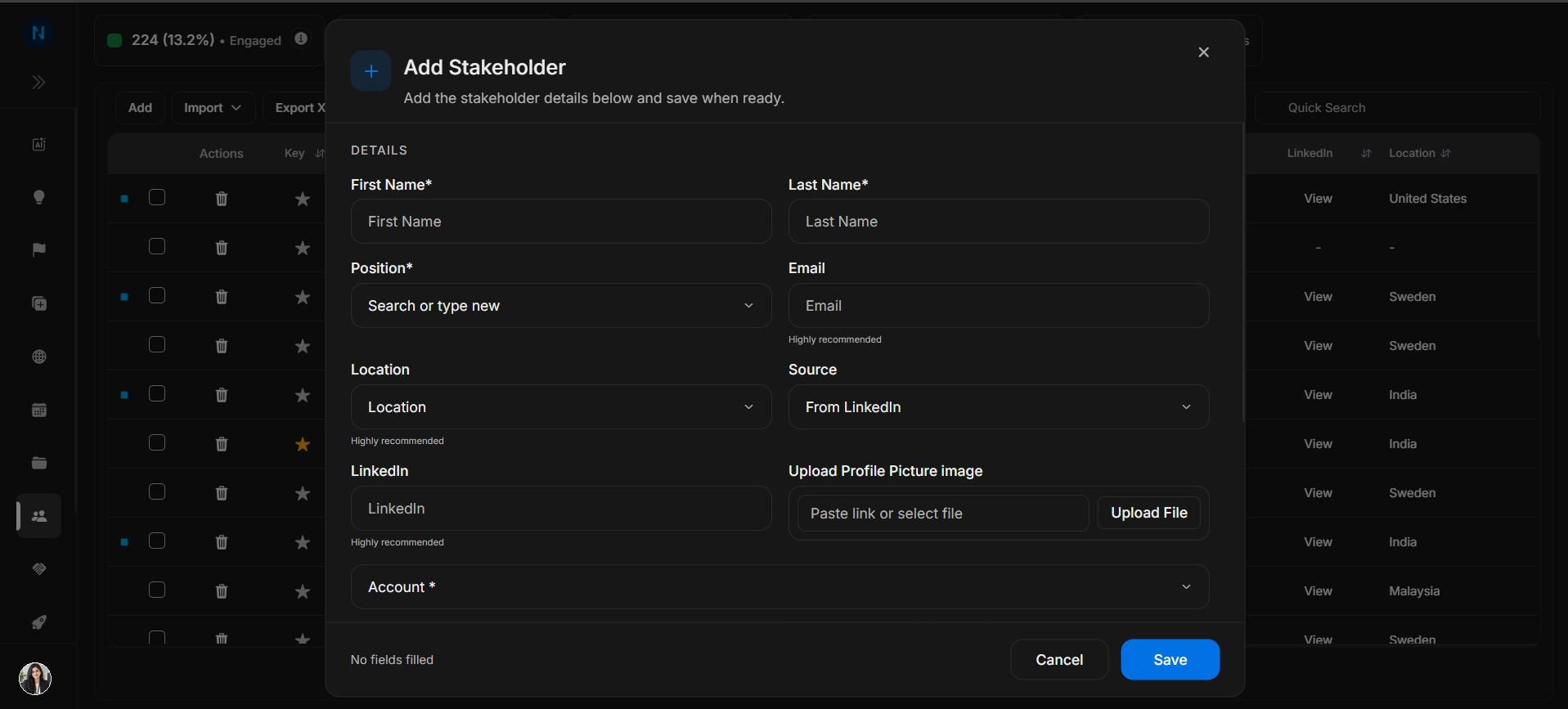
Image guide: Enter the person's first name, last name, position, account, location, source, LinkedIn, email, and other identity fields. The linked account is important because it decides where the stakeholder appears later.
Review account and targeting fields
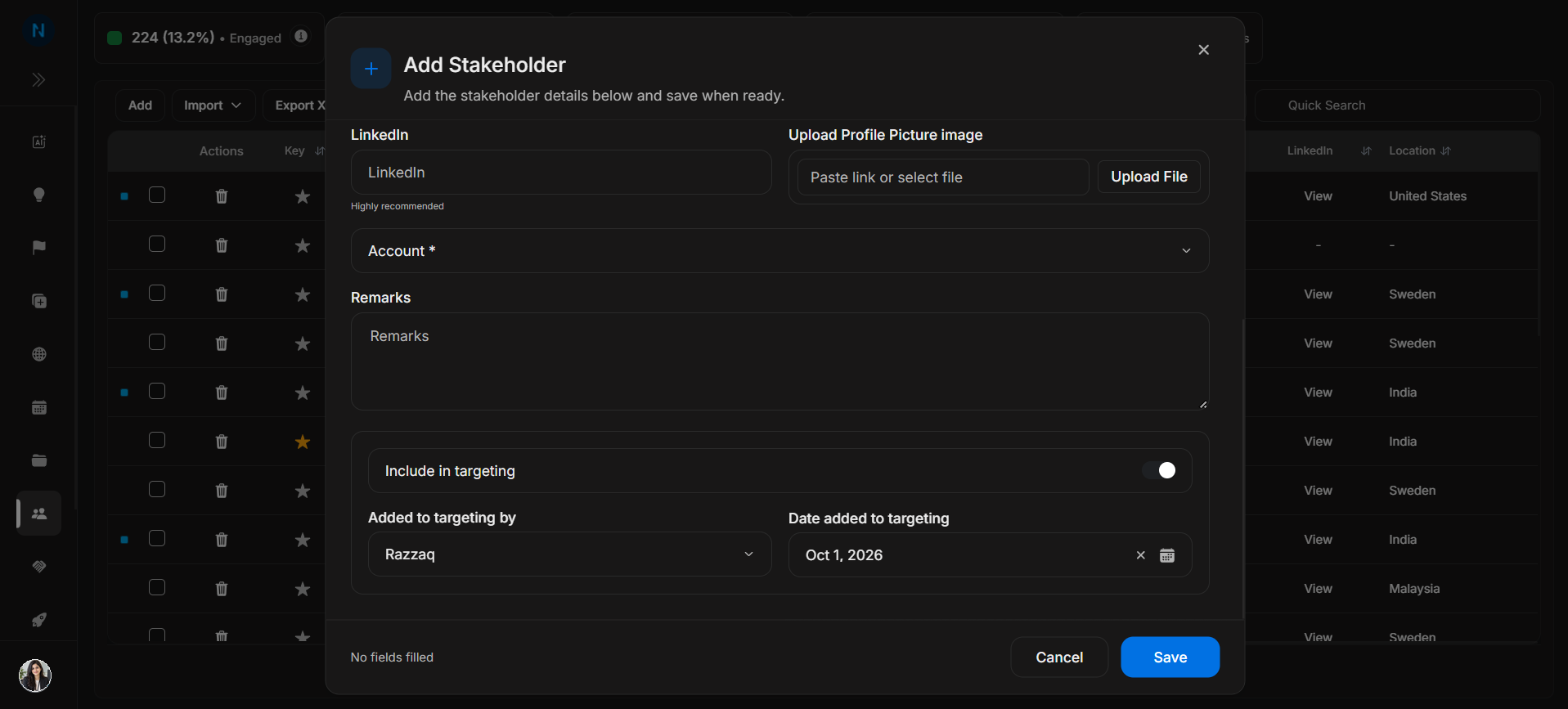
Image guide: Review account selection, targeting state, added-to-targeting information, and targeting date before saving. Targeting fields affect marketing and audience workflows, so do not accept defaults blindly.
Save the stakeholder
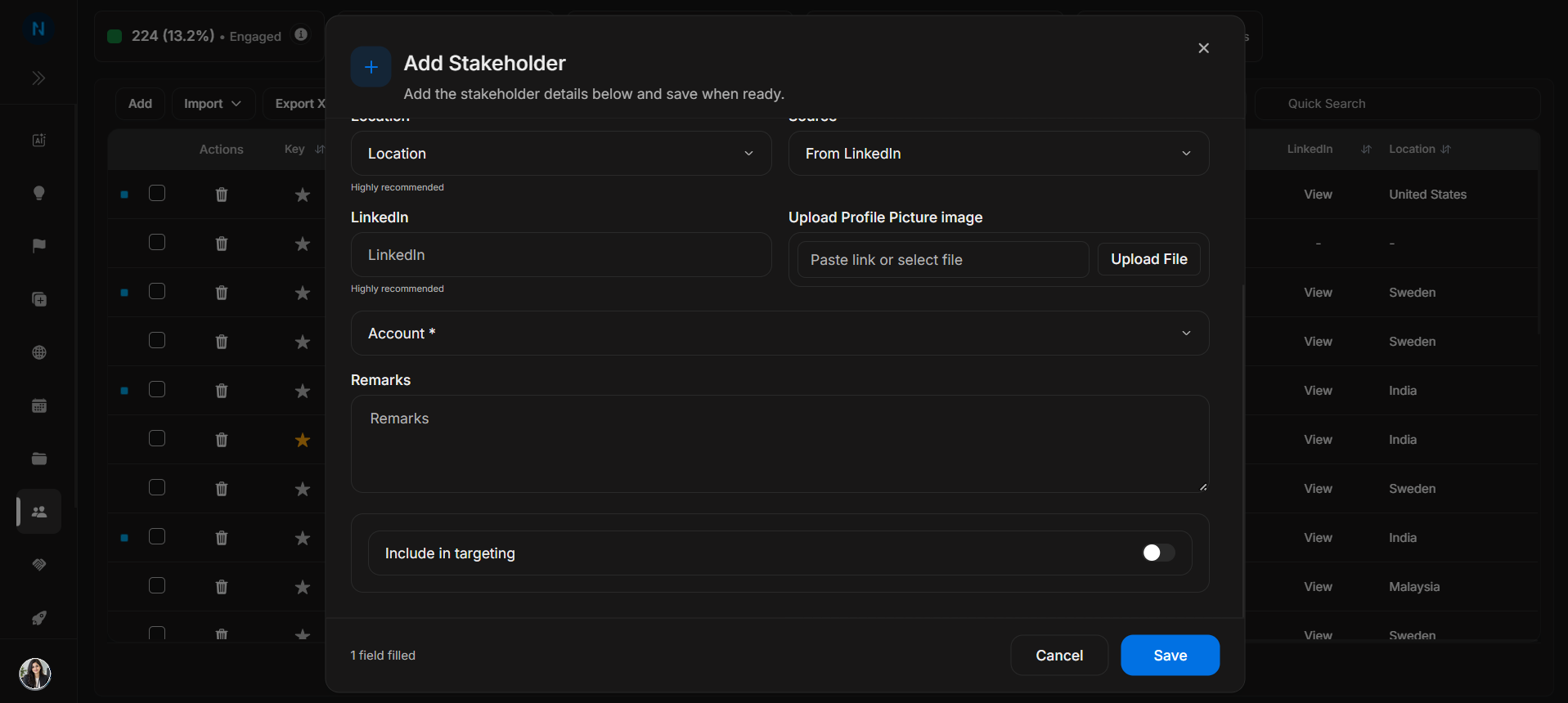
Image guide: Use Save only after confirming the identity and linked account. After saving, return to the table and search for the stakeholder to confirm the record exists.
Step-by-step
- Search for the person first.
- Select Add only when the person is missing.
- Complete identity fields.
- Choose the correct account.
- Review targeting state.
- Save and confirm the row appears in the table.