Stakeholder ad targeting
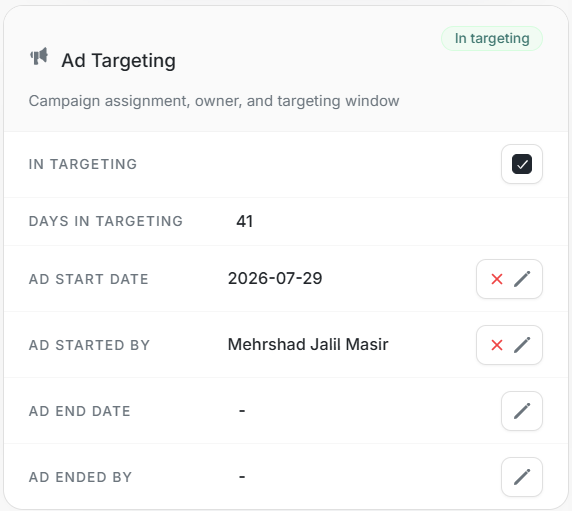
Stakeholder ad targeting
Ad Targeting shows whether a stakeholder is currently included in individual targeting and records the targeting window.
Use this card to verify campaign membership before changing inclusion, dates, or targeting owner fields.
Fields
| Field | Meaning |
|---|---|
| In Targeting | Whether the stakeholder is currently included in targeting. |
| Days in Targeting | Number of days the stakeholder has been in targeting. |
| Ad Start Date | Date the stakeholder was added to targeting. |
| Ad Started By | User who started targeting. |
| Ad End Date | Date targeting ended, if ended. |
| Ad Ended By | User who ended targeting, if ended. |
Safe Edits
- Confirm the stakeholder and linked account.
- Check whether the header also shows In targeting.
- Edit start/end dates only when they should change for this person.
- Clear a value only when the blank state is intentional.
- Use Activities later to verify who changed targeting and when.