Review the deals linked to a stakeholder
Review the deals linked to a stakeholder
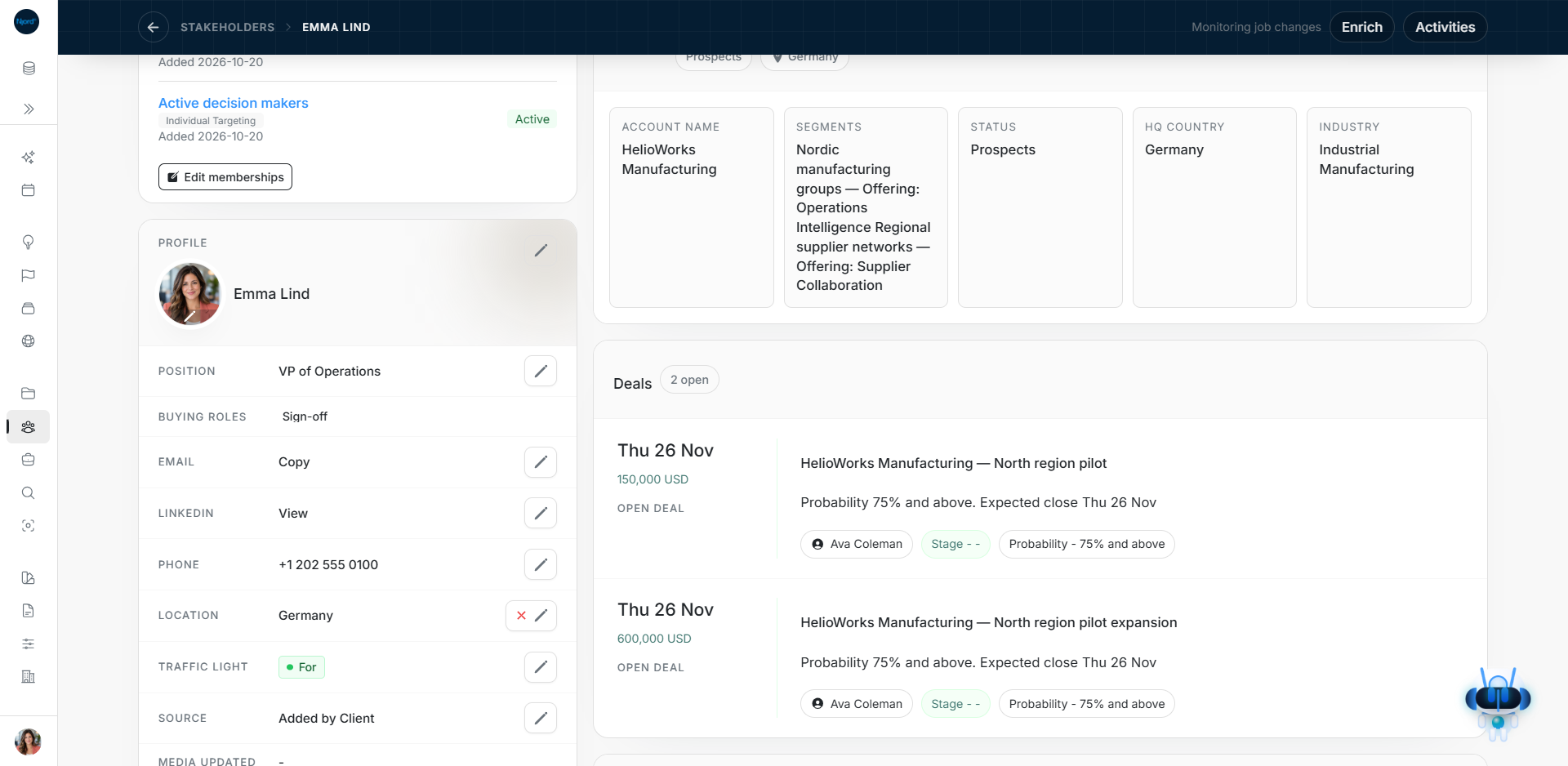
Use the Deals summary on a person's profile to see the opportunities connected with that stakeholder. Confirm the person and linked company before reading the commercial context.
Find related opportunities
Open the stakeholder and scroll to the linked Account and Deals area. Read the opportunity name, programme, stage, owner, probability and expected close date where available.
Open the right deal
- Compare the opportunity name and company.
- Select the intended deal.
- Review its stage, value, close date, people and recent events.
- Return to the stakeholder when you finish checking the relationship.
The embedded summary is read-only. Open the Deal page to use the field-editing controls your role permits.
Search or filter a larger deal list
Use the linked account's full Deals panel or the main Deals area for Quick Search, All Stages and structured filters. Then check the result's company and stakeholder associations.
The embedded stakeholder summary shows related opportunities without those full header controls. Its missing filter button does not mean the stakeholder has no linked deals.
If an expected deal is missing
Check the linked company and whether the person is assigned to that opportunity. Company membership and Deal assignment are separate. Open Manage Stakeholders on the deal to review the association.
A failed read can leave a retry message or previously loaded rows. Retry the summary before assuming the opportunity was removed.
Example
Emma Lind is linked to HelioWorks Manufacturing. Reviewing the pilot opportunity tells the account owner which deal to prepare for. Her engagement evidence remains on her profile, while the deal holds stage, forecast and buying-team details.