Stakeholder activities
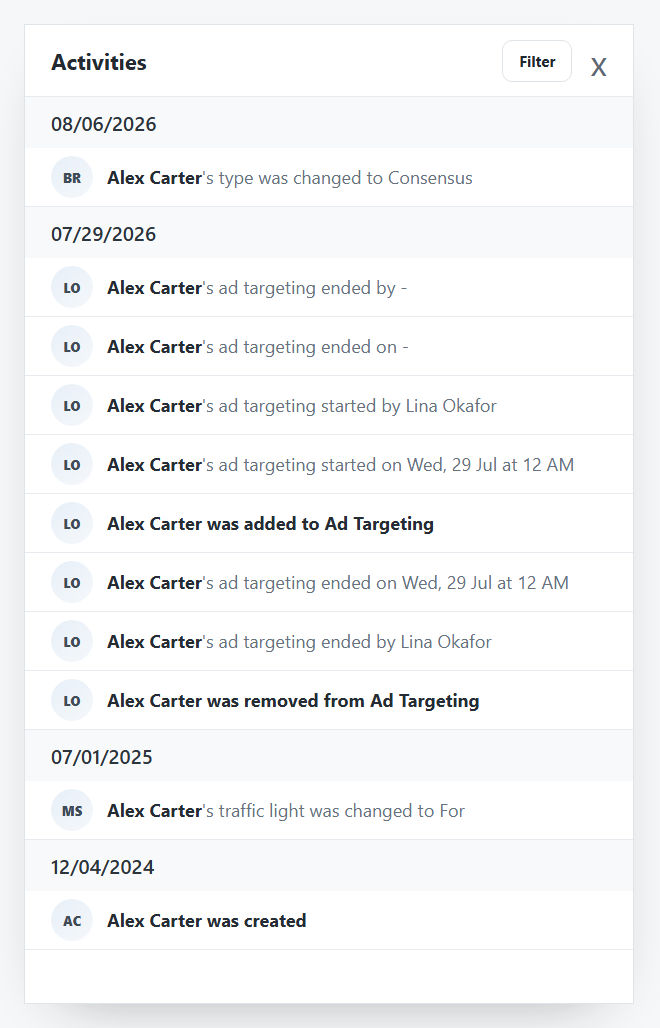
Stakeholder activities
Activities is the side drawer for stakeholder change history. Use it when you need to explain how a stakeholder field, CRM link, type, traffic light, or targeting state changed.
The drawer lists dated changes from newest to oldest. Long histories can include several entries on the same date, especially after targeting state changes.
What Activities Can Show
Activities can include:
- Stakeholder creation or deletion.
- CRM deletion or connection changes.
- Include or exclude targeting requests.
- Ad targeting start or end changes.
- Type changes.
- Traffic Light changes.
- Field edits made by users or system workflows.
Activity Filters
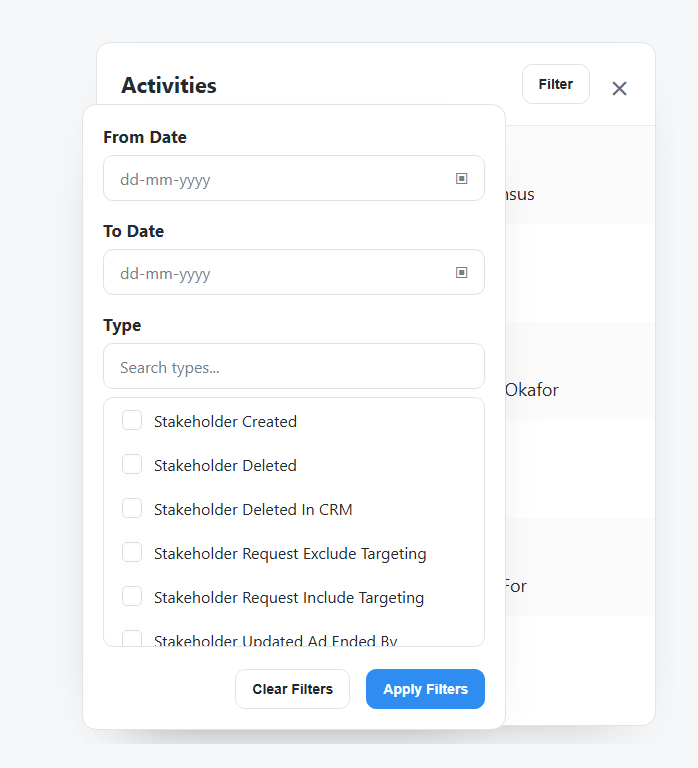
| Filter | Use it for |
|---|---|
| From Date | Start of the activity window. |
| To Date | End of the activity window. |
| Type | Specific activity categories such as created, deleted, targeting request, or ad-date updates. |
Clear filters when the drawer looks shorter than expected.
Review Pattern
- Open Activities from the stakeholder header.
- Scan the newest date group first.
- Use Filter if there are many entries.
- Clear filters before deciding no older activity exists.
- Compare the current Profile or Ad Targeting card with the activity history.