Set up Scoring
Set up Scoring
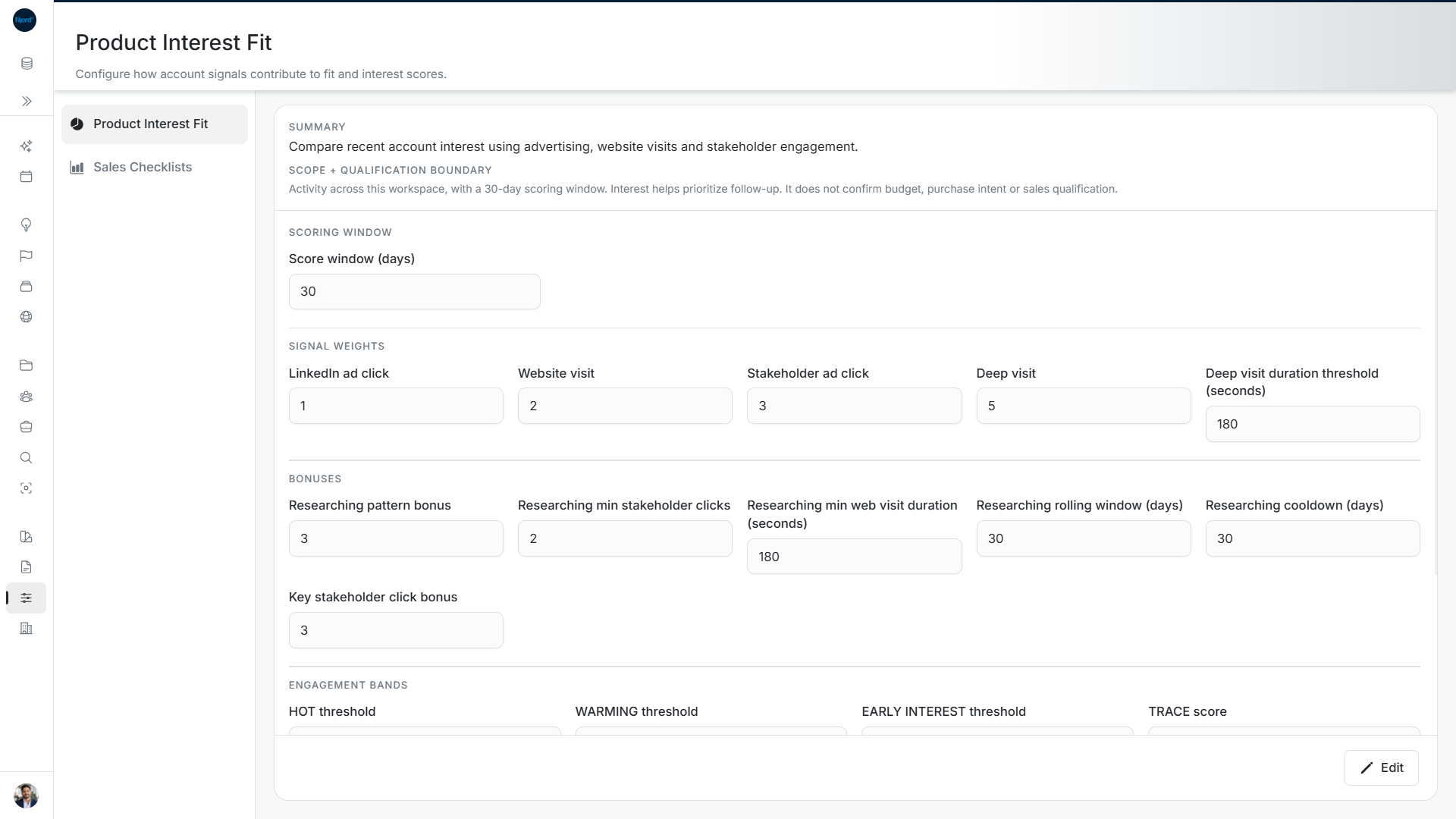
Image guide: Review the saved scoring window, point weights and bonuses. These sample settings use a 30-day window; a deep visit lasts at least 180 seconds.
Open Our company → Scoring. Admins and Client Admins can use this page. Choose the workspace before changing its settings.
Choose what to set up
| Area | Use it for |
|---|---|
| Product Interest Fit | Choose how account activity adds points and how bands and trends are calculated. |
| Sales Checklists | Set the actions and points used by Deal Activation and Sales Checklists. |
These settings affect the workspace. Reading a score on one account is a different task from changing how scores are calculated.
Where the old Plan content went
The old Plan/Alignment editor is no longer the place to work. Use Brand for visual identity, Context → GTM Foundation for Offerings, Segments, Buying Logics, Proofs and Messaging, and Scoring for PIF settings and Sales Checklists.
If a section cannot load
Use Retry on that section. An error does not mean its settings are empty. Check the workspace and your role if you cannot open Scoring. Wait for a save to finish before switching workspace.