Configure Product Interest Fit
Configure Product Interest Fit
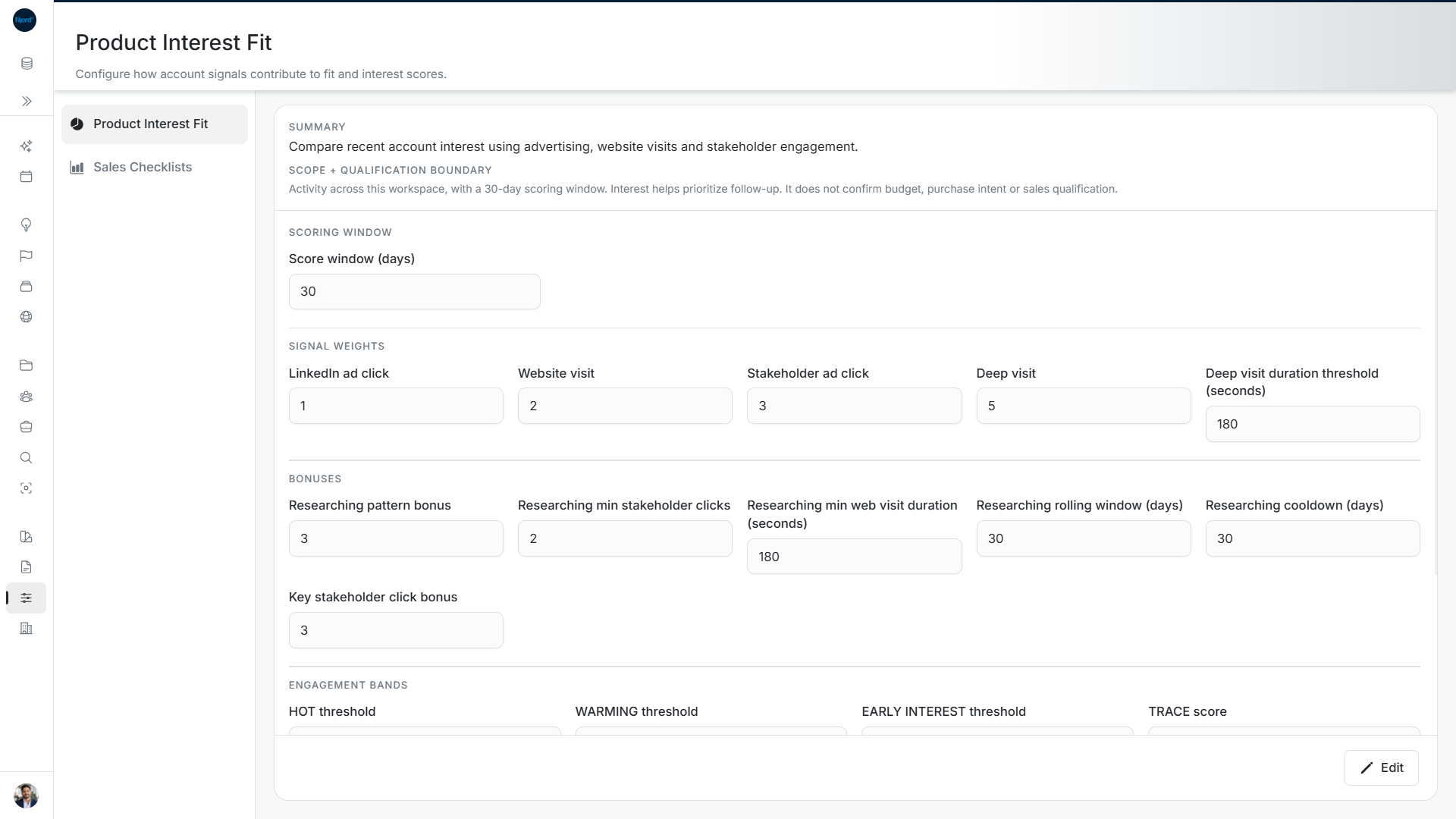
Image guide: Review the saved scoring window, point weights and bonuses. These sample settings use a 30-day window; a deep visit lasts at least 180 seconds.
Use Scoring → Product Interest Fit to set how account activity contributes to PIF. This is available to Admins and Client Admins.
Review the settings
Read the page's Summary and field help first. The workspace can provide labels and explanations for its scoring rules.
| Section | What you can change |
|---|---|
| Scoring Window | How many days of activity the score considers. |
| Signal Weights | Points for LinkedIn ad clicks, website visits, stakeholder ad clicks and deep visits. |
| Deep visit duration threshold | How long a visit must last to count as a deep visit. |
| Bonuses | Extra points for a researching pattern or a key stakeholder's click. |
| Researching pattern conditions | Required stakeholder clicks and visit duration, the rolling window, and the wait before the bonus can apply again. |
| Engagement Bands | The score thresholds for HOT, WARMING, EARLY INTEREST and TRACE. |
| Trend | The comparison window, earlier windows, rising/falling thresholds, low-volume cutoff and recent period for re-awakening. |
Use the field's unit. Days, seconds, points and comparison thresholds are different values.
Edit and save
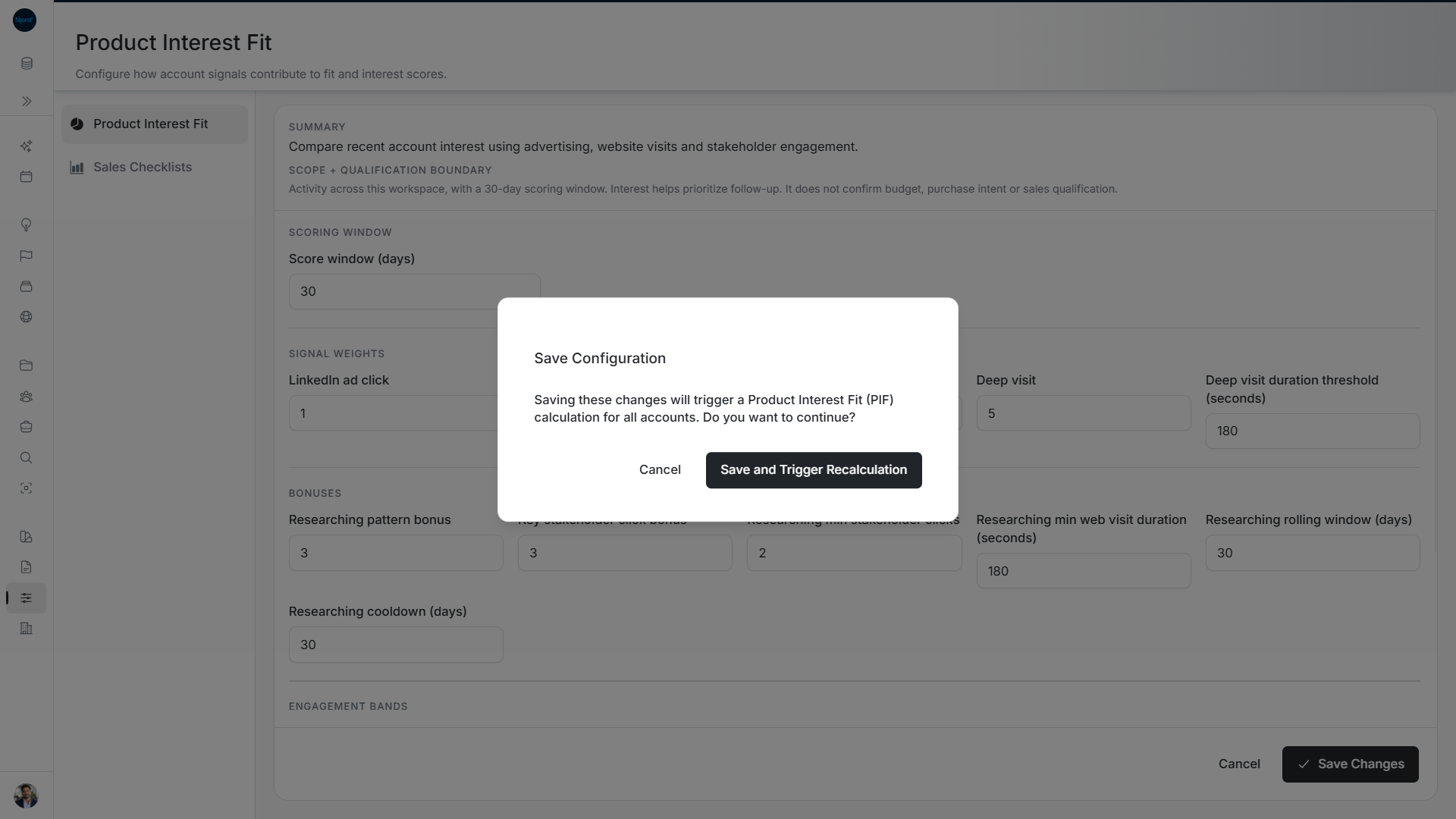
Image guide: Save Configuration explains that saving triggers PIF calculation for all accounts. Review this before choosing Save and Trigger Recalculation. Cancel returns to the editor.
- Open the edit control.
- Change the values you need.
- Read Validation issues, if shown, and correct them.
- Choose Save Changes.
- In Save Configuration, read the recalculation warning. Choose Save and Trigger Recalculation to continue.
- Wait for the result and check the saved settings.
The confirmation says that saving triggers a PIF calculation for all accounts. It is not just a change to the account you last viewed. Cancel leaves the saved configuration unchanged.
Fix invalid values
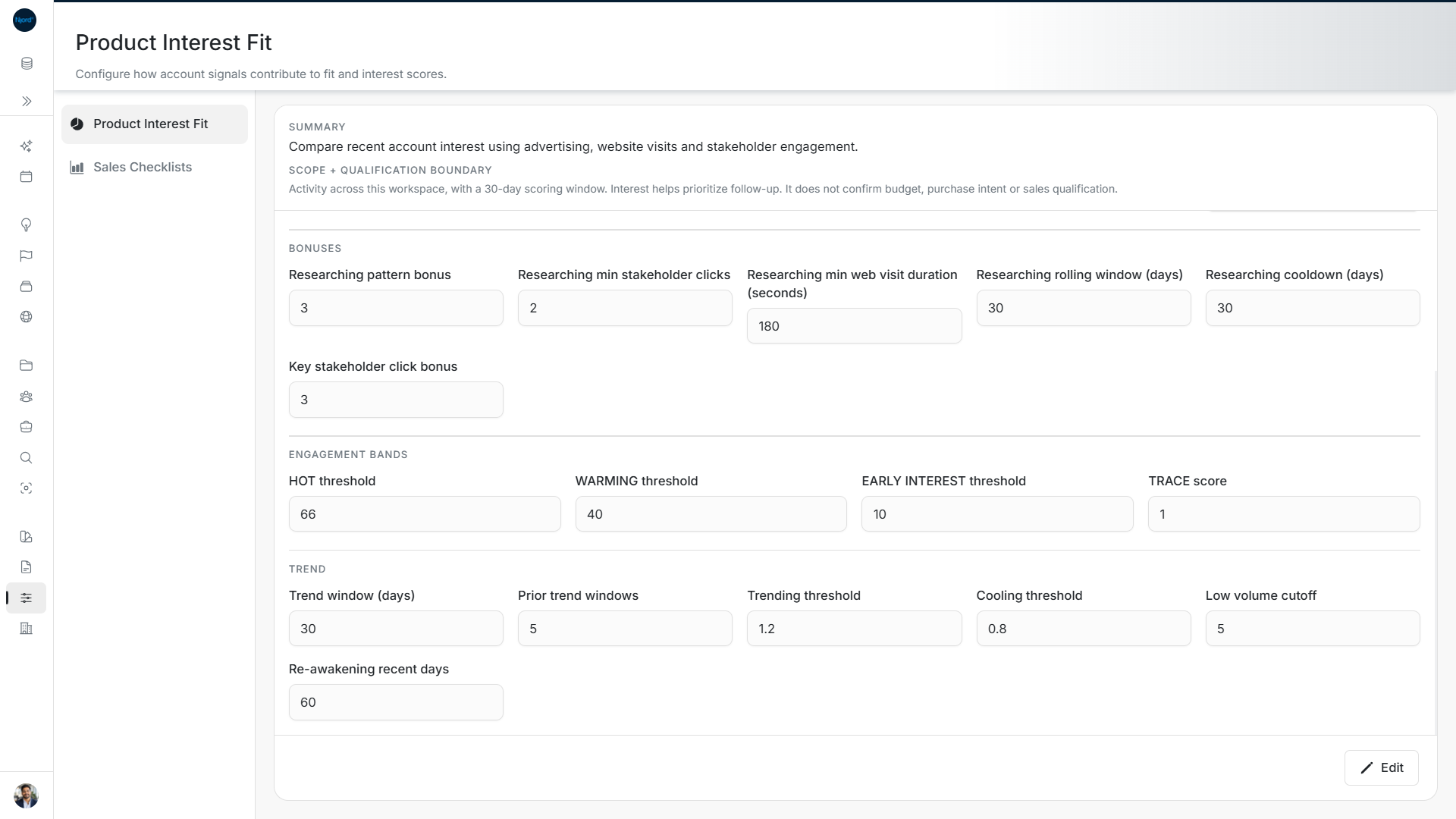
Image guide: The sample bands remain ordered: 66, 40, 10 and 1. Trend settings use a 30-day comparison window, a 1.2 rising threshold and a 0.8 cooling threshold.
- Values must be valid, nonnegative numbers.
- Bands must remain ordered: HOT > WARMING > EARLY INTEREST > TRACE.
- The Cooling threshold must be below 1; the Trending threshold must be above 1.
- The Low volume cutoff cannot be above the WARMING threshold.
Save stays disabled while validation issues remain or a save is running. If saving fails, read the error and check the saved configuration before repeating the request.