Review stakeholder job changes
Review stakeholder job changes
Job-change monitoring helps you spot when someone takes a new role or moves to another company. You choose which changes to save to their profile. The examples below use Emma Lind, a fictional contact at HelioWorks Manufacturing.
Start or restart monitoring
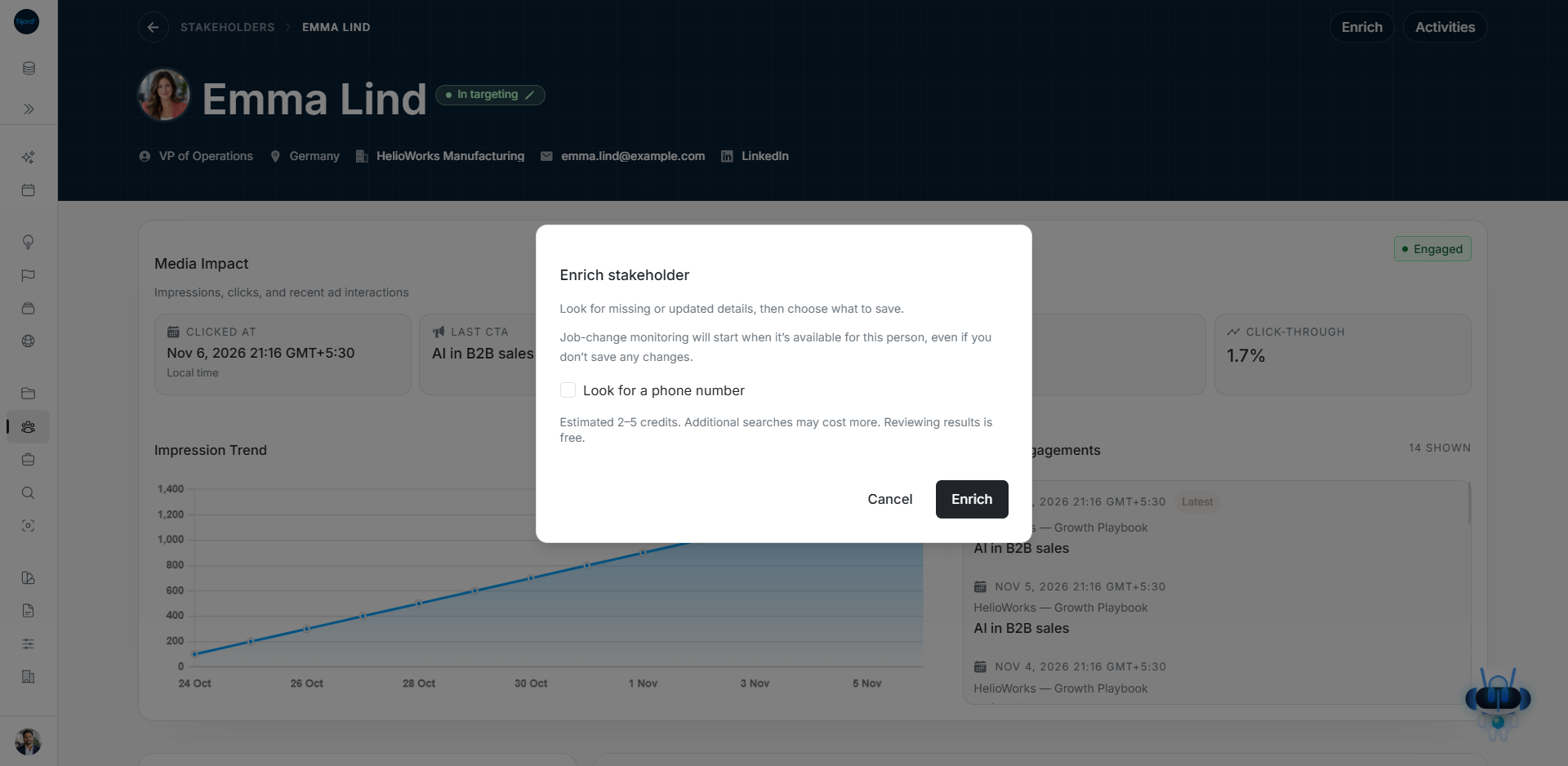
- Open the person's profile from Stakeholders and choose Enrich.
- Read the credit estimate and the monitoring message, then choose Enrich again to look up the person.
- When the lookup finds an eligible match, monitoring can start even if you close the review without saving changes.
- Check the status beside Enrich on the person's profile.
Availability depends on the workspace and whether Research can find an eligible match. Future employment checks use the normal Research credits.
Read the monitoring status
The status appears beside Enrich. Check it again in about 30 seconds if setup is still in progress. A profile with no monitoring history or previously stopped monitoring may have no status beside Enrich.
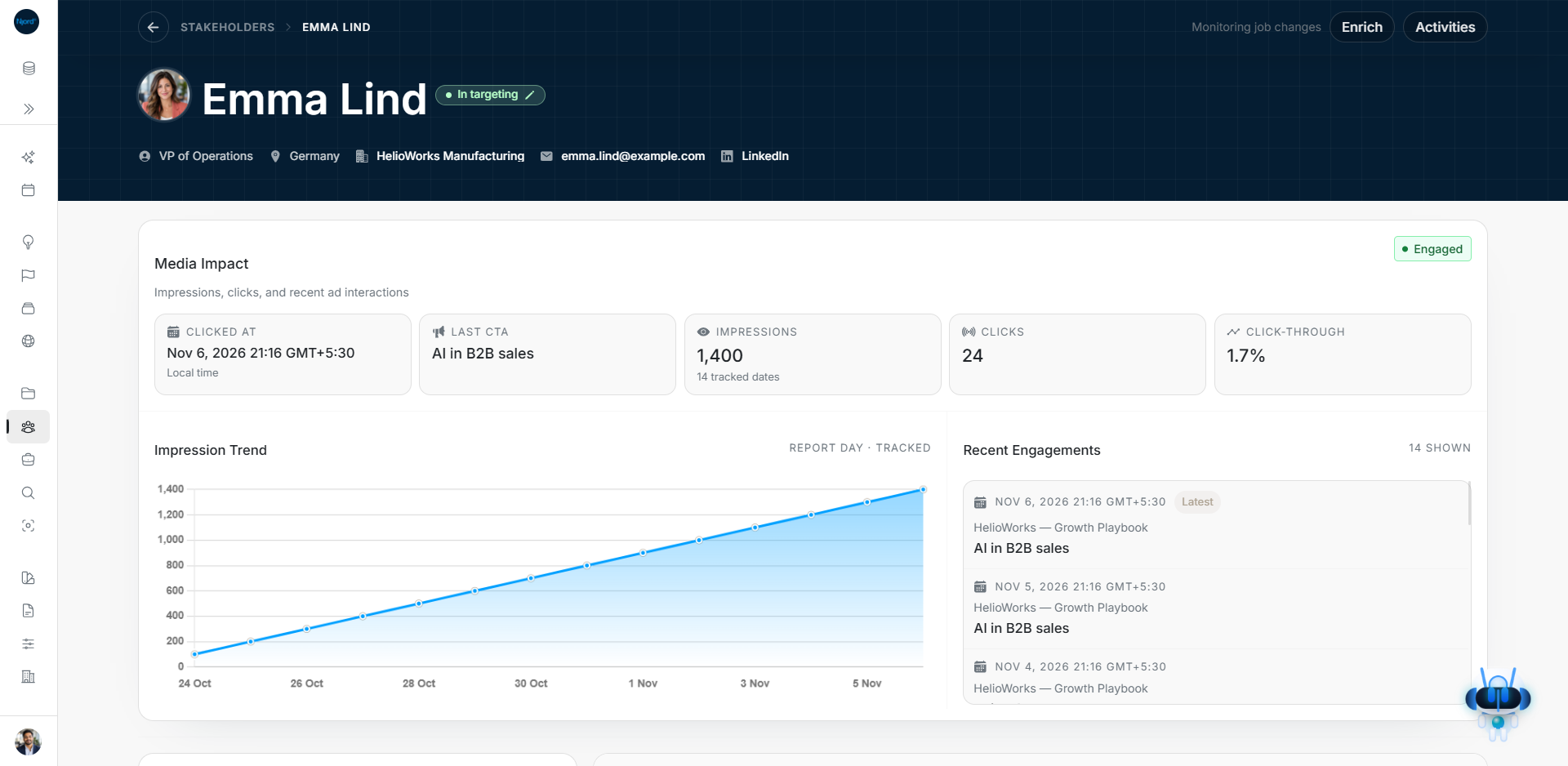
In this example, the lookup started monitoring and Emma's saved role stayed the same.
| Status | What it means |
|---|---|
| Setting up job-change monitoring | Setup is in progress. Check again later. |
| Monitoring job changes | Monitoring is on for this person. |
| Job-change monitoring paused | Monitoring is set up but temporarily unavailable in this workspace. |
| Monitoring needs attention | Setup or delivery had a problem. A new eligible Enrich lookup can restart monitoring. |
| Couldn’t check job-change monitoring | DOE could not load the status. Check again later. |
Review a role change
- Open Audience Research and find the Job changes card for the date you want. The date is when DOE received the update, in UTC.
- Read the message on the result card. It explains the person's previous and new employment.
- Choose Review changes. Compare Current and Proposed, then choose which details to replace. Use Skip on the result if you want to leave it unchanged.
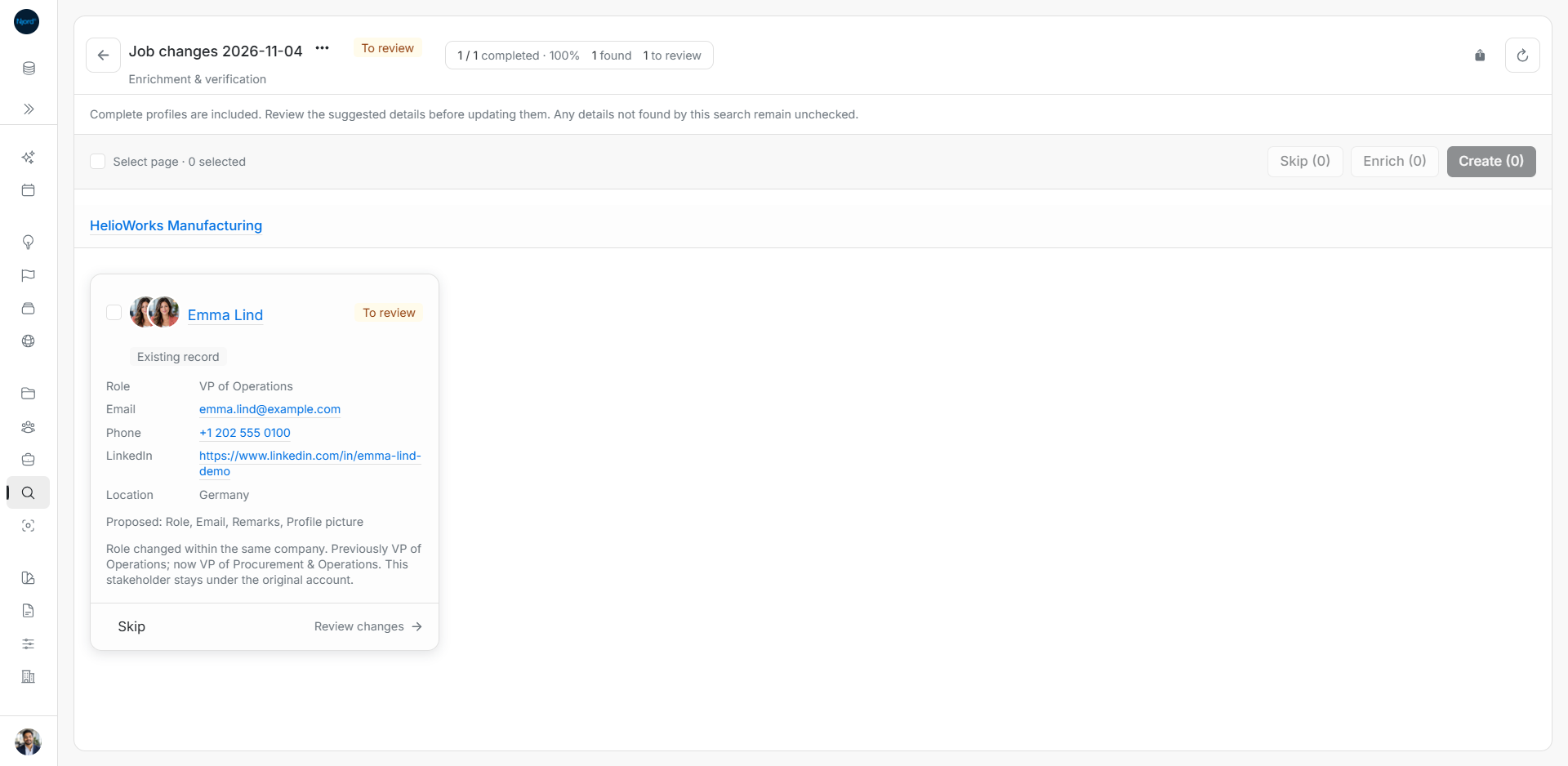
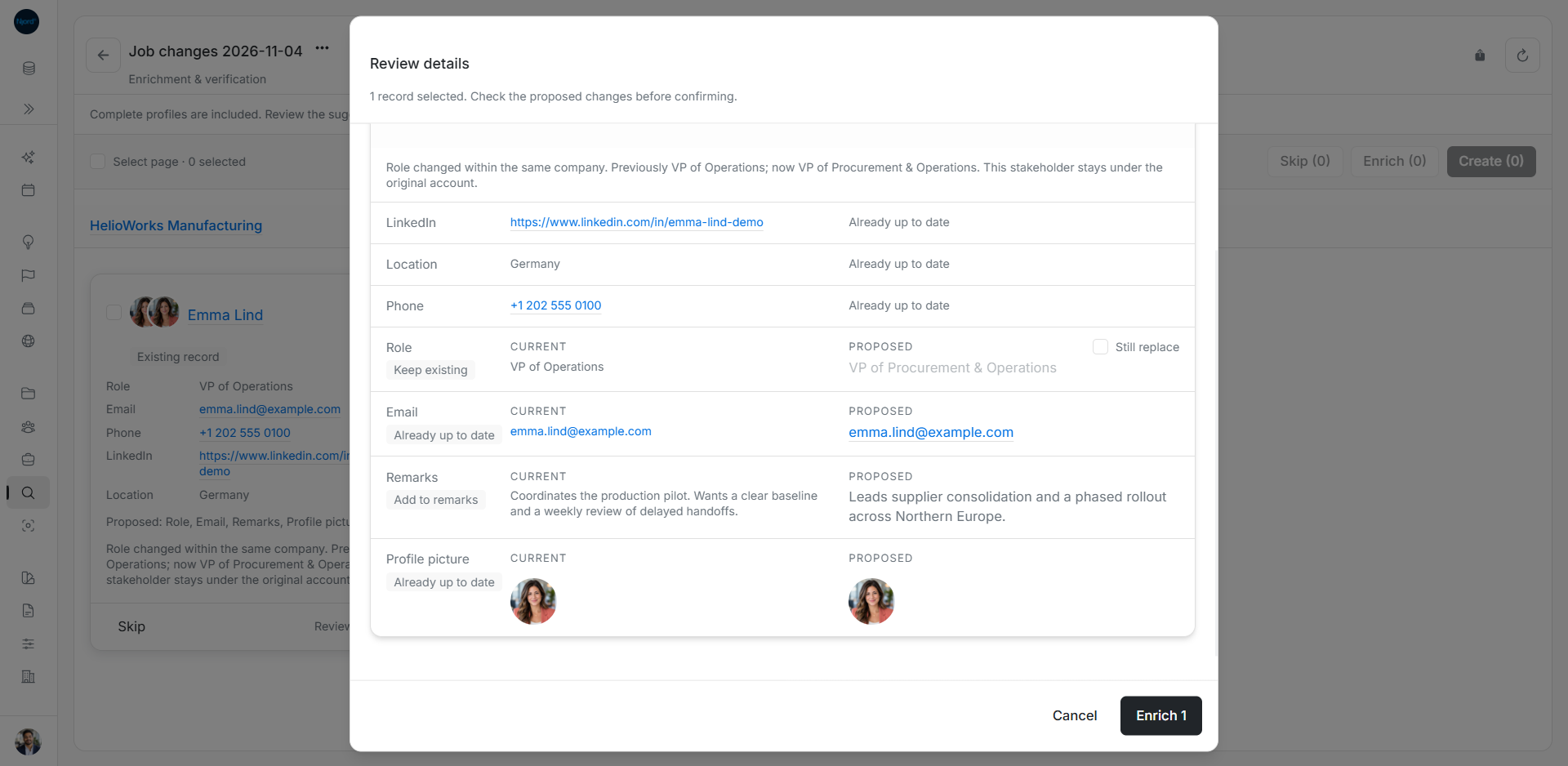
Emma's title changed from VP of Operations to VP of Procurement & Operations at HelioWorks. The review marks her profile picture Already up to date.
Review a move to another company
When the result says Moved to a different company, check the previous and new employer before choosing changes. In this example, Emma's next job is at Luma Industrial Systems. Her record still appears under HelioWorks until you handle the company link separately.
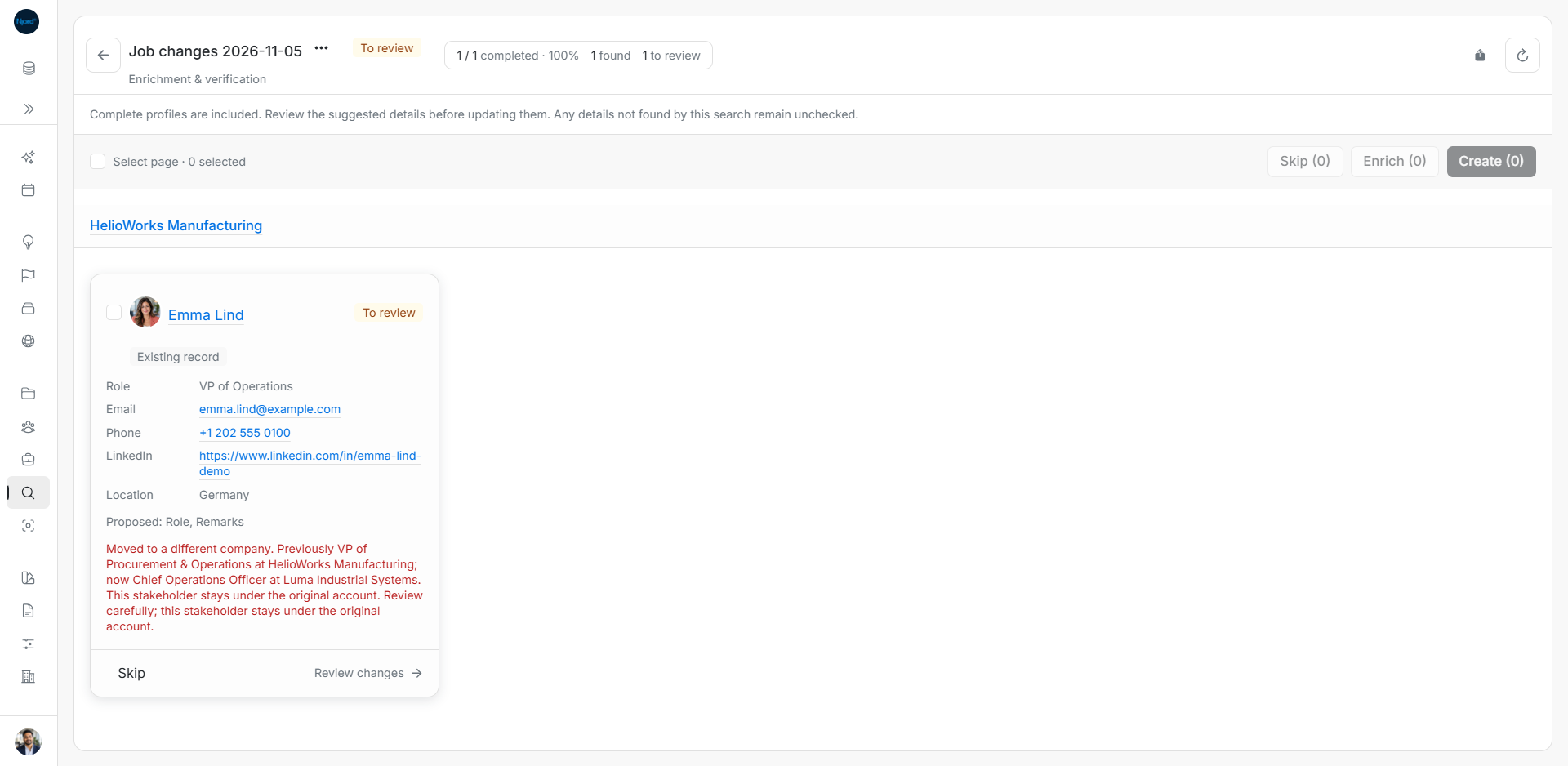
After review, check the saved profile. If the person should belong to a different company or targeting audience, handle those changes separately.
Understand a previous stop
A new eligible Enrich lookup can restart stopped monitoring. Older checks and queued searches cannot restart it. Stopping or removing a dated Job changes search does not undo changes you already saved to the person's profile.