Quick Win deal cards and preview
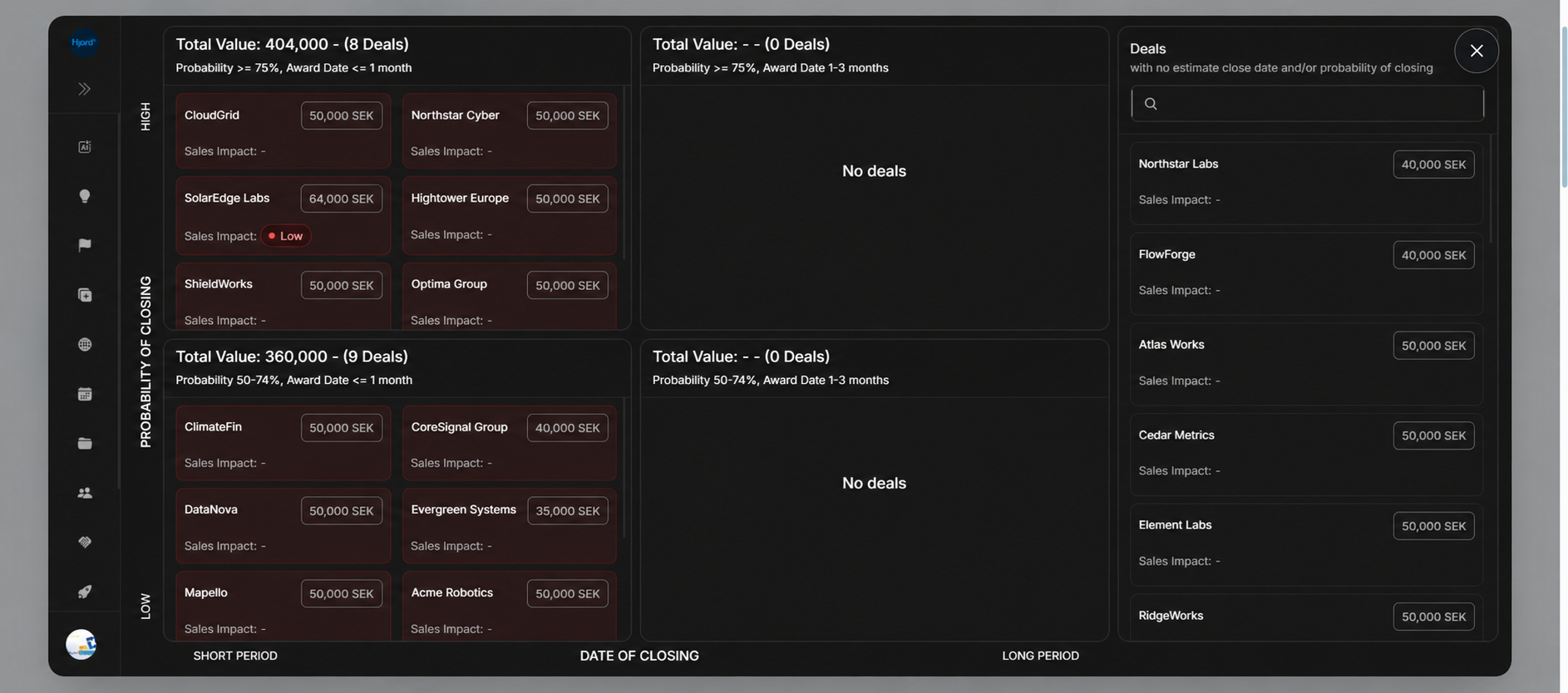
Quick Win deal cards and preview
Quick Win deal cards give a compact view of a deal inside the prioritization board. Clicking a card opens a preview dialog without leaving Quick Win.
Card Fields
| Field | Meaning |
|---|---|
| Deal name | The opportunity shown in the board or rail. |
| Deal value | Value and currency for the opportunity. |
| Sales Impact | Sales impact value, or - when not present. |
The card belongs to a board zone only when the deal has the forecast fields needed for placement. See missing forecast data when a deal appears in the side list instead.
Preview Dialog Fields
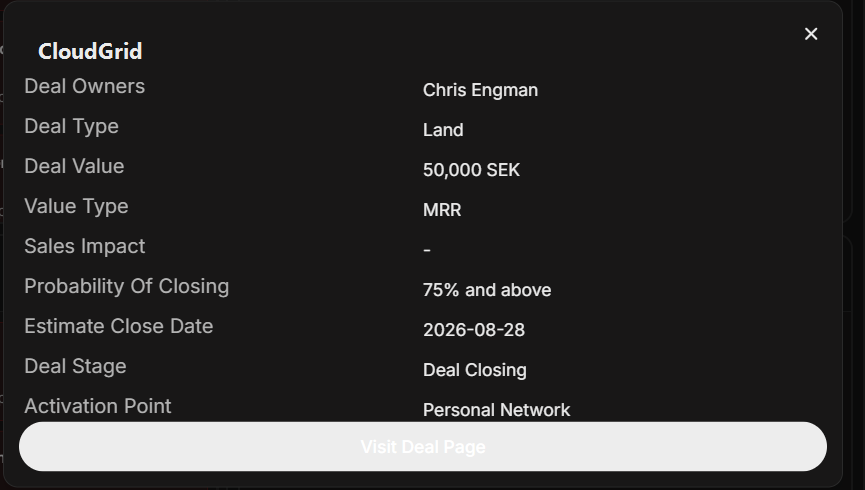
| Field | Meaning |
|---|---|
| Deal Owners | Users responsible for the opportunity. |
| Deal Type | Land or Expand. |
| Deal Value | Value and currency. |
| Value Type | Revenue/value model, such as MRR. |
| Sales Impact | Current impact state or - when no value is set. |
| Probability Of Closing | Forecast probability bucket. |
| Estimate Close Date | Date used for short-period or long-period grouping. |
| Deal Stage | Current stage. |
| Activation Point | Current activation point, or - when not set. |
Use Visit Deal Page to move from the preview into the full deal workspace.
What To Do From The Dialog
- Confirm the deal owner and deal type.
- Check probability, estimate close date, and stage.
- Look for Sales Impact badges such as
Low. - Use Activation Point to understand why the deal may be moving.
- Open the full deal page when you need stakeholders, signals, events, checklist, or field updates.