Deal Details overview
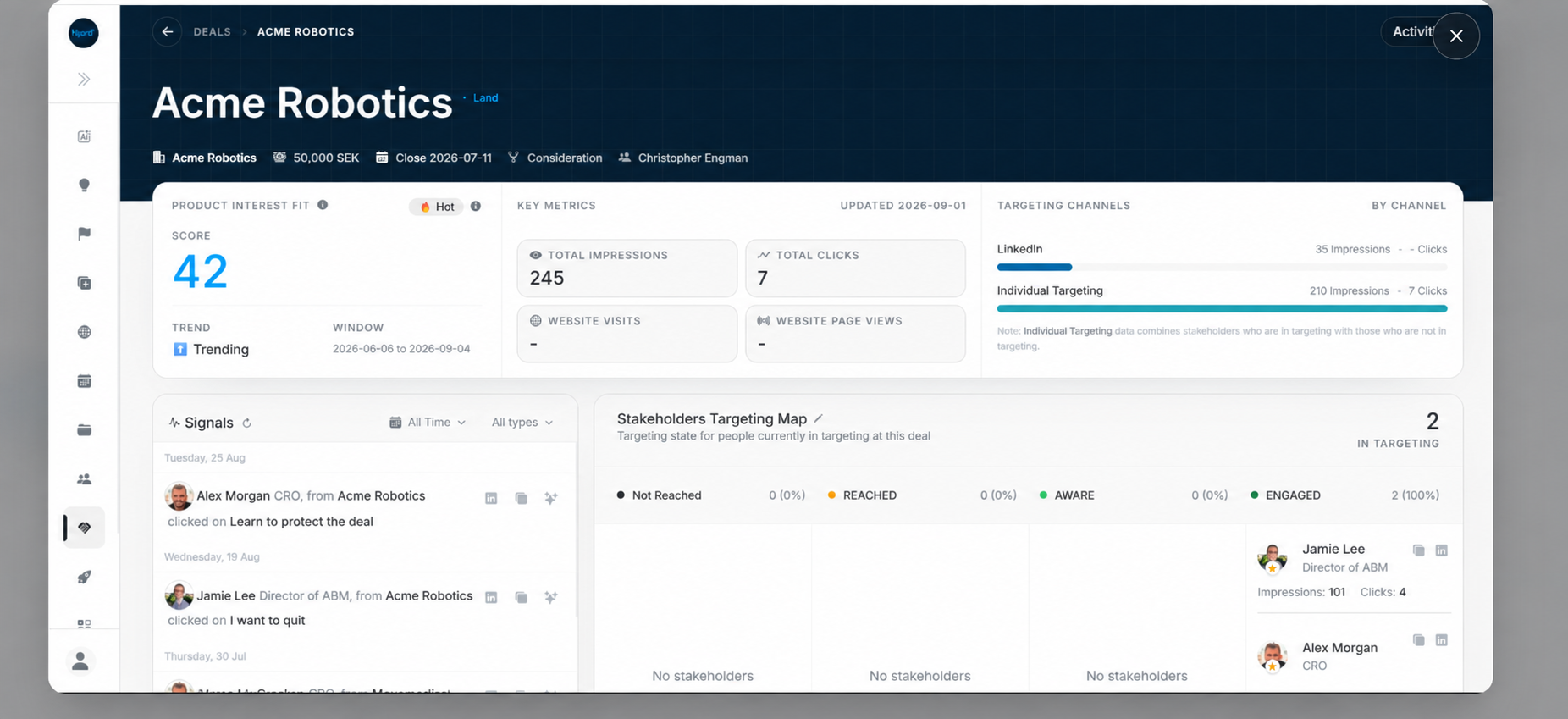
Deal Details overview
Use Deal Details when a list row is not enough. The page connects opportunity identity, Product Interest Fit, media metrics, targeting channels, editable fields, and related workflow sections.
Header And Summary
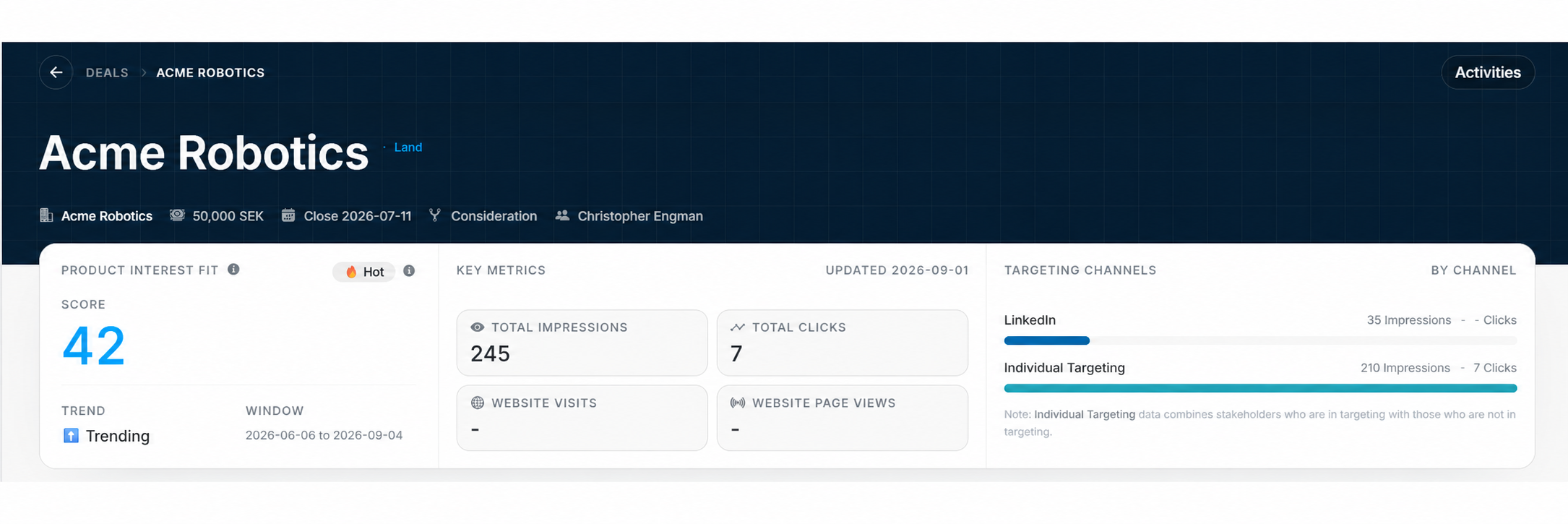
The header gives the deal identity at a glance:
| Header item | Meaning |
|---|---|
| Deal name | Opportunity being reviewed. |
| Land/Expand | Program scope. |
| Account | Linked company. |
| Value | Commercial value and currency. |
| Close date | Expected close date. |
| Stage | Current opportunity stage. |
| Owner | Internal user responsible for the deal. |
Product Interest Fit
The Product Interest Fit area shows:
- PIF band, such as Hot.
- Numeric score.
- Trend, such as Trending.
- Scoring window.
- Updated date.
Use this section to understand interest evidence before changing stage, probability, or follow-up.
Key Metrics And Channels
Key Metrics summarizes total impressions, total clicks, website visits, and website page views. Targeting Channels shows how LinkedIn and Individual Targeting contributed to impressions and clicks.
Why Detail Metrics Can Differ From Reports
The Deal Details media summary is a Last 180 days view. Cumulative IP and GEO targeting numbers are left out of its channel rows and totals so they are not mixed with the bounded period. Use the matching report when you need those all-time techniques.
The Targeting Map includes only deal stakeholders currently marked In Targeting = Yes. A targeted person without a resolved impact stage appears under Not Reached rather than disappearing from the map.
Editable Details Card
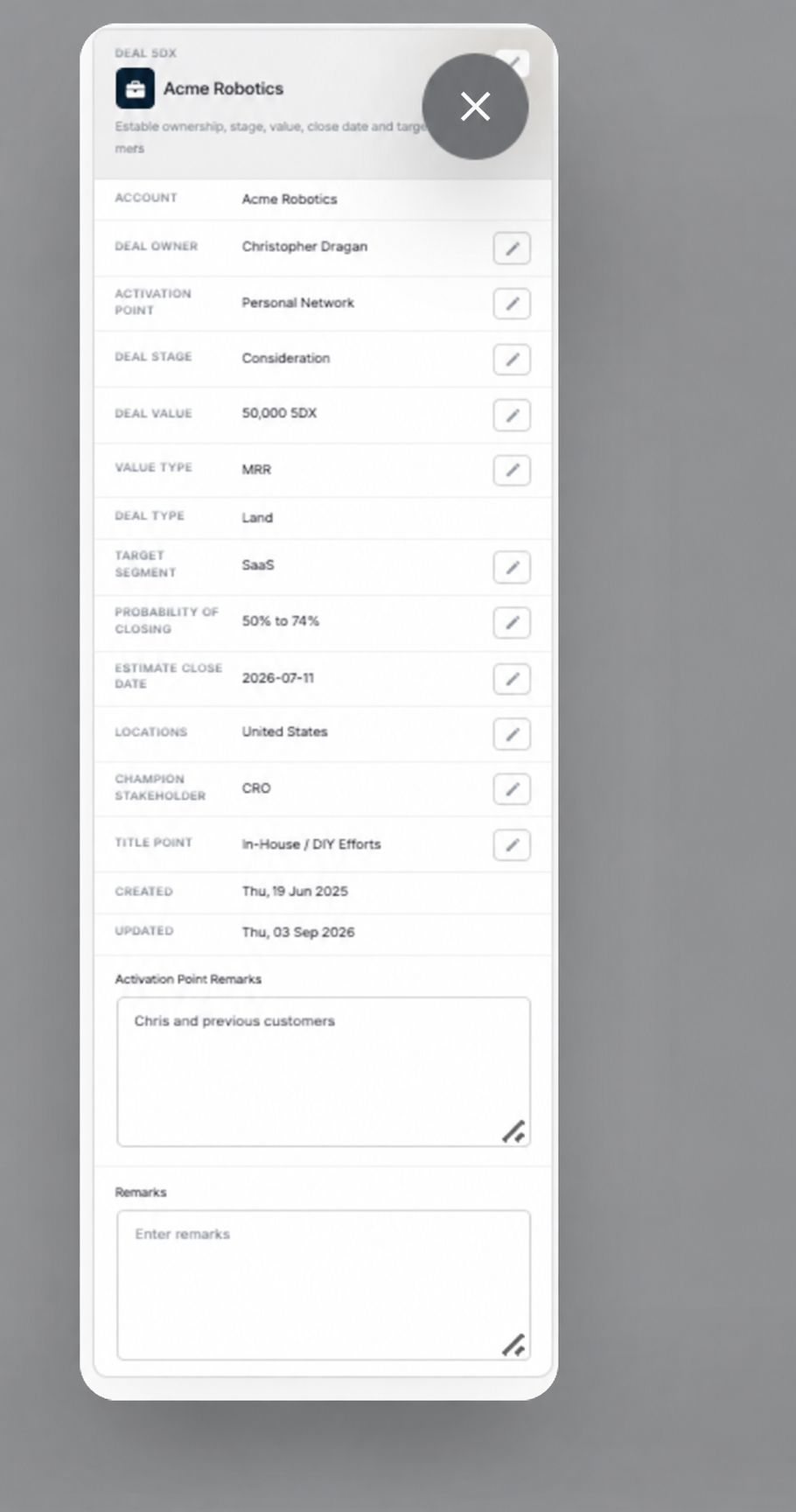
The Deal Details card is where users review and edit fields such as owners, activation point, stage, value, deal type, target segment, probability, close date, locations, champion stakeholder, title fight, and remarks.