Website leads and identified traffic
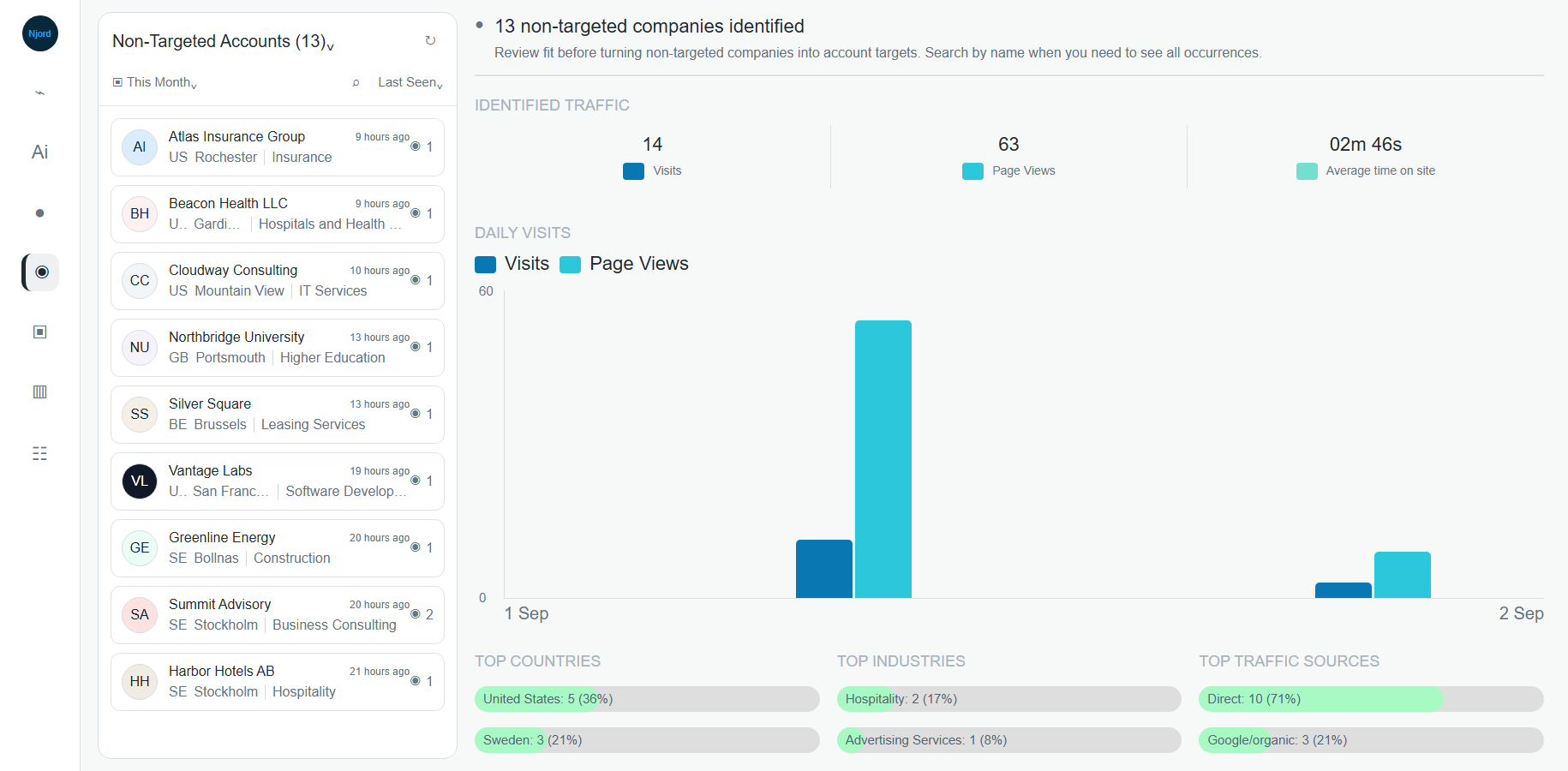
Website leads and identified traffic
Website Leads are identified companies that visited your website but are not currently target accounts in DOE. They are useful for discovery, but they still need qualification before anyone adds them to targeting.
Where it sits in DOE: Website > Non-Targeted Accounts and related Website Lead signals.
Image guide: Non-Targeted Accounts shows identified companies outside your target list. Use the visit count, last seen time, country, industry, and page paths before deciding what to do.
What Identified Traffic Means
Identified traffic means DOE can connect website activity to a company. It does not always identify a person, and it does not prove buying intent by itself.
Identified traffic can help you find:
- Companies already researching your category.
- Good-fit accounts missing from targeting.
- Visitors from active regions or campaign audiences.
- Companies that should be watched, routed, or excluded.
Targeted Vs Website Leads
| Traffic type | Meaning | Where to review it |
|---|---|---|
| Targeted website traffic | A company already in targeting visited the website. | Website > Targeted Accounts. |
| Website Lead | A company outside targeting visited and was identified. | Website > Non-Targeted Accounts. |
| All identified traffic | Targeted and non-targeted companies in one view. | Website > All Accounts. |
Review A Website Lead
- Open Website and choose Non-Targeted Accounts.
- Set the right date period.
- Sort by Last Seen for freshness or Visits for volume.
- Open the company.
- Review page paths, source, visit count, and last seen.
- Check industry, country, company size, and website context.
- Search for duplicate or similar account names.
- Decide whether to add to targeting, route for owner review, watch for more activity, or ignore.
What To Check Before Adding To Targeting
| Check | Why it matters |
|---|---|
| Fit | Not every website visitor matches your target market. |
| Region | A visitor may be outside current sales coverage. |
| Intent | High-intent pages matter more than broad browsing. |
| Ownership | Someone may already own the company under another record. |
| Duplicate | Branches, parent companies, and spelling differences can create confusion. |
| Timing | Campaigns, events, or launches can explain traffic spikes. |
Priority Guide
| Lead pattern | Suggested action |
|---|---|
| Good fit, recent visits, important page paths | Review quickly and consider targeting. |
| Good fit, one broad visit | Watch or compare with other signals. |
| Poor fit, high visit volume | Keep as context unless strategy changes. |
| Existing customer, partner, or vendor | Route based on ownership and relationship type. |
| Similar name to an existing target account | Resolve duplicates before creating anything. |
Privacy-Safe Use
Use the signal internally. Do not tell an external contact that DOE tracked a specific visit.
Good internal note:
"This non-targeted company had recent activity on product pages. Please review fit before adding it to targeting."
Avoid:
"We saw someone from your company visit our website."
Useful Njord AI Prompts
- "Review recent non-targeted website visitors and rank which ones are worth targeting."
- "Separate these Website Leads into add to targeting, watch, and ignore."
- "Which website visitors match our target profile?"
- "Summarize the strongest website activity from the last 30 days."