Deal list and stage cards

Deal list and stage cards
The Deals list is the fastest place to scan Land or Expand pipeline. It shows stage totals above a wide table of opportunity fields.

The stage card row is horizontally scrollable. Each card shows a stage label, its count, and total value for the current view.
Stage Cards
| Card shown | What it represents |
|---|---|
| First presentation | Early opportunity/presentation stage. |
| Stage 1 | Deal Activation stage value and count. |
| Stage 2 | Consideration stage value and count. |
| Stage 3 | Deal Closing stage value and count. |
| Won | Closed-won value and count. |
| Lost | Closed-lost value and count. |
| Nurture | Deals moved into nurture/future follow-up. |
Use the cards for pipeline shape, not as the full record. The table below the cards is where users review and update individual deals.
Main Table
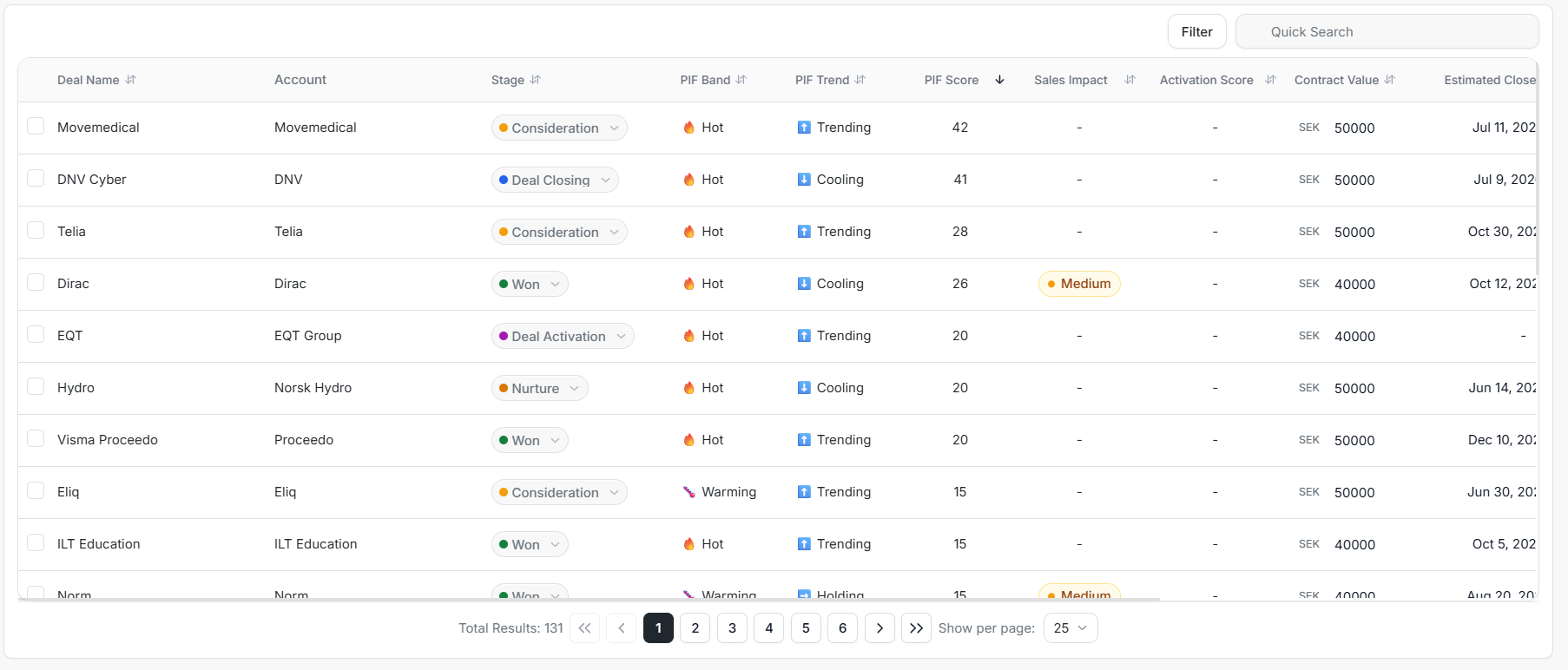
The left side of the table shows the deal identity, account, stage, Product Interest Fit, sales/activation fields, value, and close date.
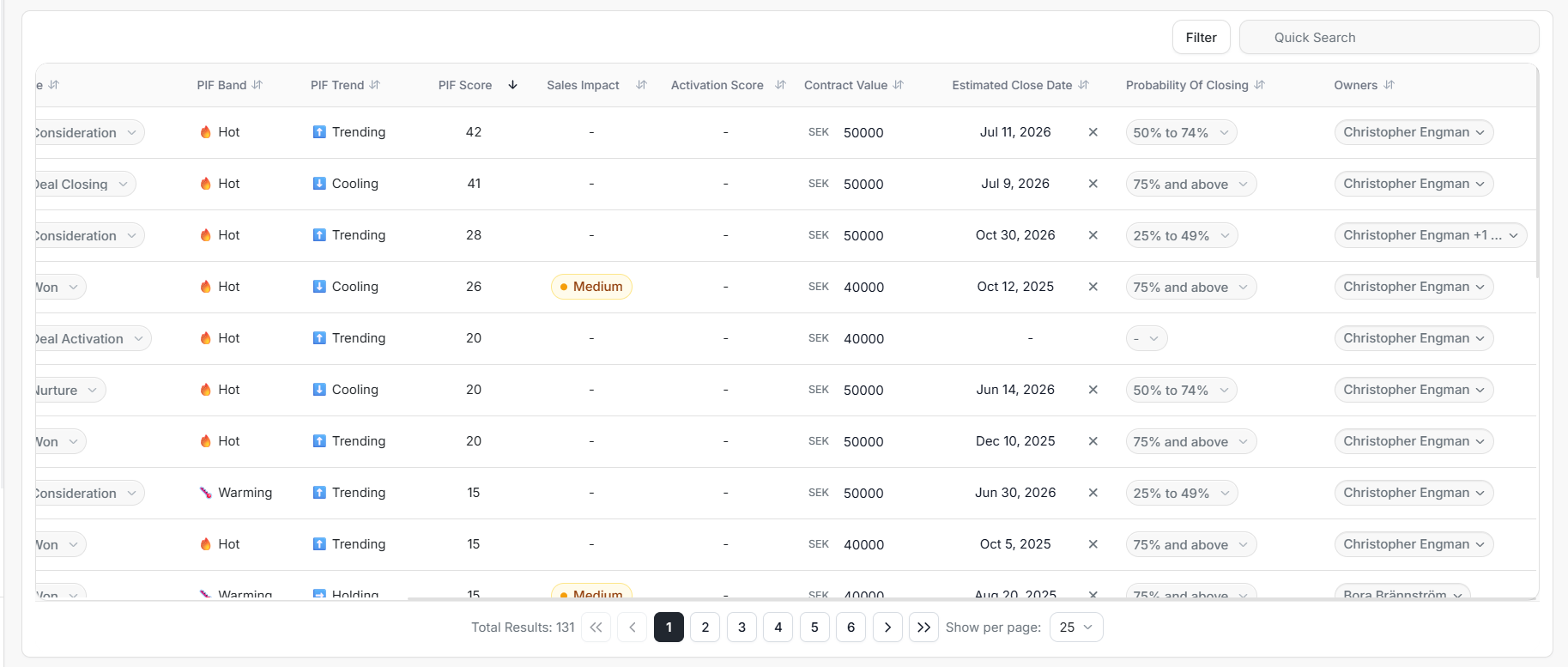
The right side shows forecast and ownership fields such as Probability Of Closing and Owners. Horizontal scrolling is expected on this table.
How To Read The Table
| Column | Use it for |
|---|---|
| Deal Name | Confirm the exact opportunity. |
| Account | Confirm the company connected to the deal. |
| Stage | See or update the current pipeline stage. |
| PIF Band | Review product-interest band. |
| PIF Trend | See whether interest is trending or cooling. |
| PIF Score | Rank deals by Product Interest Fit score. |
| Sales Impact | Check sales-side impact state when present. |
| Activation Score | Review activation score when available. |
| Contract Value | Compare commercial value and currency. |
| Estimated Close Date | Review or clear the expected close date. |
| Probability Of Closing | Review or update the forecast probability band. |
| Owners | Confirm assigned users. |
Default Order
The main Deals list starts with the highest PIF Score first. Change the sort when your review is driven by close date, value, stage, or another field. Returning to the default view can therefore move a recently edited deal even when no deal data was removed.
Useful Review Patterns
- Sort by PIF Score when you need the strongest interest signal.
- Sort by Estimated Close Date when reviewing near-term forecast.
- Compare Stage, Probability Of Closing, and Contract Value before changing forecast status.
- Scroll horizontally before assuming a field is missing.