Create and maintain a buying logic
Create and maintain a buying logic
A buying logic describes how a particular group buys an offering. Use a new logic when its trigger, evaluation, decision roles or risk differs materially from another group.
Where to find it: Context > Go-to-market foundation > Buying logics. Save an offering and at least one segment linked to it first. Use Go to offerings or Go to segments for the earliest missing prerequisite.
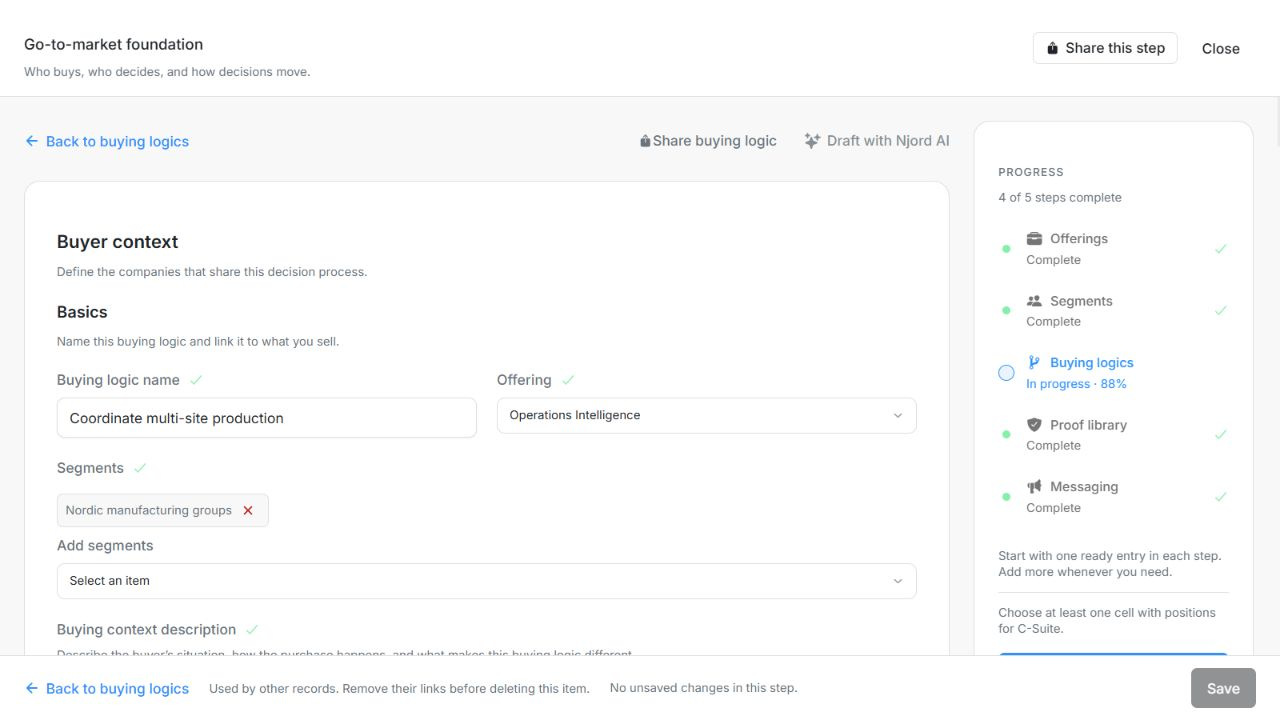
Image guide: Buying logic Basics selects one Offering and its Segments. Fictional sample records in the normal authenticated product, shown in light theme.
Create and link the logic
- Choose Add buying logic and give it a recognizable name. Select one saved Offering, then one or more of its Segments before describing the buying context.
- Select the saved Offering. Add a longer Buying context description to explain the situation.
- Check the linked Segments for company qualification, then complete Buying context, Decision path and the Ideal stakeholder matrix.
- Choose Save. The editor stays open so you can continue refining the same item.
| Field | What to enter or check |
|---|---|
| Offering | The selected offering this record belongs to; choose a saved offering in this workspace. |
| Buying logic name | A clear name distinguishing this record from other versions or buying contexts. Up to 200 characters. |
| Buying context description | Describe the buyer’s situation, how the purchase happens and why it needs its own buying logic. |
Connect company scope and the buying decision
- Segments: select saved company definitions linked to this Offering. Edit industries, employee bounds and geography in the separate Segments step.
- Buying context: motion, complexity, priorities, purchase circumstances, triggers and barriers.
- Decision path: stages, outcomes, people involved and the condition for progress.
- Ideal stakeholder matrix: levels, functions, decision roles, personal risk and supporting proof.
Buying context questions
Choose one or more Motion purpose, Deal complexity and Account priority tier values where appropriate. Complexity uses the available 1–6 choices. Other questions capture specific explanations; selecting a high priority is not a substitute for writing why a purchase would happen.
| Field | What to enter or check |
|---|---|
| Motion purpose | Purposes of this buying motion; more than one may apply. Choices: Demand activation; New account; Expansion. Up to 3 entries. |
| Deal complexity | Applicable deal complexity levels from 1 to 6; multiple levels may apply. Up to 6 entries. Minimum 1. Maximum 6. |
| Account priority tier | Account priority tiers: Strategic, Growth or Scale. This is not a messaging layer. Choices: Strategic; Growth; Scale. Up to 3 entries. |
| Purchase level | Where the decision is made. Local (site or region), Central (HQ sign-off, even if piloted locally) or Both (ex starts locally, then central ratification). Up to 20,000 characters. |
| Sourcing approach | Single, preferred or multi-vendor. In mature categories several vendors is normal, so winning means becoming the primary supplier. Up to 20,000 characters. |
| Category maturity | Established (they have bought this before, with existing vendors and RFPs) or Emerging (no buying process yet, so education comes first). Up to 20,000 characters. |
| Typical deal value | The usual order size and who can approve it. Explain whether price or risk requires a more senior decision. |
| End users | Who uses the offering and where they sit. Local operational staff point to a local decision; corporate functions (finance, IT, HR) point to central procurement. Up to 20,000 characters. |
| Product portfolio | The client’s other offerings that are bought in a different way. Each needs its own entry. Up to 20,000 characters. |
| Behavioural constraint | Explain whether buyers can choose freely or need a decision they can defend to others. Name the roles carrying the risk and the proof they need. |
| Why does this constraint matter? | Which risk-bearing roles are exposed if the decision goes wrong, and what proof each of them needs. Up to 20,000 characters. |
| Market forces | External changes that make the problem more urgent, such as regulation, competition or technology. |
| Business priorities | The funded business goal, its deadline and the outcome the buyer wants. |
| Competitive position | The main alternative: keep the current process, build internally, retain a supplier or choose another solution. Explain your position fairly. |
| What triggers the decision? | The events that turn interest into a decision: a regulatory deadline, a contract expiry, a new executive, an incident, a reorganisation. Up to 20,000 characters. |
| Why now? | Why the buyer needs a decision now rather than next year. |
| Budget cycle | The planning month, fiscal year, budget owner, and whether the money already exists. Up to 20,000 characters. |
| Cost of change | What switching costs the buyer: migration, integration, training, contract exits, and the personal risk to the people who sign. Up to 20,000 characters. |
| Cost of doing nothing | What keeping the current process costs in time, money, risk or reputation. |
Example: describe a real decision situation
In a fictional launch programme, Operations recognizes a missed launch date, Finance needs a defensible cost, and procurement checks risk before signing. Record the launch deadline under Why now?, the funding schedule under Budget cycle, and the disruption of replacing the existing process under Cost of change. Distinguish those from the cost of continuing the current process.
Clone, draft or remove
Clone creates an independent unsaved draft. Review its offering, name and details, then Save; cloning does not silently update the original. Draft with Njord AI requires a saved offering and segments and fills an unsaved form after review. It warns before replacing nonempty values. Save commits the result.
A buying logic referenced by messaging cannot be removed until the dependent links are handled. Review the removal confirmation and Save the staged change. Read-only members can inspect the form without these write actions.
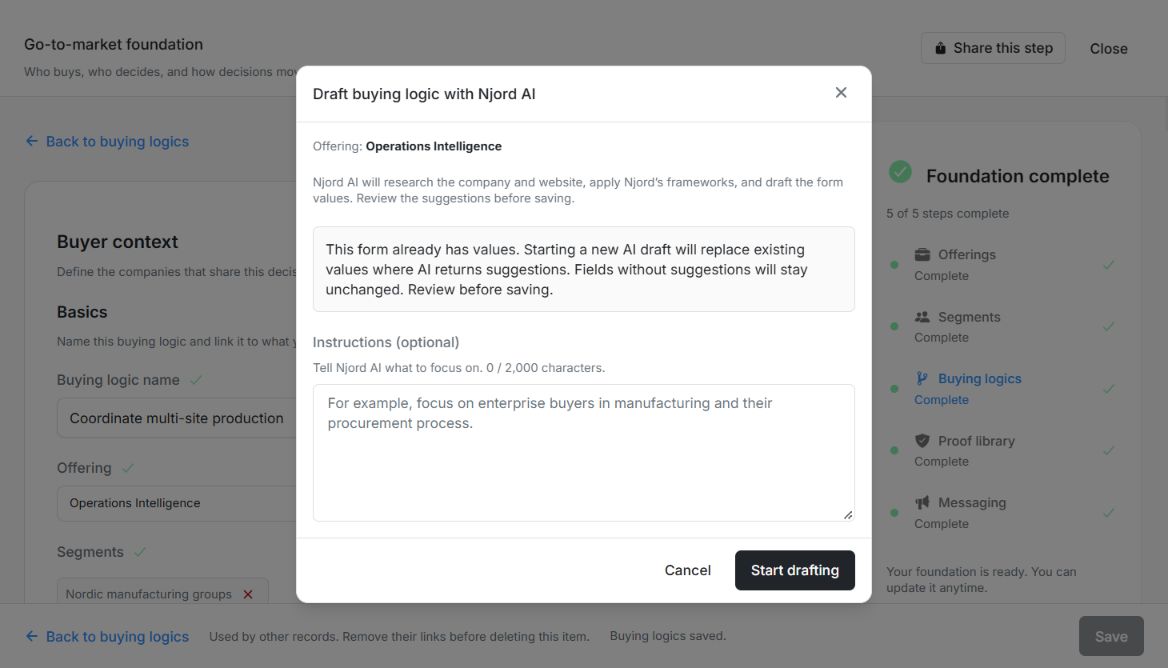
Image guide: Buying logic drafting warns that suggested fields replace existing values while fields without suggestions stay unchanged. Fictional local example in the normal authenticated product, shown in light theme.
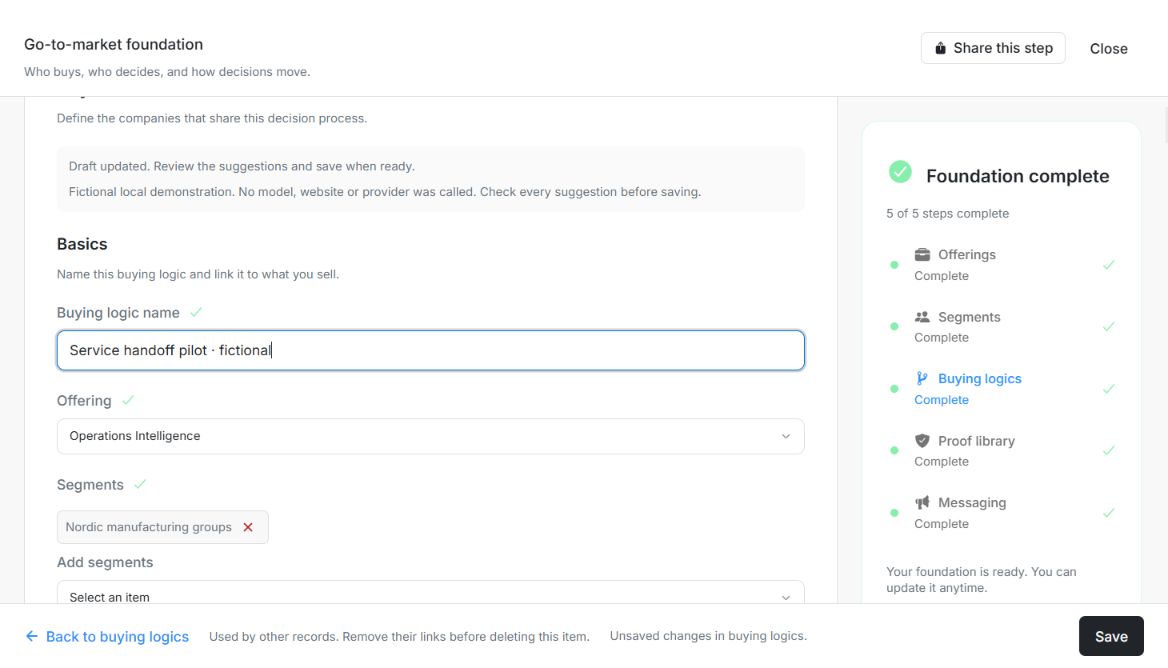
Image guide: The fictional Buying logic draft fills the form and asks for review. Unsaved changes and the enabled Save show that generation has not saved it. Fictional local example in the normal authenticated product, shown in light theme.
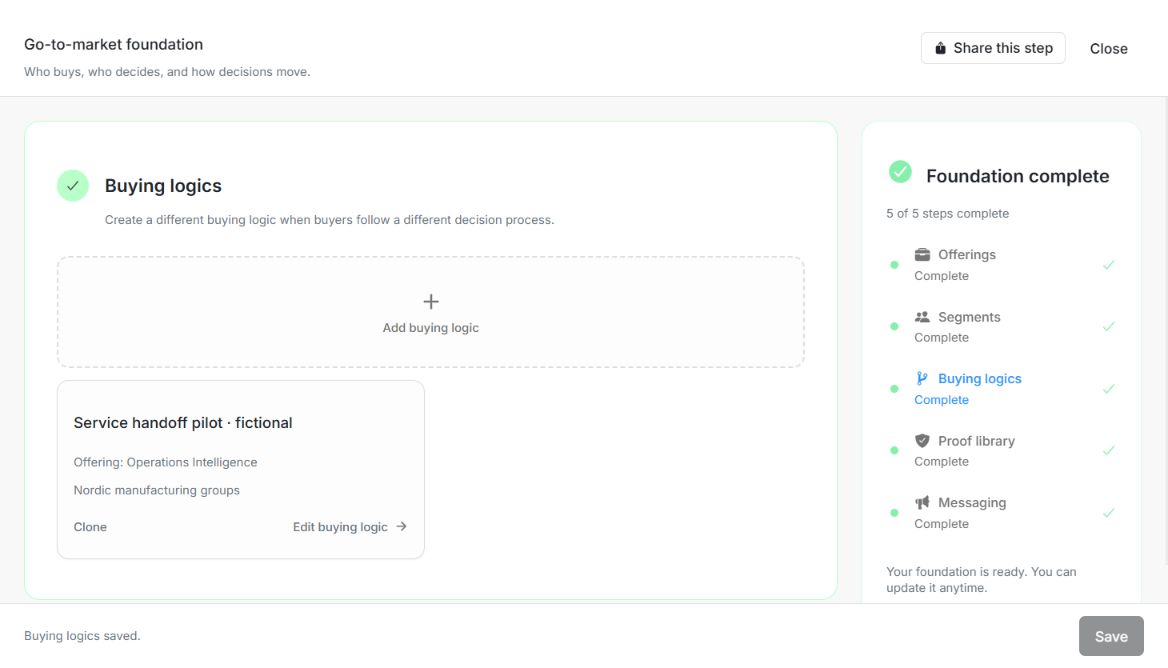
Image guide: Service handoff pilot appears in the saved Buying logics list with its Offering and Segment after Save. Fictional local example in the normal authenticated product, shown in light theme.