Map the buying decision path
Map the buying decision path
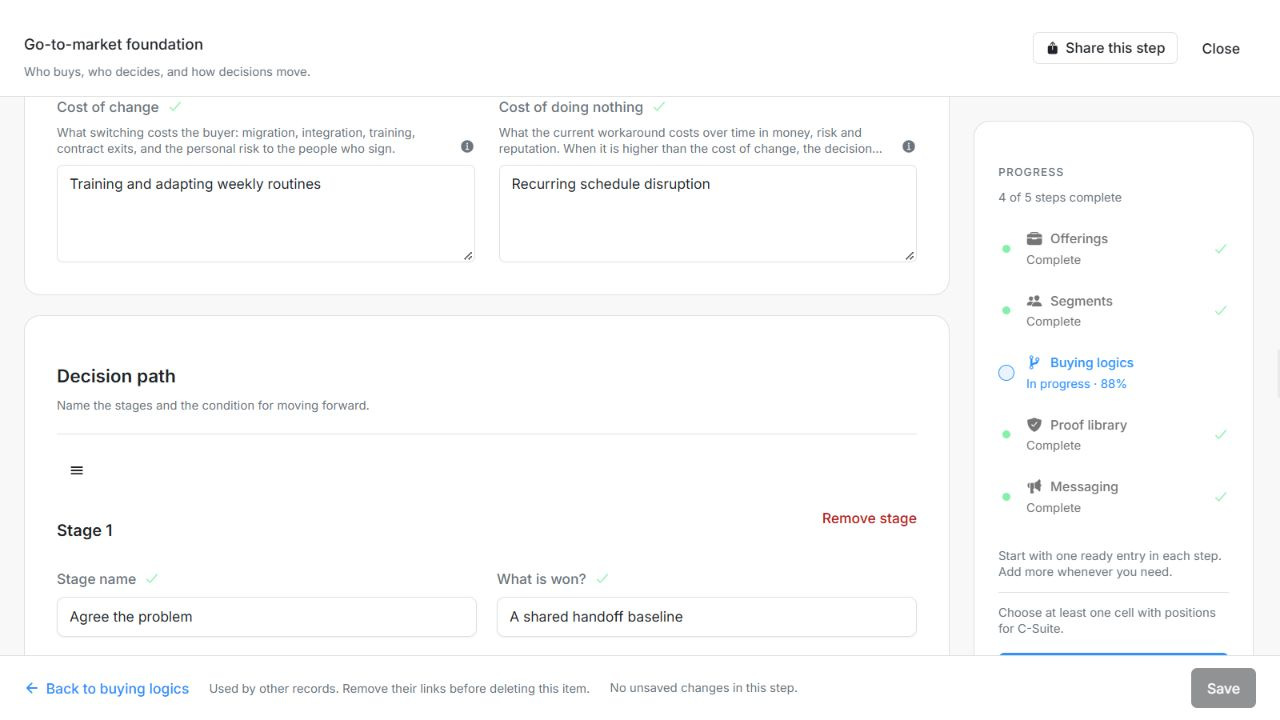
Map how the buyer moves from recognizing a need to making a defensible decision. This is the buying logic's decision path, separate from an individual Deal's Pipeline stage.
Where to find it: Context > Go-to-market foundation > Buying logics, open a logic and find its stages.
Image guide: The decision path uses stage handles and named outcomes. Fictional sample records in the normal authenticated product, shown in light theme.
Add and review stages
- Add a stage and name the buyer's current decision situation.
- Describe What is won?, Who is involved? and What allows progress?.
- Repeat for the necessary stages. Use the available remove control for an unnecessary stage and read its confirmation.
- Save the logic. Check its progress feedback for stages missing a name or a progress condition.
| Field | What to enter or check |
|---|---|
| Stages | Ordered decision stages with outcomes, stakeholders and observable advancement conditions. Up to 50 entries. |
| Stage name | The decision stage name. Up to 20,000 characters. |
| What is won? | What must be achieved at this stage. Up to 20,000 characters. |
| Who is involved? | Roles involved at this stage. Up to 20,000 characters. |
| What allows progress? | Observable evidence that the decision can move forward. Up to 20,000 characters. |
Use outcomes rather than sales activities
For fictional Northstar, “Need acknowledged” might be complete when Operations agrees the current launch process is insufficient. “Evaluation” could require IT to accept the approach. “Budget approval” could require Finance to defend the cost. “Send a presentation” is an activity, not automatically evidence that the buyer's decision advanced.
Connect the path to Recognition, Relevance and Safety
Recognition asks whether the buyer sees their problem. Relevance asks whether the category and approach apply to their situation. Safety asks whether they can defend the choice. Use these concepts when identifying a blocked stakeholder gate and writing messaging; editing this path does not automatically move any Deal between Pipeline lanes.
Reorder the decision stages
Drag a stage by its handle, or focus the handle and use Arrow Up / Arrow Down. Choose Save, reopen the logic and check the retained order. Reordering a planning path does not move individual Deals between Pipeline stages.
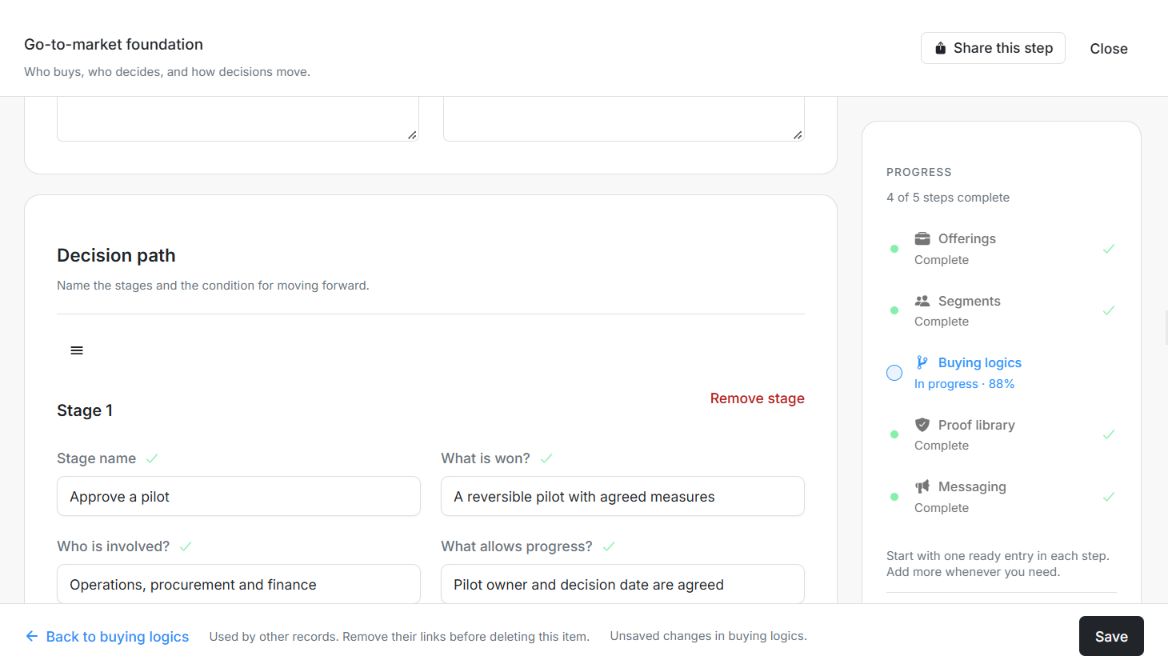
Image guide: Approve a pilot is now Stage 1 after keyboard reordering; the enabled Save and Unsaved changes footer show that the new order is still a draft. Fictional local example in the normal authenticated product, shown in light theme.
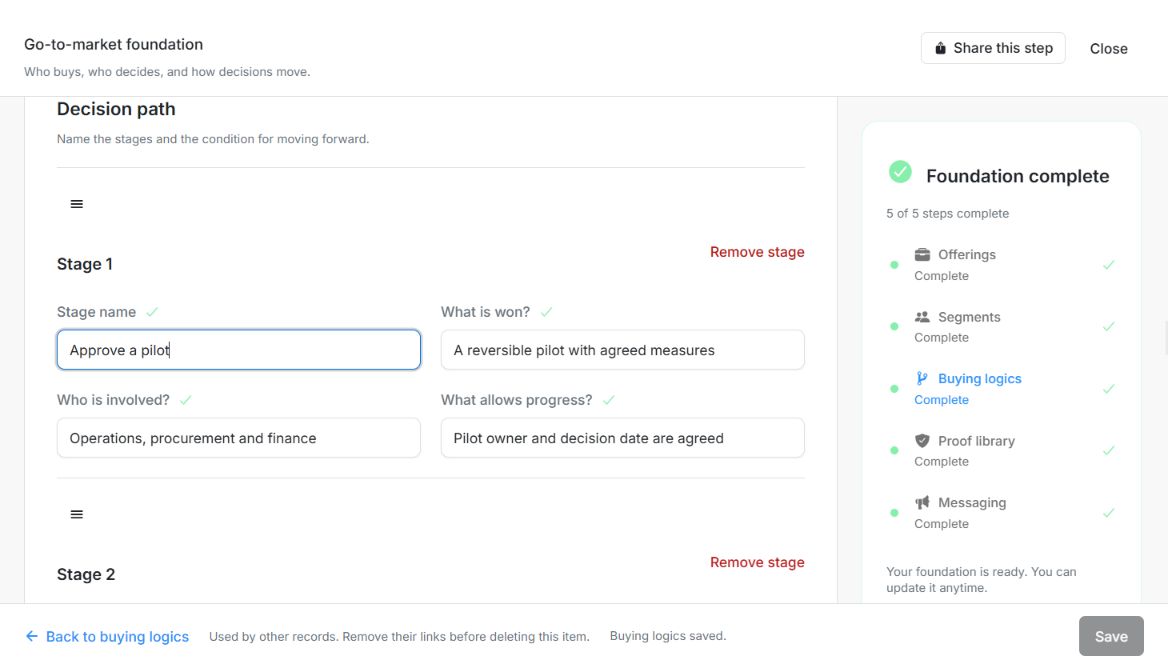
Image guide: Reopening the saved Buying logic retains Approve a pilot as Stage 1. The footer says Buying logics saved. Fictional local example in the normal authenticated product, shown in light theme.