Write the seven messaging layers
Write the seven messaging layers
Use the seven layers to connect a buyer's current problem to a defensible decision. Work from the buyer's situation, not a list of product features in search of a problem.
Where to find it: Context > Go-to-market foundation > Messaging, open a message and choose Write.
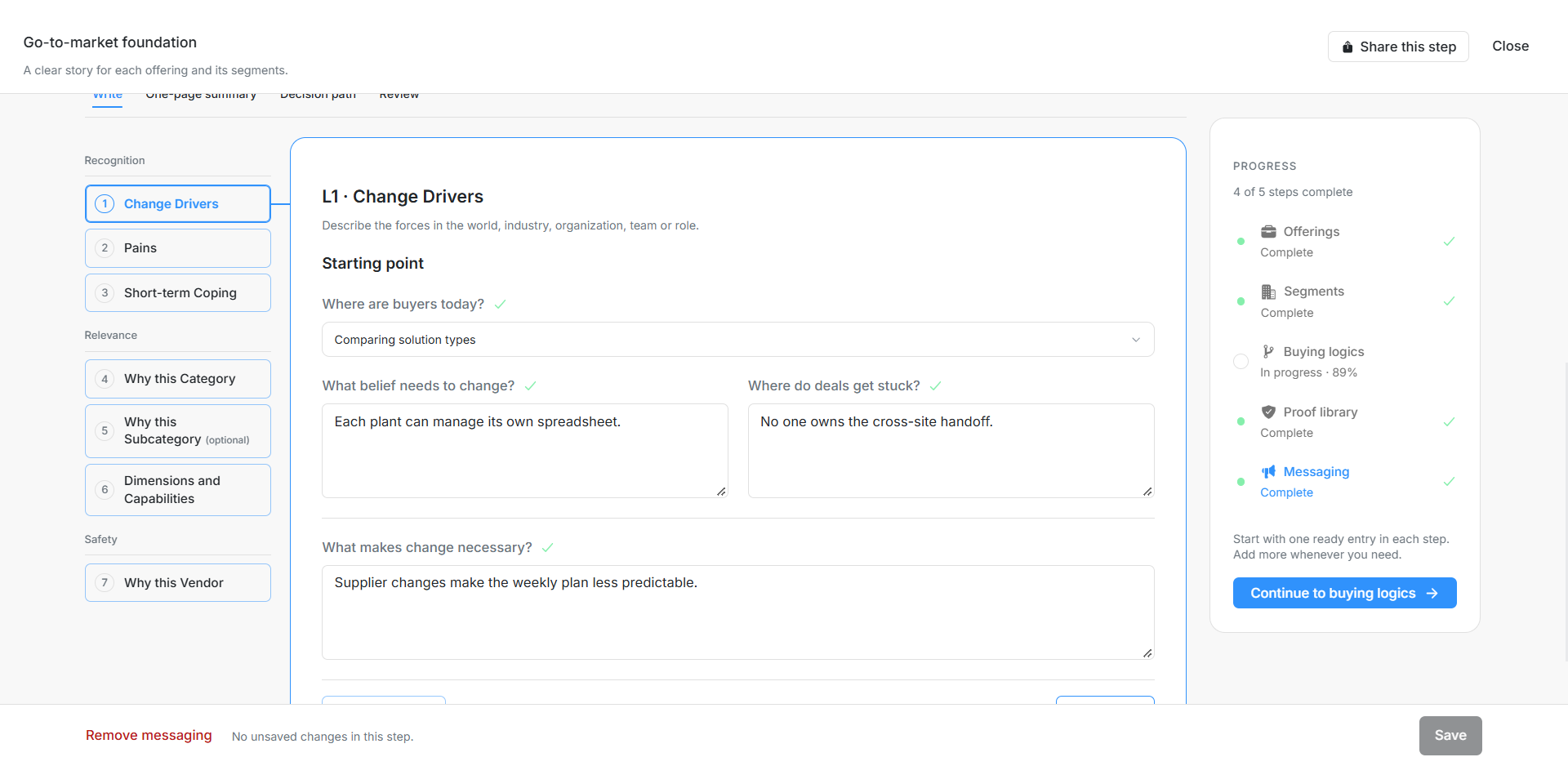
Image guide: Check the message context before working through its seven layers. Fictional sample records in the normal authenticated product, shown in light theme.
Recognition: Change Drivers, Pains and Short-term Coping
Describe what changed, why the current situation hurts and what buyers do to cope without a lasting solution. The test is whether the buyer recognizes their own problem without you explaining it for them.
| Field | What to enter or check |
|---|---|
| Change Drivers | What changed for the buyer, and why it matters now. Connect it to the decision trigger or funded business priority. |
| Pains | Describe the daily experience of those forces and what it costs. Up to 20,000 characters. |
| Short-term Coping | Describe the quick fixes and why the problem came back. Up to 20,000 characters. |
| What do buyers want to achieve? | A desired outcome is a target, not a proven result. Up to 20,000 characters. |
For fictional Northstar, a growing number of overlapping launches is the change driver, missed handoffs are a pain and extra status meetings are a coping response. Those are demonstration assumptions, not evidence about a real company.
Relevance: Category, Subcategory, Dimensions and Capabilities
Explain why this kind of solution fits the problem now. Compare competing categories fairly, including advantages, limitations and consequences. Define the chosen category and the dimensions buyers use to evaluate alternatives. Explain your position and why it is right for this buying logic.
| Field | What to enter or check |
|---|---|
| Why this Category | Describe your category, then compare alternative ways to solve the problem fairly, with pros and cons. Up to 20,000 characters. |
| Why this Subcategory | Optional. Explain the distinctions that help buyers qualify or rule out an approach. Up to 20,000 characters. |
| Dimensions and Capabilities | Set the evaluation criteria before comparing features. Up to 20,000 characters. |
| Competing categories | Other ways to solve the same pain, with honest advantages, limitations and consequences. Up to 50 entries. |
| Category name | The name of this solution category. Up to 20,000 characters. |
| Advantages | Honest advantages of choosing this category. Up to 20,000 characters. |
| Limitations | Trade-offs and limitations of this category. Up to 20,000 characters. |
| What choosing it means | Consequences and commitments of selecting this category. Up to 20,000 characters. |
| Our chosen category | The solution category buyers should choose; compare categories before vendors. |
| Evaluation dimensions | Trade-offs buyers use to evaluate approaches before comparing features. Up to 50 entries. |
| What do buyers compare? | The evaluation criterion. Up to 20,000 characters. |
| One end of the scale | One end of this trade-off. Up to 20,000 characters. |
| The other end | The opposing end of this trade-off. Up to 20,000 characters. |
| Where do we sit? | Our position on the evaluation dimension. Up to 20,000 characters. |
| Why is this right for buyers? | Why this trade-off serves buyer priorities. Up to 20,000 characters. |
| What can we help buyers do? | High-level abilities mapped to buyer priorities and evaluation dimensions. Up to 20,000 characters. |
| Product details (optional) | Specific product facts that substantiate capabilities; avoid leading with a feature dump. Up to 20,000 characters. |
Do not turn the category comparison into unsubstantiated competitor claims. A capability describes what a buyer can accomplish; optional product details support it without replacing the buyer outcome.
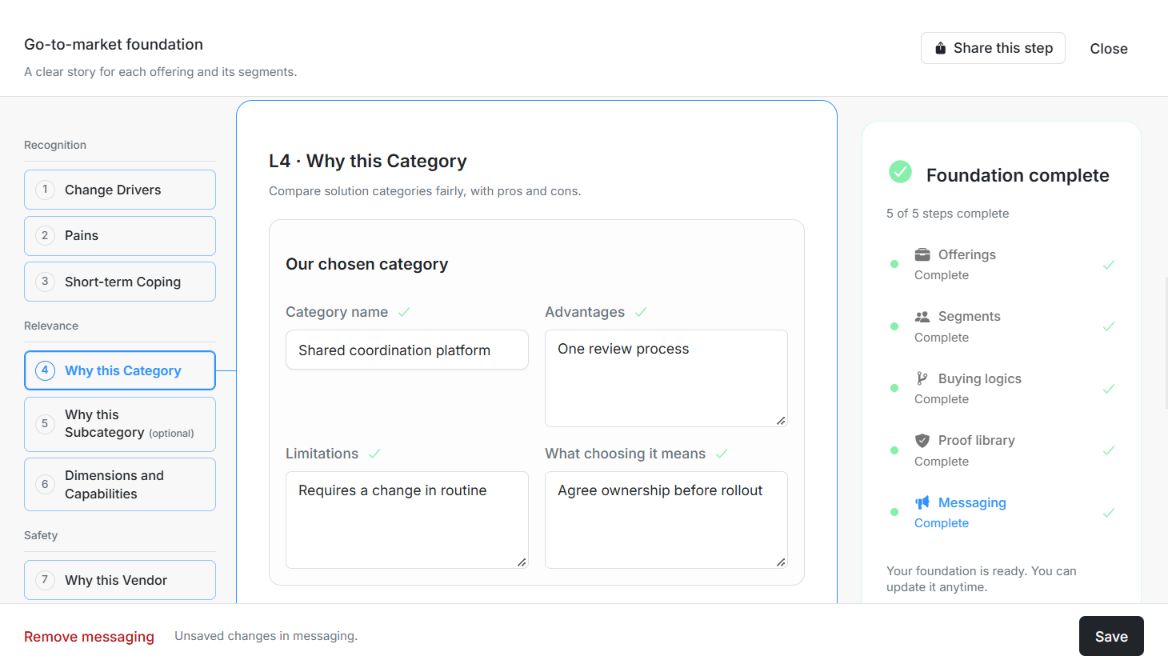
Image guide: L4 Why this Category shows the chosen category, advantages, limitations and consequences in the current seven-layer editor. Fictional local example in the normal authenticated product, shown in light theme.
Safety: Why this Vendor and defensible evidence
Explain why choosing the vendor is safe enough to defend. Connect the values, benefits, capabilities and reassurance to the risks identified in the buying logic. Where you add evidence, use a checked source with suitable permission.
| Field | What to enter or check |
|---|---|
| Messaging layers | Seven layers grouped into Recognition, Relevance and Safety. Each layer answers a different buyer question. |
| Why this Vendor | Values first, benefits second, features third. Up to 20,000 characters. |
| What makes the decision feel safe? | How it works, risk mitigation and consensus creation. Up to 20,000 characters. |
| Claims and proof (optional) | Optional evidence-backed claims linked to an eligible proof and messaging layer. Up to 100 entries. |
| What can we back up? | A claim supported by the linked proof. Up to 20,000 characters. |
| Which layer does it support? | The messaging layer served by this proof. Choices: Change Drivers; Pains; Short-term Coping; Why this Category; Why this Subcategory; Dimensions and Capabilities; Why this Vendor. |
| Supporting proof | Choose an eligible saved proof; respect checked status, segment applicability and usage permissions. |
Check the story across views
Use One-page summary to read the narrative together, Decision path to assess progression and Review to find issues. Choosing an issue returns to the relevant layer or field. A layer tick means content is filled; Save persists it and confirmation is a separate approval. There is no separate Messaging Rules form or hidden locked-version workflow to complete.
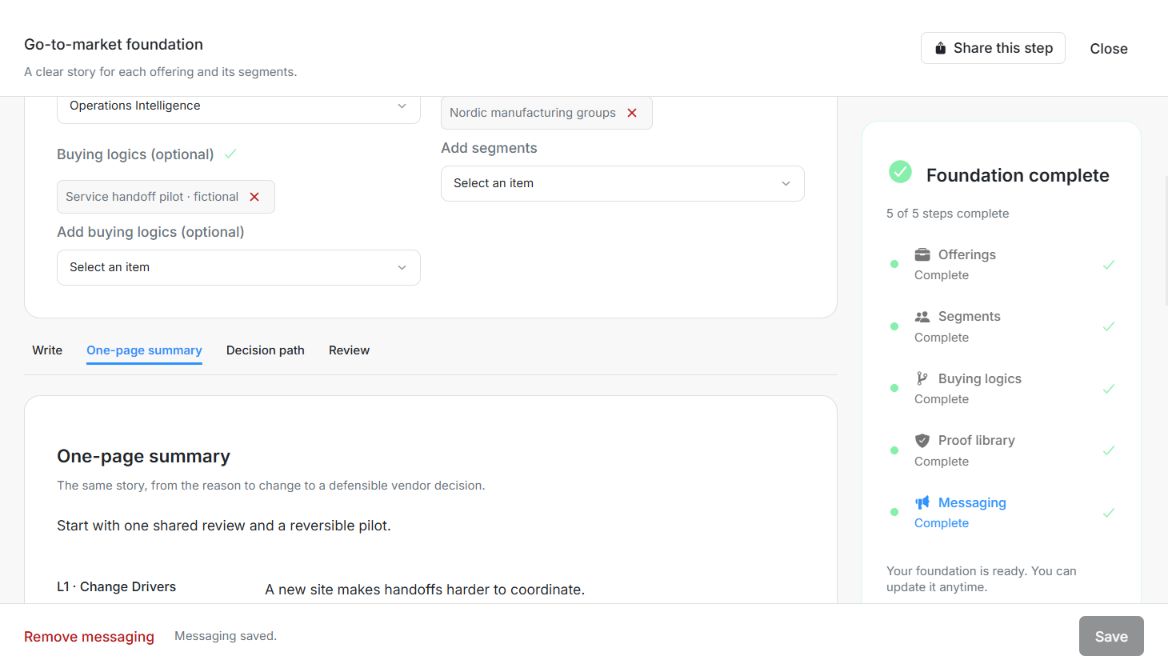
Image guide: One-page summary displays the saved story and layer text; the footer says Messaging saved. Fictional local example in the normal authenticated product, shown in light theme.