Choose where to save information
Choose where to save information
Choose the destination by what teammates or Njord AI need to do with the information. The same PDF can be useful in more than one place, but adding it to one place does not automatically prepare every other use.
Match the material to its purpose
| Material or need | Save it in |
|---|---|
| Company logo, colors, approved fonts or portraits | Brand. |
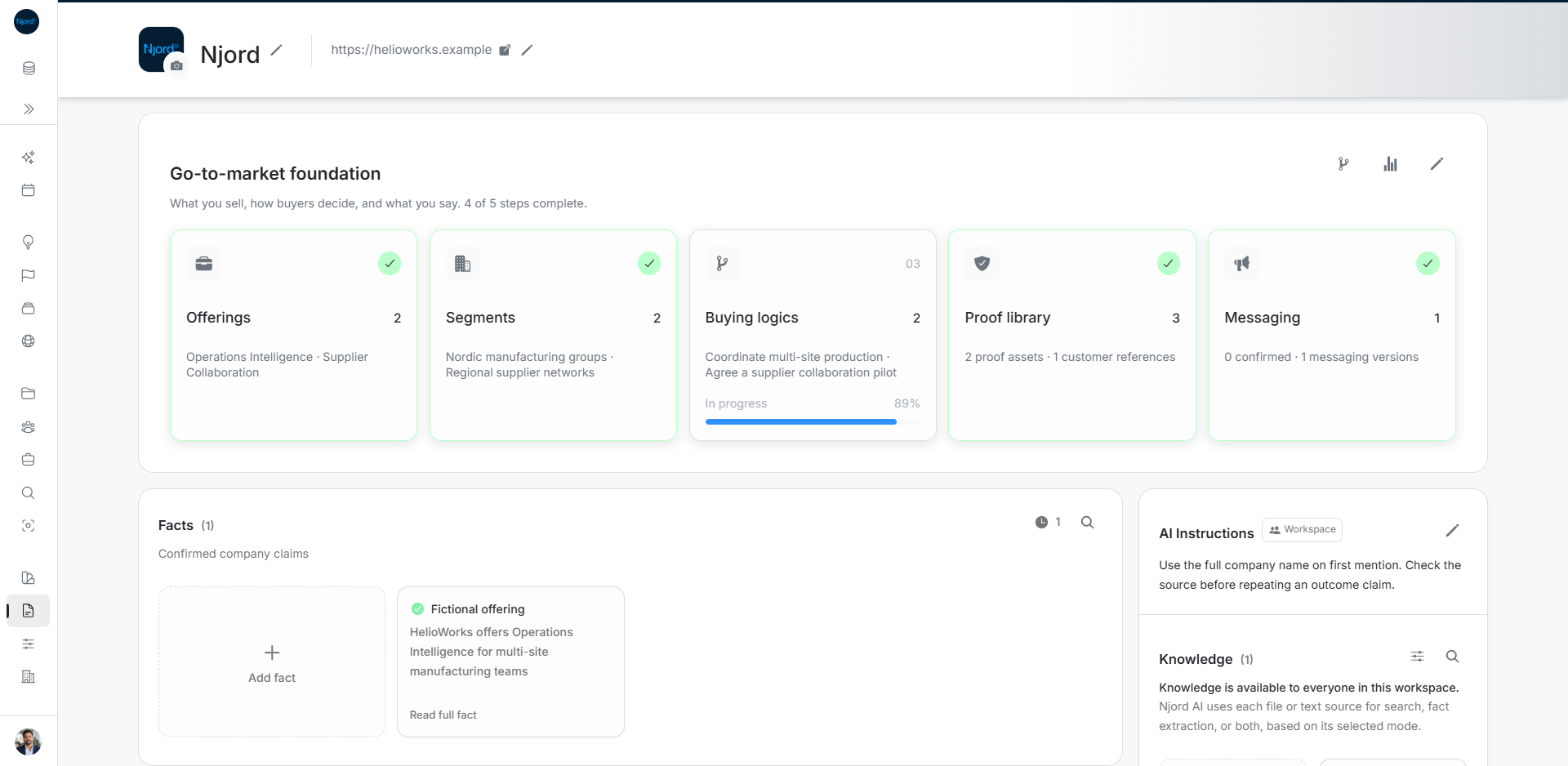
| What you sell, which companies fit, how buyers decide and the message | GTM Foundation. |
| A source AI should search or extract Fact suggestions from | Knowledge, with Search, Facts extraction or Both as its purpose. |
| One confirmed company claim with evidence | Facts. |
| A file the team should preview, download or reuse | Assets. |
| A shared instruction about how AI should work in this workspace | AI Instructions. |
| Your own language, tone or answer-detail preference | Private Memory, opened from the brain icon in Njord AI. |
| A file needed privately for the next message only | Upload files in Njord AI. |
Work through one example
For the fictional HelioWorks pilot, put the approved logo and palette in Brand. Describe Operations Intelligence, its company Segments and buying situation in Foundation. Add the pilot brief to Knowledge when future answers must search it. Review any extracted Fact suggestions against the source.
Keep the editable presentation in Assets if teammates need the original. Use a shared Instruction for an approved company-name rule. Save “Use short paragraphs in this pilot workspace” as your private workspace-only Memory preference when it is your preference rather than a team rule.
Check what saving actually did
Uploading to Knowledge does not confirm every suggested claim. An Asset upload does not make its content searchable Knowledge. A private AI upload does not share the file with teammates. A Memory preference remains private even when its scope is this workspace.
Foundation readiness, confirmed Messaging, account Segment assignments and Audience activation are separate results. Check each in its own workflow before assuming that a completed setup caused targeting to start.
Replace the right thing
Use Add version to replace an Asset's file while keeping its history. Knowledge replacement uses a newly processed source and deliberate removal of the outdated source; its deletion warning can include related Facts. Editing a title changes metadata, not the original content.