Review suggested Facts
Review suggested Facts
Review suggestions before treating them as company knowledge. A suggested claim stays outside the confirmed Facts until an Admin or Client admin approves it.
Where to find it: Our company > Context > Facts, then the pending-review clock and count. A completed Knowledge source with Facts extraction or Both may produce suggestions; it does not guarantee that there will be any.
Check one suggestion
- Open the pending-review count to see Facts awaiting review.
- Open a suggestion and read the complete subject, claim and detail.
- Compare Source evidence with the current source material.
- Choose Confirm fact when the claim is accurate, or Reject suggestion when it is wrong, vague, outdated or about the wrong company.
In the fictional example, “Northstar offers a guided onboarding workshop” is supported by the quoted onboarding package. Do not confirm a claim merely because it sounds plausible.
Correct wording before confirming
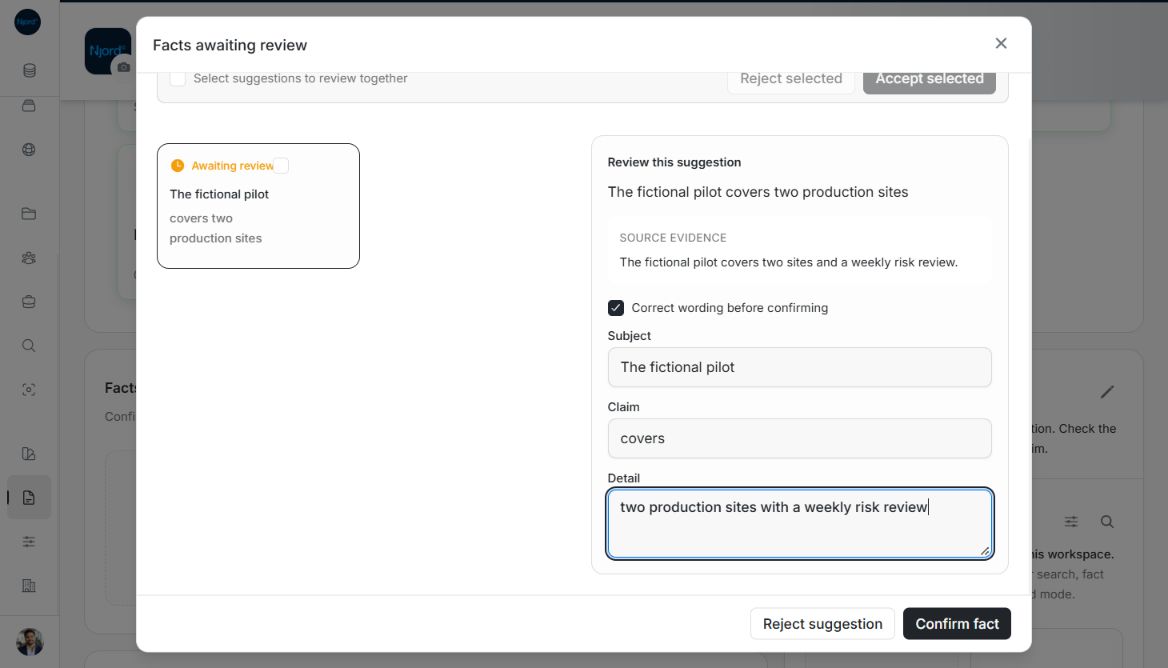
Image guide: Facts awaiting review shows the source evidence and Correct wording before confirming fields. Confirm fact saves the corrected statement. Fictional local example in the normal authenticated product, shown in light theme.
Select Correct wording before confirming, edit Subject, Claim and Detail, then reread them together. Keep the corrected statement within what the evidence actually supports. Confirming saves the corrected claim; closing without confirming does not approve it.
Review several suggestions together
- Read every suggestion you intend to include.
- Select the relevant checkboxes, or Select all loaded suggestions.
- Choose Accept selected or Reject selected.
- Wait for progress to finish and check any failure message.
Successful suggestions leave the queue. If some fail, they remain selected so you can retry those items. The pending count may take a moment to refresh. Load more suggestions when another page is available; selecting all does not silently include unloaded pages.
Find the approved result
Confirmed claims appear in Facts and can support Njord AI answers. Use Search Facts to find a known claim before creating a duplicate. An untitled Fact displays the claim as its heading. Open it to read the full statement and available evidence.
When you save selected claims from Website review, your explicit selection confirms those claims directly. They do not need a second pass through this extracted-suggestions queue.
Handle a partially completed review
Review wording and evidence before selecting Confirm or Reject. Select all in the suggestion queue applies to the loaded suggestions; it is not a promise to select every unseen suggestion. Batch decisions run through the selection, so a failure can leave some already reviewed. Keep the failed items selected, check their error and retry those items. Search confirmed Facts separately rather than expecting the pending queue count to be the confirmed total.
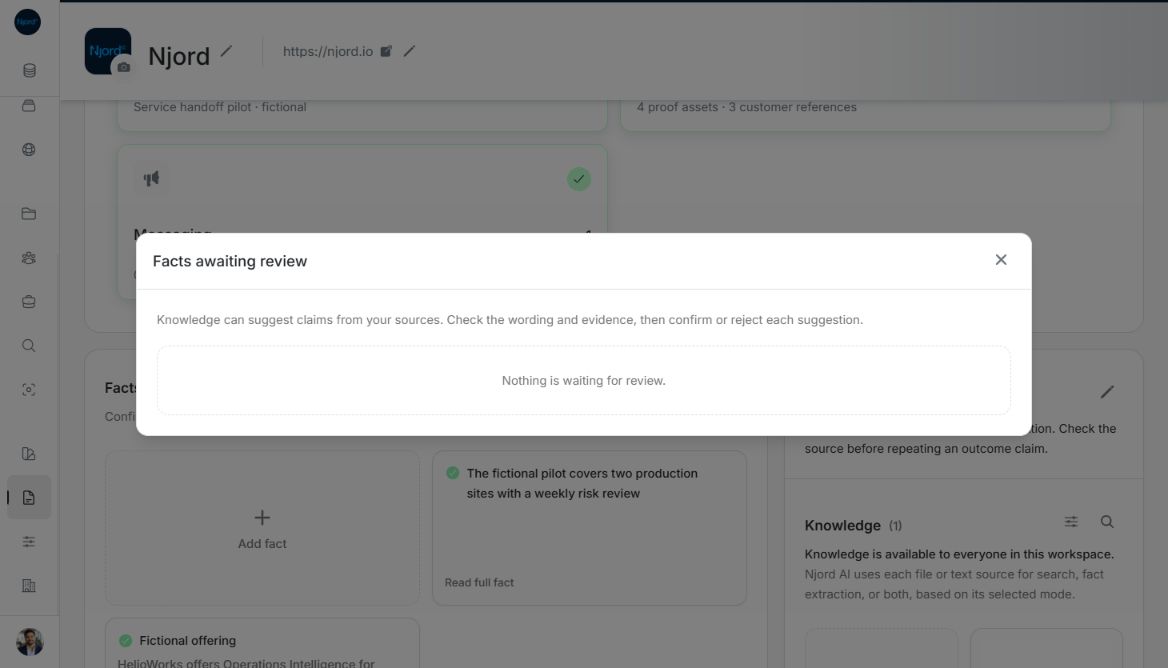
Image guide: After confirmation, the review queue says Nothing is waiting for review and the corrected claim appears behind it in Facts. Fictional local example in the normal authenticated product, shown in light theme.
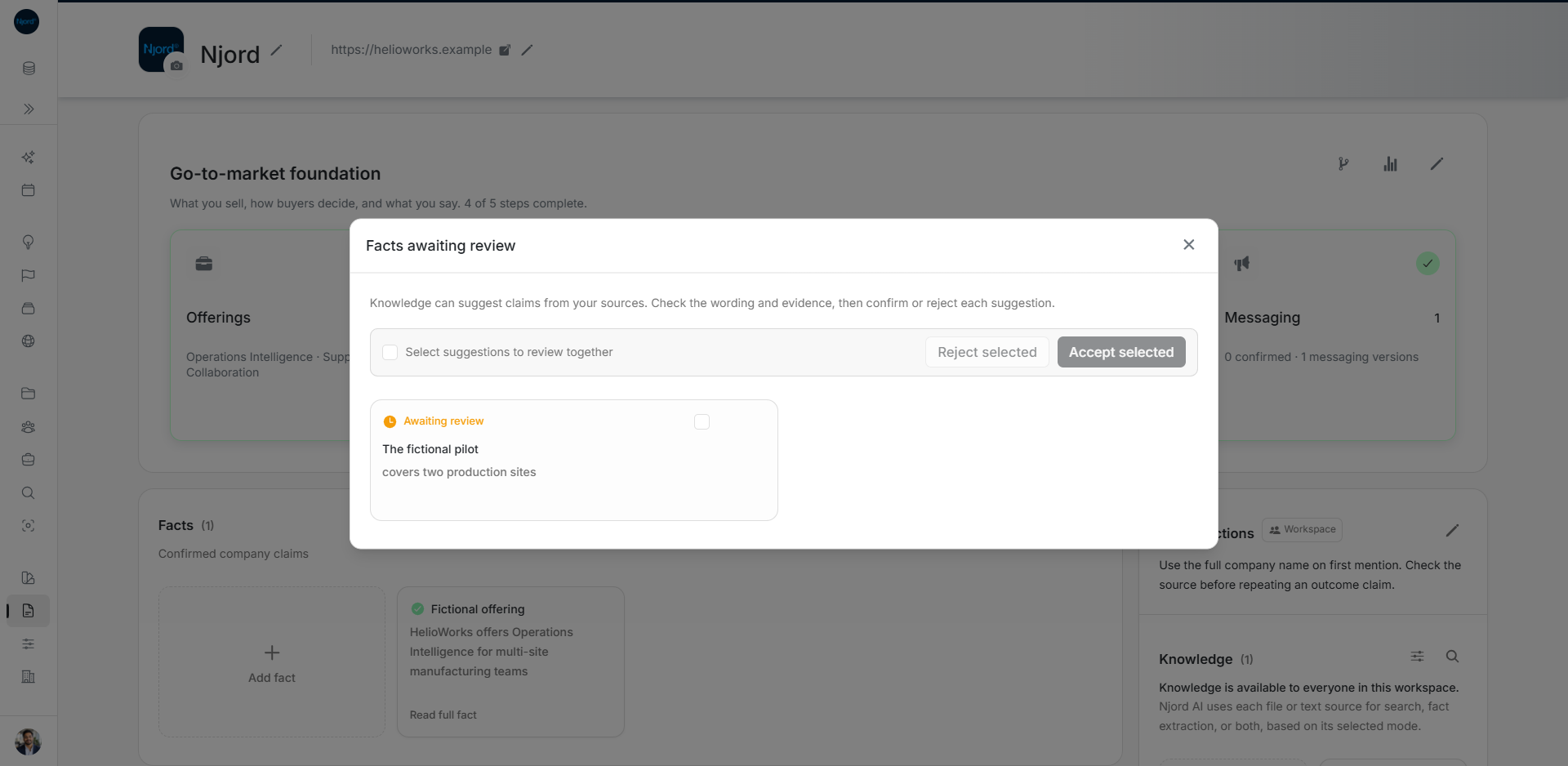
Image guide: Open pending Facts and review the proposed claim before accepting. Fictional sample data in the current app, captured in light mode.