Use the controls on a saved Brand asset
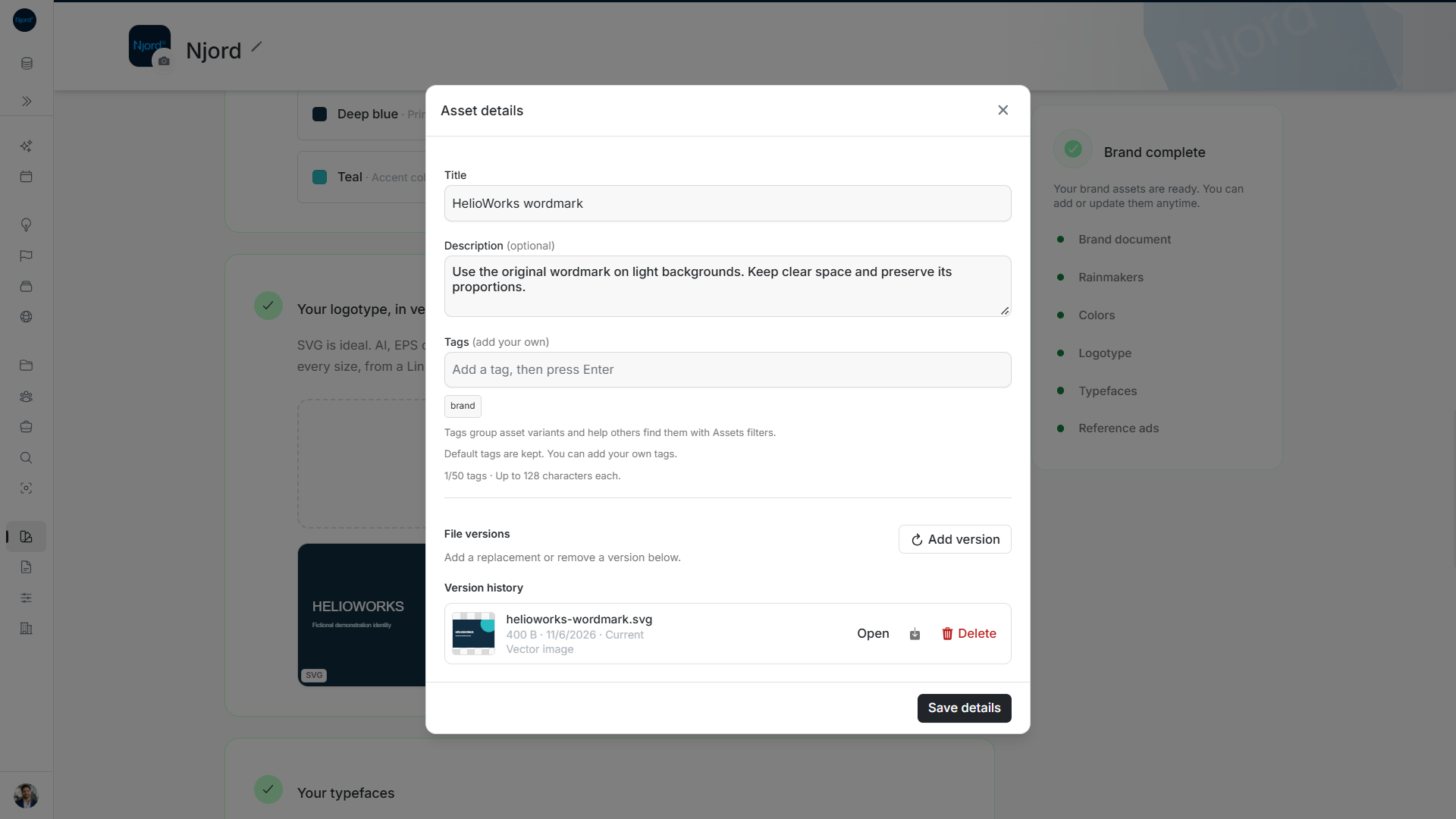
Use the controls on a saved Brand asset
Open Our company → Brand and choose the collection with the material you need. On desktop, look beside the saved asset for its actions. The controls depend on the material, the file type and your workspace access.
The Logotype asset details show its usage notes and file versions.
Choose the control for the task
| Control | What to use it for |
|---|---|
| Asset preview | Inspect the current file or image. For a font, check the saved preview or source link. |
| Information icon | Read the title, description and tags. Check File versions when the asset has earlier revisions. |
| File versions | Select the saved revision you need to inspect or download. |
| Download | Save the original file when the viewer offers a download. Check that you selected the intended revision first. |
| Copy image | Copy the image when that action is available. If the browser cannot copy it, use Download. |
| Copy color | Copy the saved color code when the color control offers it. Check the description for guidance about its use. |
| Copy link | Share the specific file where a file link is offered. Use the link beside a Brand step to share its collection. The recipient needs access to the workspace. |
| Favourite | Mark a reference ad when the star is available so the team can identify a preferred example. |
| Sparkle on a Brand document | Reopen asset extraction when you can edit and the document is eligible. Review proposed assets before saving them. |
For example, for a customer deck, open Logotype, check the usage note, preview the current version and download the original. To ask a teammate to review that specific logo, send the asset link when it is available.