Choose targeting techniques
Choose targeting techniques
Choose techniques that match how you intend to reach an Account audience. Stakeholder audiences use Individual Targeting automatically.
| Technique | What to check |
|---|---|
| Audience metrics use saved membership intervals. | |
| IP | Audience metrics use lifetime activity for the historical member group. |
| GEO | Account addresses are used; metrics use lifetime activity for the historical member group. |
| Retargeting | Activation is shown; delivery metrics are not available yet. |
Change how accounts are targeted
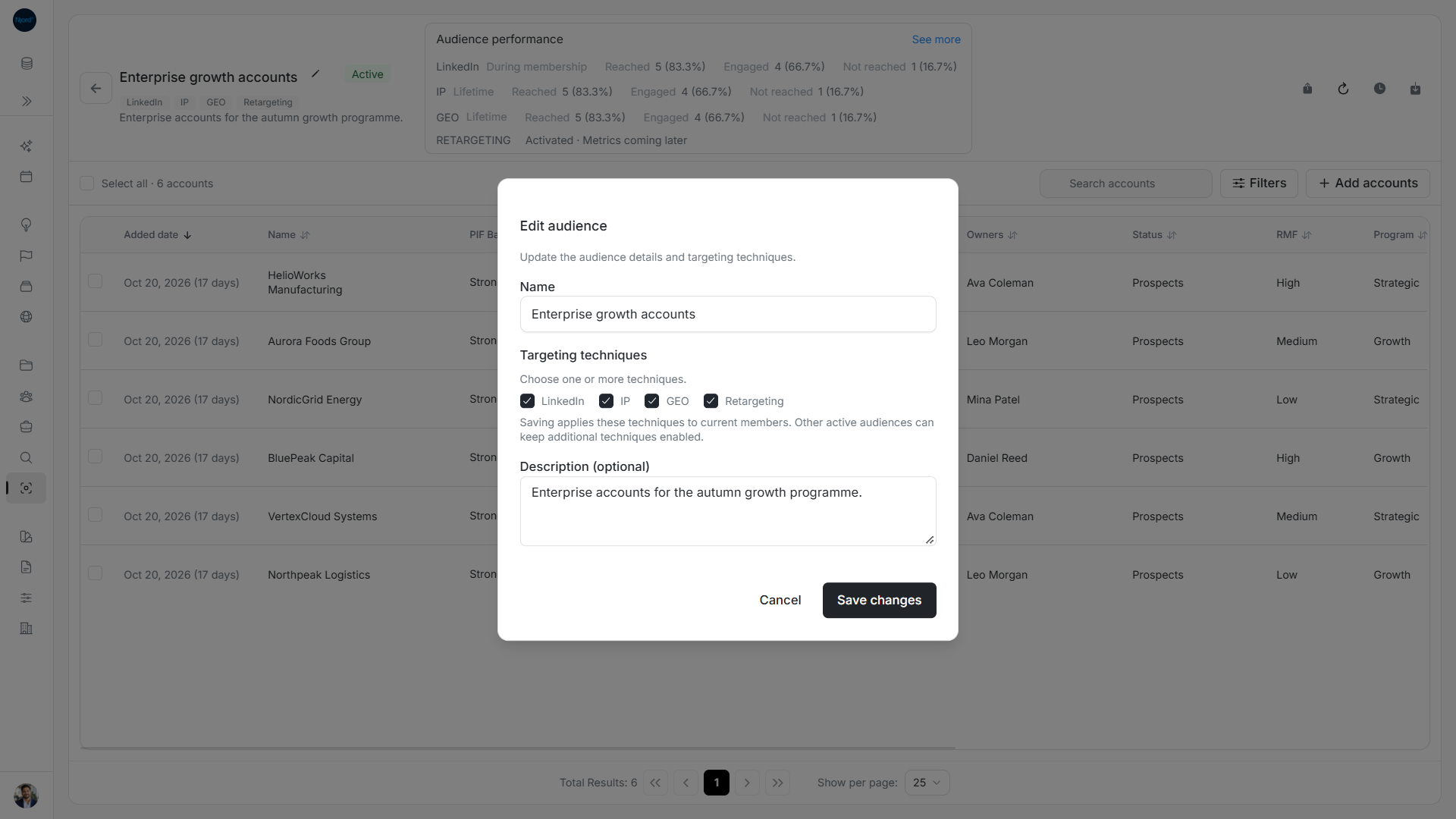
- Open the audience and choose the pencil Manage audience menu, then Edit details.
- Check Name, Description and the targeting checkboxes.
- Keep at least one technique selected, even if you are only renaming the audience.
- Choose Save changes, or Cancel to discard the draft.
- For an Active audience, follow the update progress and inspect the final member/targeting result.
Draft and Inactive edits prepare configuration without starting targeting. Saving an Active configuration applies it to current members. Other Active audiences can keep additional techniques enabled for the same account. The account's Media Techniques summary is the combined result of active memberships, so removing a technique from one audience does not guarantee that it disappears there.
Image guide: Edit audience shows the current techniques and explains that another Active audience can keep targeting enabled.
Choose Retargeting or GEO
Selecting GEO during account-audience creation shows GEO targeting will use account addresses. The note disappears when GEO is cleared or Members changes to Stakeholders. Retargeting is available only for Account audiences.
Account and deal Targeting Channels show Retargeting · Activated while current active account memberships supply it. That row has no impressions, clicks or bar; it can appear without report metrics. Removing the last active Retargeting membership removes that active contribution. Historical results for other techniques can remain.
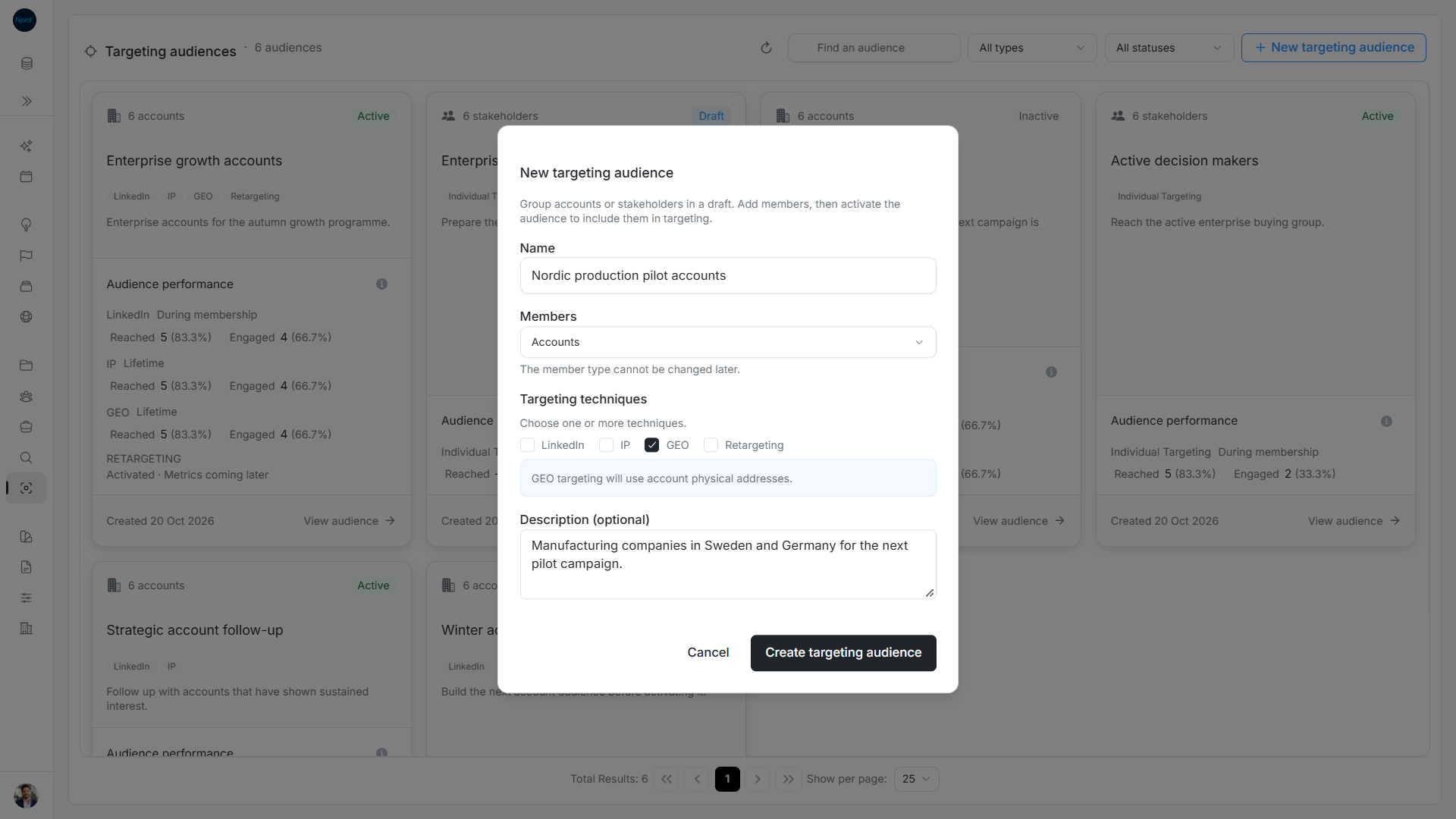
Image guide: An Account audience requires at least one technique; GEO uses account physical addresses.
Target people or copy an audience
Stakeholder audiences have no Account technique selector. Adding a company to an Account audience does not add its people in Individual Targeting. Clone audience copies the source techniques and current members into a separate Draft. Edit the copy before activating if different techniques are needed.
Check targeting from other audiences
LinkedIn configures company LinkedIn targeting; IP configures IP targeting; GEO uses the accounts' physical addresses; Retargeting controls retargeting activation. These methods can be combined. Technique chips show saved configuration even while Draft or Inactive.
| Active membership | Techniques supplied |
|---|---|
| Audience A | LinkedIn + IP. |
| Audience B | GEO. |
| Effective company targeting | LinkedIn + IP + GEO. |
Deactivating Audience A leaves GEO supplied by B. Excluding a stakeholder from one audience similarly leaves Individual Targeting active if another Active stakeholder audience includes them.
Account Media Techniques is a read-only summary derived from active memberships. Linked stakeholders can supply the company's IT indication independently of its account-audience membership. Countries in Targeting remains editable. Current account projections determine activation ahead of older retained report snapshots; historical metrics can remain after a channel becomes inactive.
In audience performance, Active Retargeting shows Activated · Metrics coming later; other statuses show Not active. It has no impressions, clicks, reach bar or report KPI contribution. Account/deal Retargeting · Activated does not depend on report availability or the report date window.