Edit or clone an audience
Edit or clone an audience
Edit an audience to keep its details and techniques current. Clone it when you want a separate Draft with the source's current members.
Edit details
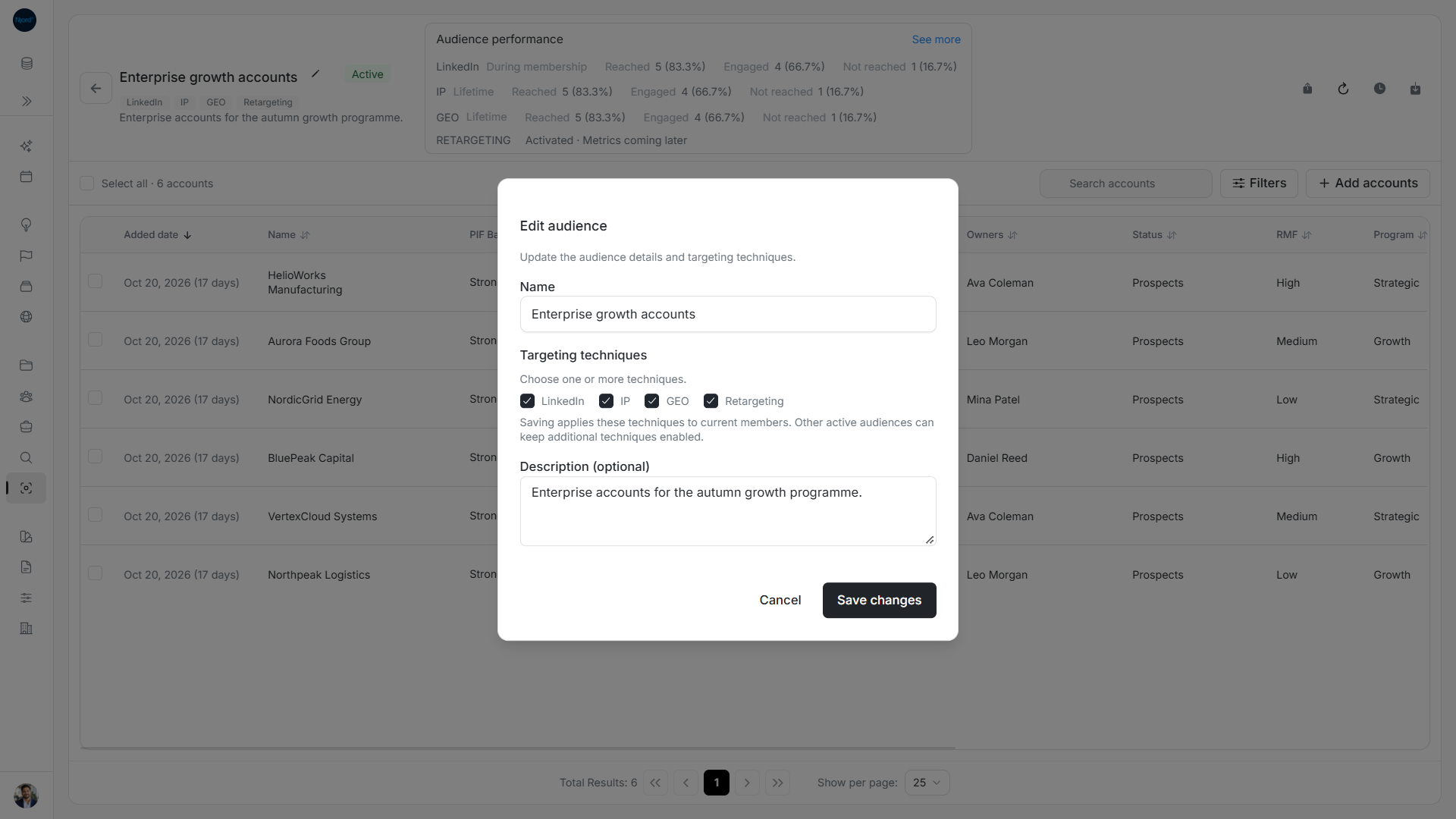
- Open the audience and choose Manage audience → Edit details.
- Update Name or Description (optional).
- For Accounts, select at least one targeting technique. You cannot save an empty technique choice, even when only the name changed.
- Choose Save changes, or Cancel to discard your draft.
- For an Active technique edit, follow the update and check the effective targeting result.
The member type cannot be changed. Create another audience to use a different type. Other Active audiences can keep additional techniques enabled for shared accounts. Draft/Inactive edits prepare the configuration without starting targeting.
Image guide: Edit audience shows the current techniques and explains that another Active audience can keep targeting enabled.
Clone current members
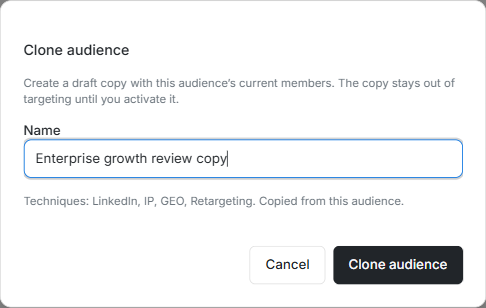
This earlier light-mode screenshot shows the same clone controls. It names a separate Draft and explicitly says targeting starts only after activation. Review the copied techniques before submitting.
- Open the source and choose Manage audience → Clone audience.
- Enter a clear Name for the copy; the initial suggestion adds “copy” to the source name.
- Read the copied-technique note and confirm Clone audience.
- Follow the inclusion progress and inspect the new Draft, techniques and current members.
- Edit the copy if needed, then activate separately when it is ready.
A clone copies current membership, not a selectable roster of former members. It has its own identity and does not start targeting automatically. Changing one copy does not rename the original. If a create/clone result is uncertain, check the catalog for the intended name before submitting a second copy.
Check whether targeting has finished updating
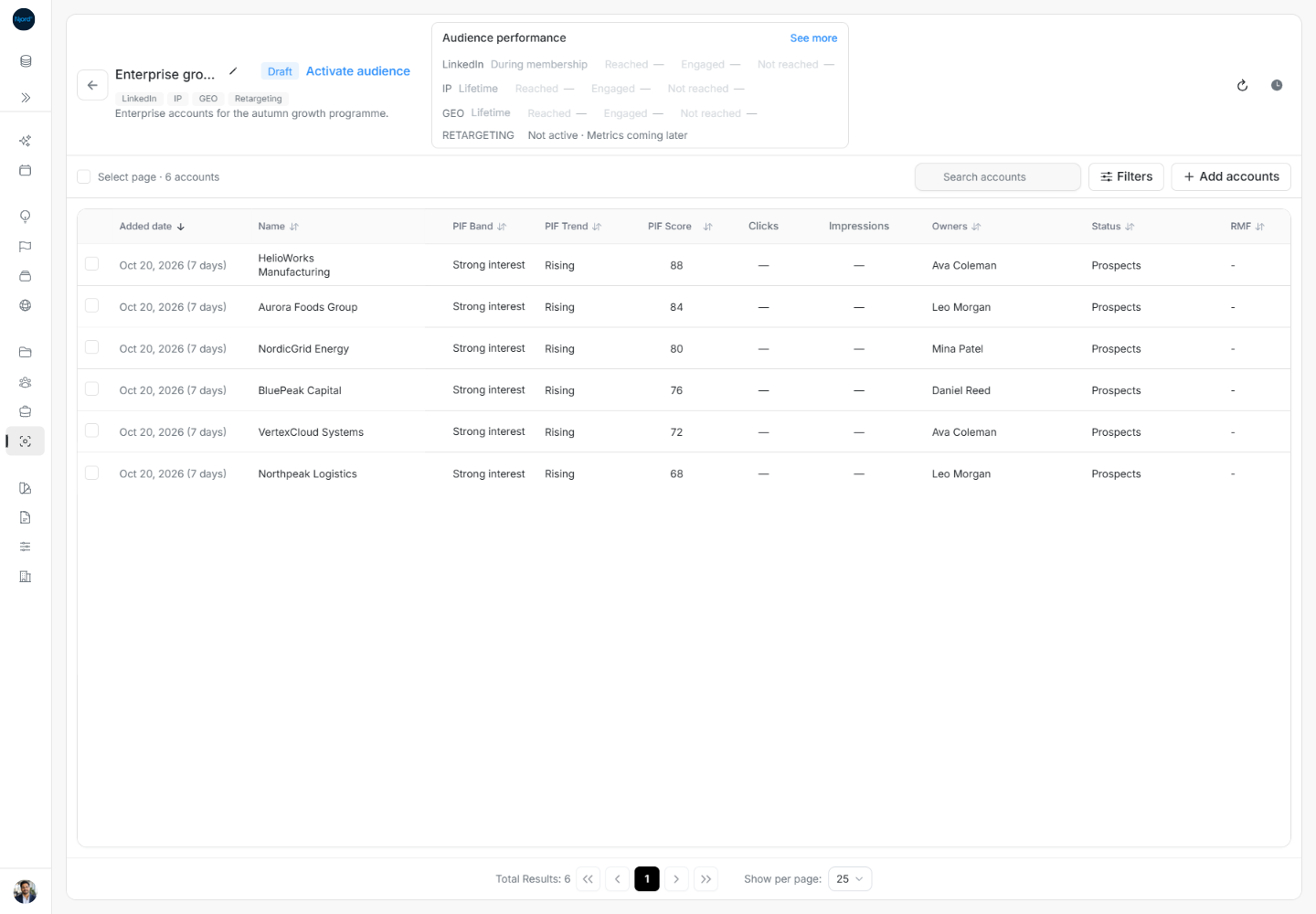
Check the new name, Draft status, member count and roster after progress finishes. This is the copy; the original remains separate.
Name and description changes save directly; the name must contain 2–120 characters after trimming. Changing techniques on an Active account audience starts a background update for its current members. Draft and Inactive technique changes only update saved configuration. Cloning keeps the source type, configured techniques and current members, with its own progress tracking; the separate new audience remains Draft until you activate it.
Work through a clone before activating it
For a fictional Nordic manufacturing audience, create a copy called “Nordic pilot review”. After cloning, confirm it is Draft and compare the current members and configured techniques with the source. Remove any unwanted membership from the copy before activation. The source’s historical results and former members are not a member-selection list for the clone. If progress fails partway, inspect the new audience and its update state before creating another copy with the same purpose.