Exclude one or more audience members
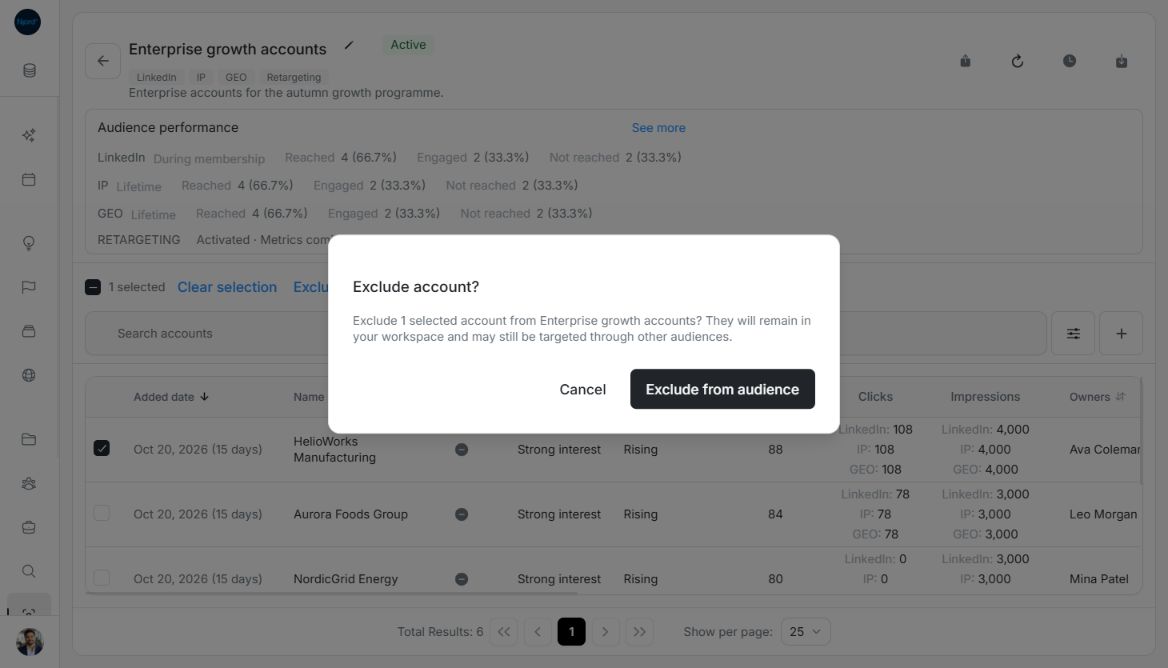
Exclude one or more audience members
Exclude membership when a company or person no longer belongs in this audience. The account or stakeholder remains in the workspace and can still belong to other groups.
Confirm one or several members
- Locate the intended current members. Apply search/filters first if needed.
- Use a row's Exclude from audience control for one member, or check several rows and choose Exclude from audience beside the selected count.
- Read the confirmation's audience name and count.
- Choose Cancel to abandon the unsent request, or Exclude from audience to submit it.
- Follow progress and inspect the remaining roster and Total Results after completion.
Image guide: The exclusion confirmation identifies one account and explains workspace retention. Fictional sample data, shown in light mode.
Select all can include matching current members on unloaded pages. Untick exceptions and check the selected count before confirming. The matching set is resolved when submitted; it does not automatically exclude future records that later match.
Check what was saved
The sample excludes HelioWorks Manufacturing from a six-account group. The refreshed roster has five current members and the selection clears. Audience performance can still include its historical activity, so its summary count need not equal the current roster count. A brief Changes saved message can disappear; use the roster, count and Changes history to check that the change was saved.
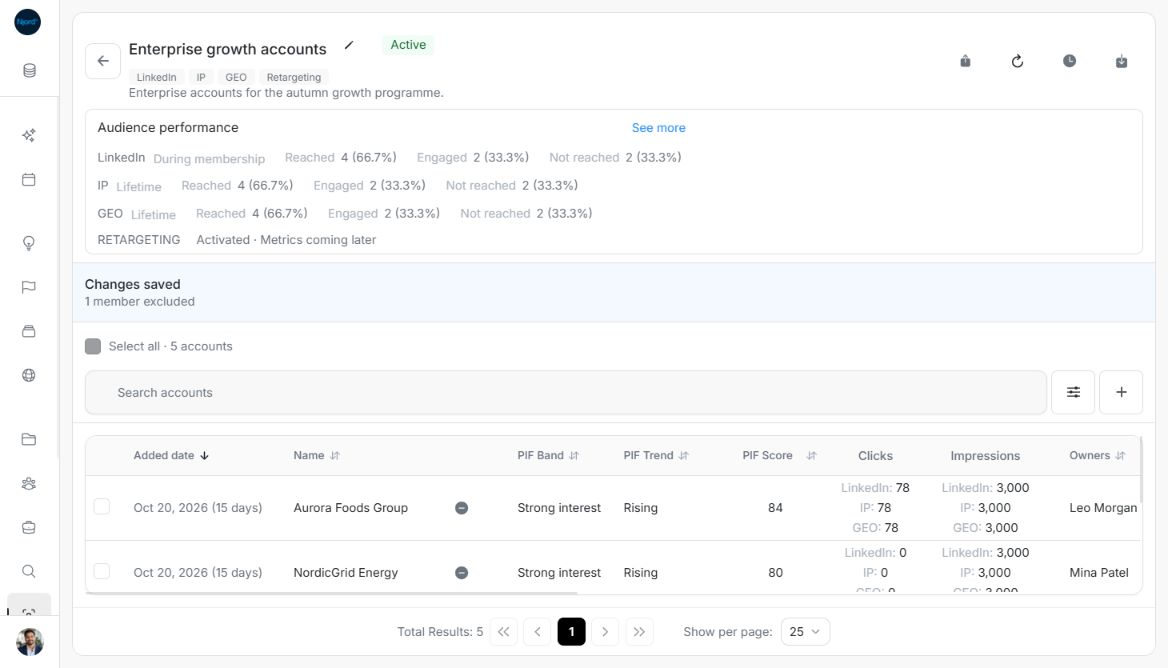
Image guide: After exclusion, five current accounts remain while historical performance is retained. Fictional sample data, shown in light mode.
Exclusion changes this audience only. Another Active audience can continue targeting the record. To reverse a saved exclusion, open Add accounts or Add stakeholders, check the identity and deliberately add it again. Former members are available candidates again; current members remain disabled in Add.
Keep selection and stopping separate
Clear selection removes checkmarks without changing membership. Cancel abandons an unsent confirmation. Stop update, when available for running work, allows its current batch to finish and keeps completed changes. It does not re-add a member already excluded.
Archived audiences are read-only. Running work, failed refreshes or permissions can lock changes. For an uncertain result, inspect saved membership before sending another request.