Archive an audience
Archive an audience
Archive a group you no longer need for targeting. Review its status and current member count first: archiving an empty audience deletes it immediately.
Archive a populated audience
- Open the intended audience and check its name and members.
- If it is Active, use Manage audience → Deactivate audience and check completion first. Archive (deactivate first) is disabled while Active.
- Choose Manage audience → Archive.
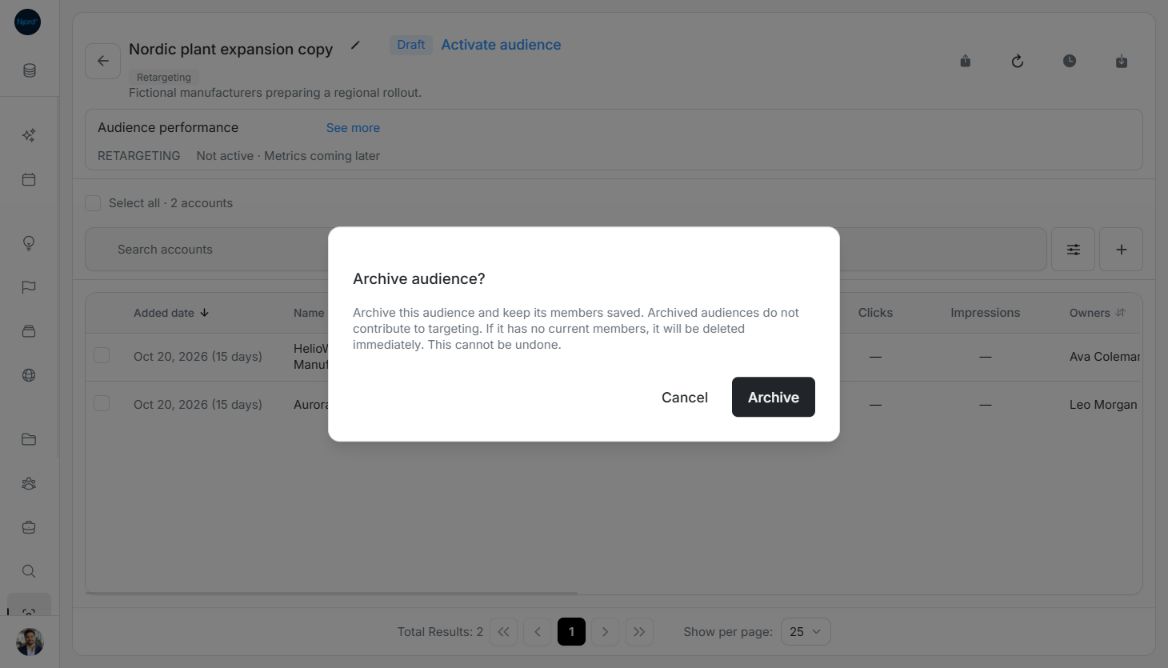
- Read Archive audience?. Choose Cancel to leave the group as it is, or Archive to continue.
- Check Archived and the retained roster. The group no longer contributes to targeting and cannot be edited.
Image guide: Archive audience explains retained members and immediate deletion for an empty group. Fictional sample data, shown in light mode.
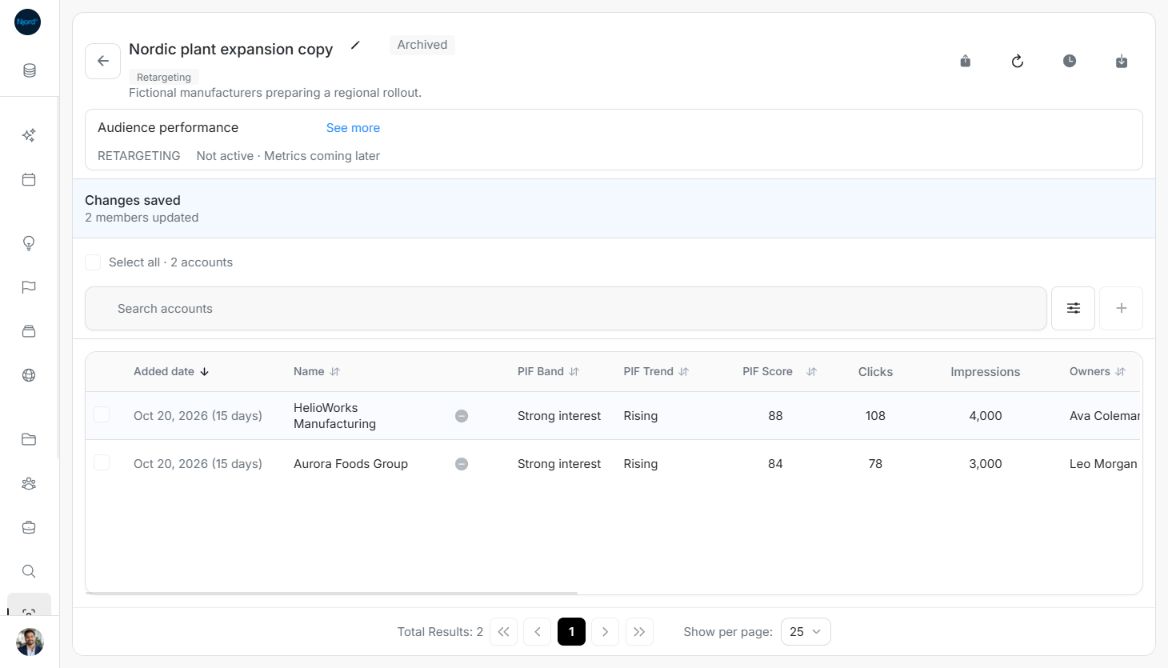
Image guide: A populated Archived audience retains its two current members for review. Fictional sample data, shown in light mode.
Find the archived group later
Return to the catalog and choose Audience status → Archived. The default All statuses view excludes archived groups. Search and type filters still apply. Archived groups are omitted from active membership pickers.
Understand empty-audience deletion
If there are no current members, Archive deletes the audience immediately and returns to the catalog. This cannot be undone. Inspect the count and cancel when uncertain. A group retained for historical performance is different from current membership; check the actual current roster before archiving.
Archiving one audience does not delete its underlying accounts/stakeholders. Another Active audience can continue targeting the same record. Check progress and retained history when an update did not fully finish.
After empty-audience deletion, DOE returns to the catalog and the group cannot be reopened or restored. Populated archived audiences retain their roster and Added dates. Archiving cannot be undone in either case.
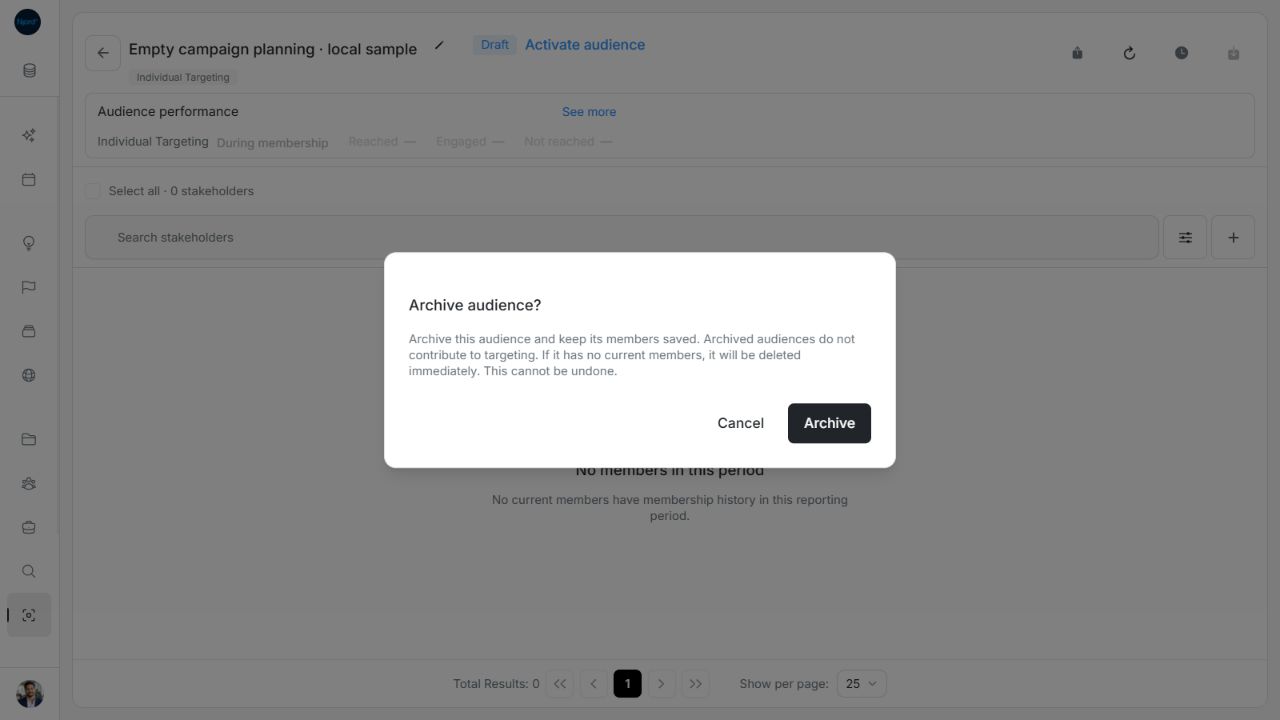
Image guide: Archive warns that a zero-member audience is deleted immediately. Fictional sample data, shown in light mode.
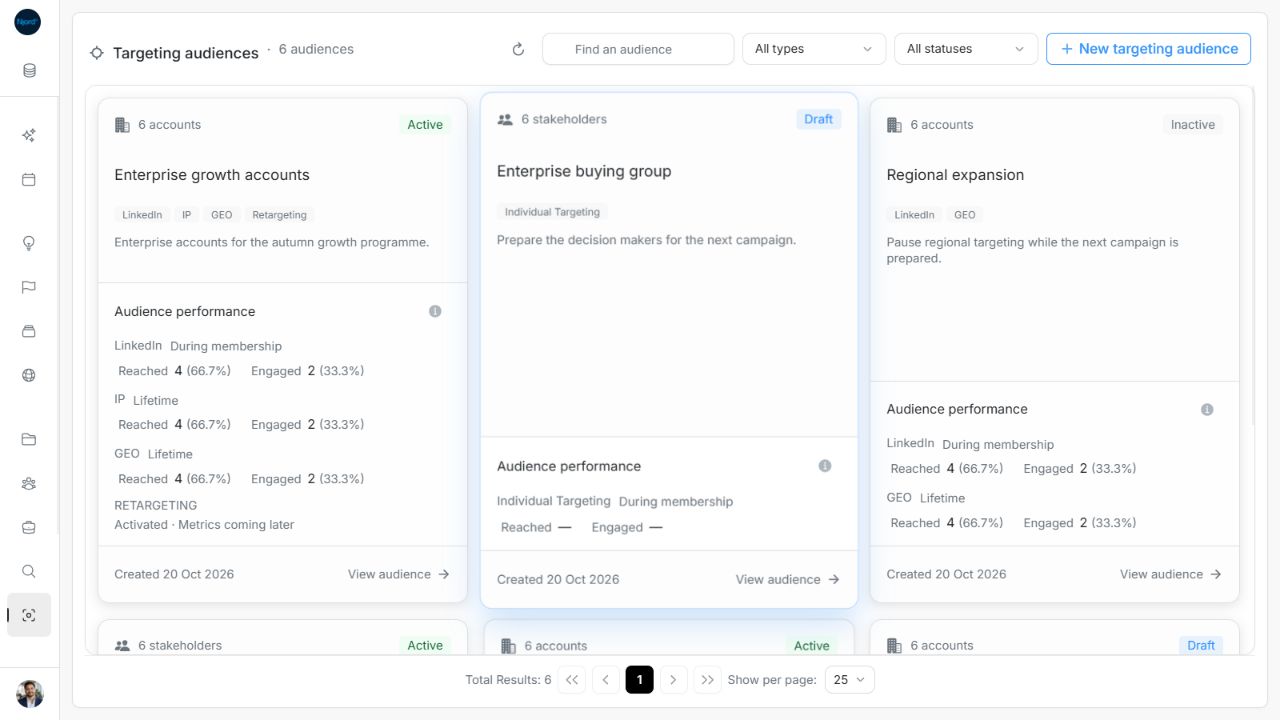
Image guide: After archiving the disposable empty sample, the catalog returns to its six remaining audiences. Fictional sample data, shown in light mode.