Stakeholders and ad targeting
Stakeholders and ad targeting
Manage Stakeholders and Ad Targeting explain who is connected to an account and how that account is configured for campaign targeting.
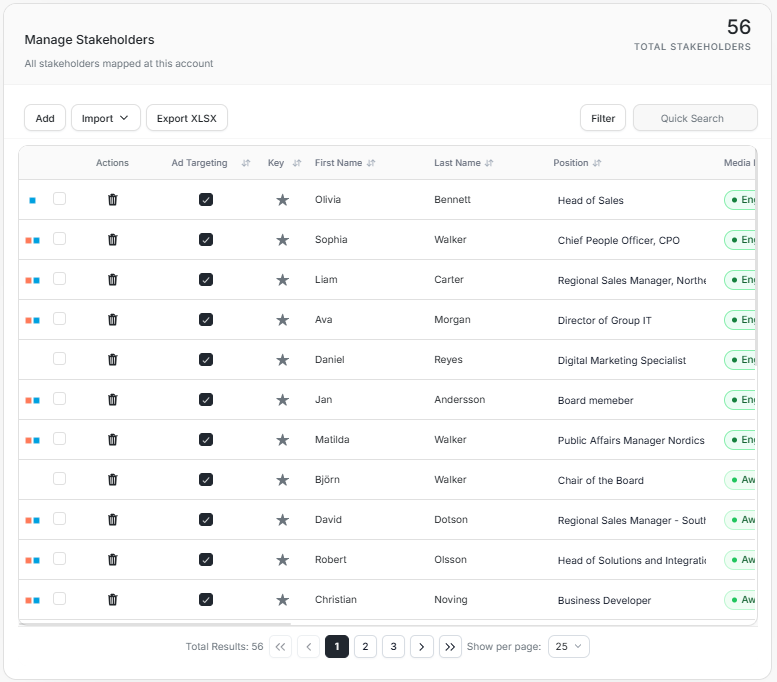
The Manage Stakeholders card lists mapped stakeholders. The Ad Targeting card shows account campaign configuration, including targeting state, techniques, country, and dates.
Manage Stakeholders
Manage Stakeholders lists people mapped to the account.
| Column | Use it for |
|---|---|
| Ad Targeting | Whether the stakeholder is included in targeting. |
| Key | Key-contact marker. |
| First Name | Stakeholder first name. |
| Last Name | Stakeholder last name. |
| Position | Role or title. |
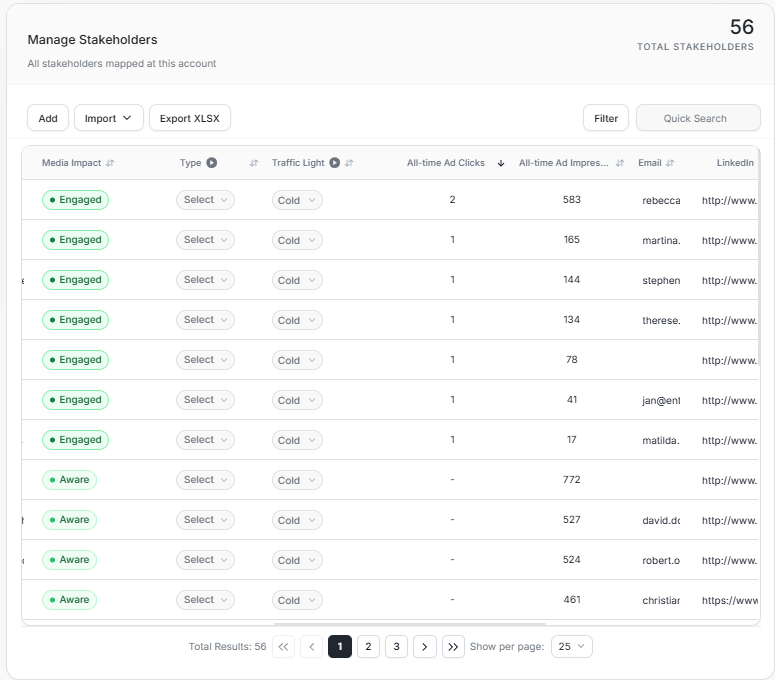
| Media Impact | Current media impact state, such as Aware or Engaged. |
Use Quick Search to find a person by name. Use Export XLSX when you need a spreadsheet copy of the visible stakeholder data.
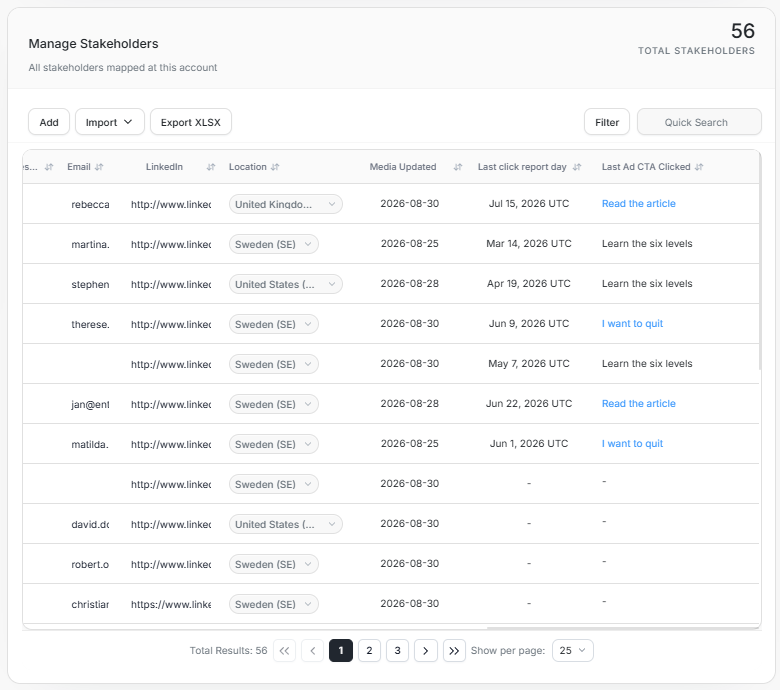
The table is wide. Scroll horizontally to review media-impact, traffic-light, email, LinkedIn, location, media-updated, click-report date, and last CTA clicked fields.
Add Stakeholder
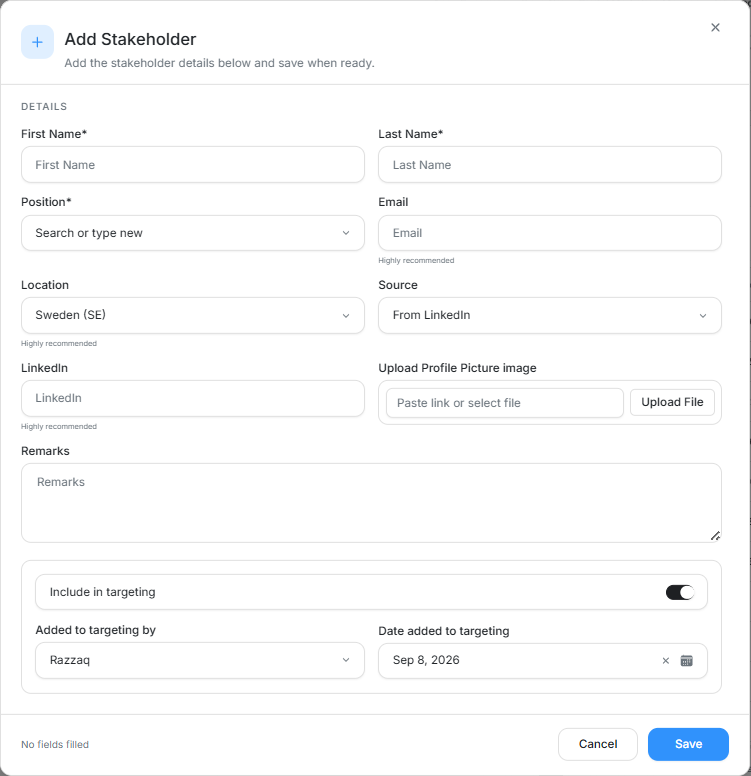
Use Add when a person should be mapped to the account manually. Required fields include First Name, Last Name, and Position. You can also add email, location, source, LinkedIn, profile picture, remarks, targeting state, targeting owner, and the date added to targeting.
Filter Stakeholders
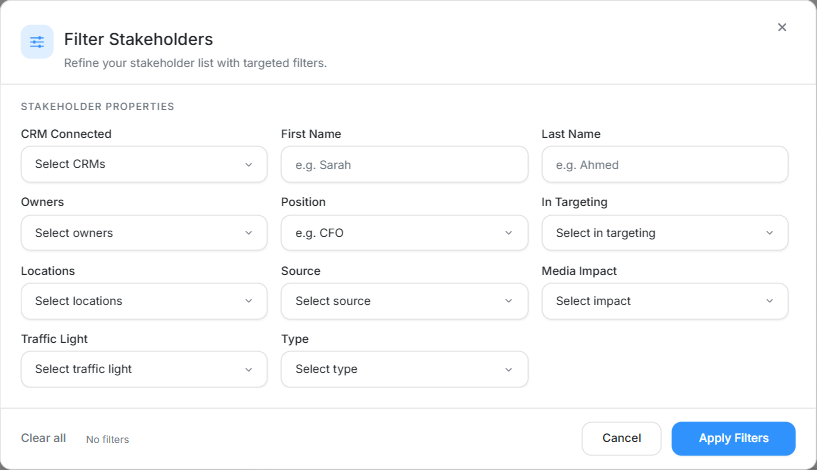
Filter Stakeholders can include:
| Filter | Use it for |
|---|---|
| CRM Connected | Find people with or without CRM mapping. |
| First Name | Search by first name. |
| Last Name | Search by last name. |
| Owners | Filter by owner. |
| Position | Filter by role or title. |
| In Targeting | Show people included or excluded from targeting. |
| Locations | Filter by stakeholder location. |
| Source | Filter by stakeholder source. |
| Media Impact | Filter by current media impact state. |
| Traffic Light | Filter by traffic-light classification. |
| Type | Filter by stakeholder type. |
Ad Targeting
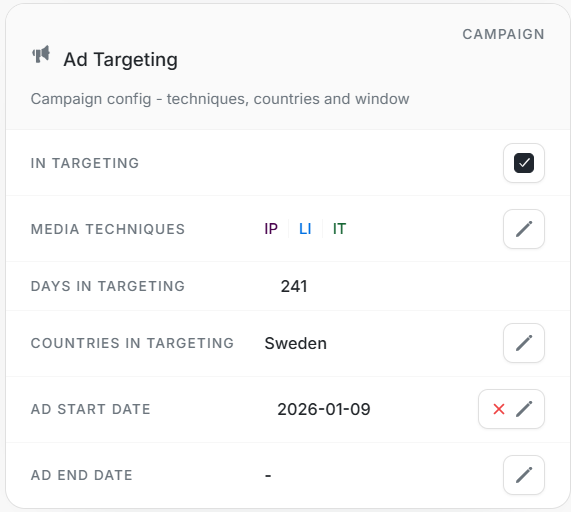
Ad Targeting shows account-level campaign configuration.
| Field | Meaning |
|---|---|
| In Targeting | Whether the account is included in targeting. |
| Media Techniques | Techniques such as LinkedIn or Individual Targeting. |
| Days in Targeting | Days from ad start date to current date or ad end date. |
| Countries in Targeting | Countries configured for the account. |
| Ad Start Date | Start date used for targeting calculations. |
| Ad End Date | End date when targeting stopped, if set. |
Use the edit controls only after confirming that the account should change. Targeting changes can affect reporting and stakeholder interpretation.
Ad Preview
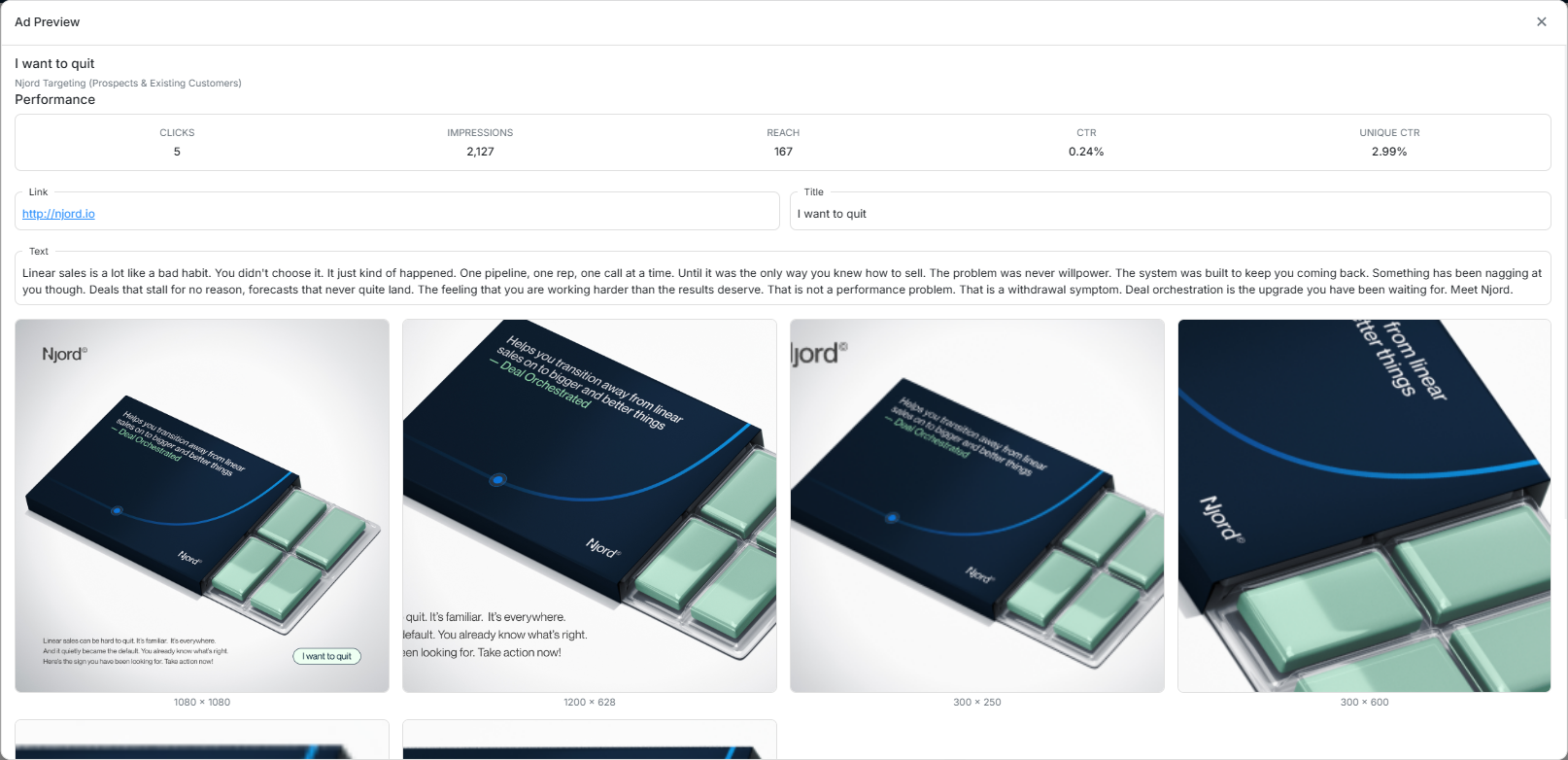
Open an ad preview when you need to inspect the ad creative and performance for a specific campaign asset. The preview can show clicks, impressions, reach, CTR, unique CTR, destination link, title, text, and available image formats.