Review and change an account’s targeting
Review and change an account’s targeting
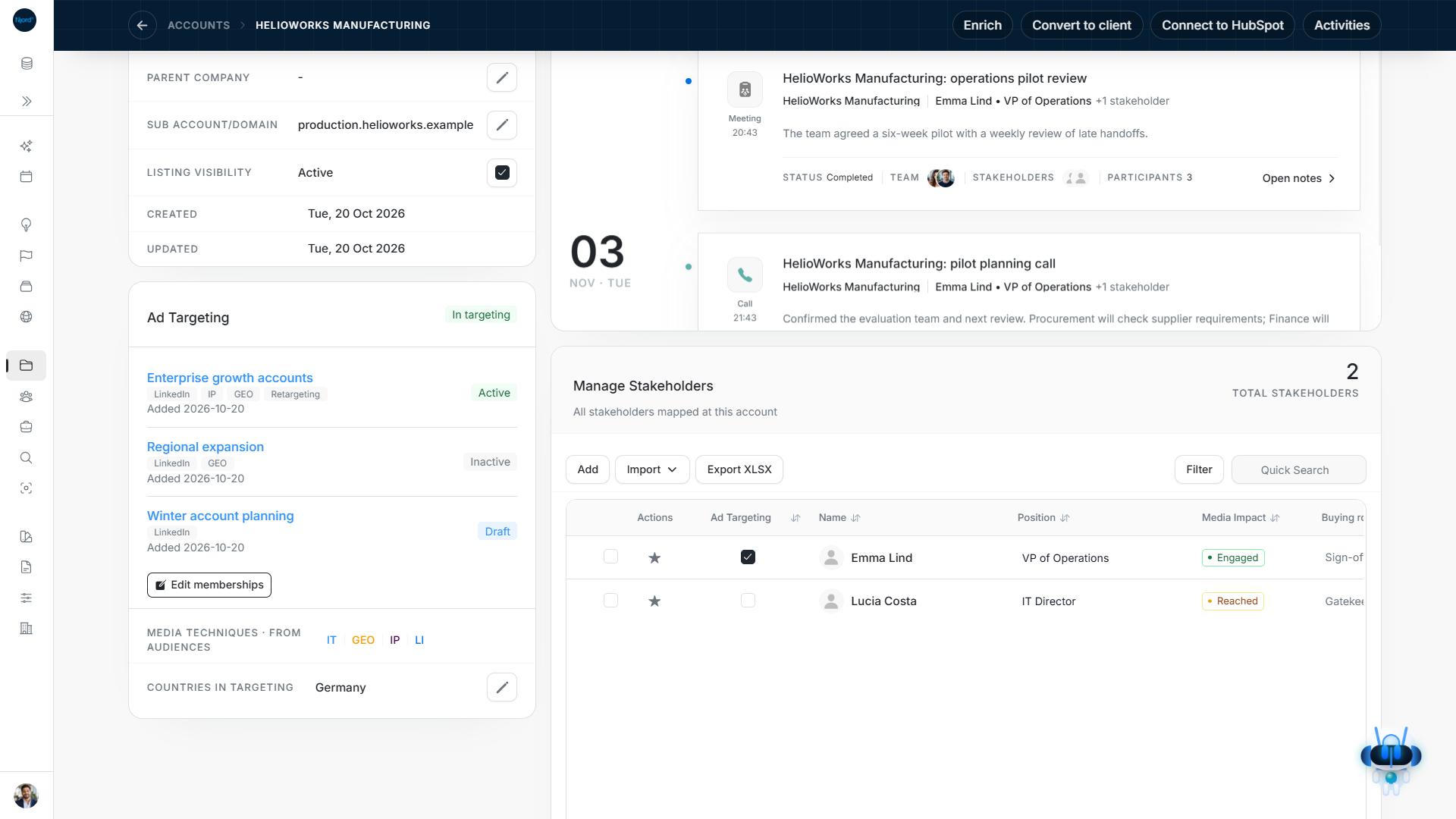
Image guide: The company belongs to Active, Inactive and Draft audiences. Only active memberships contribute targeting. Its people have separate targeting choices and engagement states.
Use Ad Targeting on an account to inspect its current audience memberships, understand which media techniques apply, and edit targeting countries.
Read current memberships
The header shows In targeting or Not in targeting. Each current membership lists its audience name, techniques, Added date and audience status. Open the audience name to inspect the group. Existing Draft or Inactive memberships can remain listed without contributing active targeting. With more than 25 memberships, use Previous and Next.
Change memberships
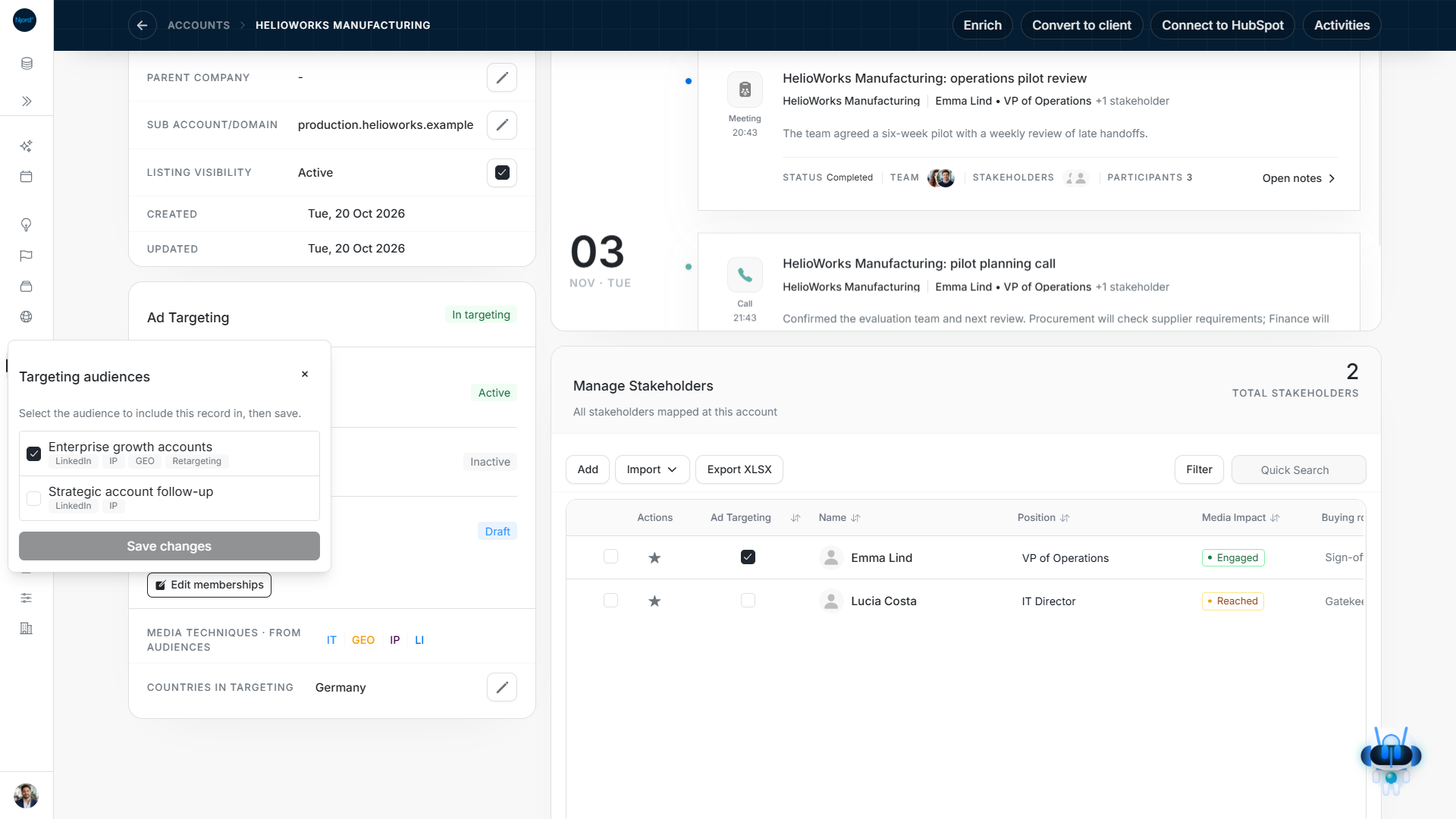
Image guide: Choose among Active Account audiences. The saved membership is checked; other choices can be added before Save changes.
- Choose Edit memberships.
- Check the active account audiences to add and uncheck memberships to remove.
- Review the changes and choose Save changes.
- Inspect each audience result, then check the refreshed membership list.
Removing one audience may leave targeting active through another. A membership-load error shows Audience memberships are unavailable. Use Retry before deciding the account has no memberships.
Techniques and countries
Media Techniques · From audiences is a read-only summary. GEO, IP and LinkedIn come from active account audiences; change the audience's techniques or the account's memberships to change those contributions. IT describes Individual Targeting derived from linked stakeholder audiences. The account's own targeting state and its stakeholders' Individual Targeting are independent.
Countries in Targeting can be edited on the account. This country setting does not create an audience membership. There are no direct campaign start/end controls in this section.