Table dropdowns and row actions
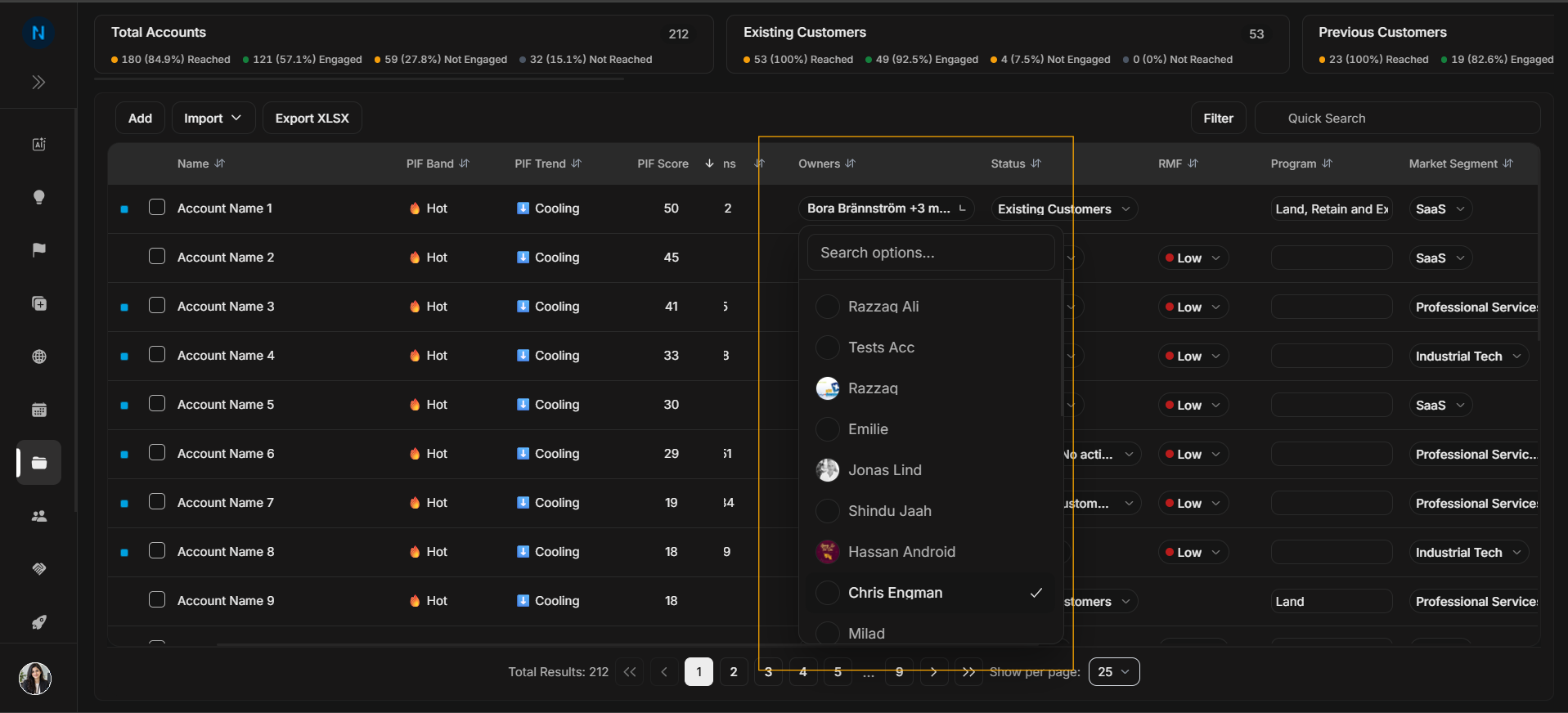
Table dropdowns and row actions
Some Accounts table fields are editable from the row. These controls are different from the Filter modal because they change or inspect one account row.
Image guide: This table control view belongs with row actions and table work. Use it when explaining table-level options, not the main Filter Accounts article.
Before changing a row value
Row dropdowns update one account at a time. Confirm the account name before changing Status, RMF, Program, Market Segment, or Industry. These fields affect how teammates interpret the account and may affect filtered views elsewhere.
If you are unsure why a value is set, open the account detail page and review Activities before changing it.
Status dropdown
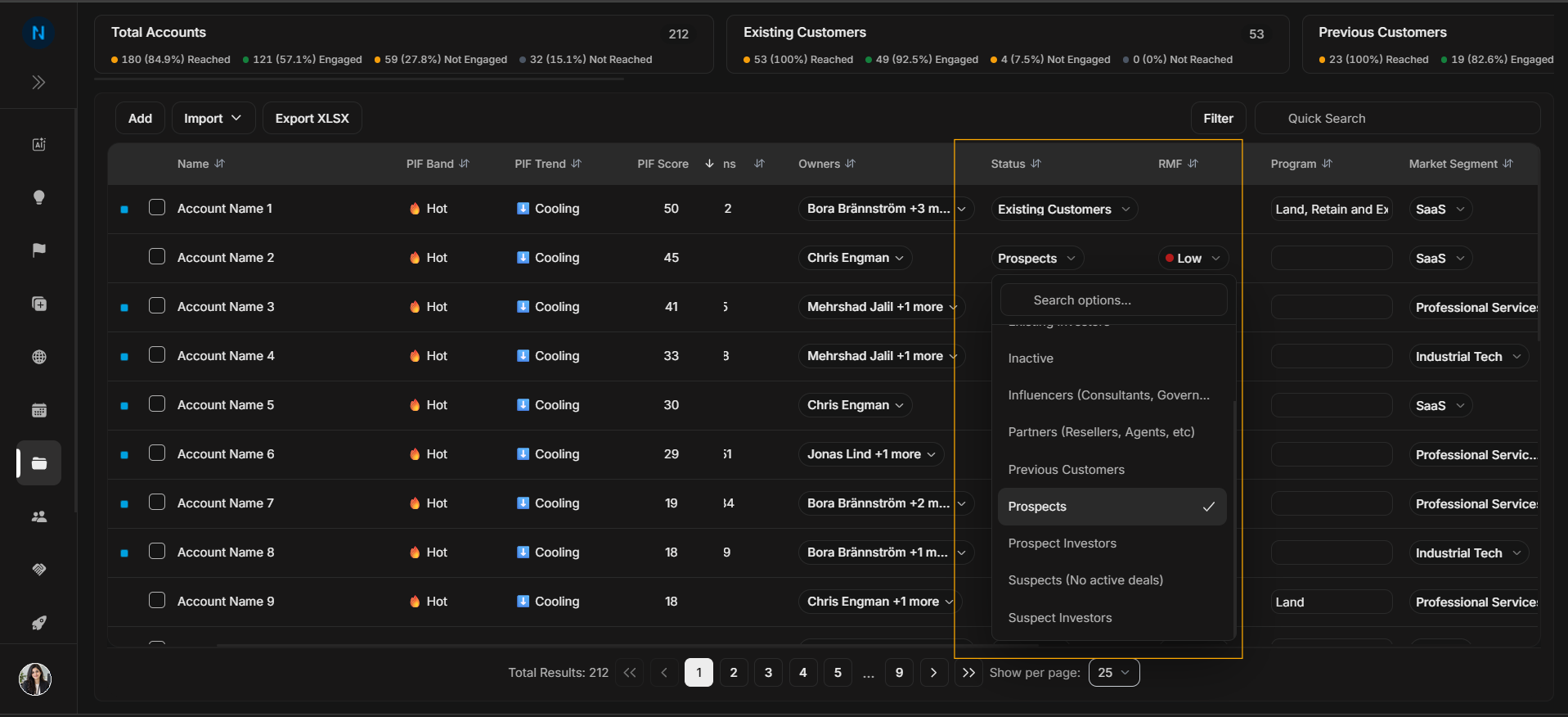
Image guide: The Status dropdown changes the lifecycle state for one account row.
RMF dropdown
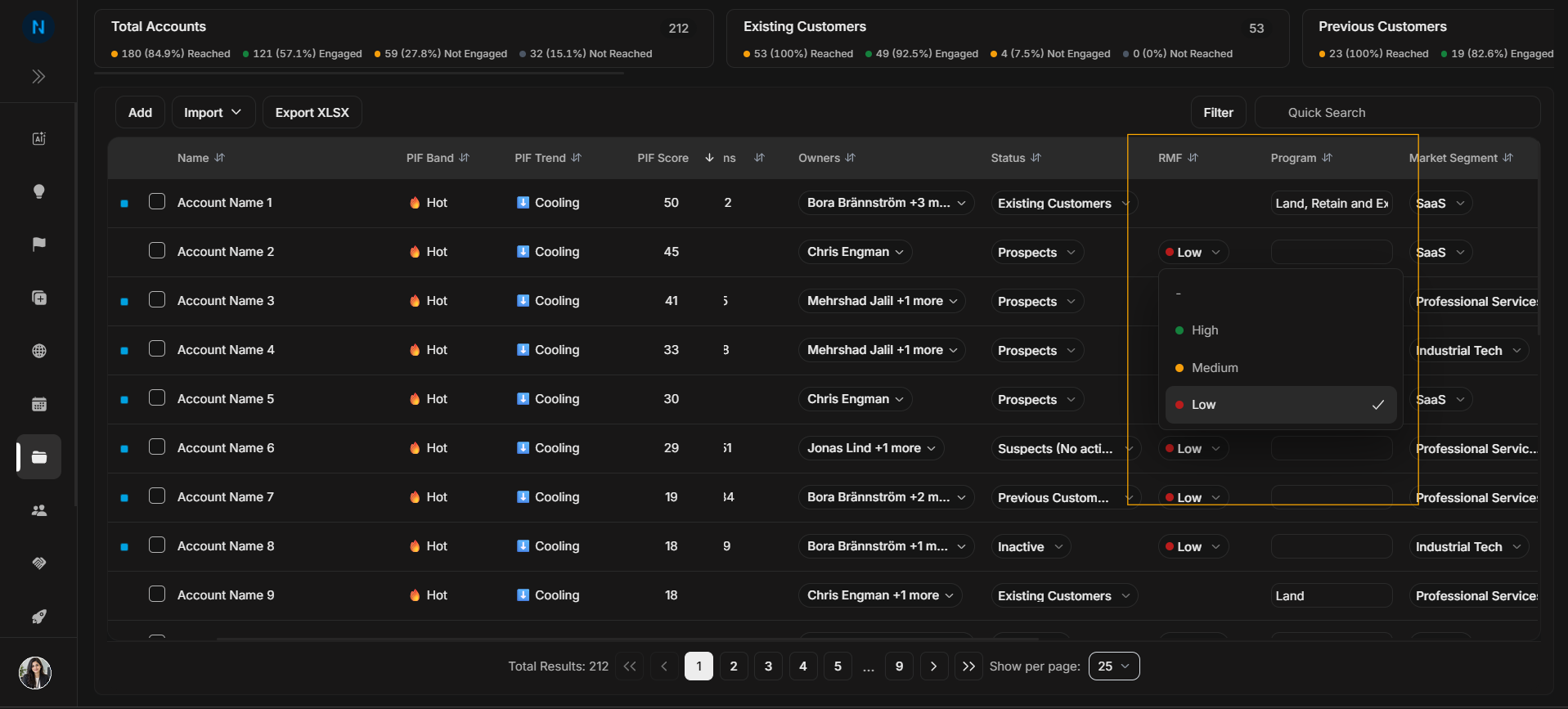
Image guide: The RMF dropdown changes the account's Reference Market Fit value.
Program dropdown
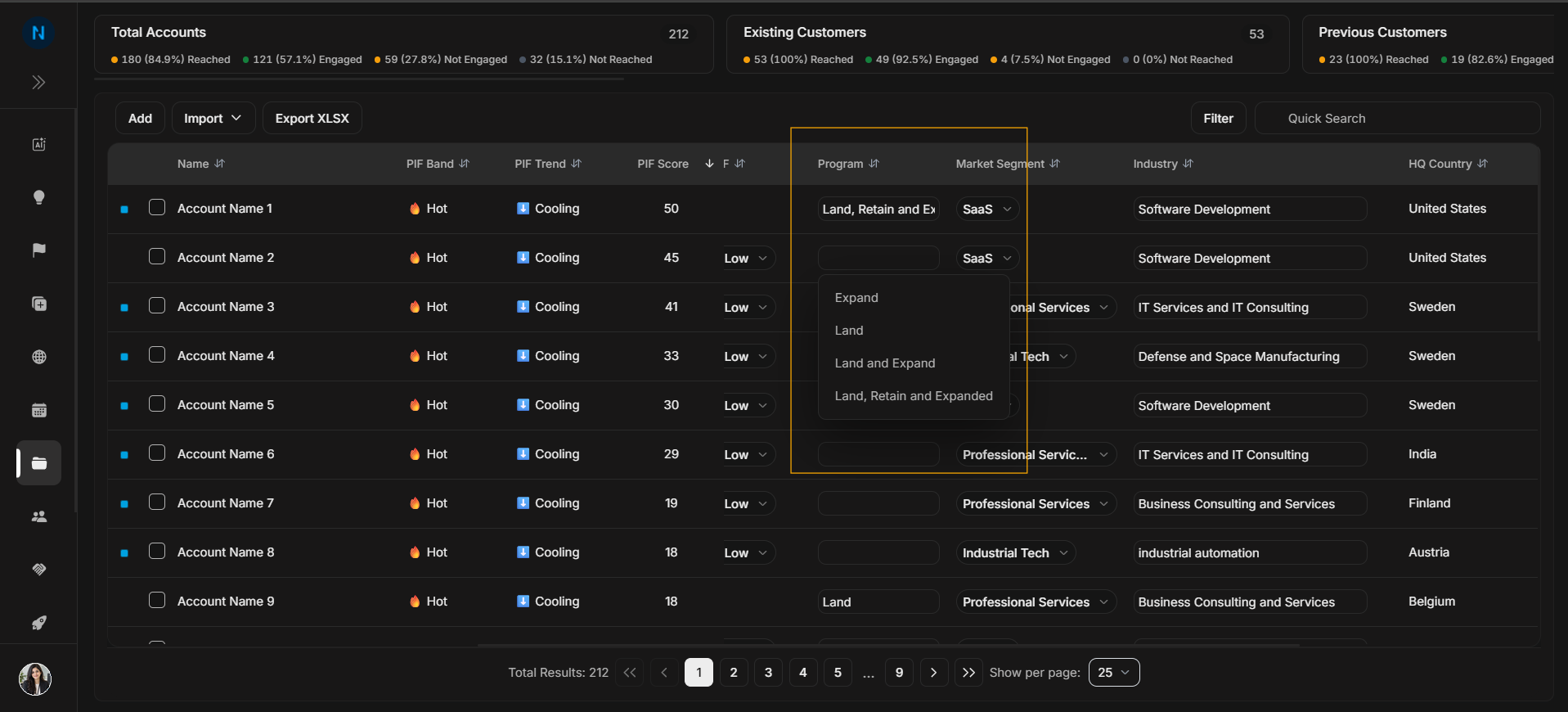
Image guide: The Program dropdown changes the commercial program or motion for one row.
Market segment dropdown
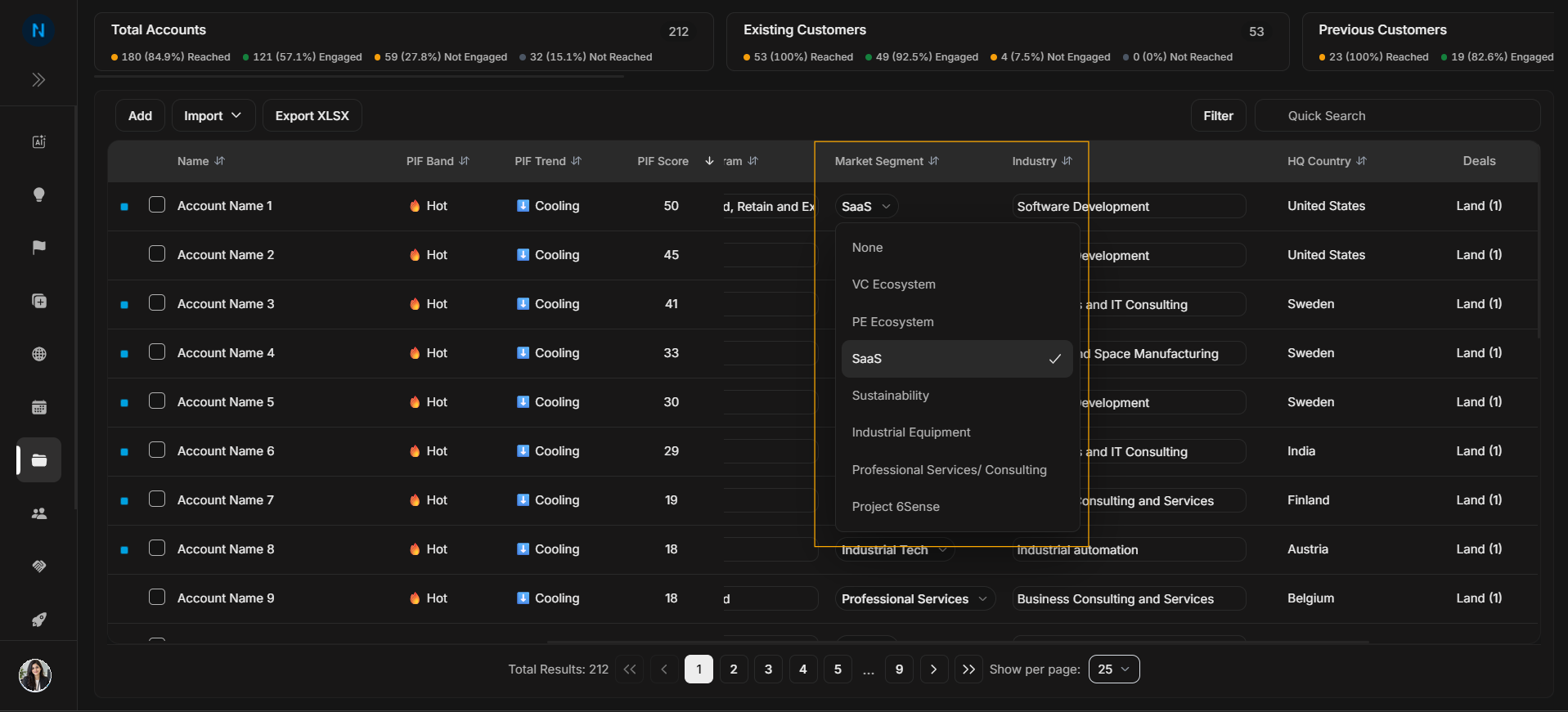
Image guide: The Market Segment dropdown changes the account's segment value.
Industry dropdown
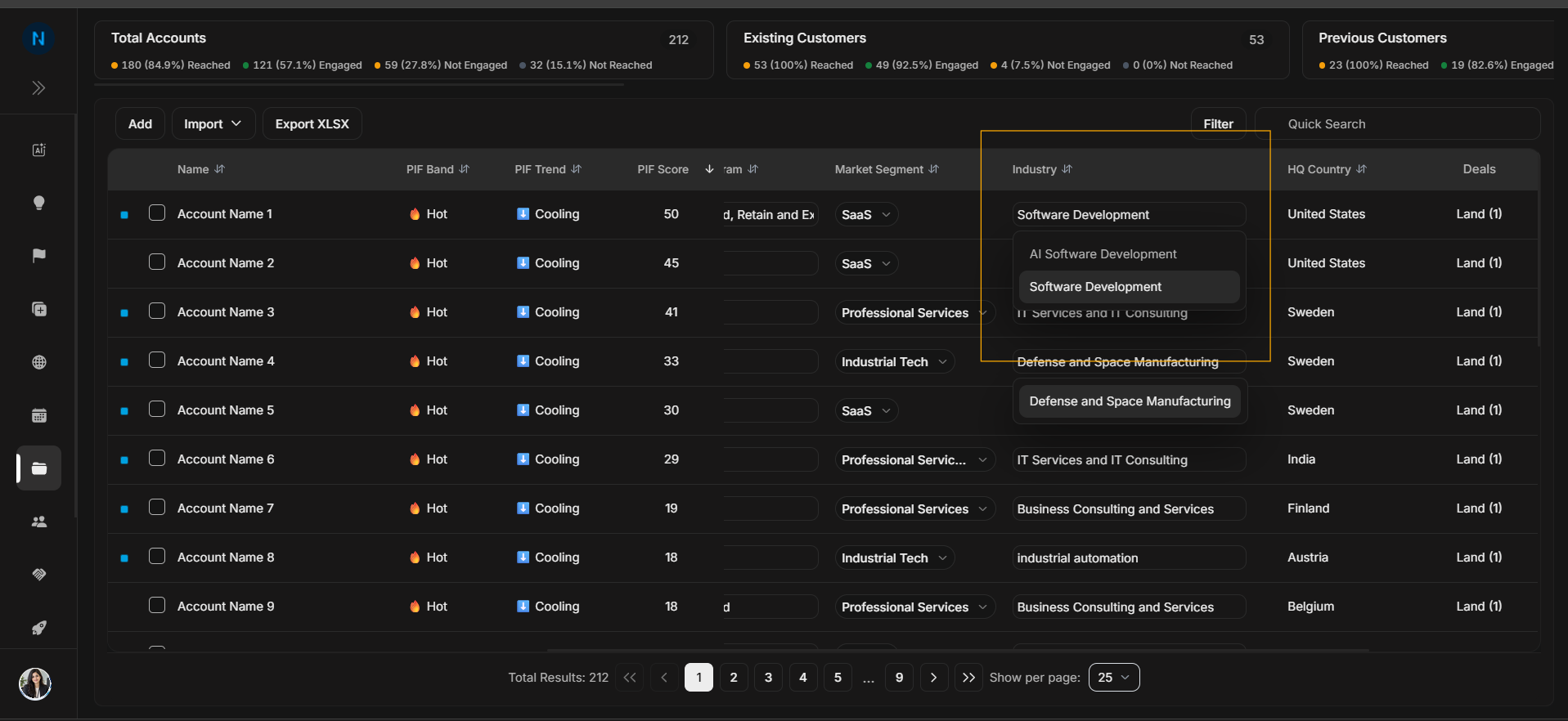
Image guide: The Industry dropdown changes or searches the account's industry value.
Step-by-step
- Confirm the account row.
- Use the field dropdown only for that row.
- Re-check the row after the change.
- Use Activities on Account Details if you need change history.
Important
Table dropdowns and row actions affect row-level work. Filters and Quick Search only change what rows are visible.