Remove a Segment from an account
Remove a Segment from an account
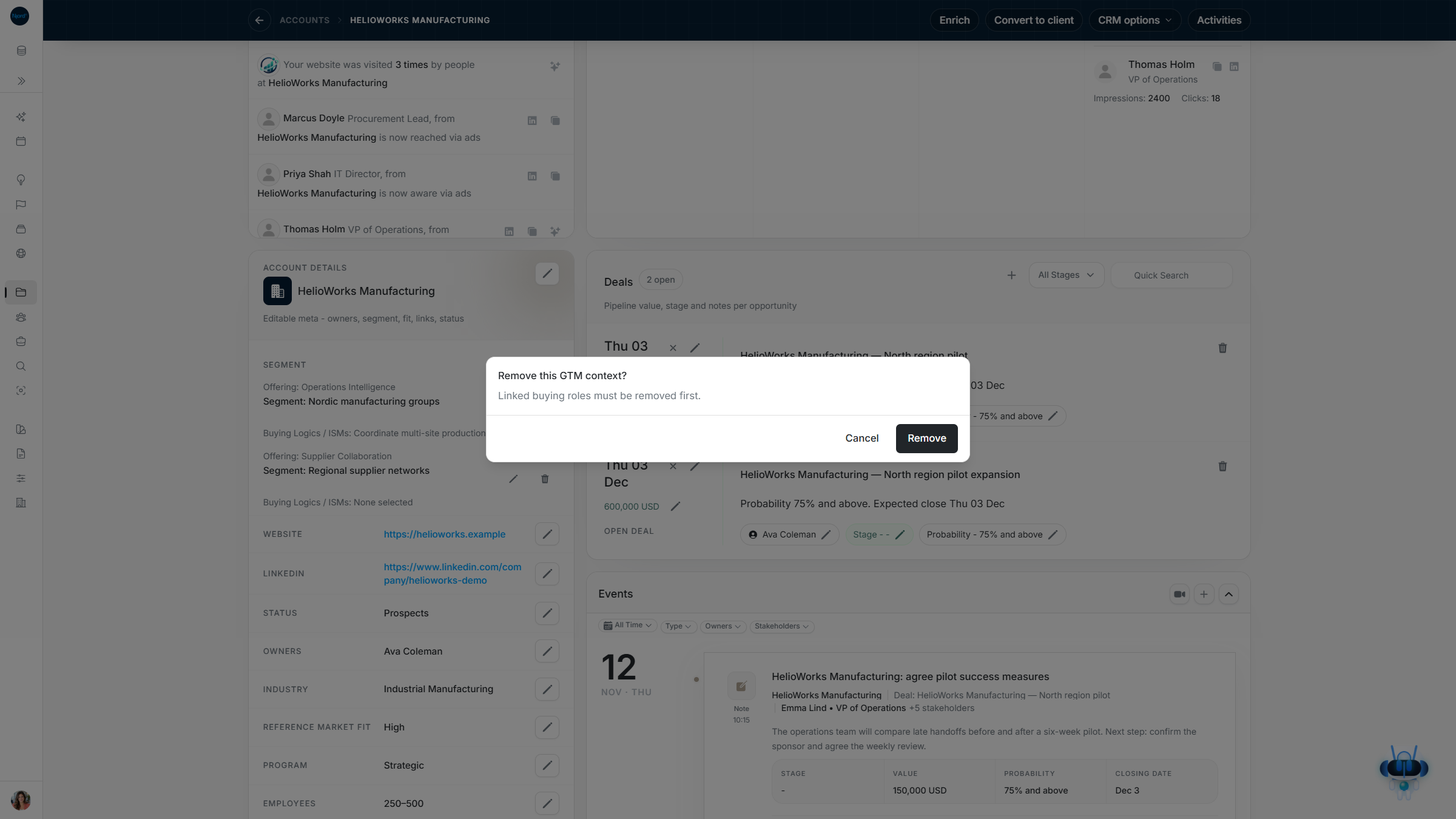
Remove a saved Offering + Segment relationship when it no longer fits a company. The account remains in the workspace, and its other Segment assignments stay in place. You need permission to manage records.
Remove a relationship from the profile
- Open the intended company and find Account Details → Segment.
- Read both the Offering and Segment on the row.
- Choose that row’s Remove context control.
- Read the confirmation and any dependency message. Cancel if you selected the wrong row.
- Confirm removal only when the named relationship can be removed, then check the refreshed card.
In this example, the confirmation identifies linked Buying roles. Review the named dependencies with the teammate responsible for those records before retrying the removal. Verify the company’s saved assignments after DOE confirms the change.
Remove through the Segment checklist or board
In Edit Segments, untick the intended relationship, save, then review Remove unchecked selections? before choosing Save changes. Leave all other checked choices alone.
On the Segmentation board, move the account from its source column to Unassigned, or use the card’s destination picker and Remove this Segment. Read the confirmation. This removes only the source relationship; the company appears in Unassigned only when no active assignments remain.
Check what remains
Reopen the account’s Segment card after saving. Stakeholders inherit the remaining company Segments. Removing only a Buying Logic, archiving a listing, deleting a company and deleting a Foundation Segment are different actions with different effects.
If a save reports partial completion, refresh before repeating it. A failed read is not evidence that an assignment was removed. Check both relationships after a partly completed board move because the destination can have saved while the source remains.