Find accounts by Segment or missing assignments
Find accounts by Segment or missing assignments
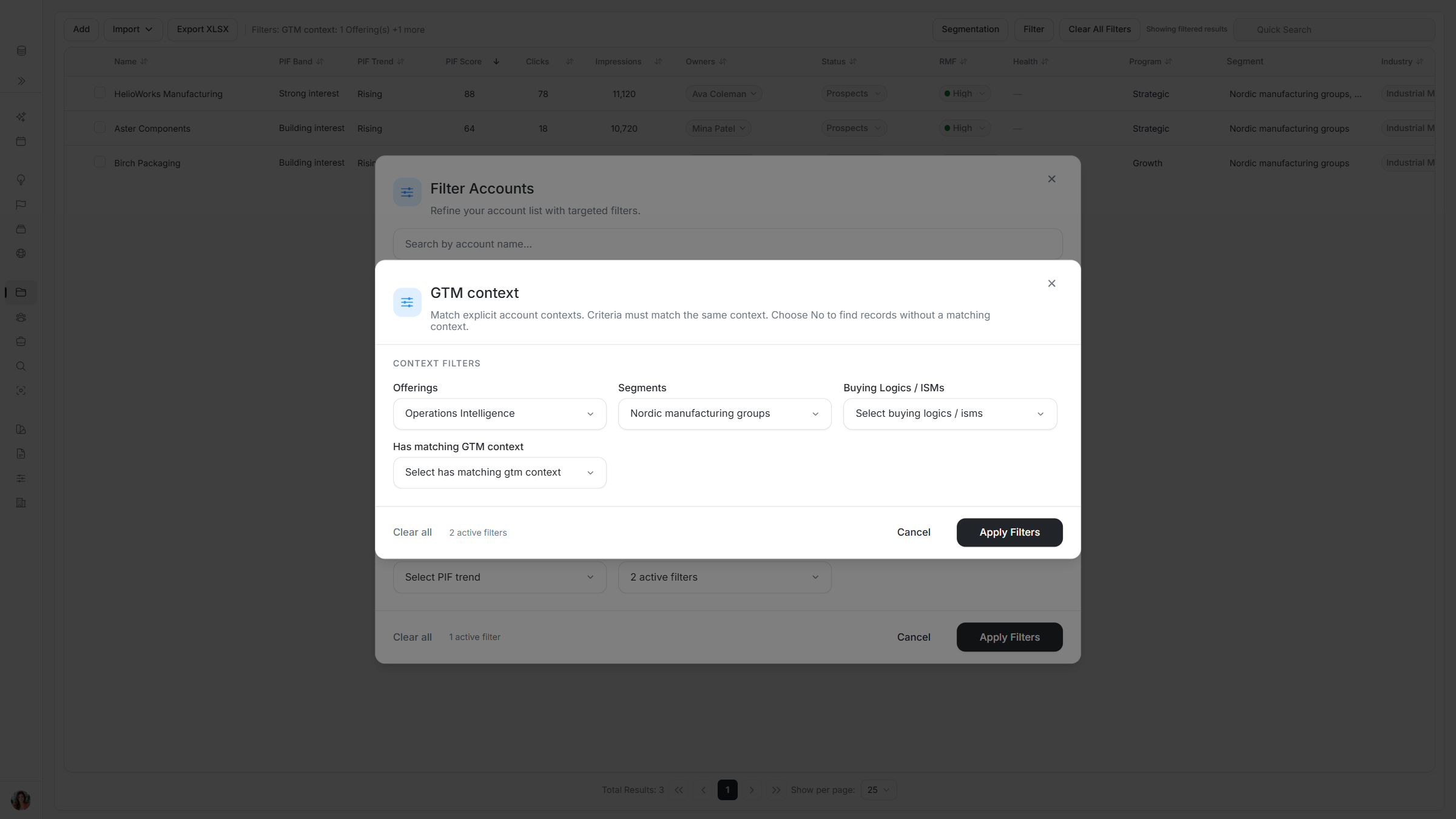
Open Accounts → Filter → GTM context to find companies by their saved assignments. For example, select Operations Intelligence and Nordic manufacturing groups to find companies with that exact pair.
Filter by saved relationships
- Choose the Offerings, Segments or Buying Logics / ISMs that apply to your search. Leave a field blank to accept any value for that field.
- Choose Apply Filters inside GTM context. Back in Filter Accounts, choose Apply Filters again.
- Check the applied filters and matching companies. Check the workspace, data scope and any other account filters if you expected more results.
When you combine fields, DOE looks for one saved row that meets them all. HelioWorks has Operations Intelligence under Nordic manufacturing groups and Supplier Collaboration under Regional supplier networks. It matches Operations Intelligence with Nordic manufacturing groups. It would need an additional saved pair to match Operations Intelligence with Regional supplier networks.
Find companies without an assignment
| Your goal | What to choose in GTM context |
|---|---|
| Find companies with no Segment assignments | Set Has matching GTM context to No — no matching context and leave Offering, Segment and Buying Logic blank. |
| Find companies missing a specific pair | Choose that Offering and Segment, then choose No — no matching context. Results may include companies assigned to other pairs. |
| Find companies with at least one assignment | Choose Yes — assigned and leave the other criteria blank. |
Apply both dialogs after changing the criteria. To return to the full list, clear the filters and check whether Quick Search is still active.
Open a Segment’s account list
In Segmentation, find the column and check the Offering under the Segment name. Choose Show list. DOE replaces your previous list filters with the pair shown on that column. Choose Show list in Unassigned for companies without any assignments.
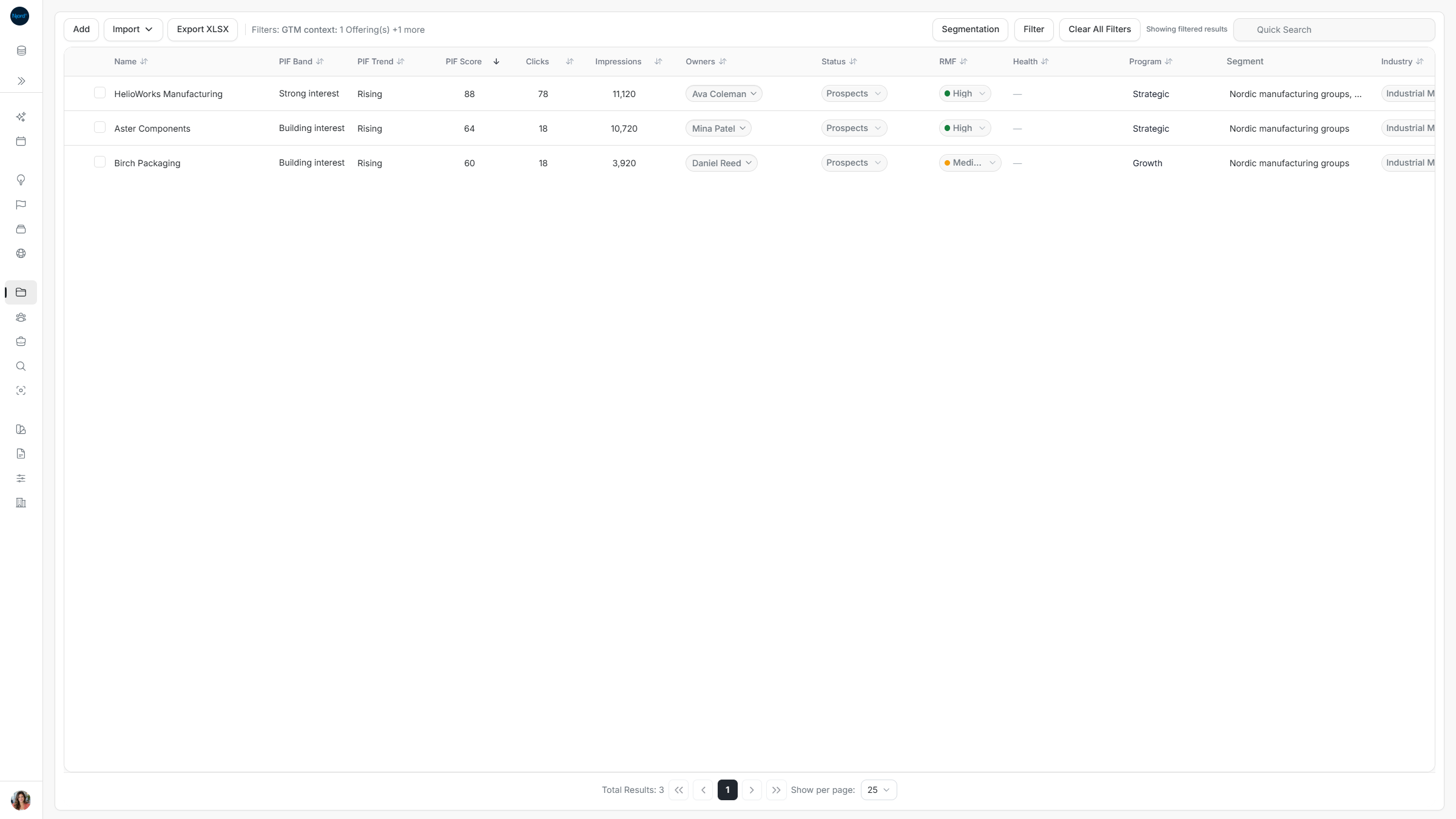
Stakeholder and Deal GTM filters use the same matching rules for their parent company. A deal’s own Target Segment is selected separately on the deal.